
Find the idea on a low-cost version and pay for quality once. Version ladders, short drafts, one change per run and live prices keep your credits working.
Most credits go into finding the idea, not finishing it. Treat the first runs as sketches: short, small and on a low-cost version of the model. Pay for resolution and the top version once the shot already works.
Use the version ladder
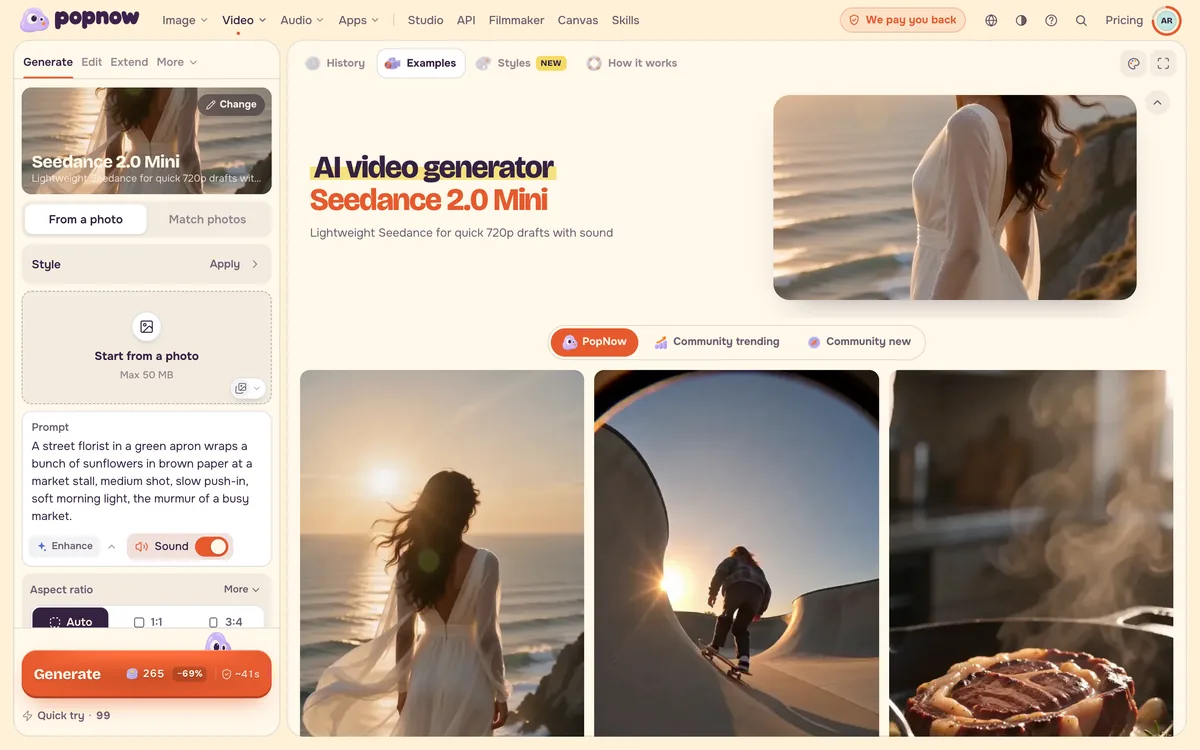
Most model families come in several versions: a quick, low-cost one, a dependable everyday one and a top one for final takes. Each model page has a section called Which [family] to use that lines them up, with a starting price worked out from today's catalogue and the step each one suits best: trying an idea, making a batch or the final take. For Seedance it looks like this:
| Step | Version | 5 seconds |
|---|---|---|
| Try the idea | Seedance 2.0 Mini, 480p | 124 credits |
| Make the batch | Seedance 2.0 Fast, 720p | 484 credits |
| Final take | Seedance 2.5, 720p | 1,387 credits |
Open a model page such as Seedance 2.5 and look for that section above the prompt tips. The same page has Prompt shape and Common problems and fixes, which save reruns as well.
Draft short and small
Video is priced per second at a given resolution, so a four- or five-second draft at the lowest resolution is the cheapest way to check motion, framing and timing. With MiniMax H3, five seconds costs 125 credits at 480p and 290 credits at 2K. Once a take works, run the same prompt at the higher resolution, or extend the good take from its last frame instead of generating a long clip from scratch.
Change one thing per run
When a result is close, change a single thing (the camera move, the light or one line of dialogue) and run it again. If you change three things and the result improves, you will not know which change did it, and you will pay to find out.
Check the price before you press Generate
The Generate button always shows the price for the current settings and updates as soon as you change the resolution, the length, the number of results or the model. Halving the length roughly halves a per-second price. If a generation fails, the credits go back to your balance.
Compare once, then commit
Not sure which model suits an idea? Run the same prompt on two or three models side by side in Compare models at low settings, keep the winner and finish there. See Run one prompt on several models.
FAQ
Is a low-cost version good enough to judge an idea?
For composition, motion and timing, usually yes. Fine texture, small lettering and faces far in the background improve with the higher versions, so judge those on the final take.
Do longer clips cost more?
For models priced per second, yes, in proportion to the length. Models priced per clip list a price for each allowed length. Either way, the button shows the total before you start.
Where can I see what a run will cost?
On the Generate button, before you press it. Model pages show each version's starting price, and Pricing explains credits and packs.