
Number your shots, change framing and camera at every cut, restate where people stand and keep dialogue to time. Works with Seedance, Kling, Wan and H3.
Some video models can cut inside a single generation: one prompt, two or three shots, one clip. It is the cheapest way to get coverage of a moment, as long as each shot is written clearly enough that the model knows where one ends and the next begins.
Which models cut, and how to mark shots
| Model | How to mark shots |
|---|---|
| Seedance 2.0 and 2.5 | "Shot 1:", "Shot 2:" in order; Seedance 2.5 also accepts timed segments such as "Shot 1 [0:00-0:03]:" |
| Kling 3.0 and newer | "Shot 1 (0-4s):" with each shot's length, up to six shots |
| Wan 3.0 | One overall line, then "Shot 1 [0-3s]", "Shot 2 [3-6s]" |
| MiniMax H3 | Inside the description field: "[Shot 1]", then "[Shot 2] At 00:03.500," |
Veo makes one shot per clip. For cuts, use one of the models above, or make separate clips and join them in the editor.
Write each shot as its own picture
Open with one line for the look and light that covers every shot. Then give each shot its size, how the camera behaves and one action that finishes.
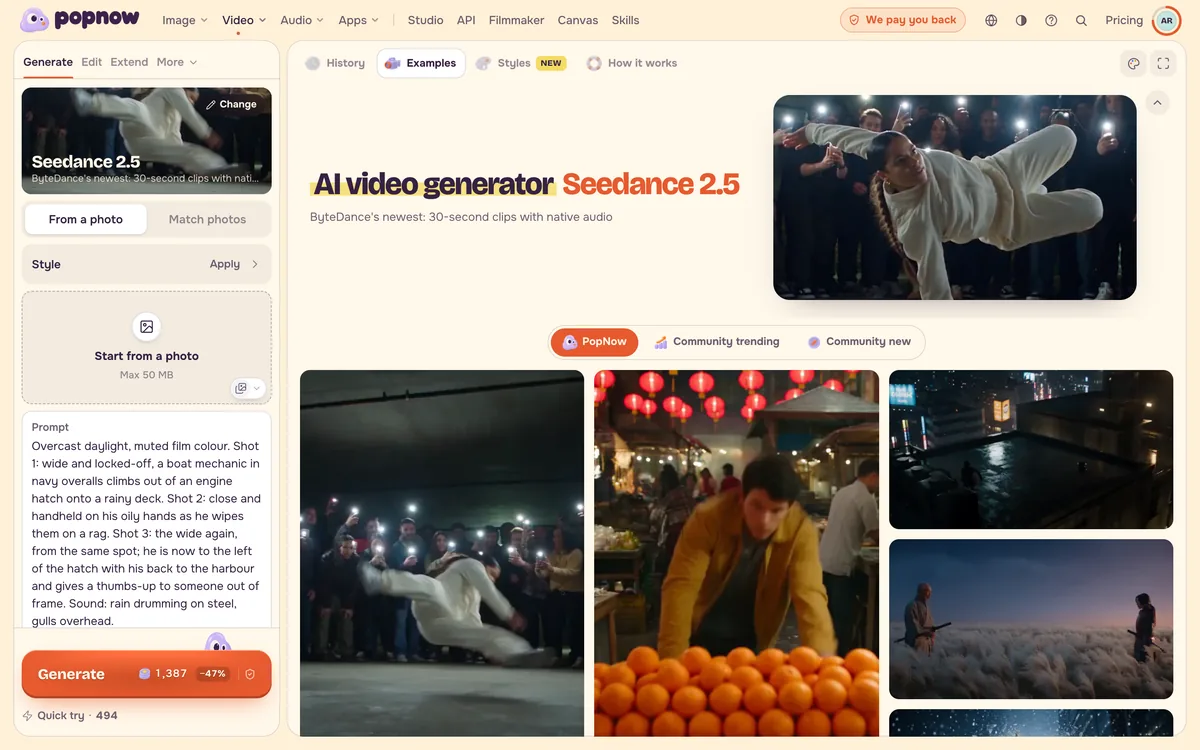
Overcast daylight, muted film colour. Shot 1: wide and locked-off, a boat mechanic in navy overalls climbs out of an engine hatch onto a rainy deck. Shot 2: close and handheld on his oily hands as he wipes them on a rag. Shot 3: the wide again, from the same spot; he is now to the left of the hatch with his back to the harbour and gives a thumbs-up to someone out of frame. Sound: rain drumming on steel, gulls overhead.
Change two things at every cut
A cut reads as a cut when both the framing and the camera behaviour change: wide and still, then close and handheld; a slow glide, then a sharp rise. If only the size changes, the model often blends the shots into one long zoom.
Restate positions when you go back
When a shot returns to a space you already showed, say again where each person stands and which way they face. Without that, people swap sides between shots.
Keep the cast and the dialogue small
- Limit the cast you need to recognise to three people at most, and spell out in each shot which person does what.
- Someone who walks out of frame should stay out until the next shot.
- Budget about two spoken words per second. A ten-second clip holds roughly twenty words, so keep the line where things turn and act out the rest.
- Show feelings as things a camera can see: a set jaw, a held breath, a step back.
Enhance and the prompt assistant follow the same rules, so a rewrite for Seedance numbers the shots and keeps the dialogue to time.
FAQ
How many shots fit in one clip?
Two or three in five to ten seconds. More shots leave less time for each action, and past four the actions start to blur.
Why do my shots merge into one continuous move?
The shots probably differ only in size. Change the camera behaviour as well, and start each shot with its label so the model sees the cut.
Can I keep the same character across the shots?
Yes. Add the character as a reference in Match photos and refer to them the same way in every shot. See Keep the same character in every shot.