To do the AI Polaroid trend, give an image model a clear portrait and ask for soft flash, faded instant-film colors and a wide white border. PopNow's AI Polaroid effect includes that prompt: its default Future you version imagines you beside your older self from one photo. The result is an invented scene, not a prediction or a photograph of an event that happened.
How do you create a Polaroid AI photo from one picture?
- Open the effect. Under Pick a version, keep Future you for the one-photo workflow.
- Under Add a photo, choose a clear portrait with one adult looking roughly toward the camera. The page accepts JPG, PNG or WebP up to 10 MB; avoid tiny faces, sunglasses and heavy blur.
- Keep the default Nano Banana 2.1 model. This effect uses 1K, 4:5 and JPEG output. The catalog price for one edit at this tier is 48 credits; check the displayed total before generating.
- Press Make my picture, then inspect both faces, visible hands and the border. Download a result you like, and keep the original portrait separately.
You do not need to write a prompt for this effect. It asks for you today and the same person at about 75, wearing everyday clothes against a plain light wall. The other versions are Younger you, With a friend and With your pet; they need a second photo. Use pictures you have permission to edit and obtain the other person's agreement when using the friend version.
What happened with three fictional adults?
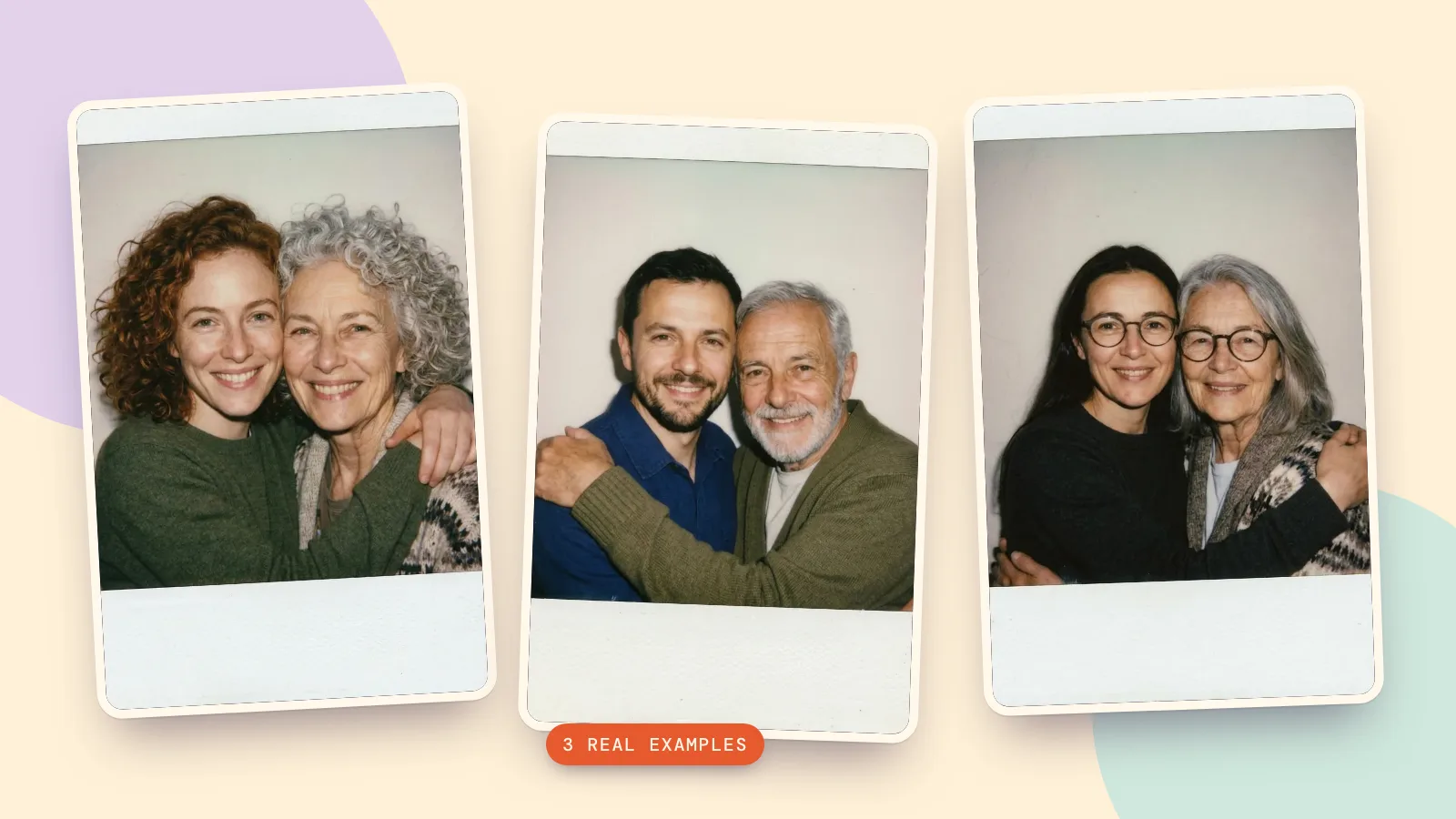
We generated three adult reference portraits with Seedream 5.0 Pro, then ran each through the exact Future you prompt with Nano Banana 2.1 at 1K, 4:5, JPEG on October 29, 2026. These are new calls using the same engine and settings as the landing page. Every result below came from its first call; none depicts a real person.
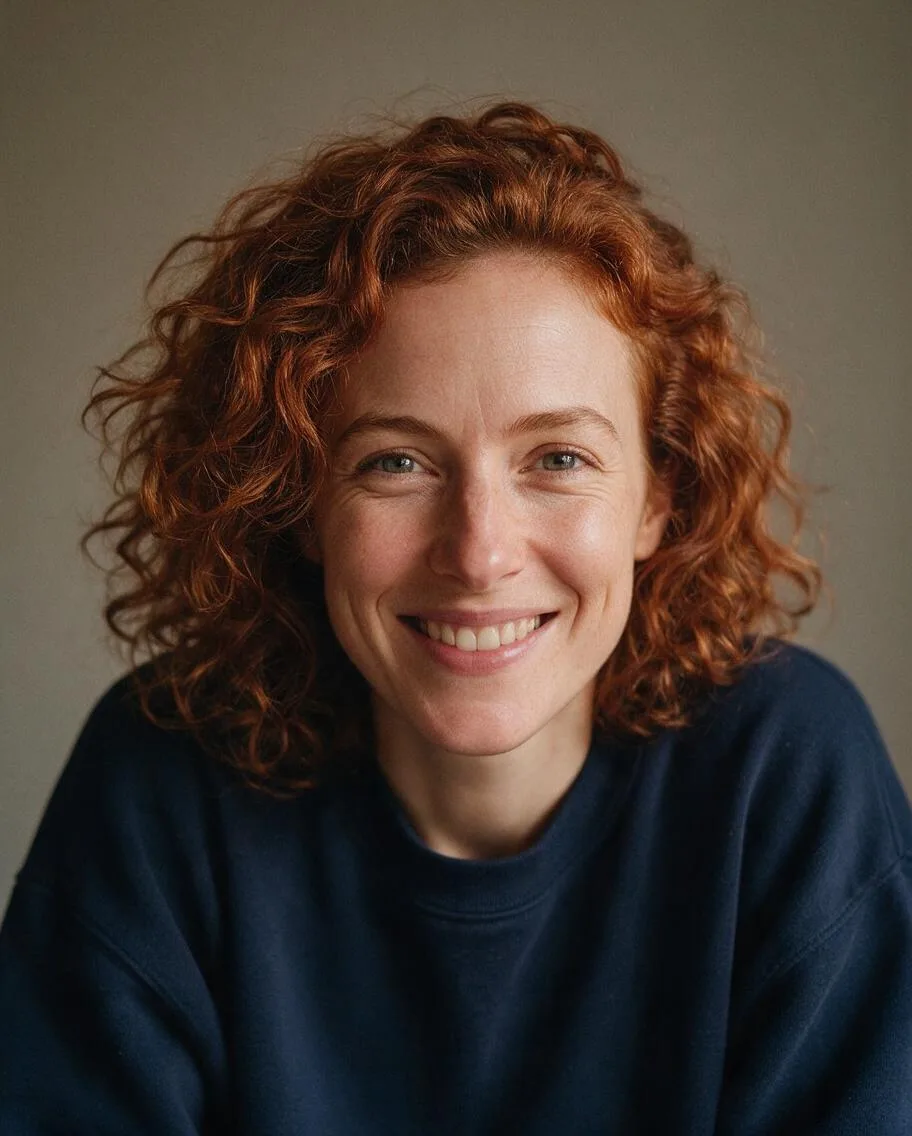 Reference
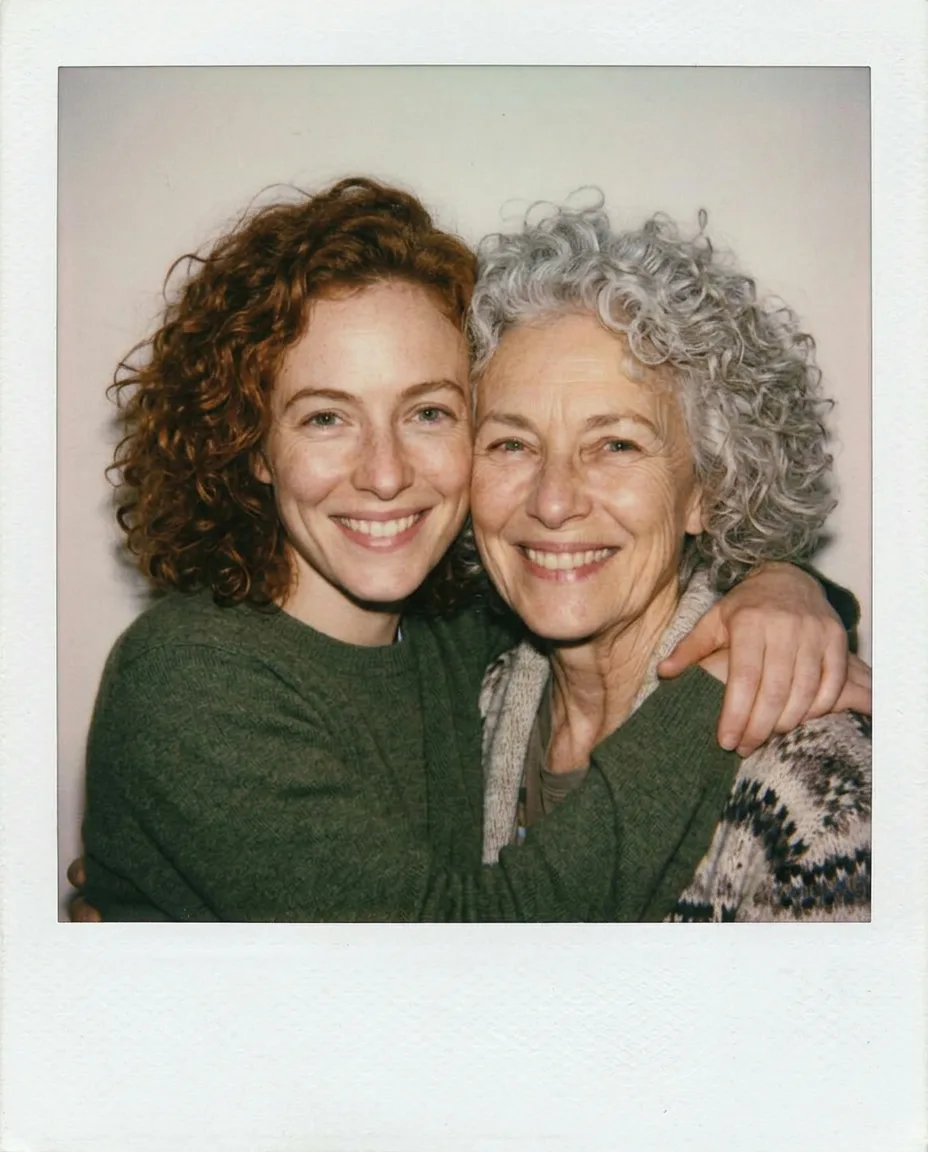 Future you
The curls and smile remain recognizable in both versions, while the older version has silver hair. The original navy sweatshirt became green knitwear: this effect creates a new scene and does not promise to preserve your exact outfit.
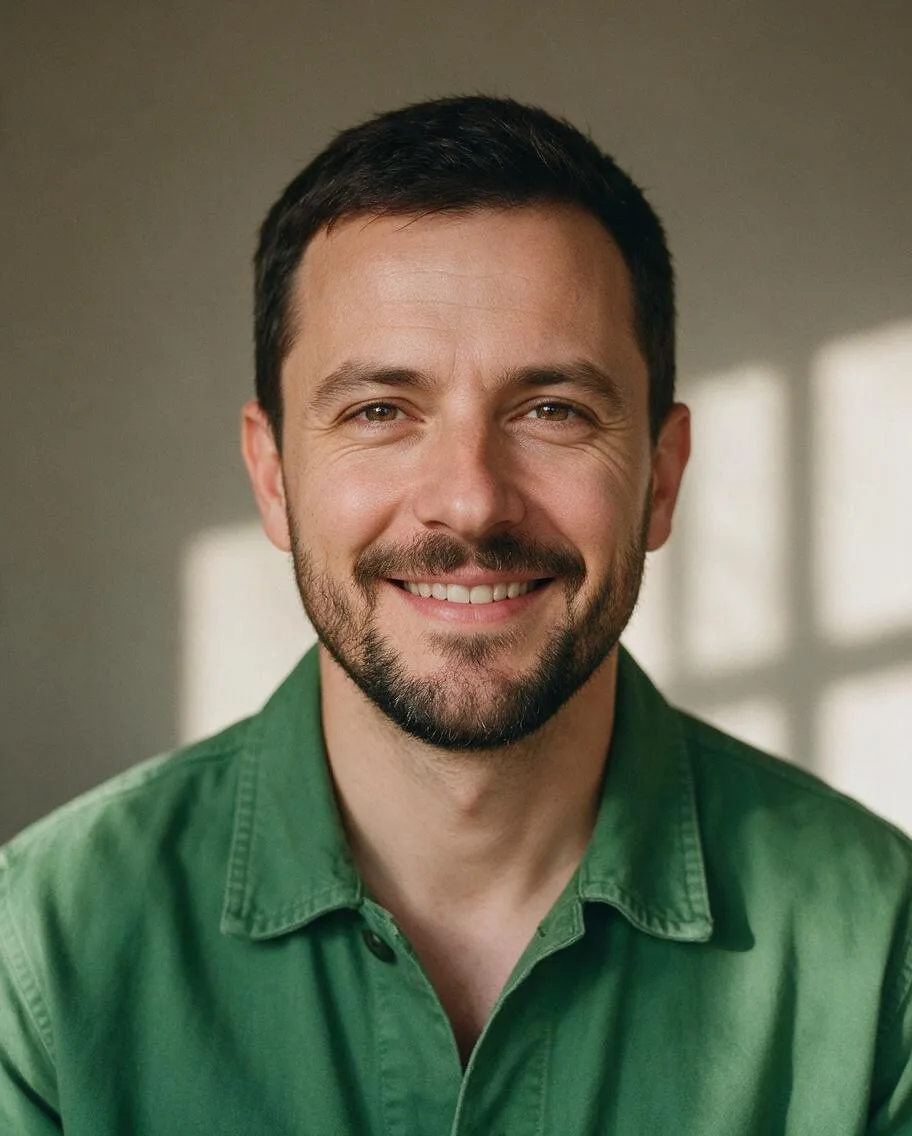 Reference
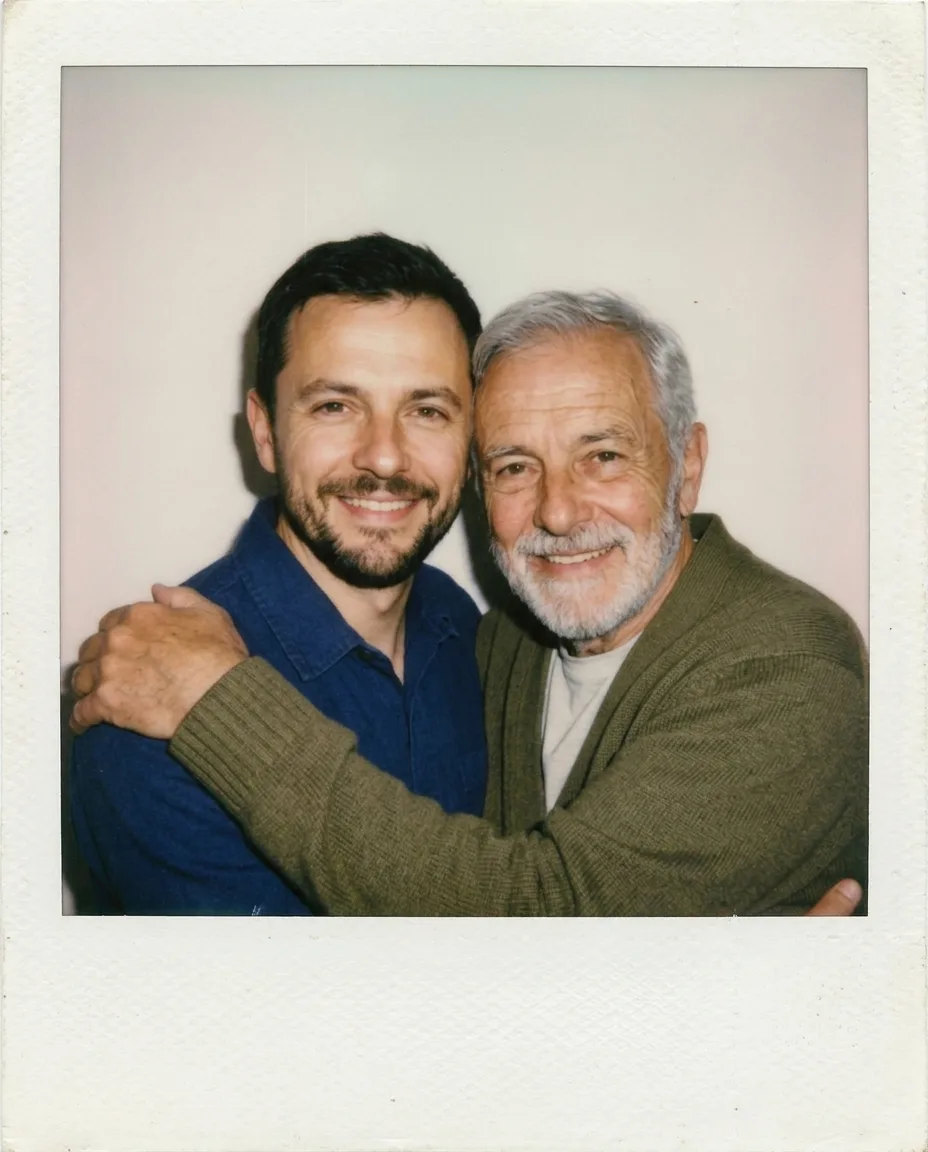 Future you
The second result kept the short dark hair on the younger version and added grey hair and beard to the older one. His shirt changed to blue. The plain wall and direct flash carry the instant-photo look without needing a complicated setting.
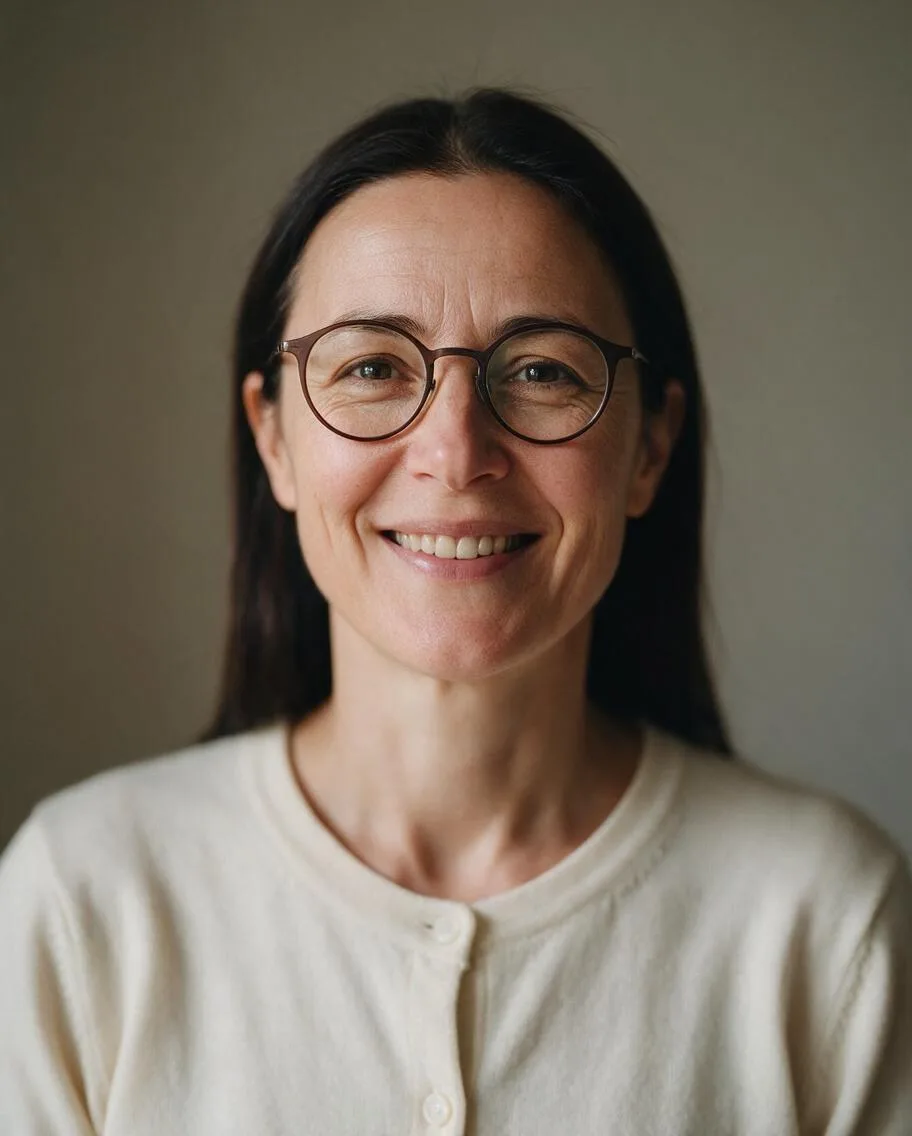 Reference
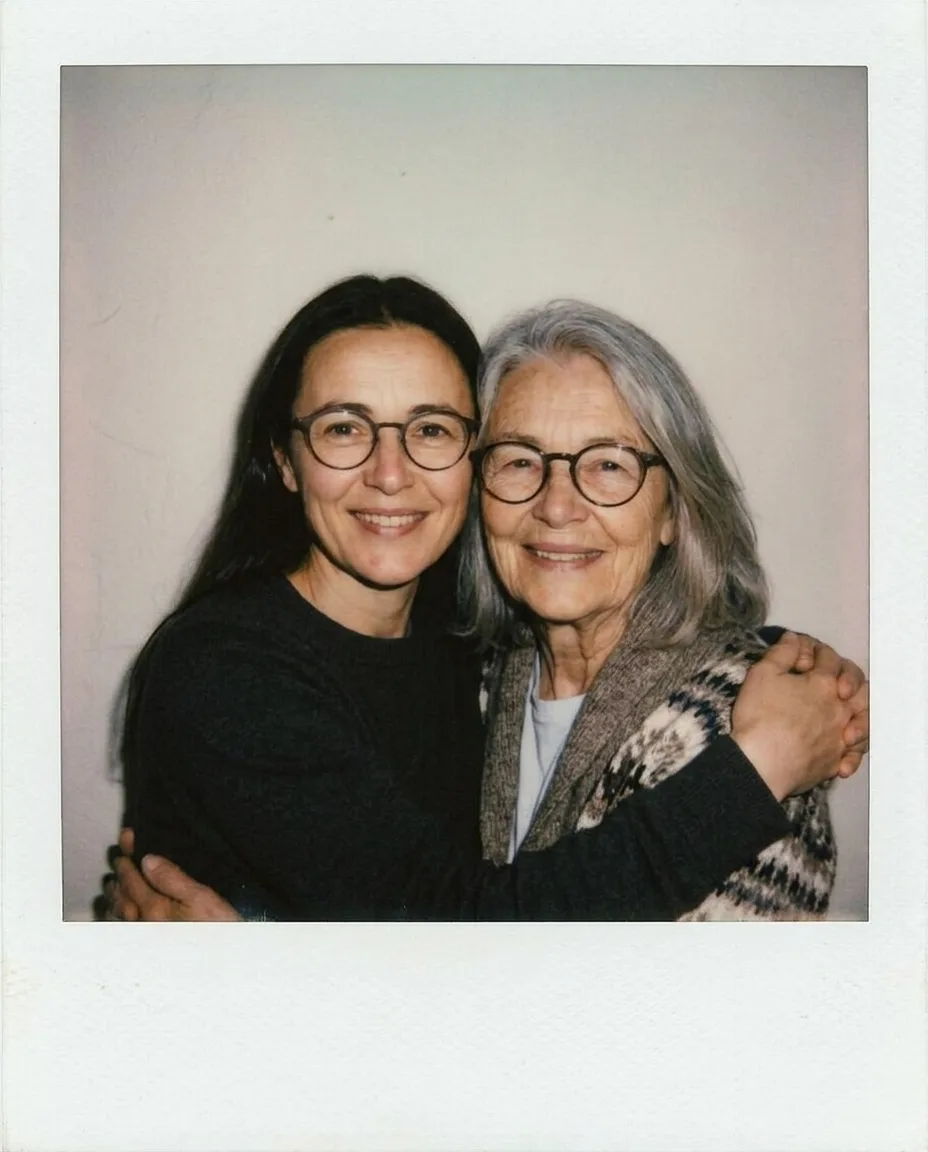 Future you
Both versions retain round glasses; the hair turns grey in the older portrait. Clothing changed here too. All three outputs have a wide blank lower border and no lettering, so any personal caption is better added afterward. Check likeness before sharing, and label an invented memory as AI-generated.
Which Polaroid AI prompts can you copy?
For a fictional person rather than your own likeness, these two prompts work without a reference image on Image. We generated both with Nano Banana 2.1 at 1K, 4:5, JPEG on October 29, 2026; each uses 48 credits. Try this prompt carries those settings into the generator; the English prompt is the exact text we ran.
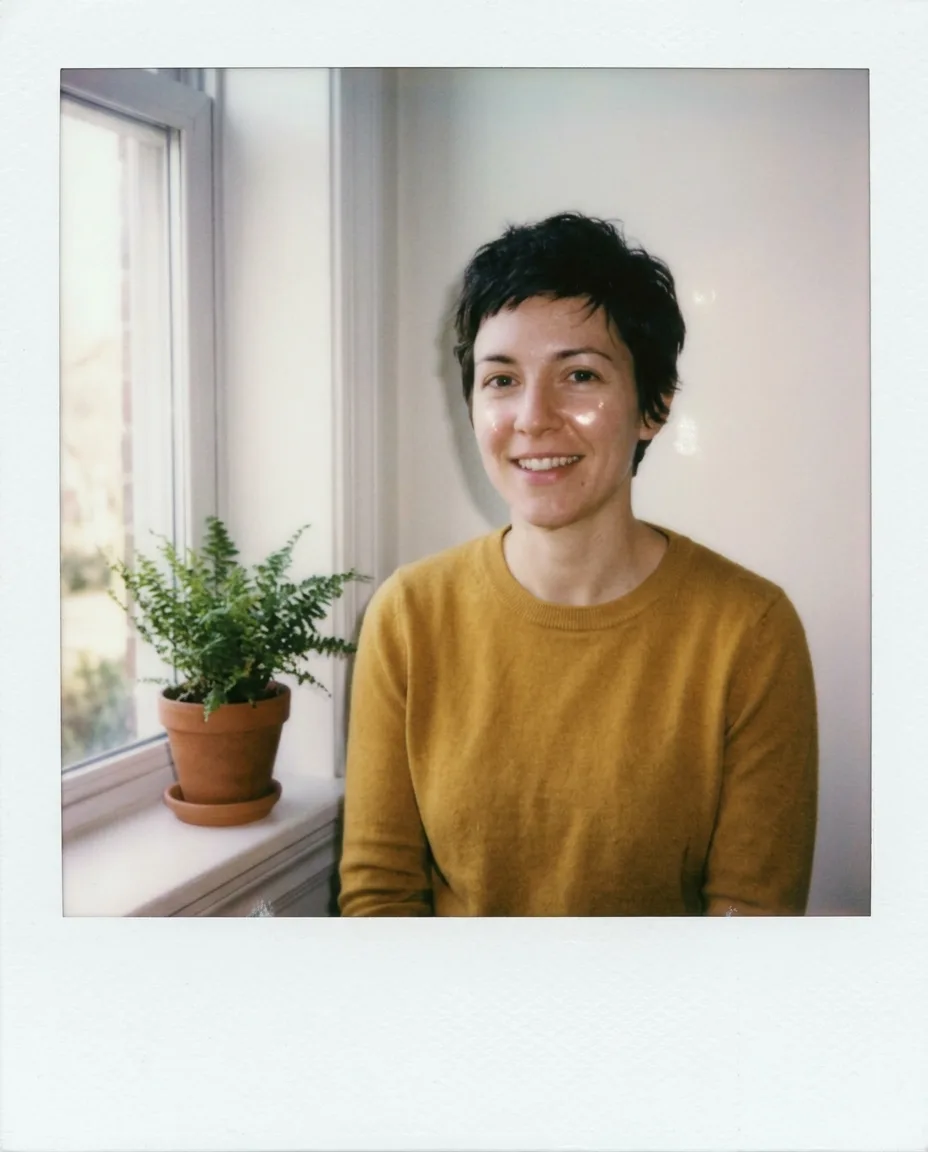
A Polaroid instant photo of a fictional 34-year-old woman with short dark hair in a plain mustard sweater, smiling beside a window with a small potted fern. Soft on-camera flash, a plain light wall, slightly faded instant-film colors, a thick white Polaroid border, no text, no logos. Natural everyday photography, hands outside the frame.
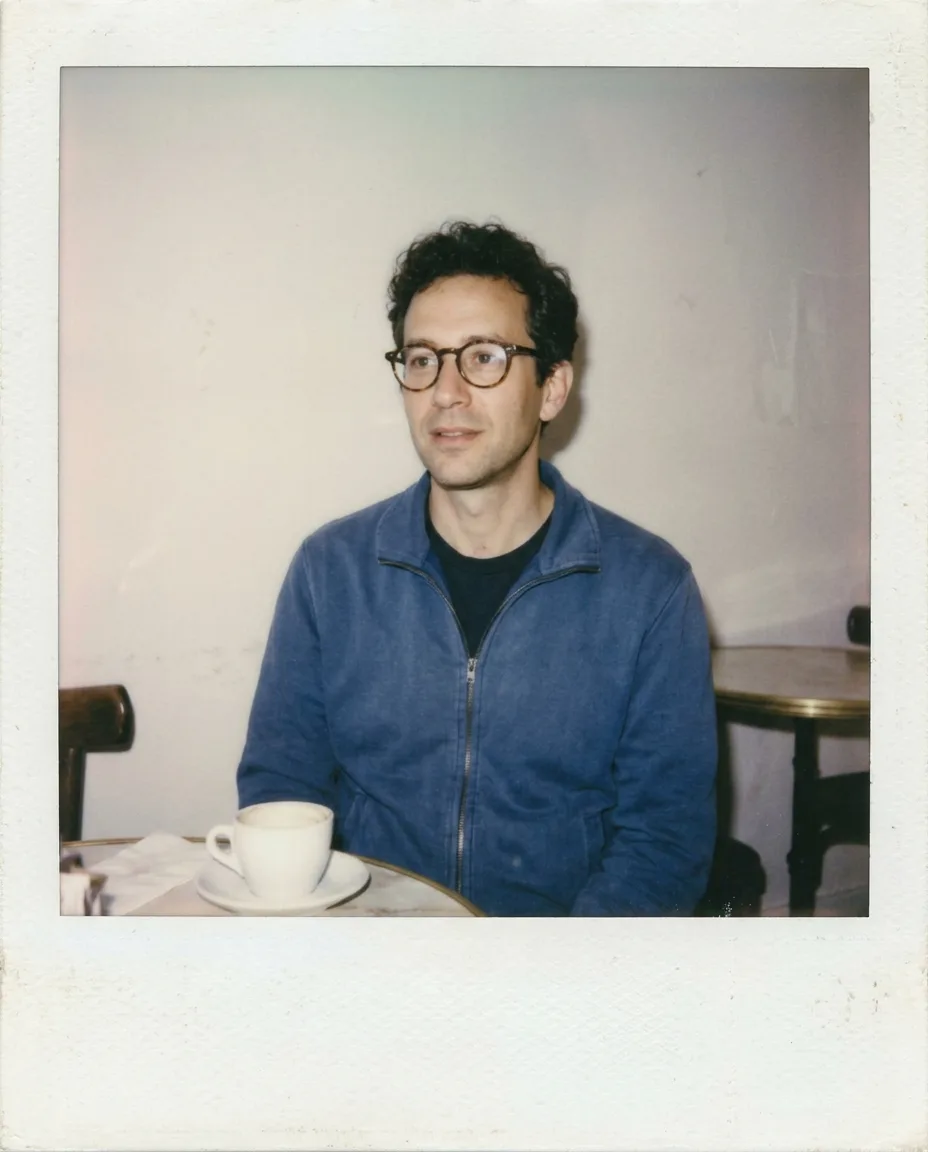
A Polaroid instant photo of a fictional 40-year-old man with short curly hair and round glasses in a plain blue jacket, sitting at a cafe table with a white coffee cup. Soft on-camera flash, a plain light wall, slightly faded instant-film colors, a thick white Polaroid border, no text, no logos. Natural everyday photography, hands outside the frame.
Change one scene detail at a time, such as the fern or the table. Keep the flash, faded colors and white border together; asking only for a white border may produce a clean digital portrait that misses the instant-film feel.
How should you compare the same prompt across models?
Use Compare to explore image models, keeping the prompt, reference and aspect ratio consistent wherever supported. Judge recognizable features, believable hands and the border before choosing a favorite. We tested Nano Banana 2.1 here; this is not a measured ranking of every model. The effects collection offers other starting looks if you want a different style.
FAQ
What is the AI Polaroid trend?
It is an AI-generated instant-photo look combining soft flash, faded colors and a white frame. Some versions invent a scene with your future self; the visual style can also be used for a single fictional portrait.
How do I create a Polaroid AI photo without writing a prompt?
Use the effect, keep Future you, add one clear portrait and choose Make my picture. The page supplies the scene prompt and the default model settings.
What should an AI Polaroid trend prompt include?
Specify who appears, a simple scene, soft on-camera flash, slightly faded instant-film colors and a thick white border. Ask for no text if you want a blank area for a caption later.
Will the AI Polaroid photo keep my face and clothes exactly?
It can retain recognizable facial features, but likeness is not guaranteed. Our tests changed clothing colors, so inspect the full result and use a clearer reference if the face looks wrong.
Can I use the result as a real memory or an age prediction?
Treat it as a creative illustration. Future you imagines an older appearance and a scene that never happened; it cannot predict aging or document a real meeting.