


by PixVerseVideoNew

PixVerse V6 Max
PixVerse's top tier: 1080p clips with optional sound
- Up to 1080p
- 1–15s clips
- Sound included
- 8 aspect ratios
From 133 credits for a 5-second clip≈ $0.13· Create Video
What is PixVerse V6 Max?
PixVerse V6 Max is the premium tier of PixVerse's V6 family. It starts from a sentence or from one still picture and returns a clip of 1 to 15 seconds at up to 1080p, in eight aspect ratios, with sound available as a switch. It concentrates on picture quality rather than on extra modes, so it is the one to reach for when the frame itself is what the audience will judge.
Best on PopNow for: Hero shots, product motion and portrait animation at 1080p, plus vertical and square clips for feeds where a soft frame would show.
Good for
- Hero shots where detail and motion quality matter most
- Animating a product photo or portrait at 1080p
- Vertical and square clips for feeds, in the exact length you need
What PixVerse V6 Max does well
Top resolution in the family
1080p is the headline. The price per second climbs at each step from 360p, so the practical workflow is to test the motion at 540p and then rerun the approved prompt at full size. The final take is the only one that needs the expensive setting.
The still sets the frame
Image mode has no aspect-ratio field. The clip takes the shape of the first frame, so a 16:9 photo returns a wide clip and a portrait returns a tall one. Decide the crop before you upload, because the output follows the file you send.
A narrower, steadier brief
V6 Max leaves out the last frame, references, extend and the multi-shot switch. That leaves one prompt and one timeline, which makes each result easier to predict when you iterate on wording.
Real results from PixVerse V6 Max
Every image and clip here was generated with PixVerse V6 Max. Hit Recreate to open it in the studio with the same prompt and settings.
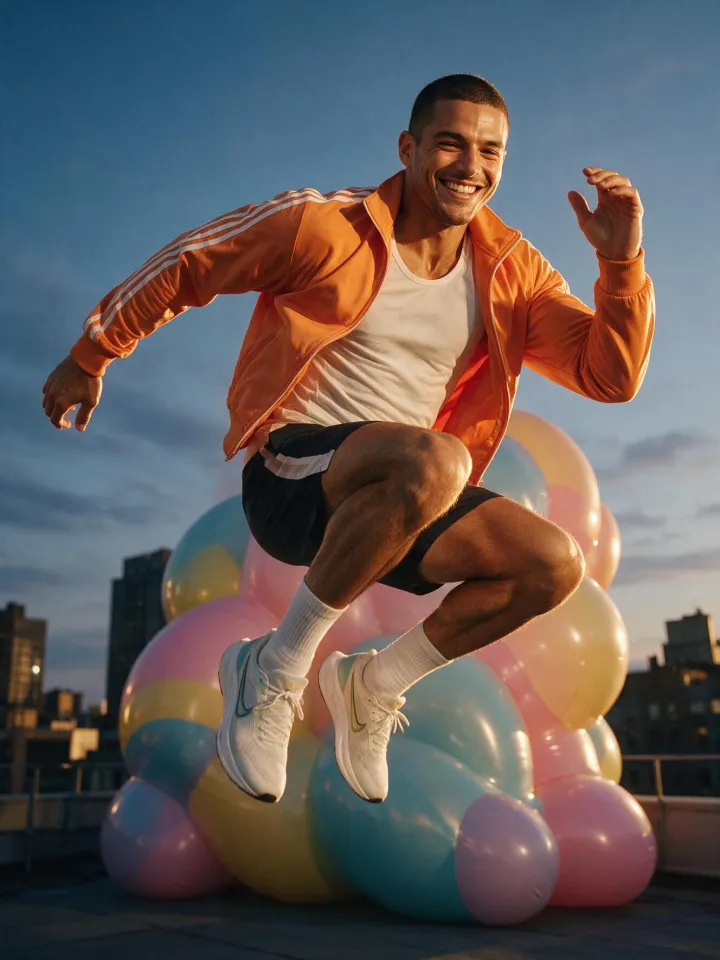 Input
InputBring your own image
Prompts that worked on PixVerse V6 Max
Real outputs with the exact prompt we used, and why it worked. Hit Recreate to try the same settings.
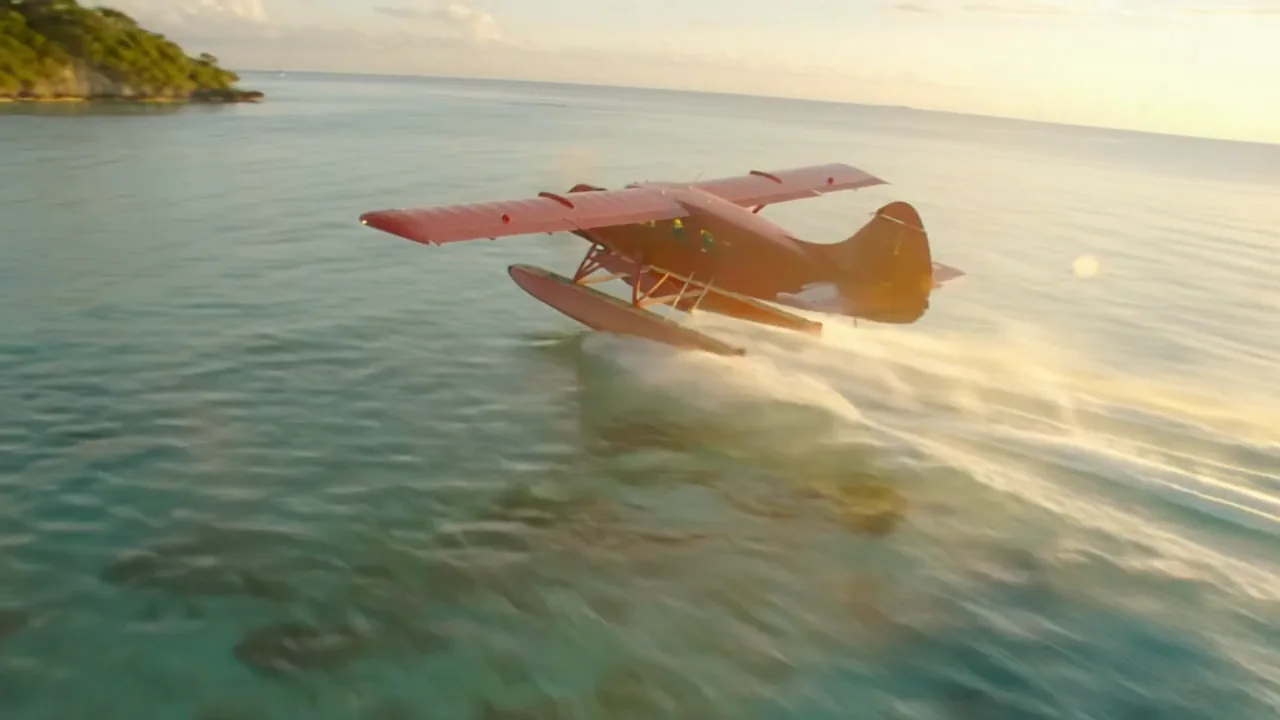
A red vintage seaplane skims low over a turquoise lagoon at sunrise, its wake glittering, then climbs past a jagged green island as flocks of white birds scatter. Sweeping aerial tracking shot, epic and cinematic.
The prompt names a single vehicle, its colour, the light and the camera motion, and the camera is described as a sweeping aerial track. The first clause sets the scene before the climb, so the model has a clear order to follow across the five seconds, from skimming the water to rising past the island.
Recreate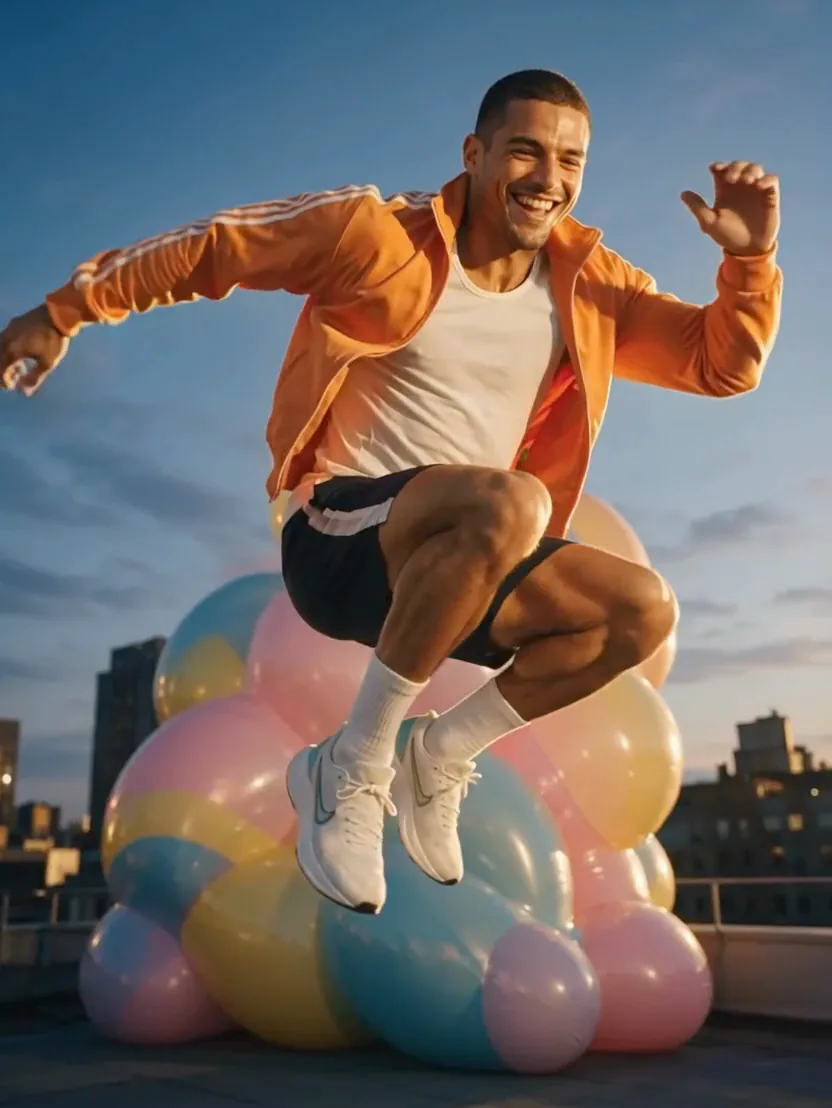
He springs off the pile of giant balloons and soars across the rooftop at golden hour, arms wide, laughing, as the balloons bounce and wobble below him. Dynamic slow-motion camera follows the jump.
This is image mode. The still already shows the man and the rooftop, so the prompt covers only what happens next: the jump, the balloons bouncing below and a slow-motion camera that follows him. Describing the look again would compete with the picture instead of adding to it.
RecreateWhat PixVerse V6 Max can do
Each mode opens in the studio with PixVerse V6 Max already picked. The price shows before you generate.


Best ways to use PixVerse V6 Max on PopNow
Where this model already does the work for you, from one-tap apps to the full studio.
A hero shot for a launch
Write one cinematic sentence about the product, render a five-second preview at 720p, then run the chosen take again at 1080p for the final export.
OpenPortrait to motion
Upload one clear photo, describe the movement and keep the prompt short. A well-cropped still is the most dependable starting point for this tier.
OpenVertical feed clips
Use 9:16 for stories and short-form video, or 1:1 for grid posts, and keep the clip brief enough that a viewer's thumb stops on it.
OpenHow to prompt PixVerse V6 Max
- Write the camera move and the action as separate short sentences.
- Turn sound on only for the takes that need it; it raises the per-second price.
- Test the idea on PixVerse V6 at 540p first, then render the final on Max.
Settings worth knowing
Everything else has a sensible default, so you can type a prompt and go.
resolution360p · 540p · 720p · 1080p- Output size. Bigger sizes look sharper and cost more.
aspect_ratio16:9 · 4:3 · 1:1 · 3:4 +4- The shape of the frame: wide, square or tall.
duration_seconds1–15s- How long the clip runs. You pay per second.
generate_audio- Adds sound made to match the picture: voices, ambience and effects.
image_url- The picture to start from.
seed0–2147483647- Reuse the same number to get a repeatable result.
How it compares
Same kind of job, different strengths and prices.
PixVerse V6 is cheaper per second and adds reference photos, first-to-last-frame transitions and extensions. Pick Max for the best single shot.


Where PixVerse V6 Max falls short
- Each request is capped at 15 seconds. A longer sequence has to be assembled from several clips in an editor.
- There is no last frame, reference element, extend or multi-shot option on this tier. Those live on standard PixVerse V6.
- At the same audio setting, 1080p costs about twice what 720p costs per second. Check the framing at a lower resolution before paying for the final.
How to use PixVerse V6 Max in three steps
- Open the video studio and choose PixVerse V6 Max.
- Pick text or image. For an image, upload a single first frame and describe only what happens after it.
- Set the length, resolution and sound, read the credit total on the button, then generate.
Questions about PixVerse V6 Max
How much does PixVerse V6 Max cost?
On PopNow, the cheapest run of PixVerse V6 Max costs 133 credits ($0.13) for a 5-second clip. Larger sizes cost more: 360p 133 · 540p 200 · 720p 244 · 1080p 489. You pay with credits (1 credit = $0.001), the exact cost shows on the Generate button before you start, and failed generations are refunded automatically.
How long and how sharp are PixVerse V6 Max videos?
Clips run 1–15s at up to 1080p, with sound generated along with the picture.
Is PixVerse V6 Max the same as PixVerse V6?
No. V6 Max is the higher quality tier with fewer modes: a written scene or one first frame, up to 1080p. Standard V6 keeps the last frame, references, extend and multi-shot.
Which resolution should I start with?
Draft at 540p, which is quicker and cheaper, then finish at 1080p once the timing and camera move are right. 720p sits between the two for posts that are compressed by the platform anyway.
How long does a V6 Max render take?
In our runs a five-second 540p clip took about a minute and a half of model time, and 1080p takes longer. The job runs in the background, so you can leave the page and come back to the result.
Does a V6 Max image keep its proportions?
Yes. The clip follows the shape of the first frame, and there is no separate aspect setting in image mode. Crop the photo before you upload it.
How many credits does one V6 Max clip cost?
At 540p without sound a second costs 40 credits, and at 1080p with sound it costs 124.4 credits. A five-second 720p clip without sound is 244 credits.
Can it generate sound?
Yes. Switch generate audio on and the model adds ambience, effects and music, plus any dialogue you put in quotes. Sound raises the price per second.
PixVerse V6 Max or PixVerse V6?
PixVerse V6 is cheaper per second and adds reference photos, first-to-last-frame transitions and extensions. Pick Max for the best single shot.
Make something with PixVerse V6 Max
Choose V6 Max when the frame is the product. Anything that needs a fixed ending or named cast belongs on standard V6.