


by PixVerseVideo

PixVerse V6 Effects
50 ready-made effect templates that turn a photo into a themed clip
- Up to 1080p
- Sound included
- Up to 2 reference images
From 22.2 credits per second of video≈ $0.022
What is PixVerse V6 Effects?
PixVerse V6 Effects is a one-photo video mode built on PixVerse V6. You choose one of 50 effect templates, such as Knee Slide or Top of the World, upload a picture and receive a short themed clip. The template decides the length and the motion, so the work is choosing a look rather than directing a shot.
Best on PopNow for: Turning a selfie, a product photo or a pet portrait into a finished-looking clip in one tap, with no prompt to craft and a result you can predict from the template you picked.
Good for
- A birthday or greeting clip from a single selfie
- Product showcase clips without writing a prompt
- Sports-style celebration videos from a team photo
What PixVerse V6 Effects does well
Fifty templates, each with its own motion
The presets cover sports celebrations, product showcases, dances, greetings and transformations. Every template fixes a clip length, roughly 5 to 30 seconds, along with the motion that goes with it, so you can compare looks by eye before you spend anything.
Two photos for three templates
Most templates take one photo. Dive into the deep blue of love, Top of the World and The Last Hug take two, so keep a second picture ready when you choose one of them. The template card tells you which kind it is before you upload.
The prompt is a nudge
The prompt box is optional and only tilts the result. Leave it empty and the template runs as designed, or add a short phrase about mood or colour. It cannot change the choreography the template already defines.
Real results from PixVerse V6 Effects
Every image and clip here was generated with PixVerse V6 Effects. Hit Recreate to open it in the studio with the same prompt and settings.
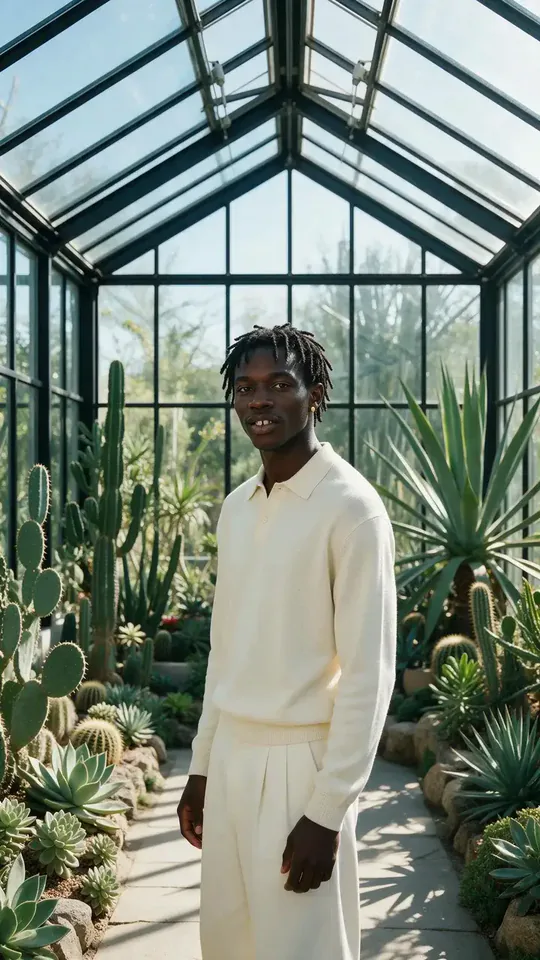 Input
InputBring your own image
Prompts that worked on PixVerse V6 Effects
Real outputs with the exact prompt we used, and why it worked. Hit Recreate to try the same settings.

One powerful kick sends the ball flying across the world.
The prompt names a single event and its consequence, one kick and the ball flying across the world. The template already owns the motion, so the words only supply scale and direction, and the clip came back as a five-second portrait that reads as one moment rather than a list of actions.
RecreateWhat PixVerse V6 Effects can do
Each mode opens in the studio with PixVerse V6 Effects already picked. The price shows before you generate.

Best ways to use PixVerse V6 Effects on PopNow
Where this model already does the work for you, from one-tap apps to the full studio.
Tap-to-animate a selfie
Pick a template in the effects library, upload a portrait and generate. It is the quickest route from a still photo to a finished clip on PopNow.
OpenA dance clip from one photo
Dance and celebration templates suit a single full-body photo. Run the same photo through two templates and keep the one whose motion you like better.
OpenStart from a ready-made look
When you want a themed result without writing anything, open the templates page and use a look that someone else has already tested with a similar photo.
OpenHow to prompt PixVerse V6 Effects
- Use a clear, well-lit photo where the subject fills most of the frame.
- Three templates take two photos; the rest use one.
- The price is per second of the clip that comes back, and the template decides the length, so the button shows an estimate until the clip is delivered.
Settings worth knowing
Everything else has a sensible default, so you can type a prompt and go.
resolution360p · 540p · 720p · 1080p- Output size. Bigger sizes look sharper and cost more.
generate_audio- Adds sound made to match the picture: voices, ambience and effects.
image_urls≤ 2- Photos to edit or combine. Say in the prompt what each one adds.
seed0–2147483647- Reuse the same number to get a repeatable result.
How it compares
Same kind of job, different strengths and prices.
PixVerse V6 is the open-ended version: write your own prompt and set the length yourself.


Where PixVerse V6 Effects falls short
Each template has its own fixed length, up to about 30 seconds, and may set its own output size.
- The template sets the length, so you cannot ask for a three-second clip or a twenty-second one. Choose a template whose timing fits the place the clip is going.
- The two-photo templates need both images. Check the template card before uploading, because a missing second photo stops the job.
- The prompt nudges the mood but cannot change the motion. A request for a different movement than the template performs will be ignored in the choreography.
How to use PixVerse V6 Effects in three steps
- Open the effects library and pick a template, noting whether it needs one photo or two.
- Upload a clear photo, add an optional short prompt, and choose resolution and sound.
- Check the credit cost, which follows the length of the template, and generate.
Questions about PixVerse V6 Effects
How much does PixVerse V6 Effects cost?
On PopNow, the cheapest run of PixVerse V6 Effects costs 22.2 credits ($0.022) per second of video. Larger sizes cost more: 360p 22.2 · 540p 31.1 · 720p 40 · 1080p 80. You pay with credits (1 credit = $0.001), the exact cost shows on the Generate button before you start, and failed generations are refunded automatically.
How many effect templates are there?
Fifty. They are listed by name in the effects picker, and the default selection is Knee Slide.
Do I have to write a prompt?
No. The template defines the motion, so the prompt is optional. A short phrase is enough if you want to adjust the mood.
Which templates need two photos?
Dive into the deep blue of love, Top of the World and The Last Hug. Each needs two JPG, PNG or WebP images up to 20 MB apiece.
How is an Effects clip billed?
Per second of the clip the template delivers, at the rate for your resolution and sound setting. The quote holds up to 30 seconds until delivery, then releases the unused part, so the final charge follows the finished clip.
Does the output follow the shape of my photo?
It follows the framing of the still you upload, so crop to the frame you want before you start. A portrait photo gives a portrait clip.
Is sound included?
Sound is optional and costs more per second when it is on. Leave it off for a silent loop that fits a feed.
PixVerse V6 Effects or PixVerse V6?
PixVerse V6 is the open-ended version: write your own prompt and set the length yourself.
Make something with PixVerse V6 Effects
Try the template whose motion you want most, check the fit at 360p, then render the keeper at 1080p.