


by PixVerseVideo

PixVerse V6
Clips of 1 to 15 seconds up to 1080p, with transitions, references and extensions
- Up to 1080p
- 1–15s clips
- Sound included
- Start and end frames
- 8 aspect ratios
From 111 credits for a 5-second clip≈ $0.11· Create Video
What is PixVerse V6?
PixVerse V6 is a video model from PixVerse, and on PopNow the one family covers four jobs: writing a clip from a sentence, animating a first frame with an optional last frame, casting people and places from up to seven named photos, and continuing a clip you already have. Each mode is priced by the second, and sound is a switch you turn on when the picture needs it.
Best on PopNow for: Short social and product clips where you need an exact length from 1 to 15 seconds, and projects that mix starting points, such as a still for the opening shot and an extension for the beat that follows.
Good for
- Short social clips where you pick the exact length, from 1 to 15 seconds
- A morph from one photo to another using first and last frames
- Putting named people, products and places together with @name references
What PixVerse V6 does well
Pick the exact length
Duration is set in whole seconds from 1 to 15, and you pay for the seconds you ask for. A four-second teaser costs four seconds at the rate you chose, so you can cut a clip to the length of the slot it has to fill instead of trimming a fixed-length file afterwards.
Cast people and places by name
Reference mode takes one to seven elements. Each one has a name of 1 to 30 characters, one photo and a role, either subject for a person or object, or background for a place. Write the name with an @ sign in the prompt and a space after it, and PixVerse puts that element where you wrote it.
Extend what you already have
Video extend adds one to fifteen new seconds to a clip you made earlier. The result is a single file with your original footage first and the new part after it. Only the new seconds are charged, so a story can grow one beat at a time without paying again for the opening.
Real results from PixVerse V6
Every image and clip here was generated with PixVerse V6. Hit Recreate to open it in the studio with the same prompt and settings.
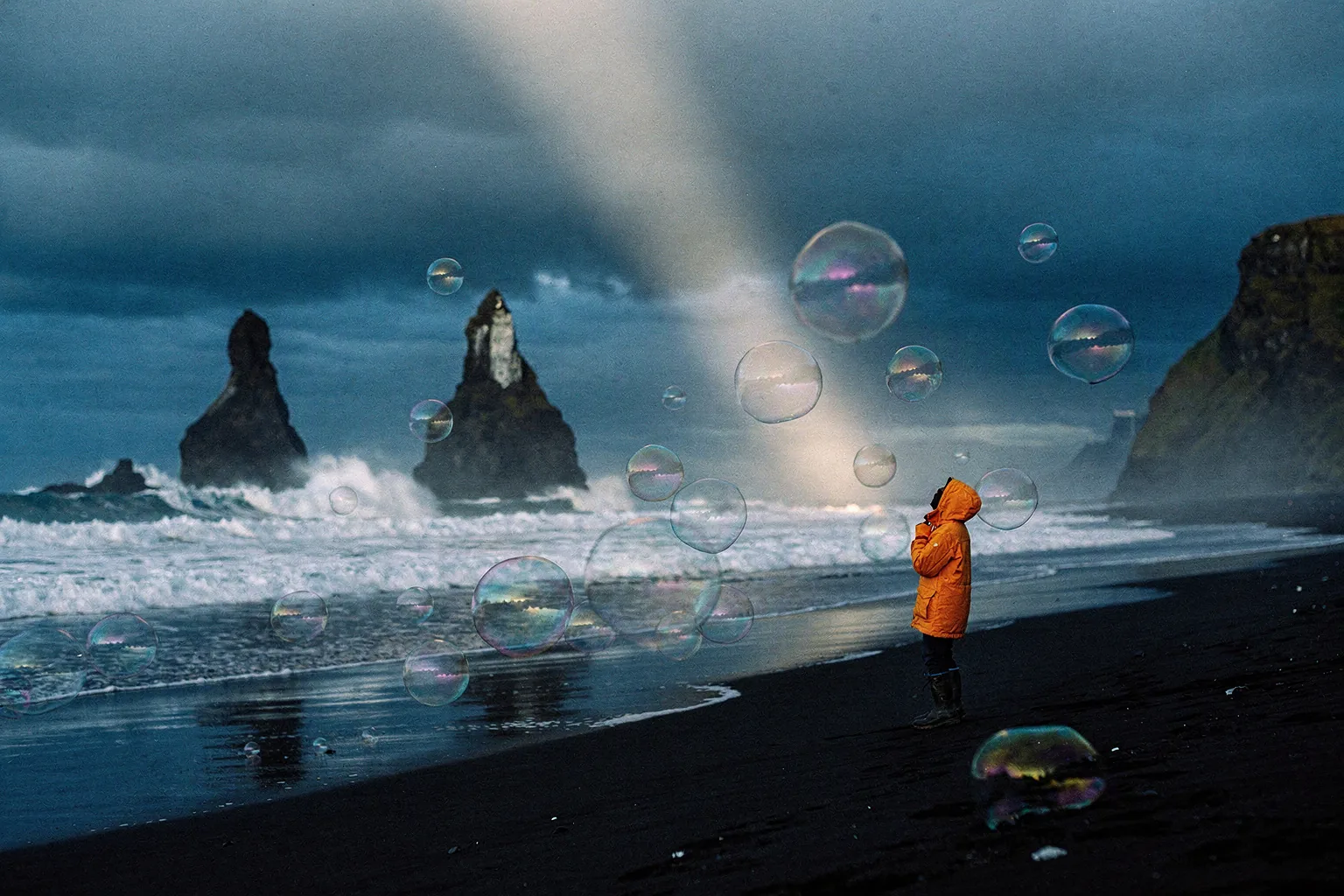 Input
InputBring your own image
Bring your own clip
Prompts that worked on PixVerse V6
Real outputs with the exact prompt we used, and why it worked. Hit Recreate to try the same settings.
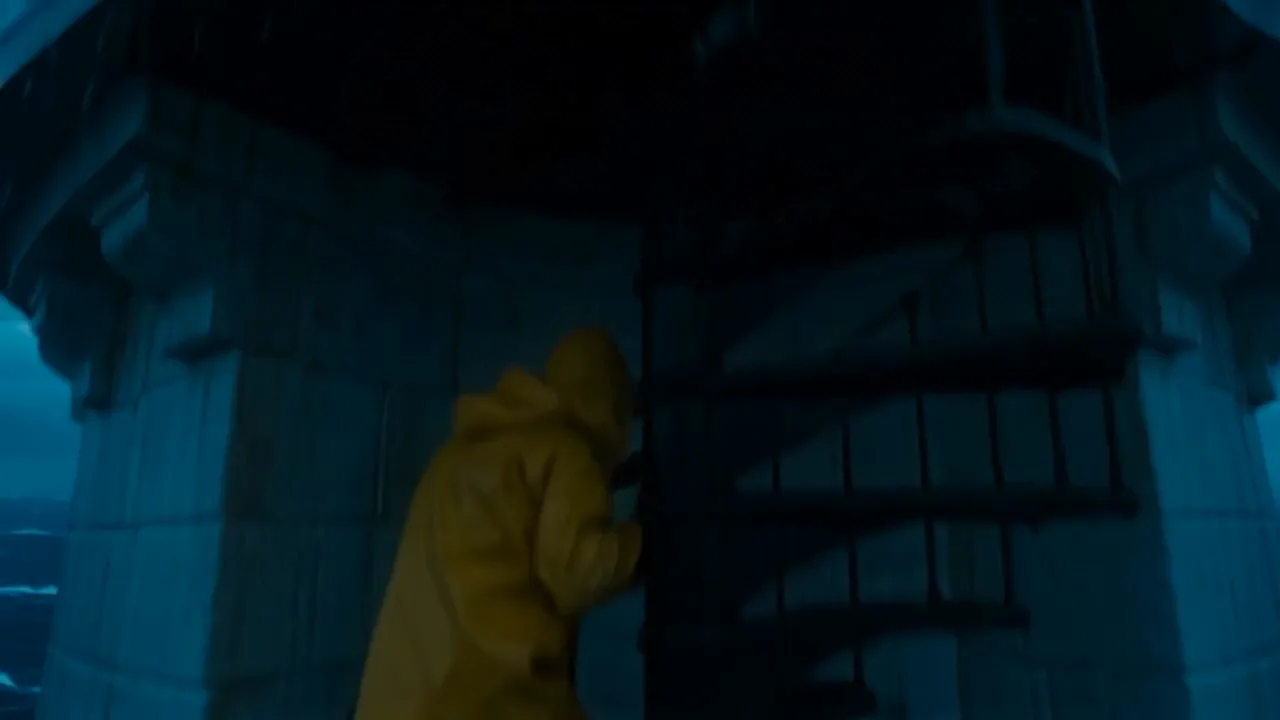
A lone lighthouse keeper in a yellow raincoat climbs the spiral stairs of a storm-lashed lighthouse at dusk; the camera rises past him to the lantern room as the great lamp sweeps its beam across towering waves. Cinematic, moody blue light, rain streaks on glass.
The prompt names one person, one piece of clothing, one building and one action, then gives the camera a route: it rises past him to the lantern room. The light and the rain are written as things the eye can follow, a sweeping beam and streaks on glass, so there is something concrete on screen for all five seconds. Sound stays off because the prompt never asks for it.
Recreate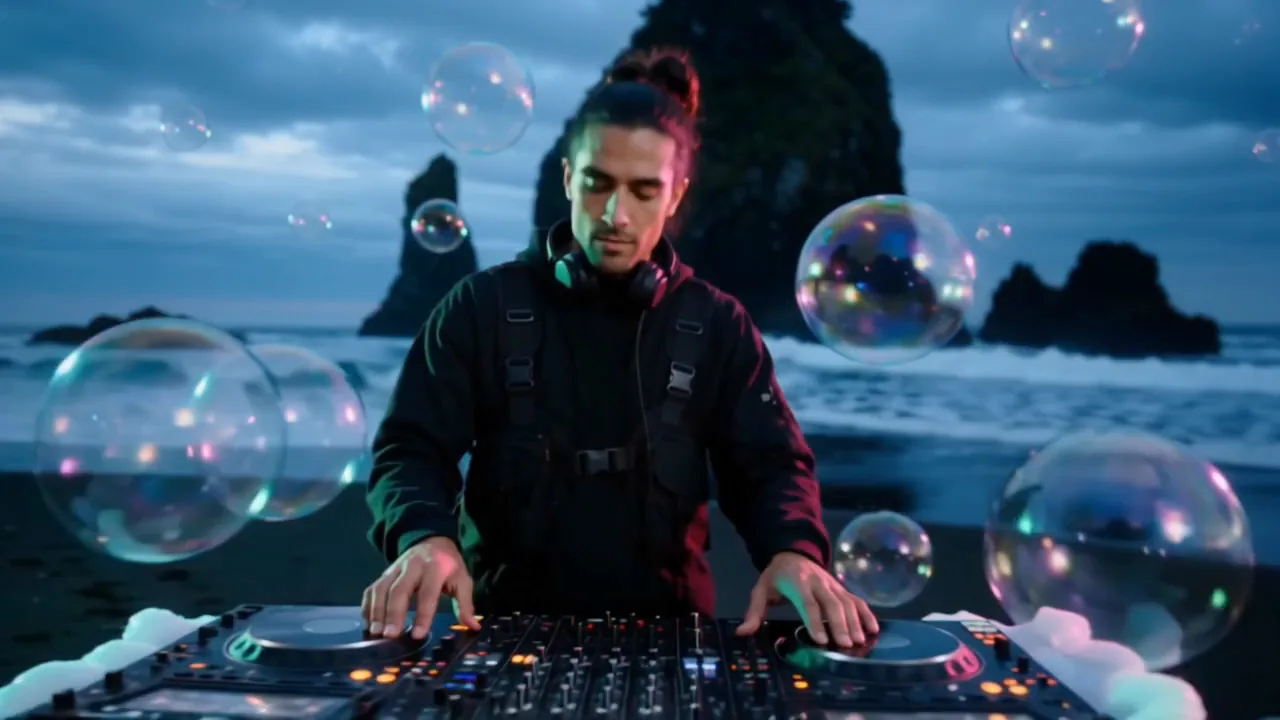
@kai plays a DJ set on @beach at blue hour, nodding to the beat with headphones on as glowing bubbles float up around the decks and the waves roll in behind him. Slow orbiting camera, cinematic.
This is reference mode. Two named elements, @kai for the person and @beach for the place, are written exactly where they should appear. The action is small and specific, nodding to the beat with headphones on, because a large movement would pull the cast away from the photos. The camera gets one phrase, a slow orbit, so the model has a single move to plan around.
Recreate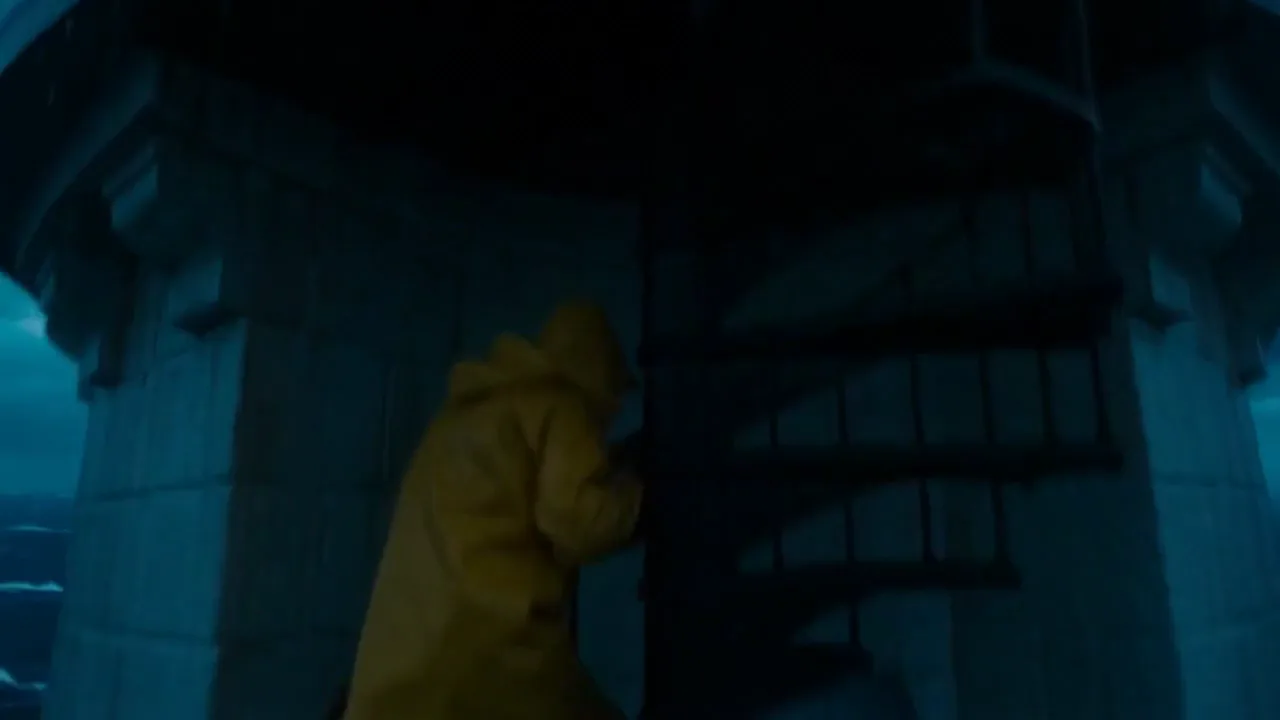
The keeper steps out onto the gallery balcony into the storm, grips the railing and watches a ship's lights appear through the rain as the lighthouse beam sweeps over it. Camera pulls back to reveal the whole lighthouse against the crashing sea.
Extend needs a prompt that covers only what happens next. This one picks up where the first clip stopped: the keeper steps onto the balcony, watches a ship's lights through the rain, and the camera pulls back. Because the prompt does not describe the lighthouse again, the setting and the storm carry over, and the output plays as one file of about ten seconds.
RecreateWhat PixVerse V6 can do
Each mode opens in the studio with PixVerse V6 already picked. The price shows before you generate.
 Create VideoGenerate a video clip from a text prompt.From 111 creditsfor a 5-second clip360p 111 · 540p 156 · 720p 200 · 1080p 400
 Image to VideoBring a still image to life with motion and sound.From 111 creditsfor a 5-second clip360p 111 · 540p 156 · 720p 200 · 1080p 400
 Reference to VideoKeep characters, outfits and places consistent from your references.From 111 creditsfor a 5-second clip360p 111 · 540p 156 · 720p 200 · 1080p 400
 Extend VideoContinue a clip from where it ends for a longer shot.From 111 creditsfor a 5-second clip360p 111 · 540p 156 · 720p 200 · 1080p 400
Best ways to use PixVerse V6 on PopNow
Where this model already does the work for you, from one-tap apps to the full studio.
Make a clip from one sentence
Open the video studio, choose PixVerse V6 and write the scene. One subject, one action and one camera move make the cleanest first result, and you can add detail once the basic take works.
OpenBuild a short film beat by beat
Generate the opening shot, then use extend to add each following beat in order. Every extension starts from the clip before it, so a three-part scene keeps its light and its cast from one part to the next.
OpenRemix a viral format
Trend remakes depend on rhythm more than on the exact footage. Choose the format you like, keep its camera pattern in the prompt and swap in your own person or product.
OpenHow to prompt PixVerse V6
- In reference mode, give each photo a short name and write @name followed by a space in the prompt; a comma straight after the name is rejected.
- Draft at 360p or 540p, then rerun the take you keep at 720p or 1080p.
- To make a clip longer, use extend and describe only what happens next; you get one file with your clip followed by the new part.
Settings worth knowing
Everything else has a sensible default, so you can type a prompt and go.
resolution360p · 540p · 720p · 1080p- Output size. Bigger sizes look sharper and cost more.
aspect_ratio16:9 · 4:3 · 1:1 · 3:4 +4- The shape of the frame: wide, square or tall.
duration_seconds1–15s- How long the clip runs. You pay per second.
generate_audio- Adds sound made to match the picture: voices, ambience and effects.
image_url- The picture to start from.
last_image_url- Optional final frame, so the clip ends exactly where you want.
video_url- The clip to work on.
seed0–2147483647- Reuse the same number to get a repeatable result.
How it compares
Same kind of job, different strengths and prices.
PixVerse V6 Max is the higher tier for text and image to video with richer detail, at a higher per-second price. V6 adds references, transitions and extensions.


Where PixVerse V6 falls short
- One request covers up to 15 seconds. A longer sequence means chaining extensions, and each part has to wait for the one before it.
- A last frame and multi-shot cannot be combined. Use the last frame when the ending has to match a specific picture, and multi-shot when you are happy to leave the cuts to the model.
- Reference mode depends on clear, well-lit photos. A small or blurred element gives the model little to hold on to, and the person can drift from one clip to the next.
How to use PixVerse V6 in three steps
- Open the video studio with PixVerse V6 selected, then pick text, image, reference or extend.
- Write the scene with its action and camera move. For references, name each photo and put @name where it should appear.
- Set the length, resolution and sound, check the credit total on the button, and generate.
Questions about PixVerse V6
How much does PixVerse V6 cost?
On PopNow, the cheapest run of PixVerse V6 costs 111 credits ($0.11) for a 5-second clip. Larger sizes cost more: 360p 111 · 540p 156 · 720p 200 · 1080p 400. You pay with credits (1 credit = $0.001), the exact cost shows on the Generate button before you start, and failed generations are refunded automatically.
How long and how sharp are PixVerse V6 videos?
Clips run 1–15s at up to 1080p, with sound generated along with the picture.
What is the longest PixVerse V6 clip on PopNow?
One request makes up to 15 seconds. Extend adds up to 15 new seconds to a finished clip, so a chain of extensions can reach a longer film, one part at a time.
Does PixVerse V6 make sound?
Only when you switch it on. Sound is off by default, and turning it on raises the price per second. With sound on, put spoken lines in quotes and name the ambience or music you want.
How is PixVerse V6 different from PixVerse V6 Max?
V6 has every mode: last frame, references, extend and multi-shot. V6 Max is the top quality tier for a written scene or one still, without those extra modes.
How many credits does a PixVerse V6 clip cost?
The price is per second of output. At 360p without sound a second is 22.2 credits, and at 720p without sound it is 40 credits. At 1080p with sound it is 102.2 credits. A five-second 720p clip without sound is 200 credits, and the button shows the total before you run it.
How do I keep one person looking the same across clips?
Use reference mode with a clear photo of that person as a named element, and write the same name every time. Reusing the photo and the wording helps the face stay stable, but it is not a guarantee.
Why was my request declined?
PixVerse reviews prompts and images before it generates. A declined request is not charged. Rewrite the scene in plainer terms, remove anything that breaks the rules, and run it again.
PixVerse V6 or PixVerse V6 Max?
PixVerse V6 Max is the higher tier for text and image to video with richer detail, at a higher per-second price. V6 adds references, transitions and extensions.
Make something with PixVerse V6
Begin with the shortest length that tests the idea. When the shot works, raise the resolution or add sound for the render you keep.