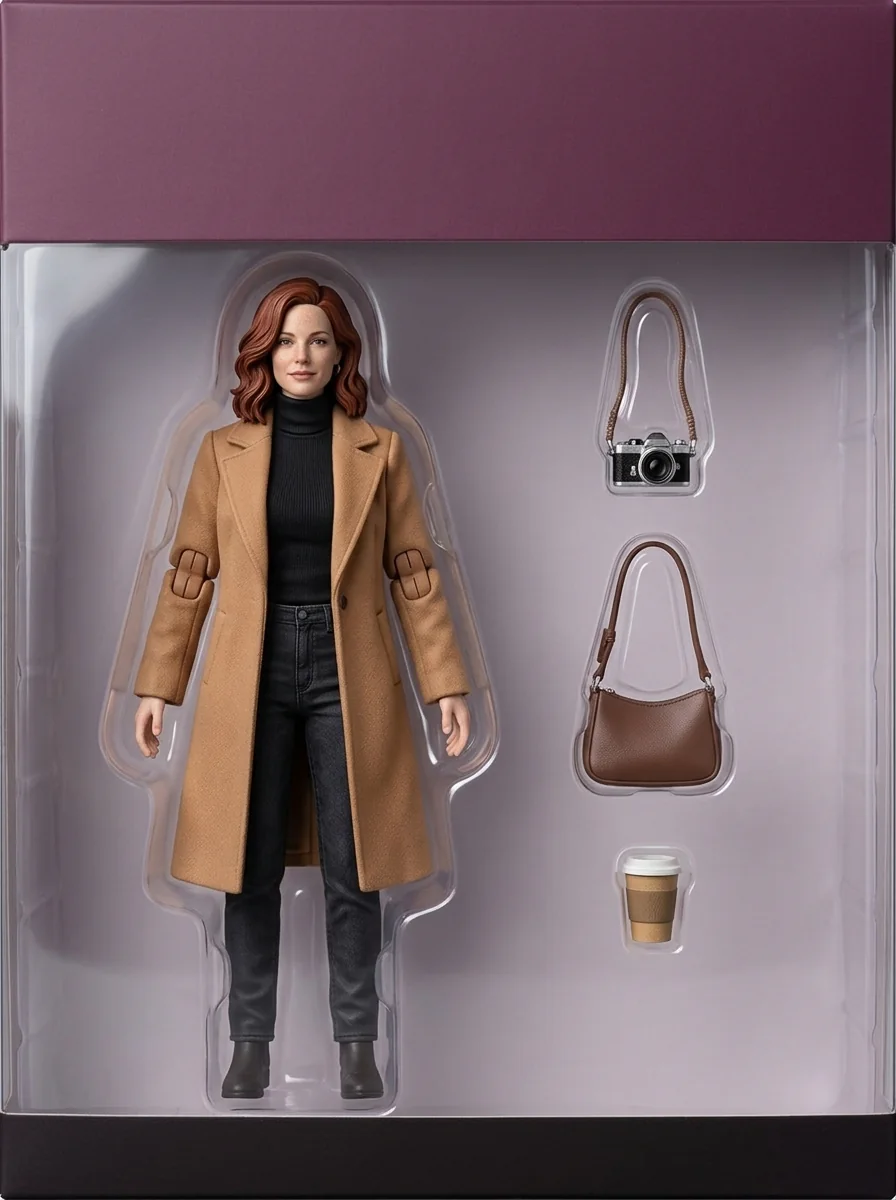
Figurine Maker turns one photo into a product shot of a collectible: a boxed action figure, a collector statue, a desk figure, a marble or bronze bust, a painted resin kit, a clay maquette or a blind-box series. When you like the figure, you can turn it into a 3D model or a short video where it comes to life.
Step 1: Open Figurine Maker
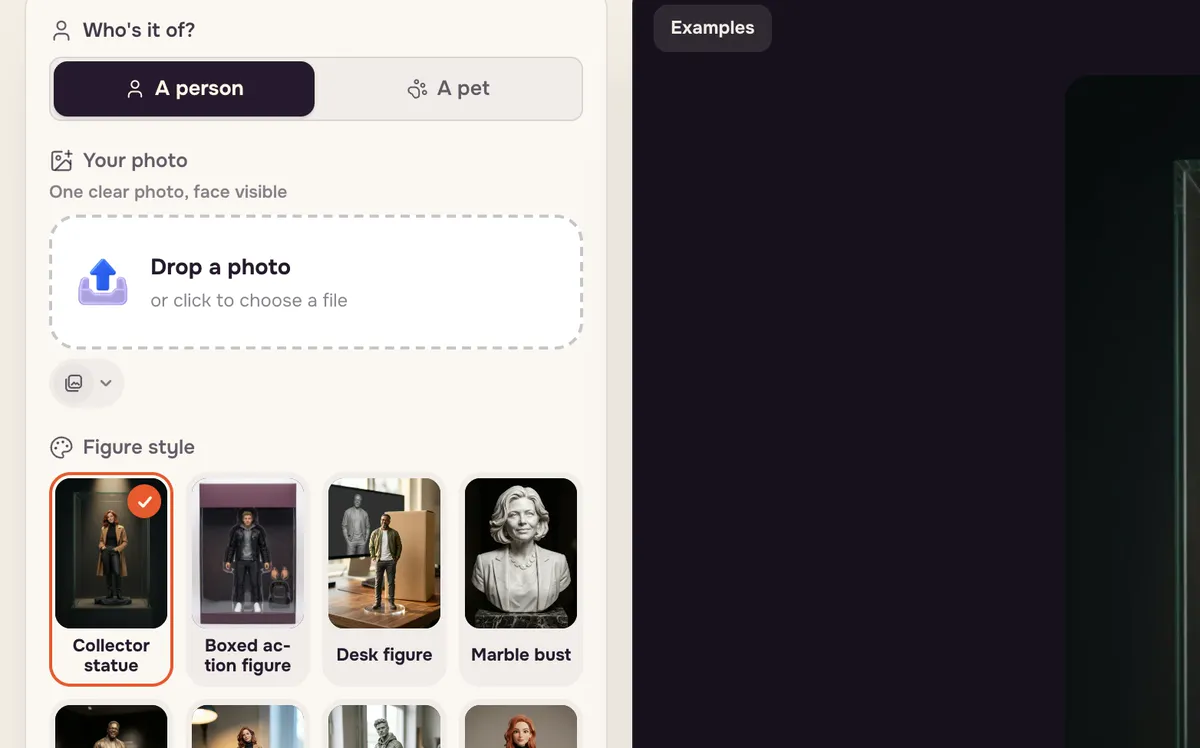
Open Figurine Maker and choose who it is for: A person or A pet. The figure styles are listed below the photo slot.
Step 2: Add a photo
Drop in a photo, or press Try this photo to use the example. A full-length or waist-up photo with the face clearly visible works best.
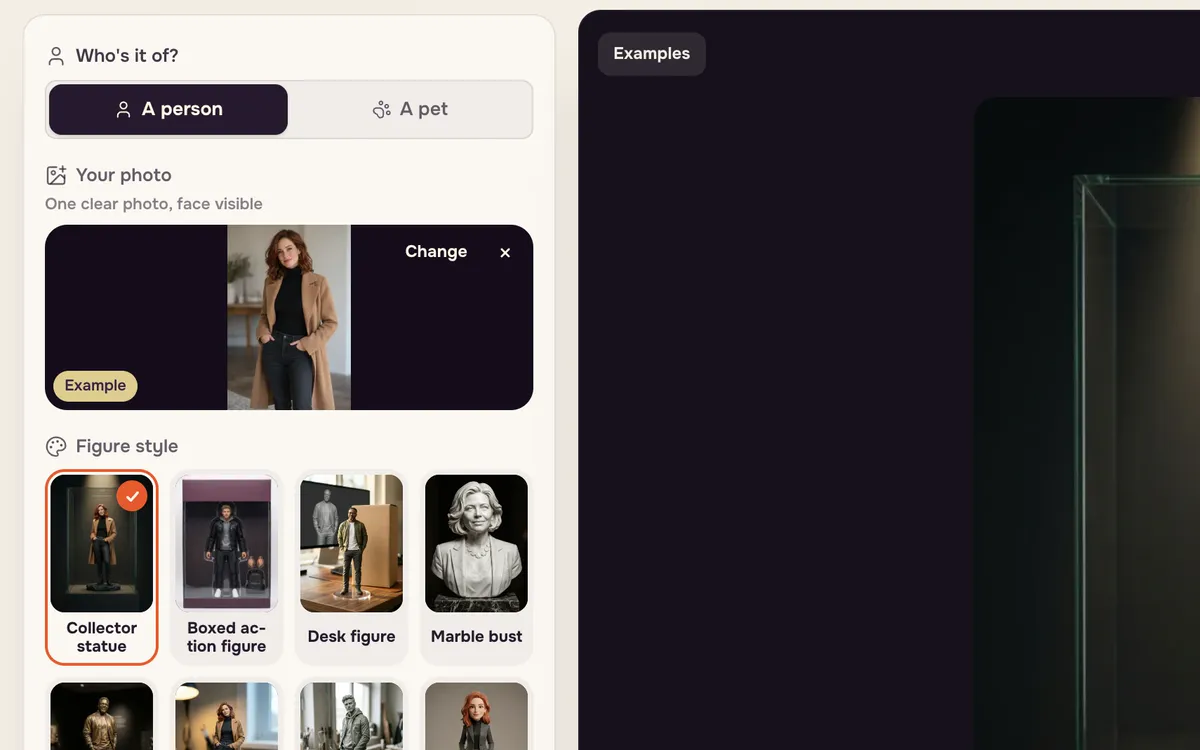
Step 3: Pick a figure style and make it
Choose a style — here Boxed action figure — and press Make my figure. The button shows the price.
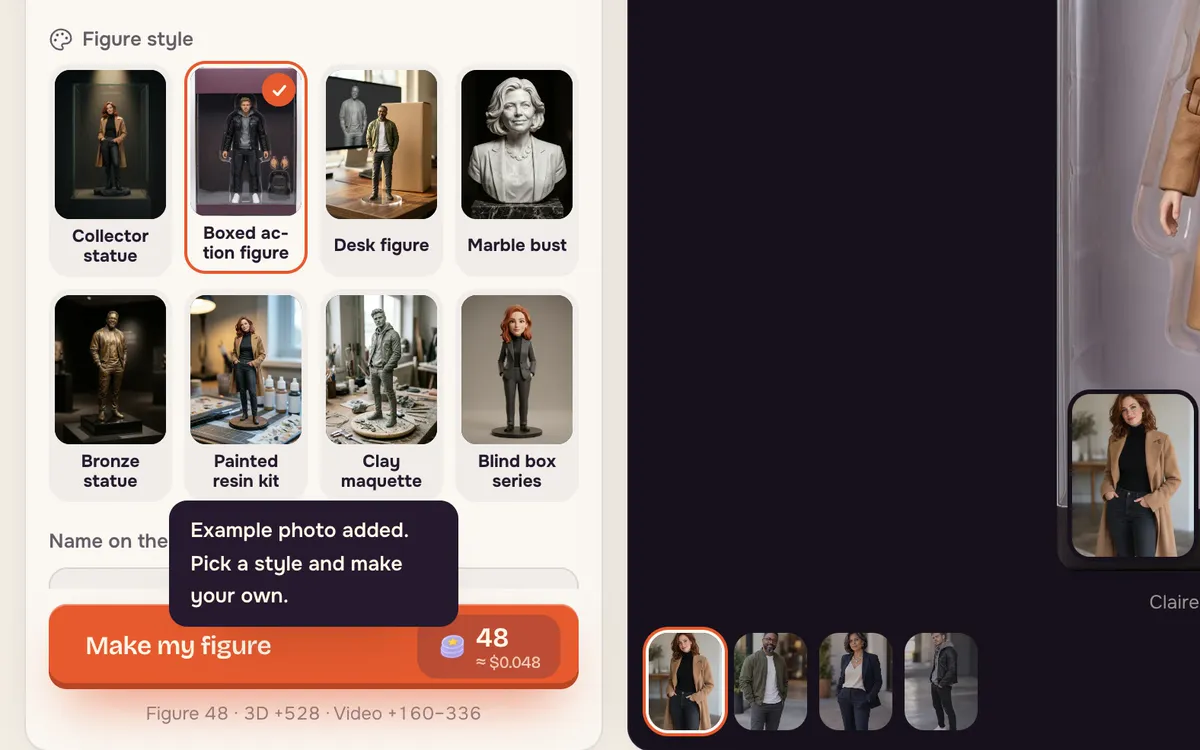
Step 4: Make it 3D or bring it to life
The tabs above the result switch between Figure, 3D and Alive. 3D turns the figure into a model you can rotate; Alive makes a short video of the figure moving — stepping off its base or being picked up.
@@CLIP1@@ For a model of any object or character, Image to 3D turns a photo into a 3D model you can view in AR on your phone, download or prepare for 3D printing.
Tips for better results
- Show the whole outfit for full-body styles; a close selfie works for busts.
- Plain backgrounds help the figure keep clean edges.
- Pets work too. Pick A pet and use a photo where the animal faces the camera.
- Only use photos of adults who agreed to be turned into a figure.
FAQ
Can I make a figure of my pet?
Yes. Choose A pet before adding the photo; the styles adjust to animals.
Can I get a 3D version?
Yes. The 3D tab turns the figure into a 3D model you can rotate and view from every side.
How much does a figure cost?
The Make my figure button shows the price before you start. 3D and Alive are separate steps with their own prices.