


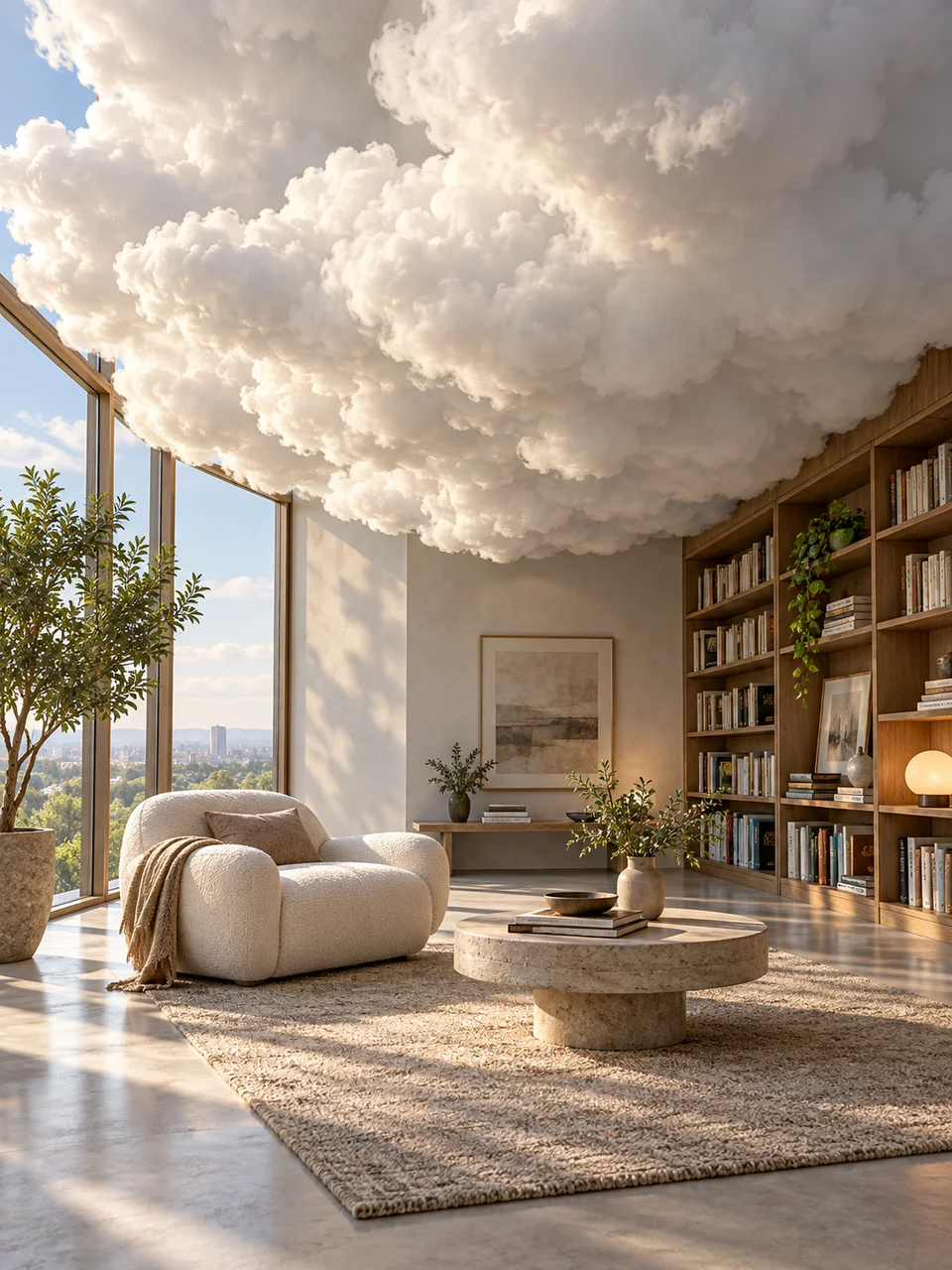
Cloud Room AI Image Generator: Cloud Interior
Sculptural vapor replaces one architectural volume.
- From a description only
- Best shape: 3:4 · 4:5 · 1:1
Works on
- Seedream 5.0 Pro
- Qwen Image 3.0
- Nano Banana 2.1
- Seedream 5.0 Flash
About Cloud Interior
Cloud Interior places a substantial cloud where part of a room should be. It might occupy an alcove or replace a central architectural volume, while the furniture and surrounding air remain clear. The look combines surreal installation imagery with quiet interior photography. Dense vapor has a readable edge and casts gentle shadows; mineral floors and walls supply a firm contrast to its soft shape. Ordinary daylight makes the impossible material feel present within the room.
Describe the room and its single cloud volume in writing. A limestone reading room, a concrete entry hall, a spare dining area, or a tiled bath can all support the idea. Give the cloud a defined location and keep a few furnishings sharply visible around it. A chair tucked beside the vapor or a table in front of it supplies a familiar size reference without turning the entire interior into haze.
Try “a dense cloud filling one alcove in a limestone reading room” or “a sculptural cloud replacing a central column in a quiet concrete hall.” Another line is “a spare dining room with one cloud volume above a low sideboard.” Cloud scale changes the balance: a smaller mass feels like an unusual installation, while a floor-to-ceiling volume competes with the architecture and needs more empty space around its edges.
Tips
- Assign the cloud one architectural location, such as an alcove, column space, or ceiling recess.
- Keep the air around furniture clear so the vapor has a distinct boundary.
- Use stone, concrete, or tile to contrast with the cloud’s softness.
- Leave one familiar chair or doorway visible as a scale reference.
- Describe gentle cloud shadows on nearby walls to connect the vapor to the room’s daylight.
What the style adds
Your words go where it says “your subject”. Everything else is added for you.
your subject. Replace one interior architectural volume with a dense sculptural cloud. Keep the room ordinary, furniture sharp and vapor shadows plausible. Calm daylight and mineral surfaces anchor the scene; avoid a general fog filter, cosmic space or decorative sparkles.
Models and price
- Seedream 5.0 Pro36 credits
- Qwen Image 3.030 credits
- Nano Banana 2.148 credits
- Seedream 5.0 Flash29 credits
One 1K image from a description. The button always shows the exact price before you spend anything.
How to use Cloud Interior
- Describe itWrite who or what should be in the picture. A small action and a clear place work best.
- Pick a shapeKeep the suggested ratio and model, or change them in the bar at the bottom.
- Paint itPress “Paint it”. The price is on the button before you spend anything.
Questions about Cloud Interior
Can I use Cloud Interior on my own photo?
Not yet. This style works from a description: write what you want to see and the style adds the look.
How much does one Cloud Interior image cost?
29 credits for one 1K image on Seedream 5.0 Flash. 2K costs more, and the button shows the exact price before you run it.
Why does my room look foggy?
A general haze can blur the central idea. Describe a dense cloud with a defined outer contour in one location, plus clear surrounding air and sharply visible furniture, to give the vapor a specific architectural role.
How does this differ from Ocean Ceiling?
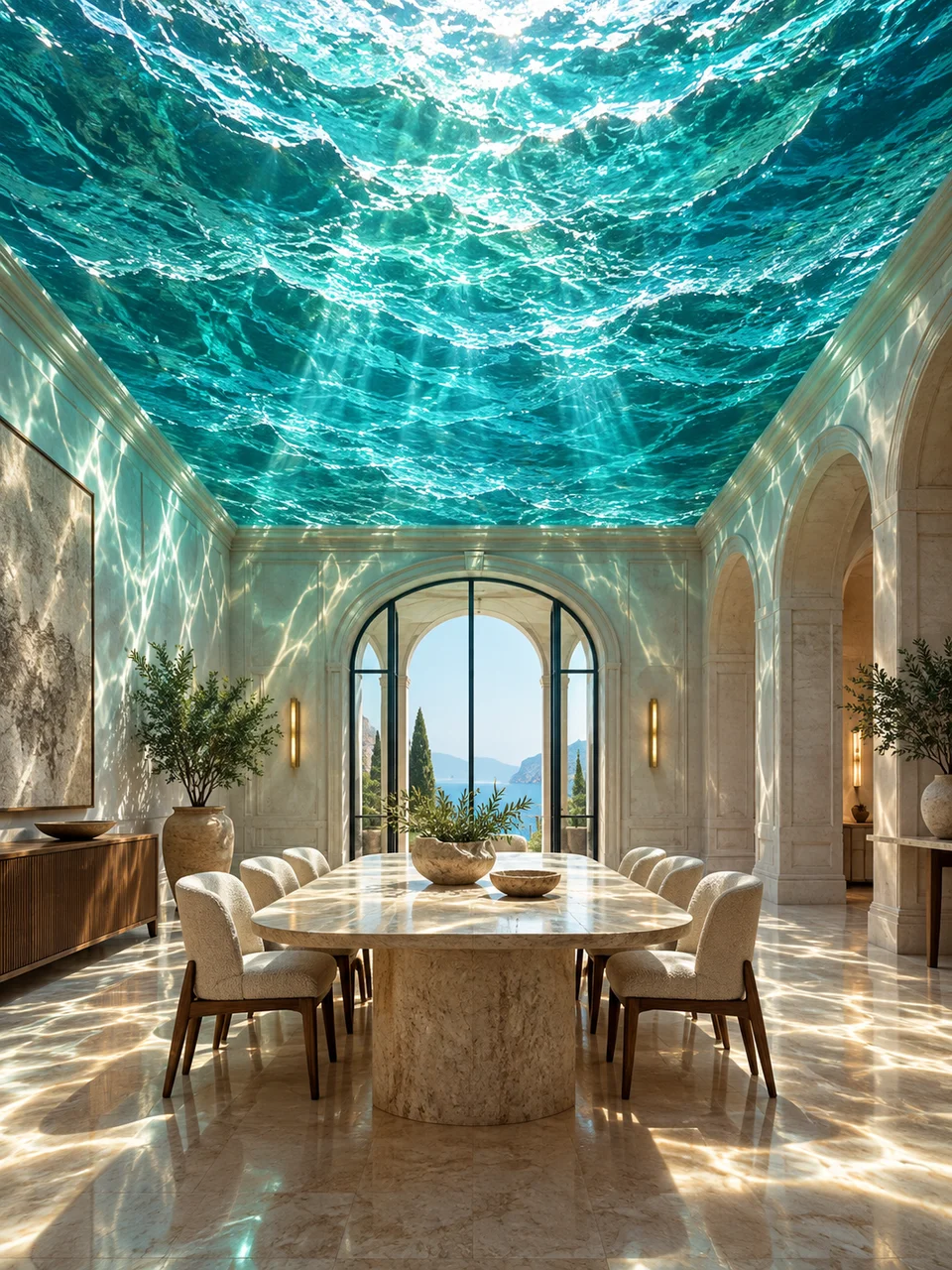
Cloud Interior replaces one room volume with dense vapor. Ocean Ceiling suspends a coherent water surface overhead, with clear air underneath and rippling aqua light patterns across the walls and furnishings.
Can the room contain people?
A single person at a comfortable distance can establish scale. Keep their outline clear of the cloud and describe a calm action, such as reading, so the architectural intervention remains the first thing you notice.
Similar styles
 Impossible Archway
 Ocean Ceiling
 Gravity Garden
 Giant Botanical
Bring it to life
Effects that turn a still in this look into a short video.
 Fog Roll
 Slider Parallax