

by PopNowImage
Photo to Anime
Turn a photo into anime with optional detail guidance
- 9 aspect ratios
From 50 credits per image≈ $0.05
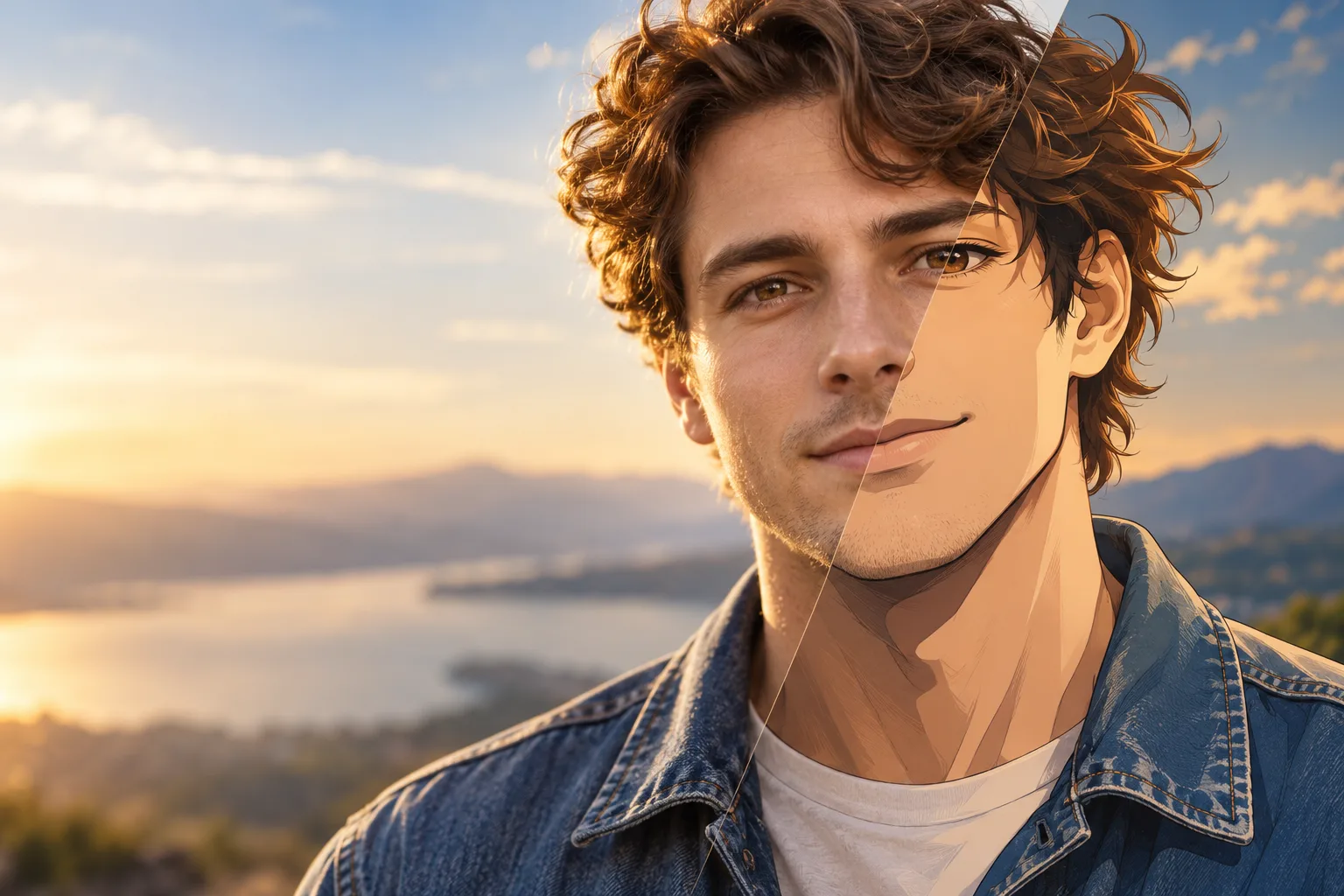 Photo to Anime
What it's like to use
Photo to Anime redraws one uploaded photo as an anime illustration with line art and cel shading. Add an optional note to guide details, choose an output aspect ratio and save as JPEG, PNG or WebP.
Good for
- Anime portraits from a photo
- Anime reinterpretations of pets, objects and places
- Exploring a character design from a visual reference
What Photo to Anime can do
How to prompt Photo to Anime
- Upload one JPEG, PNG or WebP image up to 10 MB. Choose a clear photo with the subject and details you want to keep visible.
- Optional notes accept up to 1,000 characters and are appended to the built-in anime instruction. Describe the details you want to keep or change.
- Leave the aspect ratio unset to follow the source image, or choose one of 9 preset ratios. Set a seed for comparisons under the same settings.
Settings worth knowing
aspect_ratio1:1 · 16:9 · 9:16 · 4:3 +5- The shape of the frame: wide, square or tall.
image_url- The picture to start from.
seed0–2147483647- Use the same seed and settings for more controlled comparisons.
output_formatjpeg · png · webp- File type of the result.
How it compares
Anime to Real takes an anime image toward a photographic look. Photo to Anime works in the opposite direction, turning a photo into an illustration.


Good to know
One image per request, with JPEG as the default output format. This is an image-editing model, with no animation or video mode.
Questions about Photo to Anime
How much does Photo to Anime cost?
On PopNow, the cheapest run of Photo to Anime costs 50 credits ($0.05) per image.
What can Photo to Anime do?
On PopNow, Photo to Anime works in these modes: Edit Image. Pick one in the studio and add a prompt or an upload.
How should I write prompts for Photo to Anime?
Upload one JPEG, PNG or WebP image up to 10 MB. Choose a clear photo with the subject and details you want to keep visible. Optional notes accept up to 1,000 characters and are appended to the built-in anime instruction. Describe the details you want to keep or change. Leave the aspect ratio unset to follow the source image, or choose one of 9 preset ratios. Set a seed for comparisons under the same settings.
Photo to Anime or Anime to Real?
Anime to Real takes an anime image toward a photographic look. Photo to Anime works in the opposite direction, turning a photo into an illustration.
Do I need to install anything to use Photo to Anime?
No. Photo to Anime runs in your browser on PopNow: write a prompt or add a file, choose the settings and download the result. Sign up and you can generate straight away.