Filmmaker is for anything longer than one shot. You describe the story; the Film agent turns it into a plan — characters, scenes and a shot list — that you can change before anything is generated. Characters stay on-model from shot to shot, so the film feels like one piece.
Step 1: Open Filmmaker
Open Filmmaker. The Film agent is selected on the left. Other starting points sit next to it: Short drama for recurring characters, Write a script for dialogue-heavy stories, and Marketing for product videos.
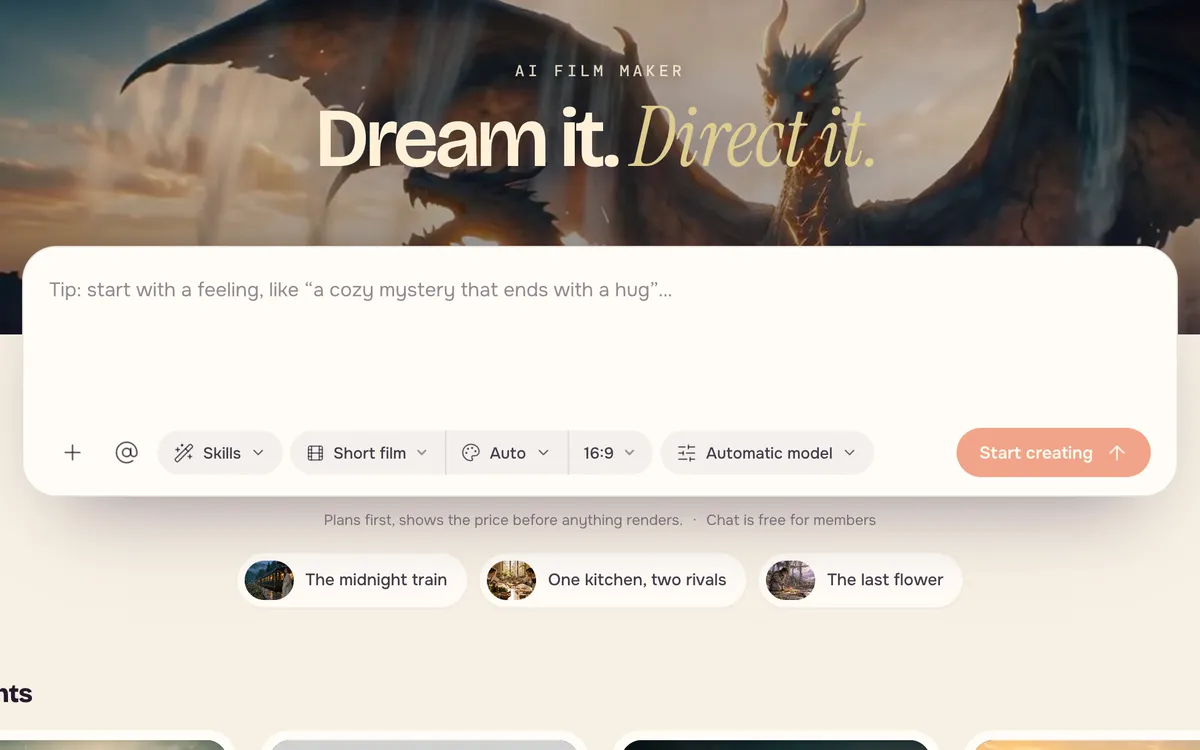
Step 2: Describe your idea
Write the story in one or two sentences: who it is about, what happens and how it should feel. A clear ending helps the plan.
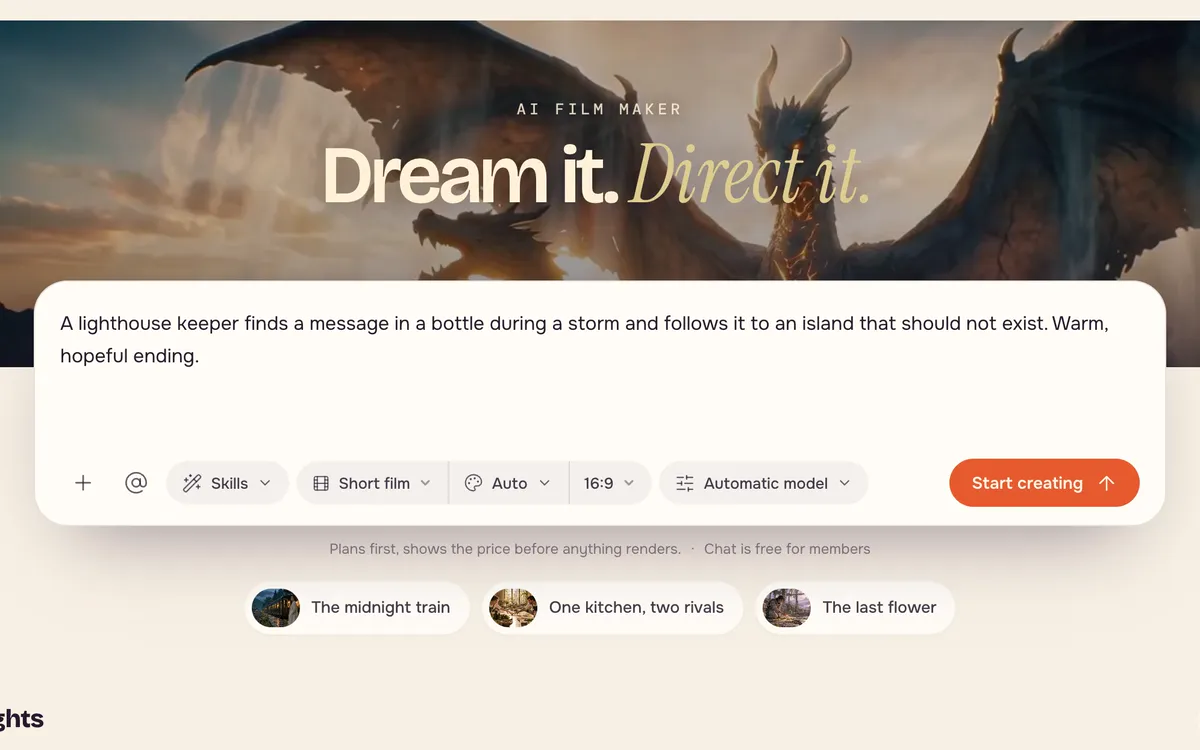
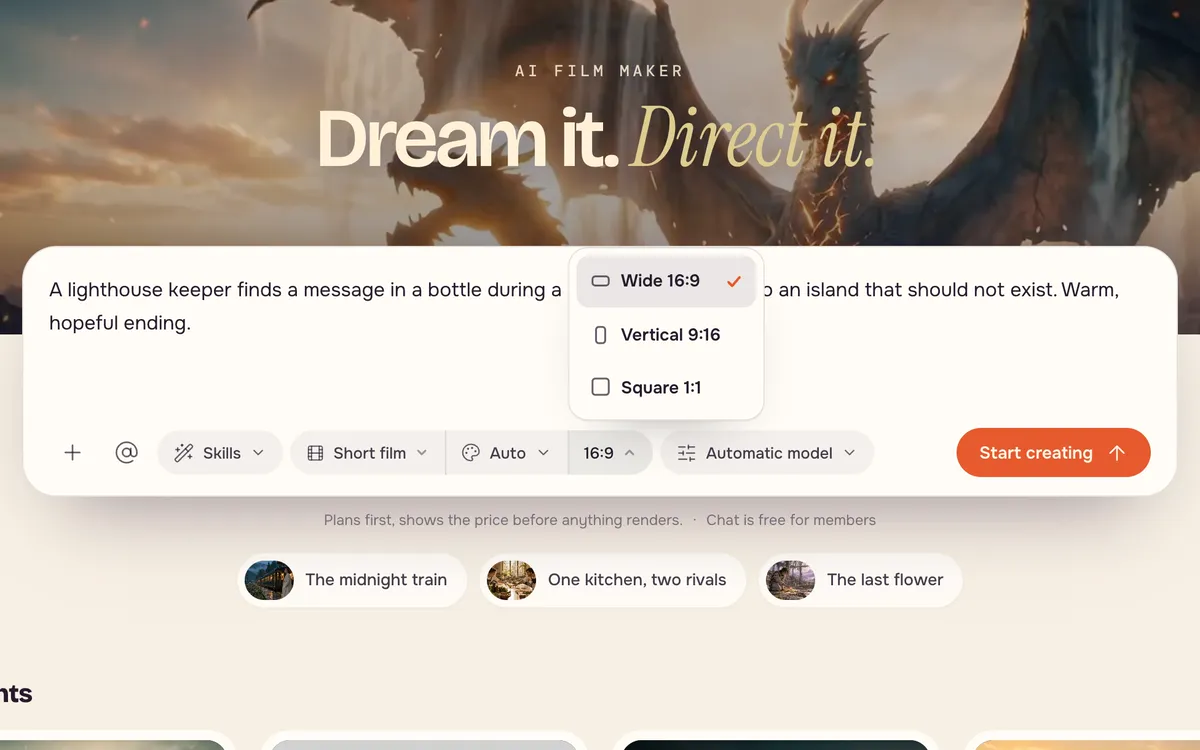
Step 3: Choose the format and start
Pick the film type, the shape (16:9 for a film, 9:16 for phones) and leave the model on Automatic unless you have a favorite. Press Start creating.
Step 4: Review the plan, then shoot
The agent drafts the story beats, the cast and the shots. Change anything — swap a character's look, rewrite a scene, reorder shots — and generate shots one at a time or all at once. Each step shows its price before it runs.
Tips for better results
- Fewer characters, clearer story. Two or three people keep the film readable.
- Lock looks early. Approve each character's look before you shoot; it carries into every scene.
- Use camera words in shots — "slow push-in", "wide establishing shot". See Camera moves.
- Branch on Canvas when you want to try several versions of one shot.
FAQ
How long can a film be?
Films are built from short shots, so length depends on how many shots you plan. Start with under a minute and grow from there.
Will my characters look the same in every shot?
That is what the cast step is for. Characters you approve are reused across scenes to keep faces and outfits consistent.
What does a film cost?
Each shot is priced like a video on the model it uses, and planning steps show their own price. You see the total for each step before it runs.