Canvas is an open board where every step of a project is a card: a still, a video shot, a voiceover, a song. Cards connect, so the output of one feeds the next — a character sheet into a scene, a scene into a shot. You can branch a shot into versions, keep the best and leave the rest on the board.
Step 1: Open Canvas and pick a template
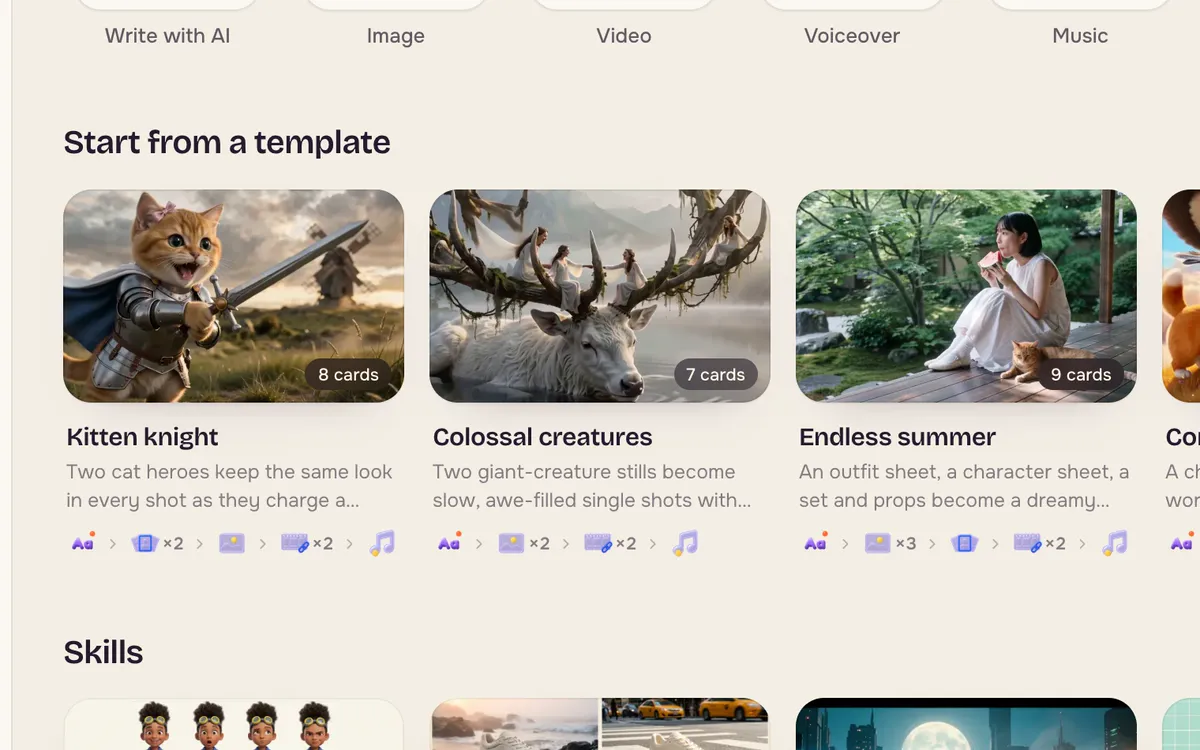
Open Canvas. Start from a blank canvas or a template. Templates such as Kitten knight, Colossal creatures and Dream music video come with their cards already connected, so you can see how a finished project is put together.
Step 2: Read the board
A template opens as a board of cards joined by lines. Text cards hold the idea, image cards hold stills, and video cards hold shots. Select a card to see its next steps; drag the + on its edge onto another card to connect them.
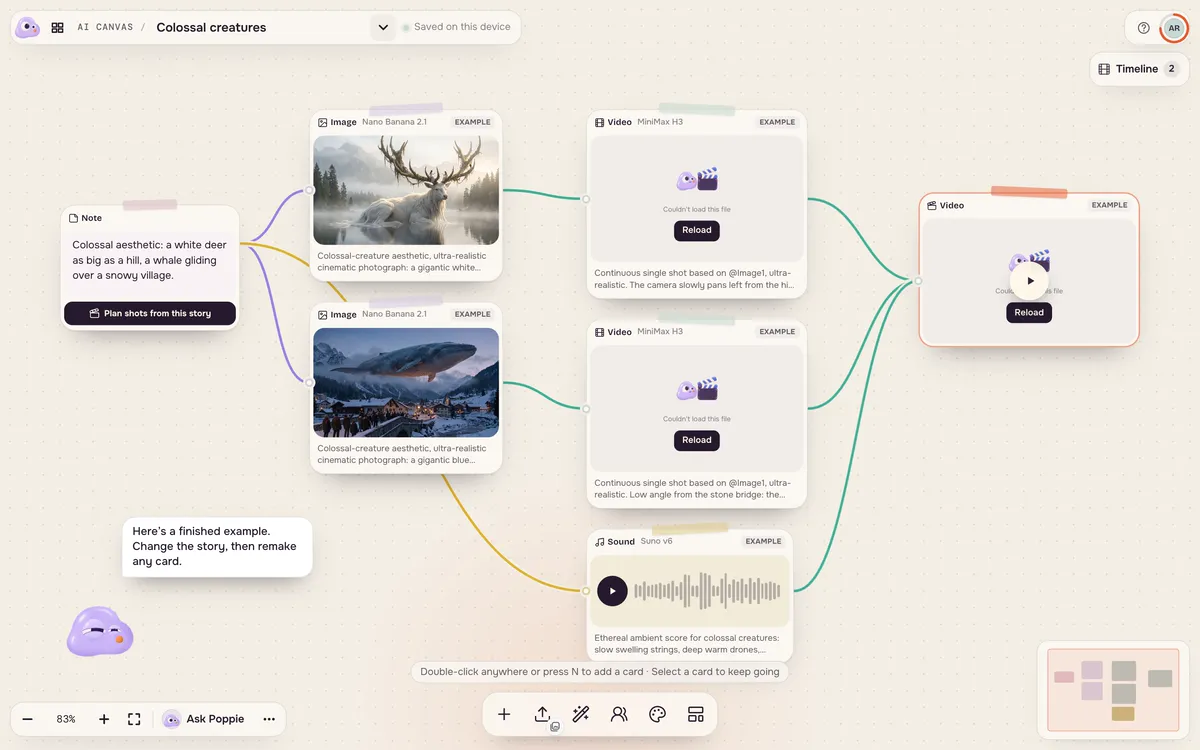
Step 3: Change one card and run it
Edit a card's prompt or swap its image, then run it. Downstream cards use the new result when you run them next. Every run shows its price first.
Step 4: Add cards as you go
Use the toolbar at the bottom to add an image, video, voiceover or music card, upload your own files, or bring in a character. Looks keeps one visual style across every card. Ask Poppie helps you plan what to add next.
Tips for better results
- Keep one board per project so characters and looks stay together.
- Branch instead of overwriting. Duplicate a card to try a different camera move and compare.
- Lock a look before generating many shots so the colors and texture match.
FAQ
Is Canvas better than Filmmaker?
They suit different people. Filmmaker plans the film for you; Canvas gives you every step to arrange yourself. Many people plan in Filmmaker and fine-tune shots on Canvas.
Does a template cost anything to open?
No. Opening a template and looking around is free. You pay only when you run a card.
Can I use my own photos and clips?
Yes. Upload them or pick them from your library, then connect them like any other card.