The fastest way to make an AI clip feel cinematic is to decide how the camera moves. A slow push-in builds tension; an FPV dive feels like a stunt; a whip pan feels like a music video. Pick one move per clip and say where it ends.
In Movie, the Camera picker lists 35 moves with a preview of each. In any other video tool, write the move into your prompt.
Step 1: Write the scene first
Open Movie and describe what happens. Keep the camera out of this sentence; you will add it next.
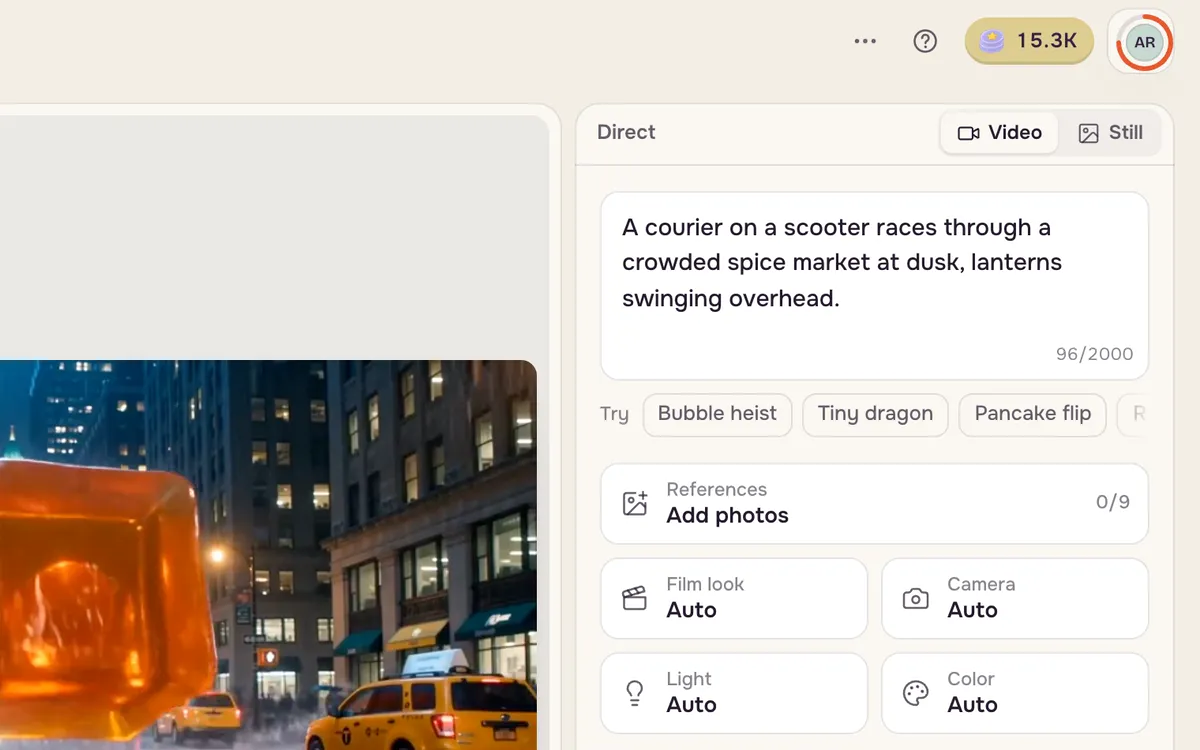
Step 2: Open the camera moves
Click Camera. The Movement tab shows every move with a looping preview; hover to see how it feels.
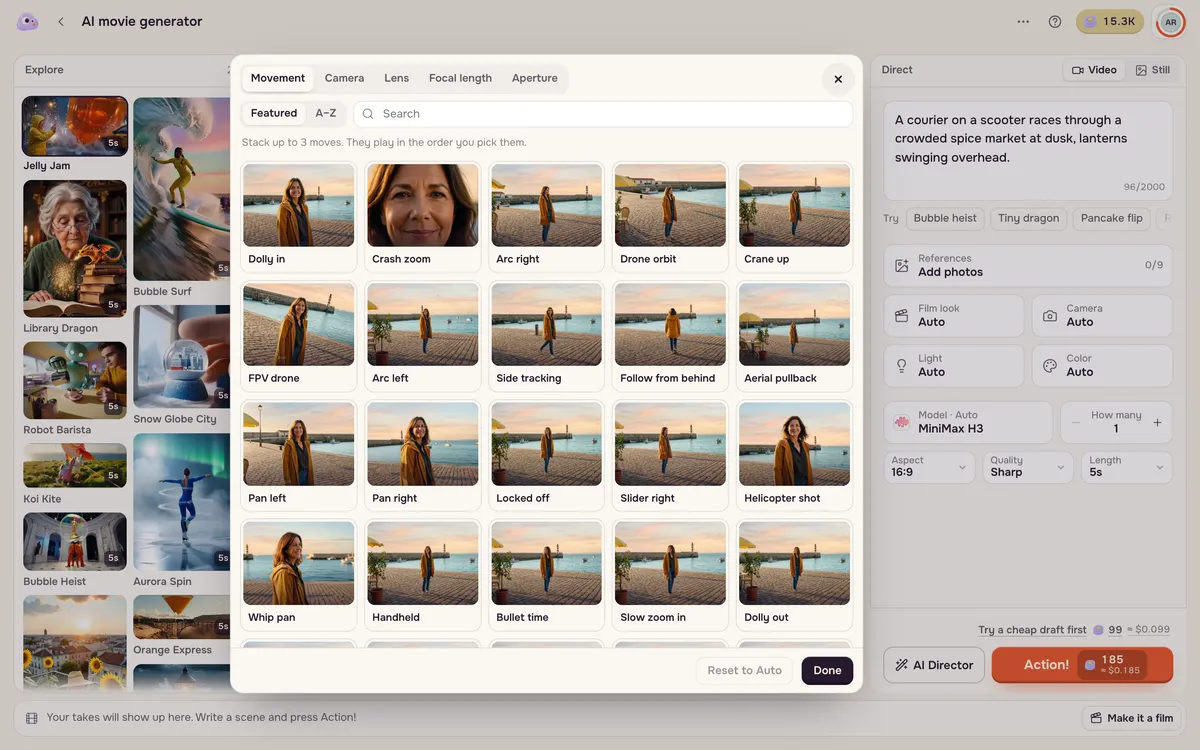
Step 3: Pick one move and shoot
Choose a move — here FPV drone — and press Action!. The move is added to your prompt for you. You can also type # in the scene box to insert a move without opening the picker.
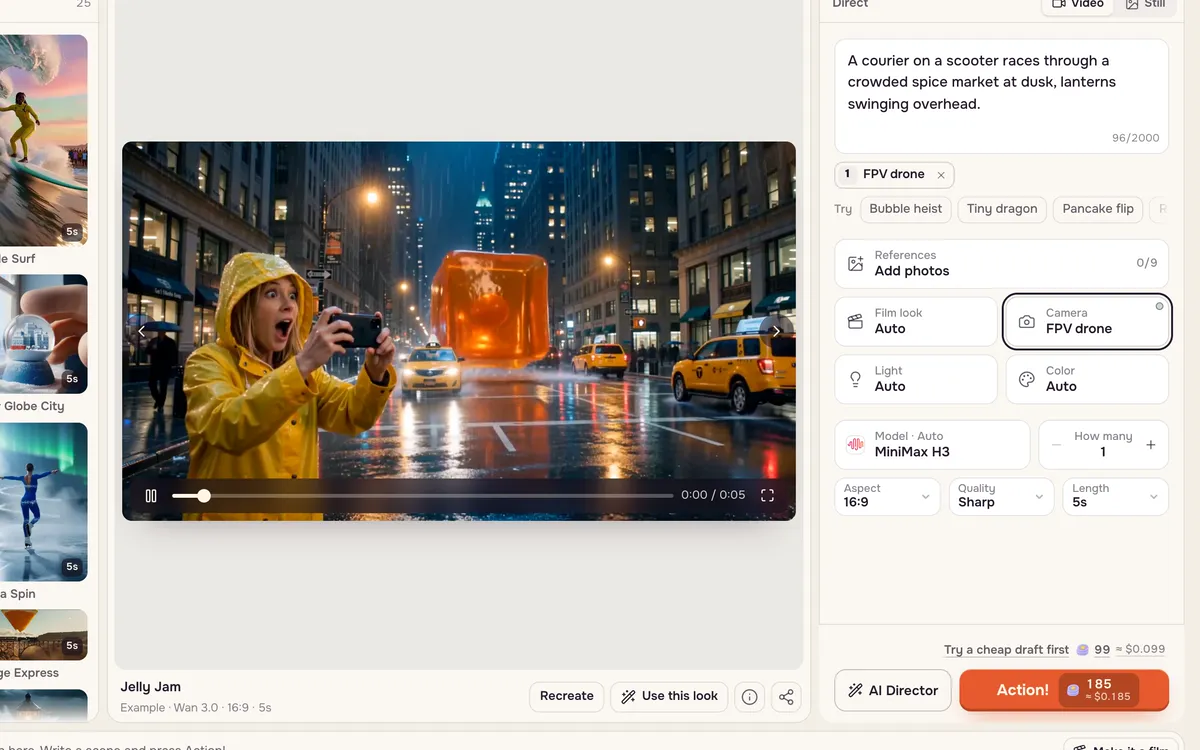
The moves and when to use them
| Move | What it does | Use it for |
|---|---|---|
| Dolly in / slow zoom in | Camera moves toward the subject | Tension, a reveal of emotion |
| Dolly out / aerial pullback | Camera moves away to show more | Endings, scale, loneliness |
| Crash zoom | A sudden zoom onto a detail | Comedy beats, shocks |
| Dolly zoom | Background stretches while the subject stays the same size | Dread, realization |
| Arc / drone orbit | Camera circles the subject | Hero moments, products |
| Bullet time | The moment freezes while the camera orbits | Action peaks |
| Crane up / crane down | Camera rises above or descends to the subject | Openings, big reveals |
| FPV drone | Fast flight weaving through the scene | Chases, sports, travel |
| Tilt up / tilt down | Camera pivots vertically | Revealing height or a face |
| Pan / whip pan | Camera turns sideways, fast or with blur | Energy, transitions |
| Truck / slider / side tracking | Camera slides sideways with parallax | Walking shots, products |
| Tracking / POV | Camera follows behind or becomes the eyes | Immersion, chases |
| Handheld | Raw, shaky camera | Documentary, action |
| Rack focus | Focus shifts from foreground to subject | Drawing attention |
| Static | Locked-off camera, only the subject moves | Dialogue, calm scenes |
How to write a move into any prompt
Write the move as its own sentence with three parts: the move, its speed, and where it ends. "Slow dolly in, ending on a tight close-up of her eyes" works better than "cinematic camera". For a combination, write it in order: "tracks left, then pushes in as she stops." Avoid two opposite moves at once.
Common problems
- The shot barely moves. Add a speed word and an end frame, and give the background something to do (rain, dust, lights).
- The scene cuts away. Add "one continuous shot, no cuts" and remove anything that is not in your first frame.
- Faces drift. Use a smaller move — a slow arc instead of a fast orbit — and add "same face and outfit throughout".
- It feels dizzy. Do not stack FPV, handheld and orbit. One move per clip.
FAQ
Which models follow camera moves best?
MiniMax H3, Kling and Seedance all follow written moves well. MiniMax models also accept short bracket commands such as [Push in] or [Truck left] after the action they belong to.
Do camera moves cost extra?
No. The price depends on the model, resolution and length, not on the move.
Can I use these moves on my own photo?
Yes. Add the photo as the first frame in Create video and write the move into the prompt, or try the one-tap camera moves in Effects.