


by ByteDanceImage

Seedream 4.5
Exact text in 2K and 4K images, with edits from up to 14 references
- Up to 4K
- Up to 14 reference images
- 8 aspect ratios
From 40 credits per image≈ $0.04· Create Image
What is Seedream 4.5?
Seedream 4.5 is ByteDance's image generator and editor with 2K and 4K output. It supports exact wording inside images, eight aspect ratios and edits assembled from up to fourteen reference pictures.
Best on PopNow for: A poster with integrated lettering, a product scene with a defined palette or a large image built around a small set of clearly assigned references.
Good for
- Posters and graphics with specific words in the design
- Image edits assembled from several reference pictures
- 2K or 4K compositions for different page shapes
What Seedream 4.5 does well
Specify text as part of the composition
Put exact words in quotation marks and explain their intended position. The photograph and lettering need to share a layout rather than compete for the same space. Review the wording at the size it will actually be read, even when the large image looks convincing.
Name the product's protected details
When moving an object into a new scene, identify it as the anchor and describe the new surface, atmosphere and light. Check the outline, label and material against the source. A more dramatic setting is useful only if the object still communicates what your brief intended.
Build a reference set with distinct jobs
Fourteen sources are possible, but the prompt should explain what each contributes. Keep the roles concrete: object, setting, palette or another visible ingredient. Remove references that repeat information or suggest contradictory compositions before making the written brief longer.
Real results from Seedream 4.5
Every image and clip here was generated with Seedream 4.5. Hit Recreate to open it in the studio with the same prompt and settings.
 Input
InputBring your own image
Prompts that worked on Seedream 4.5
Real outputs with the exact prompt we used, and why it worked. Hit Recreate to try the same settings.
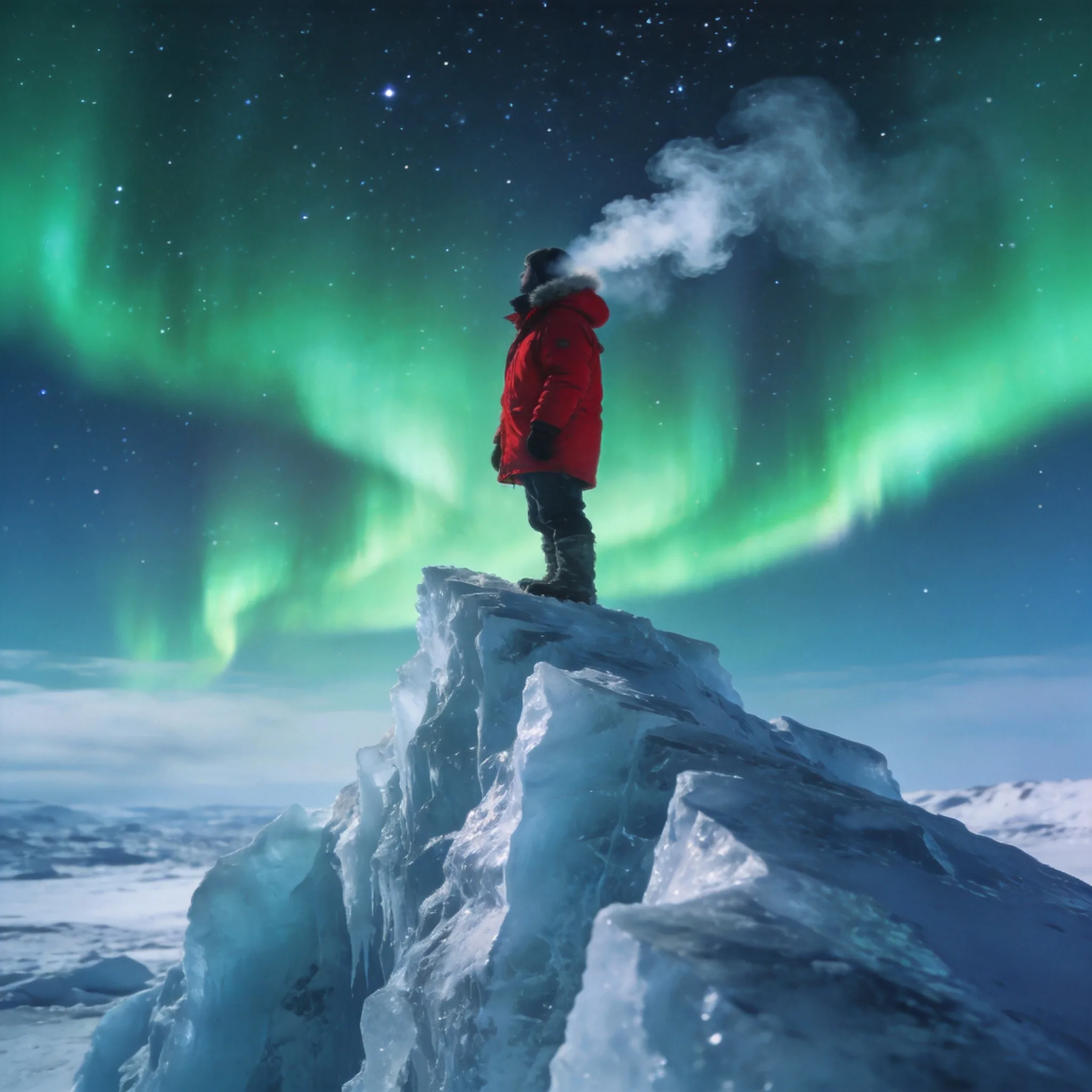
An arctic explorer in a red parka standing on an ice ridge under the green aurora, breath visible in the cold air, starry sky, wide cinematic shot, photorealistic
The red parka establishes the explorer against ice and a green aurora. Visible breath supports the cold setting, while a wide shot lets the sky remain important. This prompt combines atmosphere and subject contrast without needing text or extra people; use it to study how a strong color choice organizes a large scene.
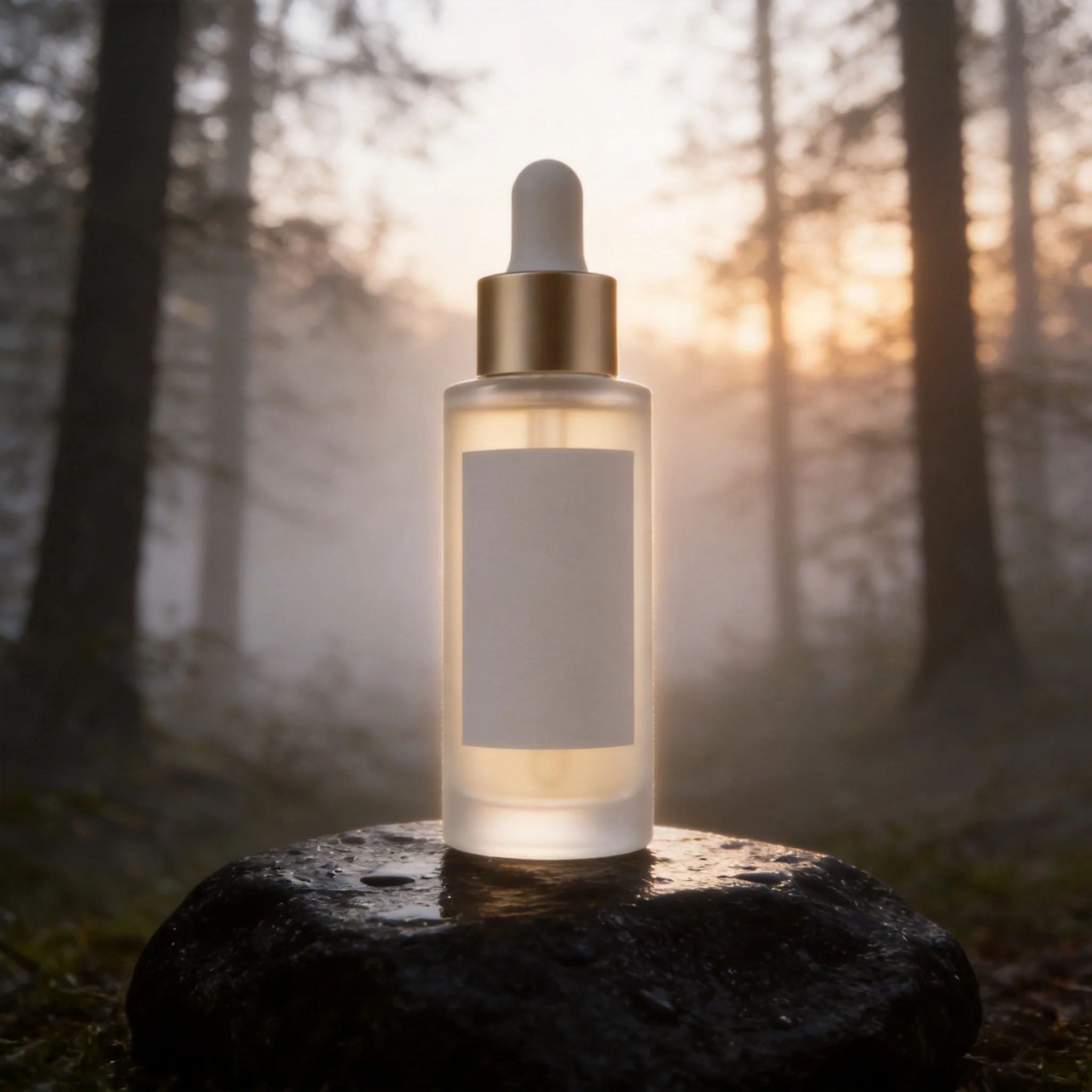
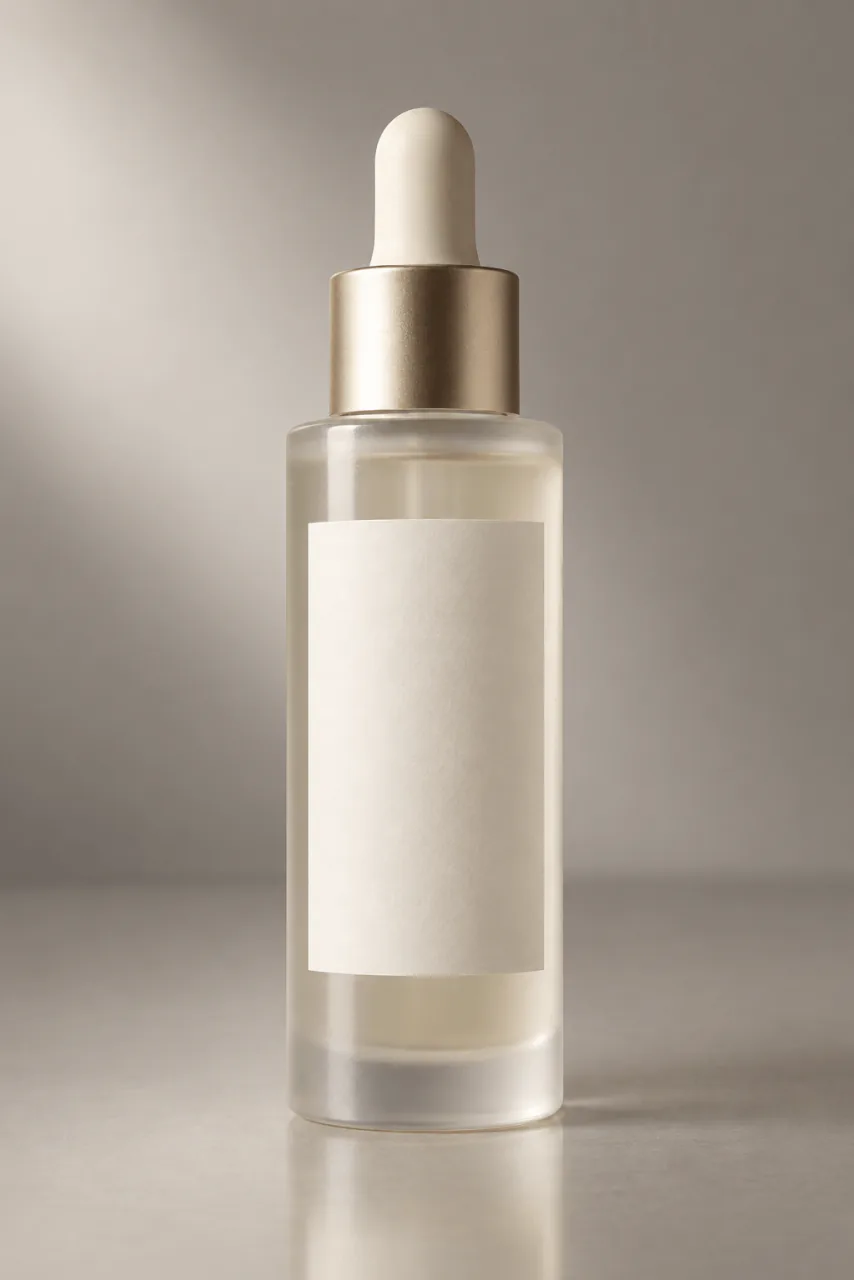
RecreateKeep the bottle exactly as it is. Place it on a wet black stone in a misty forest at dawn with soft rim light.
The bottle is explicitly preserved, then placed on wet black stone in a misty forest at dawn. Rim light gives the object a way to stand apart from the surroundings. Compare the protected bottle details before judging the forest, because the new location is only one half of the edit.
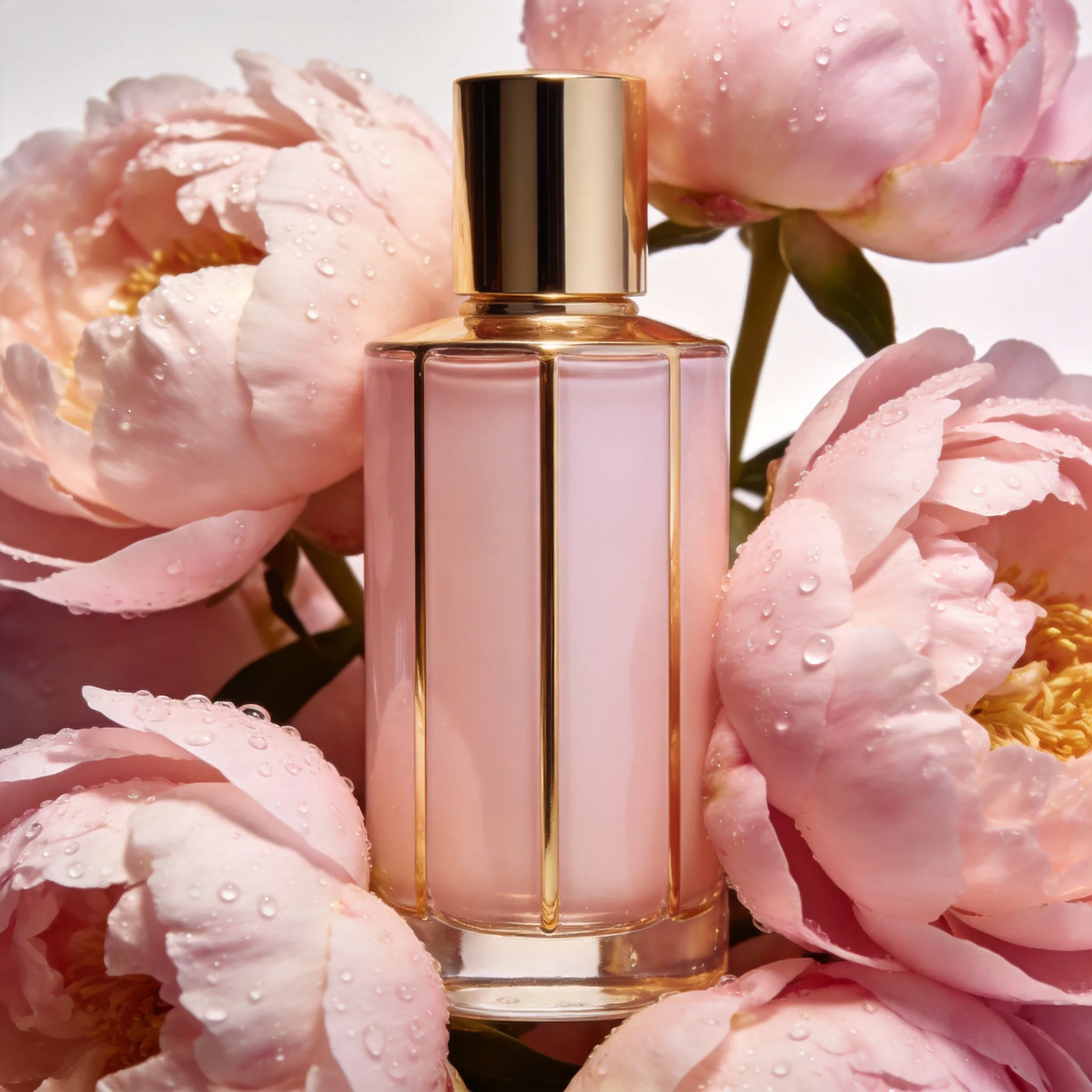
RecreateA luxury perfume bottle standing among fresh peonies and morning dew, pale pink and gold palette, soft studio light, high-end beauty advertising photo
Peonies, morning dew and a pink-and-gold palette support the perfume-bottle advertisement. Soft studio light identifies the photographic treatment even though botanical elements surround the product. The prompt's ingredients agree on a single direction; adding a second unrelated mood would make that direction harder to evaluate.
RecreateWhat Seedream 4.5 can do
Each mode opens in the studio with Seedream 4.5 already picked. The price shows before you generate.


Best ways to use Seedream 4.5 on PopNow
Where this model already does the work for you, from one-tap apps to the full studio.
Design a large image
Choose a ratio and 2K or 4K in the image workspace. Establish the focal point and any lettering hierarchy before using the larger result in a cover or campaign layout.
OpenExplore another editing approach
Seedream 5.0 Pro adds thinking and layer splitting with a different reference limit. Compare it when those features match the next task, while keeping the product and scene brief consistent.
OpenHow to prompt Seedream 4.5
- Put exact text in quotes and describe its place alongside the subject, composition, style and light.
- In edits, explain what each reference contributes. Upload between one and fourteen images that you are authorised to process.
- Choose 2K or 4K and the intended aspect ratio before generating. Keep the prompt within 3,000 characters.
Settings worth knowing
Everything else has a sensible default, so you can type a prompt and go.
resolution2K · 4K- Choose an available output size. The quote reflects this model and setting.
aspect_ratio1:1 · 4:3 · 3:4 · 16:9 +4- The shape of the frame: wide, square or tall.
image_urls≤ 14- Photos to edit or combine. Say in the prompt what each one adds.
How it compares
Same kind of job, different strengths and prices.
Seedream 5.0 Pro adds a thinking pass and layer splitting, with up to ten editing references. Seedream 4.5 accepts fourteen and includes a 4K output tier.

Where Seedream 4.5 falls short
- Prompts allow up to 3,000 characters. Make source assignments concise enough to leave room for the intended scene.
- Output shapes come from eight preset ratios; choose the intended layout before generating.
- Every letter and protected product detail needs review. Resolution alone does not establish that those details are correct.
How to use Seedream 4.5 in three steps
- Select the intended ratio and choose 2K or 4K output.
- Write the scene with quoted text if needed, or explain what each editing reference contributes.
- Generate and inspect both the overall layout and the small wording or object details before using the image.
Questions about Seedream 4.5
How much does Seedream 4.5 cost?
On PopNow, the cheapest run of Seedream 4.5 costs 40 credits ($0.04) per image. You pay with credits (1 credit = $0.001), the exact cost shows on the Generate button before you start, and failed generations are refunded automatically.
What sizes can Seedream 4.5 make?
Seedream 4.5 renders up to 4K in 8 aspect ratios, and edits with up to 14 reference images.
What can I make with Seedream 4.5?
Images with integrated lettering and multi-reference edits.
What do I supply?
A prompt, plus up to fourteen reference pictures for editing.
Which control should I try first?
Choose the layout and quote any exact wording.
What limit should I plan around?
The prompt is limited to 3,000 characters.
How should I check the result?
Read the lettering and compare protected product details.
Seedream 4.5 or Seedream 5.0 Pro?
Seedream 5.0 Pro adds a thinking pass and layer splitting, with up to ten editing references. Seedream 4.5 accepts fourteen and includes a 4K output tier.
Make something with Seedream 4.5
Let the subject, palette and lettering belong to one design. A larger canvas makes that relationship more visible.