


by PopNowImage
Face Enhancer
Restore up to three faces in a photo, resolution unchanged
From 12 credits per image≈ $0.012
What is Face Enhancer?
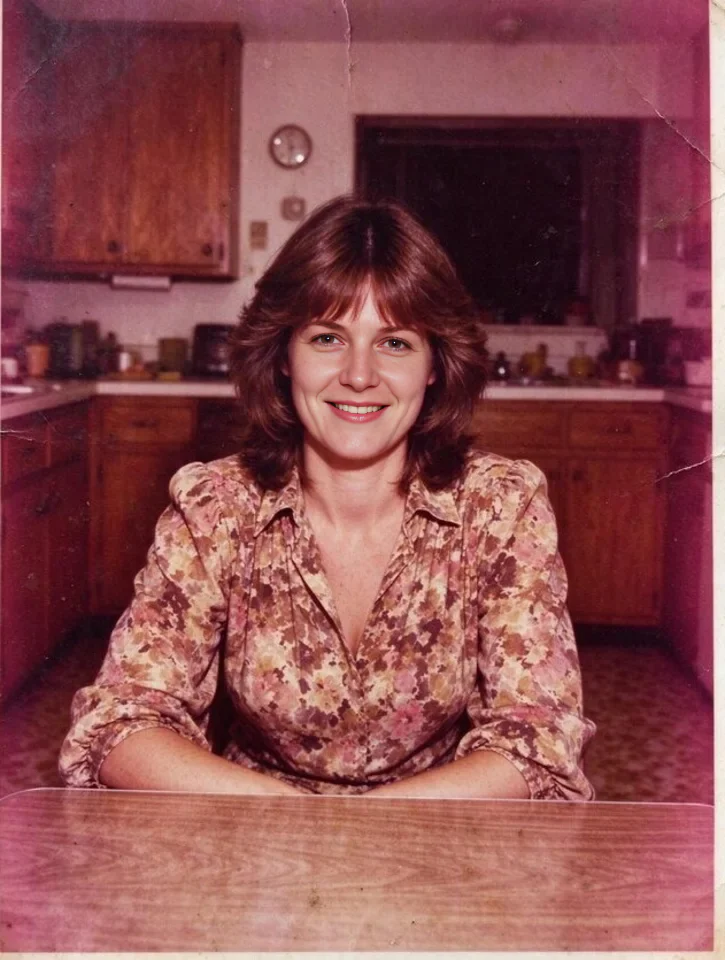
Face Enhancer is a PopNow image tool that restores up to three faces in one photo. It finds the largest faces first, rebuilds the detail that compression, resizing or age took away, and leaves the rest of the picture and its resolution unchanged. There is no prompt to write: upload a photo and get back a copy with sharper faces.
Best on PopNow for: Restoring the faces in an old, compressed or AI-generated portrait before you share it, or repairing a group photo where a few faces came out soft.
Good for
- Blurry or soft faces in an AI-generated portrait
- Group photos where faces came out smudged
- Cleaning up faces before you animate a photo
What Face Enhancer does well
Faces only, everything else kept
Only the faces change. Backgrounds, text, props and the rest of the frame stay as they were, so the enhancer does not restyle the photo around them.
Size and count stay put
The result keeps the resolution you uploaded and comes back as one image. Up to three faces are enhanced, largest first, and any others are left exactly as they were, which suits crowded shots.
A format for each job
JPEG is the default and the smallest file. PNG avoids another round of lossy compression and is larger, and WebP sits between them. The format does not change the price.
Real results from Face Enhancer
Every image and clip here was generated with Face Enhancer. Hit Recreate to open it in the studio with the same prompt and settings.
 Input
InputNo prompt, just the settings
Bring your own image
Prompts that worked on Face Enhancer
Real outputs with the exact prompt we used, and why it worked. Hit Recreate to try the same settings.
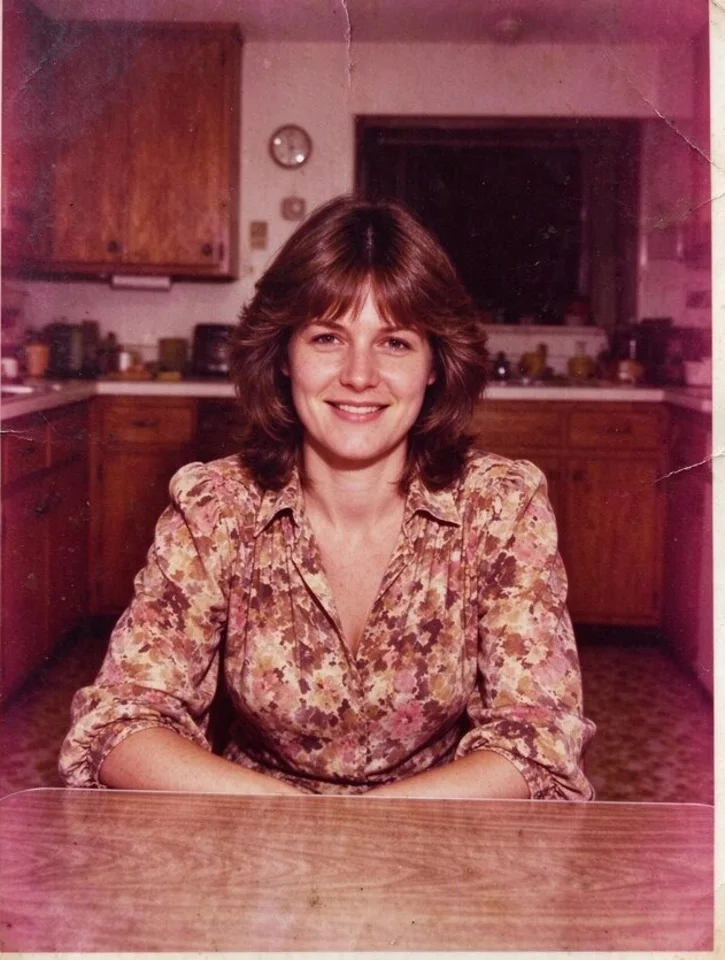
There is no prompt at all, so the example shows what the tool does with the photo alone. The input is a 725 by 960 portrait, and the output keeps that size. The example uses PNG because a restored portrait is often printed or edited again, and PNG avoids a second lossy pass.
RecreateWhat Face Enhancer can do
Each mode opens in the studio with Face Enhancer already picked. The price shows before you generate.

Best ways to use Face Enhancer on PopNow
Where this model already does the work for you, from one-tap apps to the full studio.
Restore an old family portrait
Photograph or scan the print, upload it to the image studio and run Face Enhancer. Use the restore page afterwards if scratches and fading need attention too.
OpenClean up a group photo
Upload the group shot and the three largest faces are restored. For a bigger crowd, crop closer to the people who matter first.
OpenSharpen a portrait before you upscale it
Restore the faces first, then run the picture through the upscaler when you need more pixels for print or a large display.
OpenHow to prompt Face Enhancer
- Faces that are reasonably large and clearly visible improve the most.
- Skin can come out slightly smoother, so compare with the original.
- Need more pixels too? Run Image Upscaler after this.
Settings worth knowing
Everything else has a sensible default, so you can type a prompt and go.
image_url- The picture to start from.
output_formatjpeg · png · webp- File type of the result.
How it compares
Same kind of job, different strengths and prices.
Image Upscaler makes the whole picture larger; Face Enhancer fixes faces at the same size.
Where Face Enhancer falls short
- Up to three faces per photo. In a crowd, only the three largest are restored.
- Faces must be real, reasonably large and clearly visible. A face the size of a fingernail gains little.
- Skin can come back a little smoother than a real photo would be. Keep that in mind when texture is the point of the portrait.
How to use Face Enhancer in three steps
- Open the image studio and choose Face Enhancer, or go to the restore page for old prints.
- Upload a JPEG, PNG or WebP photo. There is no prompt to fill in.
- Pick the output format, check the cost of 12 credits per image, then generate.
Questions about Face Enhancer
How much does Face Enhancer cost?
On PopNow, the cheapest run of Face Enhancer costs 12 credits ($0.012) per image. You pay with credits (1 credit = $0.001), the exact cost shows on the Generate button before you start, and failed generations are refunded automatically.
Does Face Enhancer change the size of my photo?
No. The result comes back at the resolution you sent. If you need more pixels, run the restored image through the upscaler as a second step.
How many faces does it restore?
Up to three, largest first. Other faces in the photo are left as they were.
Which file type should I choose?
JPEG is the default and the smallest. PNG avoids another round of lossy compression, which helps when the image will be edited again. WebP is a compact middle ground.
How much does it cost?
12 credits per image, whatever the output format or the size of the photo.
Can it rescue a heavily compressed photo?
It rebuilds detail that compression, resizing or softness took away, such as eyes, eyebrows and skin texture. How much comes back depends on how much detail survives in the original.
Does it need a prompt for good results?
No. There is nothing to tune except the file format, so the result is predictable from one run to the next.
Face Enhancer or Image Upscaler?
Image Upscaler makes the whole picture larger; Face Enhancer fixes faces at the same size.
Make something with Face Enhancer
Feed it the largest, sharpest copy of the photo you have. It can only restore detail that is still there.