To make a Thanksgiving card from your own photo, upload the photo, pick a scene and type the greeting you want printed. The AI keeps the people in your photo as they are and builds the card around them. On PopNow the Thanksgiving card maker does this in a few clicks, and if you want a design of your own, the photo editor does it from one written sentence for 8 credits per card with Nano Banana 2.1. Either way you can download the card to print or text it straight away.
Thanksgiving in the United States falls on Thursday, November 26, 2026, so a card mailed in the week before still arrives on time. Below are the quick steps, three custom cards we made from ordinary phone photos on October 17, 2026, the prompts we used word for word, and what to do before you print.
How to make a Thanksgiving card from your photo
- Add your photo. Open the Thanksgiving card maker and upload a photo where faces are clear and well lit. You can add up to three more photos of people or a pet, and everyone ends up on one card.
- Pick a scene. There are eight: harvest table, Friendsgiving, pumpkin pie kitchen, autumn porch, pumpkin patch, autumn picnic, by the fire, and a pet with a bow tie.
- Type the greeting. It is printed exactly as you type it, with an optional second line for your names.
- Choose the layout and size. Full photo, framed, vintage or minimal, in 5×7, 4×6, landscape or square.
- Make the card and check it. The button shows the price before anything runs. Read every word on the card before you print or send it.
Three custom cards from three ordinary photos
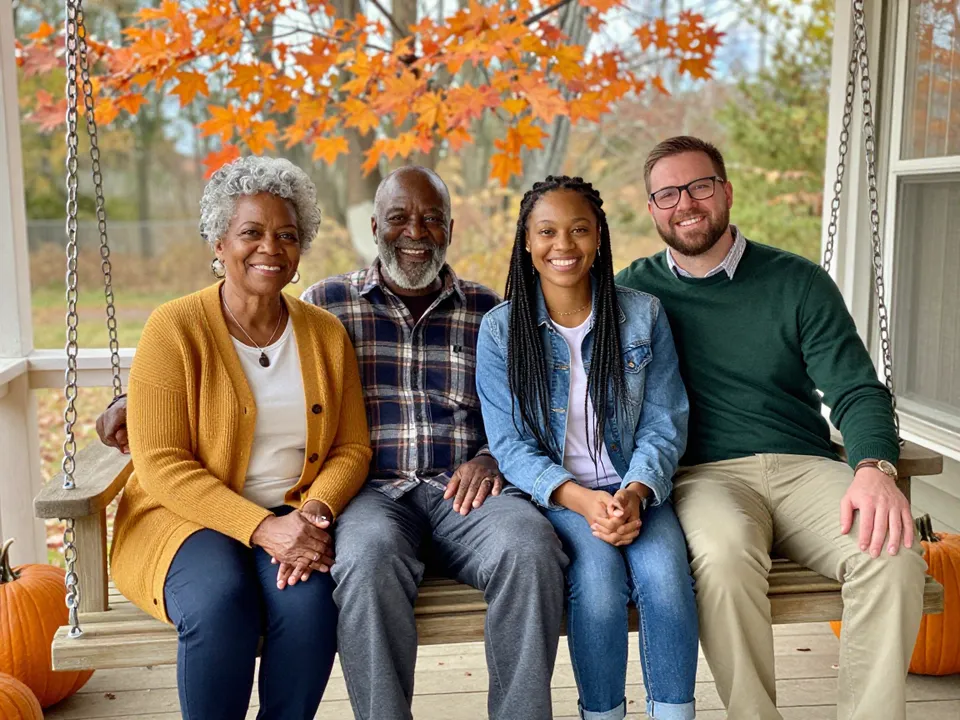
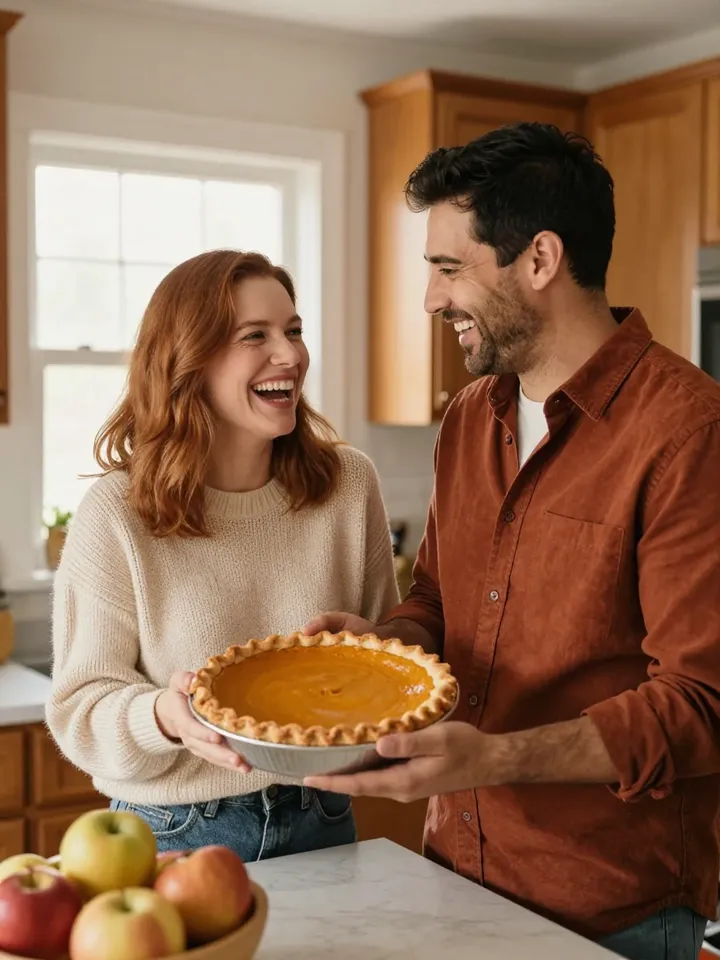
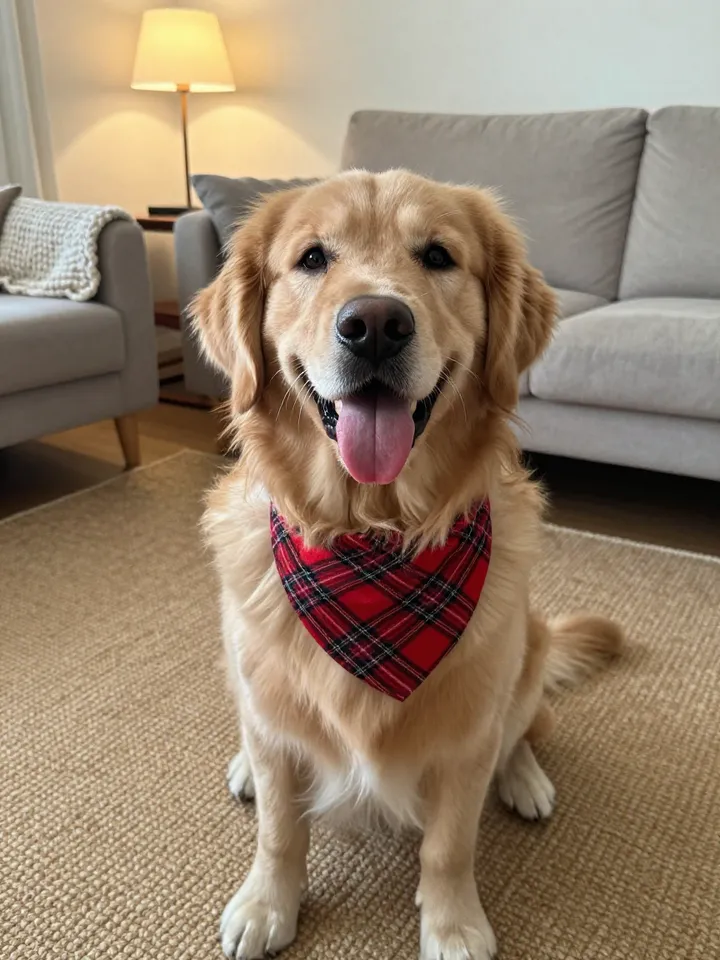
We started with the kind of photos most people already have on their phone: a family on a porch, a couple in the kitchen, and the dog. All three are made-up people and a made-up dog, generated for this test, so nobody's real photo is on this page.
 Family photo
 Couple photo
 Pet photo
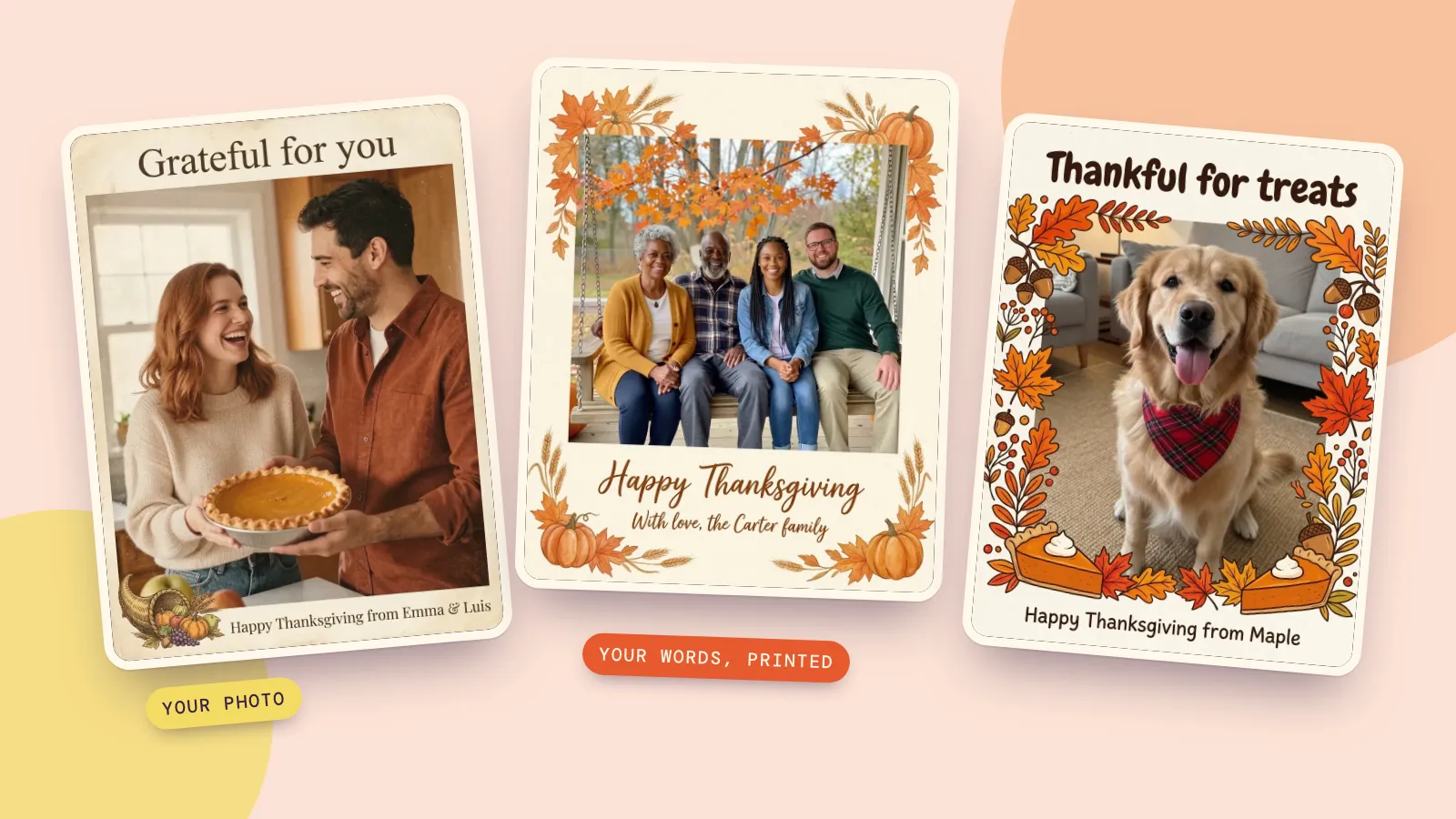
For these we skipped the preset scenes and wrote our own design, so each photo went through one edit with Nano Banana 2.1, the default model in PopNow's photo editor. These are the first results, not the best of several tries:
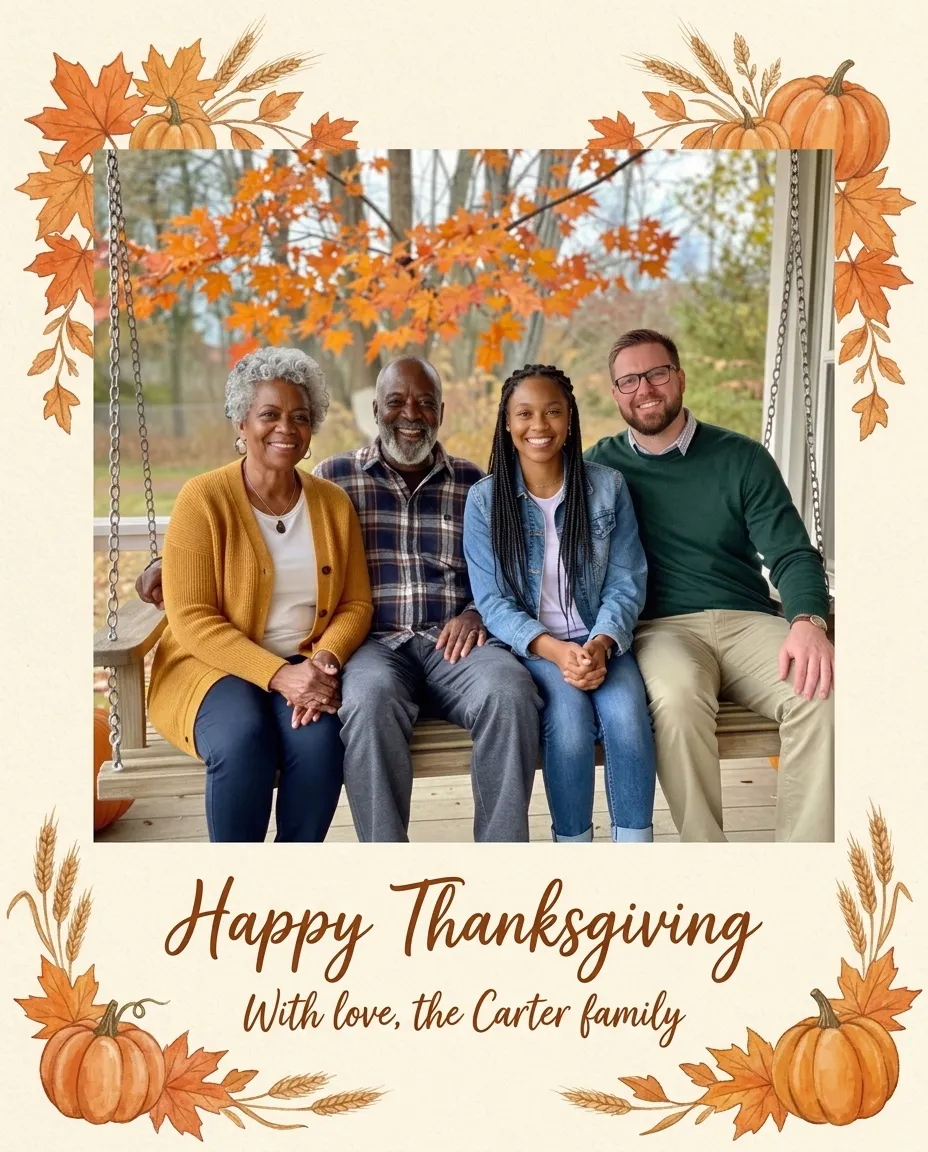 Classic autumn card
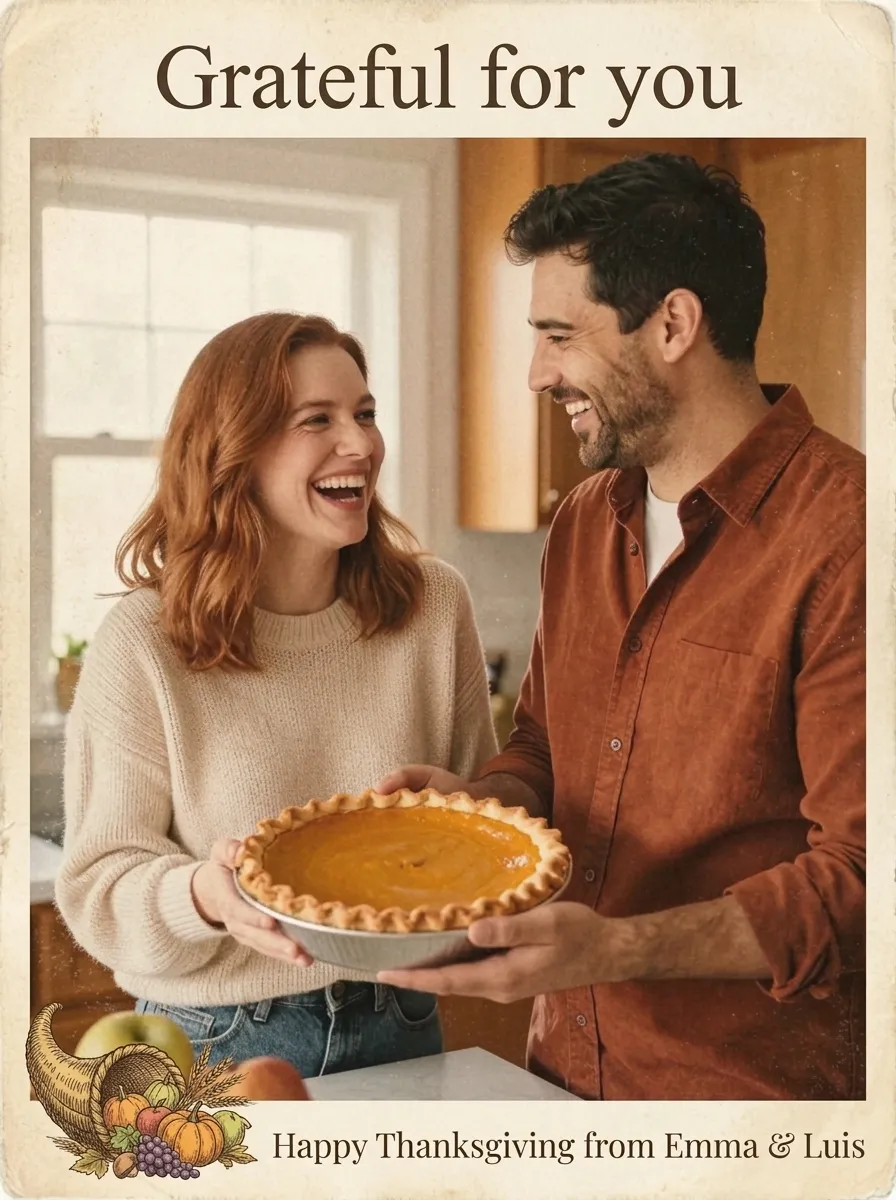 Vintage postcard
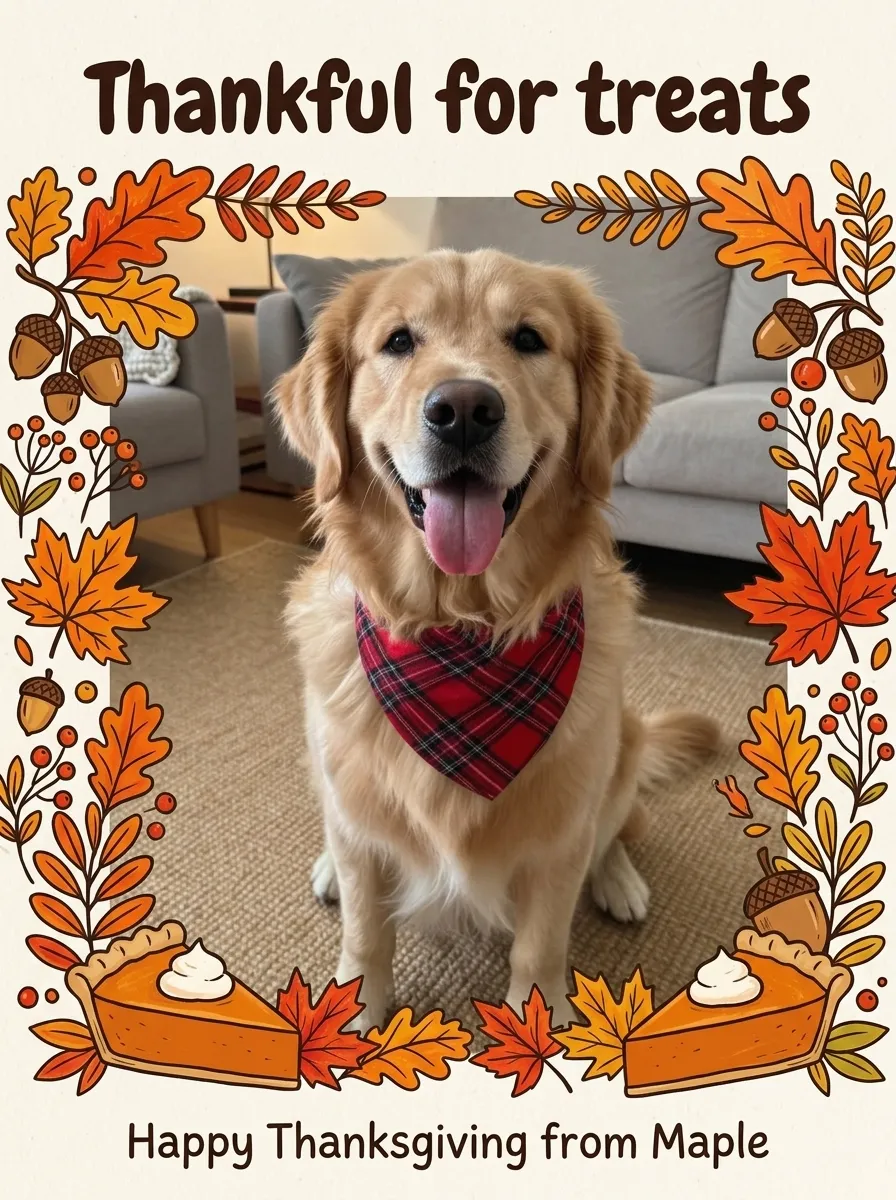 Pet card
What we checked on each card, because these are the things that go wrong in AI cards:
- The faces. All four adults on the porch kept their faces, hair, glasses and clothes. The couple kept their expressions mid-laugh. The dog kept the bandana and the tilt of its head.
- The greeting. Every word came out spelled exactly as written, including the ampersand in "Emma & Luis". The model also matched the lettering to the request: script for the classic card, a serif for the postcard, rounded letters for the pet card.
- The layout. The family card turned the landscape photo into a portrait card with the greeting underneath. The model cropped a little from the sides of the photo to make room; if the edges matter, ask for a landscape card instead.
Make a custom card in the photo editor
- Pick the photo. Faces that are clearly visible and roughly toward the camera give the best likeness. Our four-person porch photo kept every face; in a big group shot each face is small, and small faces are the ones a model is most likely to soften.
- Open the photo editor. Go to PopNow's photo editor and upload the picture. Nano Banana 2.1 is already selected.
- Describe the card. Say what stays (the people, their faces and clothes), what the card looks like (paper, border, colors) and the exact words in quotation marks. The full prompt we used is below.
- Choose the shape. Pick an aspect ratio such as 4:5 or 3:4 for a portrait card, or 5:4 for a landscape one. The price stays the same.
- Generate and check. Read every word on the card. If one letter is off, run it again with the same prompt. Each run is a fresh attempt, and you pay for each one.
- Download and send. Text it, post it, or print it (the printing notes are further down).
The prompt that keeps faces and prints your greeting
This is the exact prompt behind the family card. It has three parts: what must stay the same, what the card looks like, and the words to print.
Turn this photo into a printed Thanksgiving greeting card. Keep all four people exactly as they are: same faces, hair, clothes, poses and smiles. Place the photo on a cream card with a painted border of maple leaves, small pumpkins and wheat stalks in the corners. Below the photo, in warm hand-lettered script, print exactly two lines: "Happy Thanksgiving" and, smaller, "With love, the Carter family". No other words anywhere.
Why each piece is there:
- "Keep all four people exactly as they are" names the count. Without it, models sometimes tidy up a group by merging or dropping a person.
- "Print exactly two lines" and the quotation marks tell the model the words are fixed. Leave them out and it may write its own greeting.
- "No other words anywhere" stops the stray decorative text that otherwise shows up on banners and pie labels.
For the other two cards we kept the same structure and swapped the design: "Frame the photo like an old postcard with a slightly worn cream border, soft autumn colors and a small illustrated cornucopia in one corner" for the vintage one, and "a cheerful illustrated frame of autumn leaves, acorns and a hand-drawn pumpkin pie around the photo" for the dog. If you want more prompt patterns for photo edits, our Nano Banana prompt guide collects the ones that work best.
Thanksgiving card ideas and greetings
Five directions to put in the design part of the prompt. The first two and the pet card are the ones we made above:
- Classic harvest: cream paper, painted maple leaves, pumpkins and wheat. Safe for grandparents and coworkers.
- Vintage postcard: worn border, muted colors, a small illustrated cornucopia. Good for couples and old family photos.
- Kids' table doodles: crayon-style leaves and a hand-drawn turkey around the photo. Fun for a family with a sense of humor.
- Minimal: a white card, one thin gold line and a single word like "Grateful". Looks good when the photo is already busy.
- Pet card: illustrated border, a pie slice or two, and a greeting written as if the pet sent it.
Short greetings print more reliably than long ones. A headline of two to five words and one smaller line of names is the sweet spot. Some that fit:
- "Happy Thanksgiving" / "With love, the Carters"
- "Grateful for you"
- "Gather, give thanks, eat pie"
- "Thankful for treats" (from the dog)
- "Pass the gravy, not the drama"
Printing and sending your card
A 1K card from Nano Banana 2.1 is about 900 by 1,200 pixels. That looks sharp on a phone and is fine for a 4 by 6 inch print, but for a 5 by 7 inch card at print quality you want roughly 1,500 by 2,100 pixels. Two ways to get there:
- Make it at 2K from the start. The same edit at 2K costs 11 credits.
- Upscale the 1K card. Open the image upscaler and choose Upscale only, which enlarges the card without redrawing anything, so the lettering stays exactly as it is. That costs 2 credits.
Most print shops and drugstore photo counters take JPG or PNG files. Leave a small margin around the edge of the design so the greeting isn't trimmed off, and order one test print before a big batch. If you would rather send it by text or email, the 1K file is already the right size.
FAQ
How much does one Thanksgiving card cost?
In the photo editor one card costs 8 credits at 1K with Nano Banana 2.1. The Thanksgiving card maker shows its price on the button before you make anything; it depends on the quality and how many cards you ask for. You pay per card with no subscription, and if a card fails to generate, the credits go back to your balance.
What size is a standard Thanksgiving card?
5 by 7 inches is the most common greeting card size in the US, and 4 by 6 is common for photo cards. Make the image in a matching shape (4:5 or 3:4 is close) and let the print shop crop the last few millimeters.
Can AI write the greeting on the card correctly?
Yes, if you give it the exact words in quotation marks and keep each line short. All three of our cards came back spelled correctly on the first try. Always read the card before you print, because a wrong letter is easy to miss at a glance.
Can I make a Thanksgiving card from a pet photo?
Yes. Ask the model to keep the pet exactly as it is, including collars or bandanas, and write the greeting as if the pet sent it. Our golden retriever card came out on the first try.
What do you write in a Thanksgiving card?
Keep it warm and short: a headline like "Happy Thanksgiving" or "Grateful for you", then a line with your names. For family you can add one sentence about the year; for coworkers, "Wishing you a restful holiday" is enough.