To make an elf dance video from your photo, first edit the picture into a festive elf costume, then add that finished image to PopNow's Dance tool and choose a move. The costume comes from the image edit; the dance comes from a reference clip. Keep the whole person visible, including both shoes, so the model has a clear figure to animate.
We tested this two-stage workflow on October 29, 2026, with three fictional adults generated for our own examples. Each costume edit used Seedream 5.0 Pro at 1K, and each animation used Kling 3.0 motion control at 720p with the same five-second Disco point reference. These are original festive outfits rather than characters from a named entertainment property, and the example videos are silent.
How do you create an elf look from a photo?
- Choose one adult per image. Use a photo of yourself or an adult who agreed to the edit and animation. A front-facing full-length picture with space around the arms and feet is easier to use than a tight selfie.
- Open the image editor. Select Seedream 5.0 Pro for this example and add your source picture. Ask for a green tunic, red trim, dark trousers, plain boots and a pointed fabric hat, while preserving the face, hair, age and setting.
- Generate and inspect the still. Our 1K edit costs 36 credits. Check the hands, glasses, hat, and both boots before spending on animation. The prompt below contains the exact request used for all three costumes.
- Save the approved costume image. Upload this version in Dance. Uploading the original portrait would give the video model the original clothes instead. For a festive portrait without a dance, the Christmas creator is a separate option.
Edit this photo into a festive full-length studio portrait. Keep the same adult face, age, hairstyle, skin tone and glasses if present. Dress the person in an original Christmas workshop elf costume: forest-green long-sleeved tunic with red trim, plain dark trousers, simple brown boots and a small green pointed fabric hat. Keep normal human ears. Relaxed standing pose with arms separated from the outfit, open hands, both boots fully visible and clear floor space. Keep the warm off-white studio background and even lighting. One adult only. No text, logos or brands.
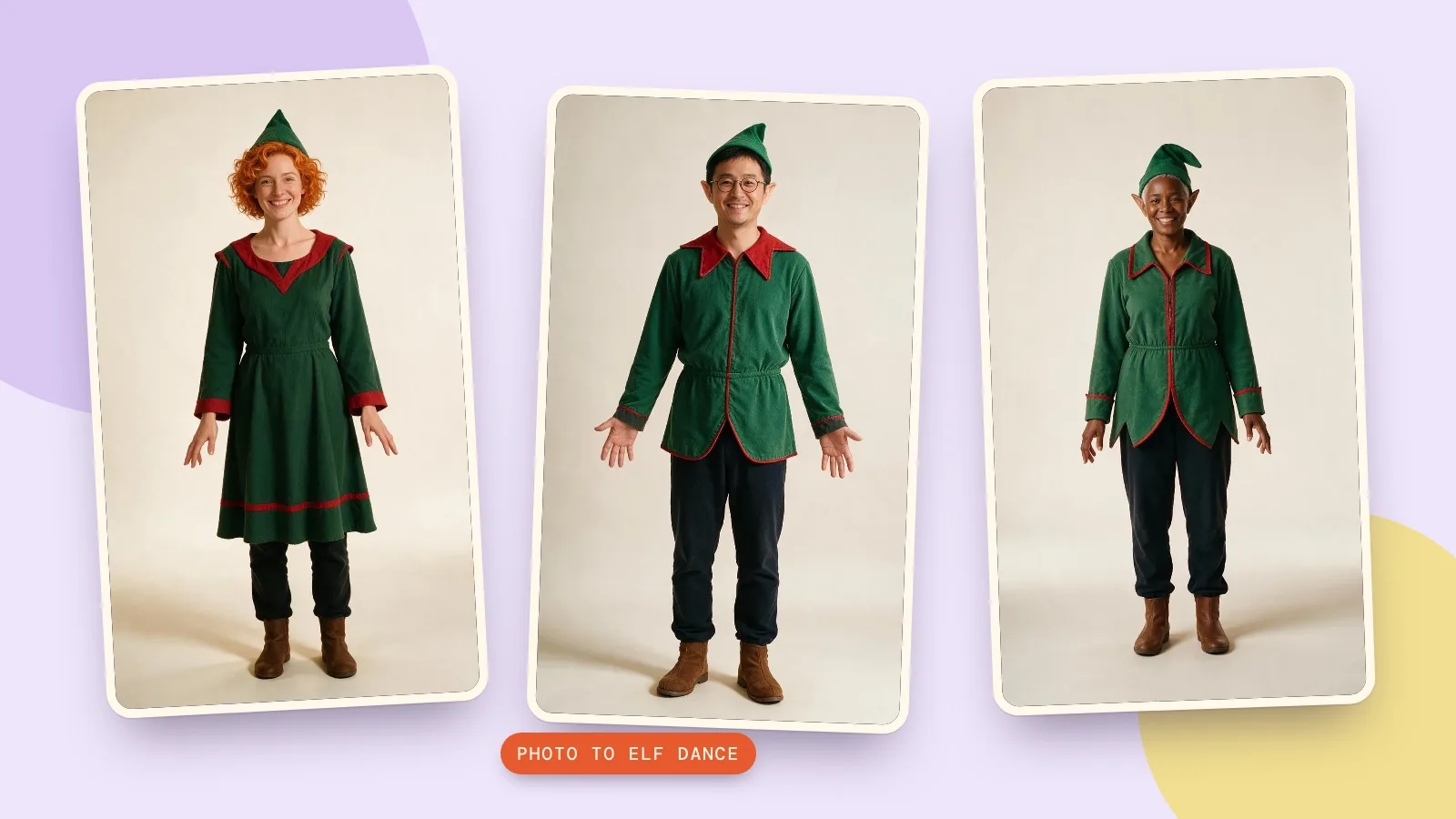
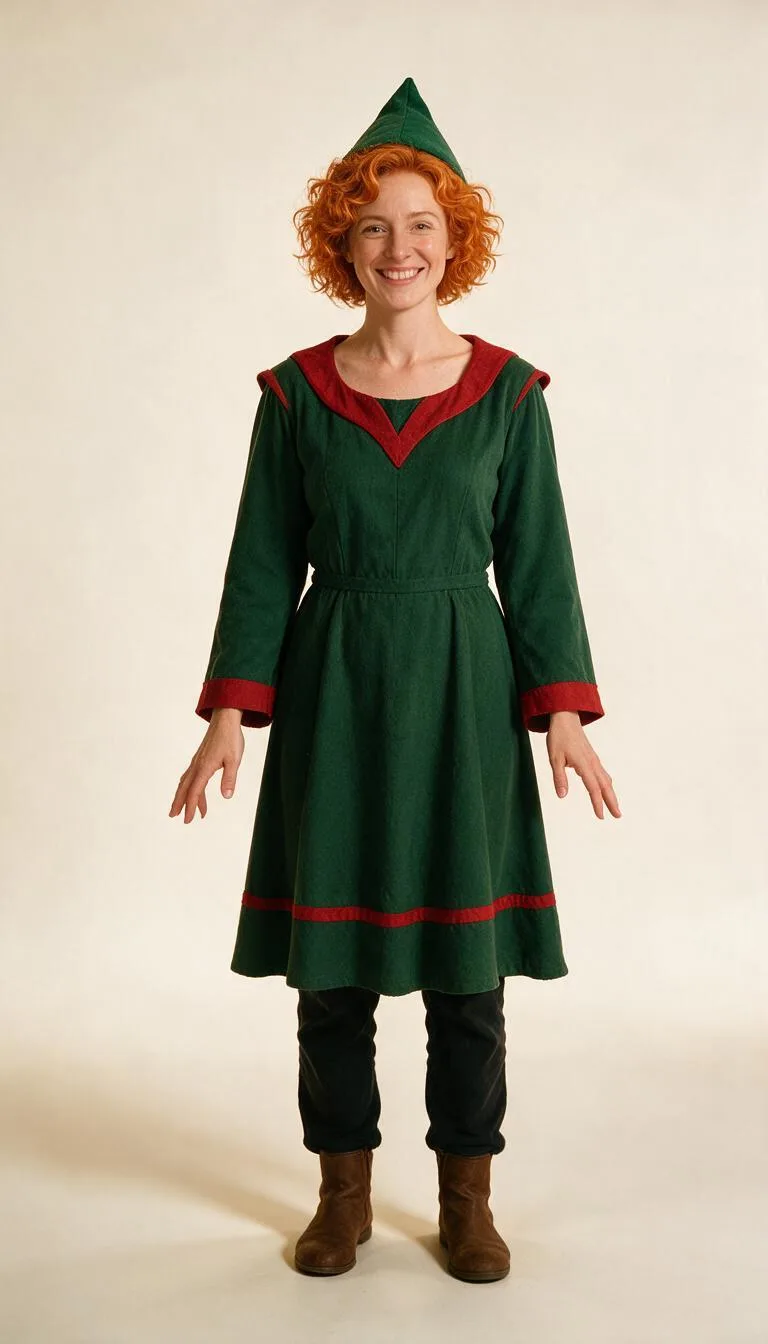
The outfits stayed broadly consistent across the three edits, but the request for normal human ears was not followed in every result: two portraits gained pointed ears. That is a visible fantasy change, not evidence that every detail was preserved. If keeping the ears unchanged matters to you, correct the still before animating it.
How do you make the elf dance in PopNow?
- Pick a move. In Moves, open Party and choose Disco point. The page initially selects Finger hearts; choosing our reference deliberately makes the test easier to repeat.
- Add the costume portrait. Under Who dances, upload the edited picture. Confirm that you have the right to use it and that the adult agreed to be animated.
- Choose the length. The initial Quick try mode uses Seedance 2.0 Mini for a four-second 480p preview. Our tests use Full dance, whose initial solo model is Kling 3.0, with 720p selected. The full reference for Disco point is five seconds long.
- Keep the setting simple. Leave Add a note off for this test. The page already asks Kling to preserve the face, outfit and background. A busy workshop scene is optional, and changing the room during the same test makes it harder to judge the costume and motion.
- Generate and review. Press Make it dance for the full version, or Try it for Quick try. Both modes use credits. Watch the face, hands and feet throughout the video, rather than judging only the opening frame.
- Add a soundtrack if wanted. The page adds music in your browser after generation. Preview it with Listen, check Snap to the beat, and use Download with music. Our examples below use no soundtrack, so you can assess just the movement.
What do three real elf dance examples look like?
We kept the studio background and the reference move fixed while changing the adult portrait. Each pair below shows the original and the costume edit, followed by the resulting video. This makes it possible to separate changes made by the still-image model from changes introduced during animation.
How does the copper-haired elf dance?
The first portrait keeps the copper curls and broad smile, while the tunic, hat and boots provide the seasonal look. The reference asks for pointing gestures and small steps rather than a long spinning routine. Check that the hat stays attached as the head moves and that the raised hand remains readable against the plain wall.
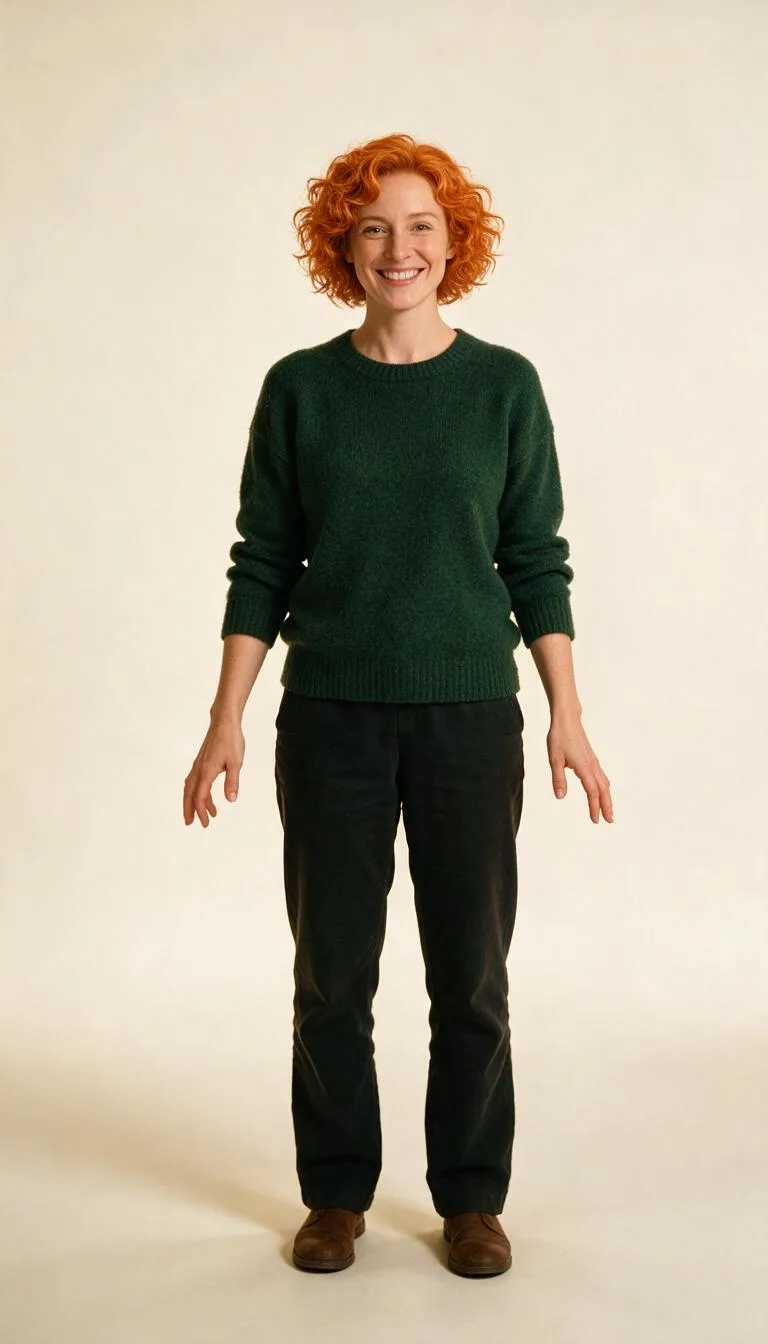 OriginalCostume edit
How does the elf with glasses dance?
The second portrait adds a useful test: round glasses must remain visible while the head and arms move. The costume edit also added pointed ears despite our request, so compare this edited image with the video rather than expecting the animation step to restore the original ears. The navy sweater has already become a green costume before the video begins.
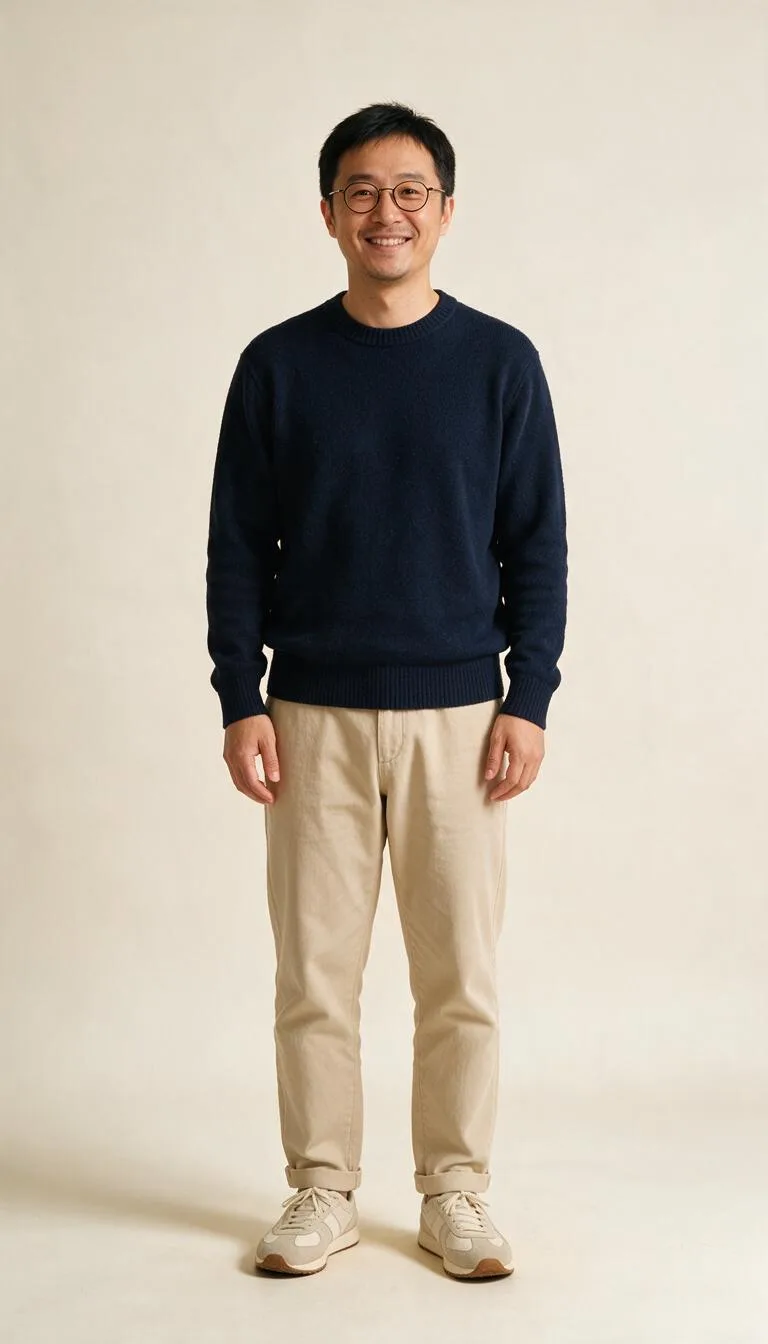 Original
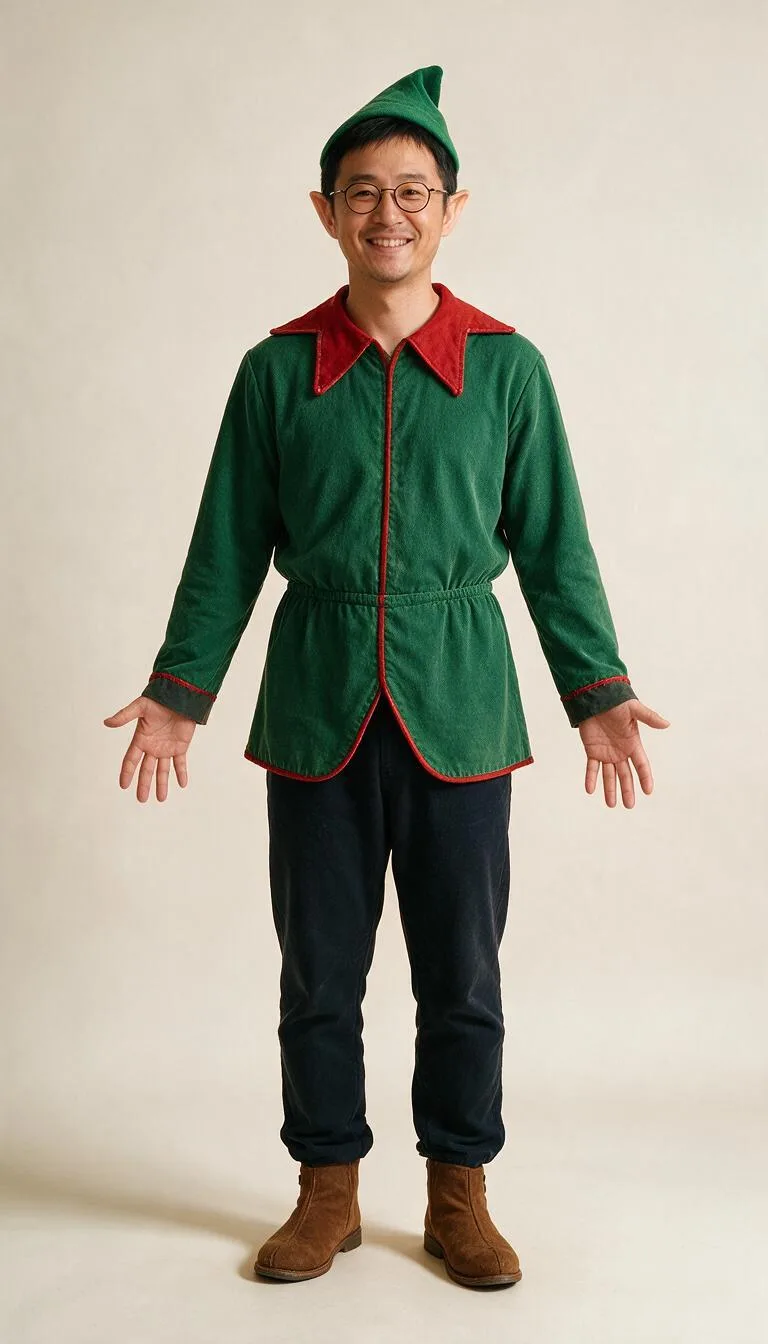 Costume edit
How does the silver-haired elf dance?
The third portrait uses a fictional adult with short silver hair. Her plain background makes the boot positions and arm outline easy to follow. A pointed hat covers part of the hairstyle, and this still also has fantasy ears; those changes belong to the costume stage rather than a new identity chosen for the dance.
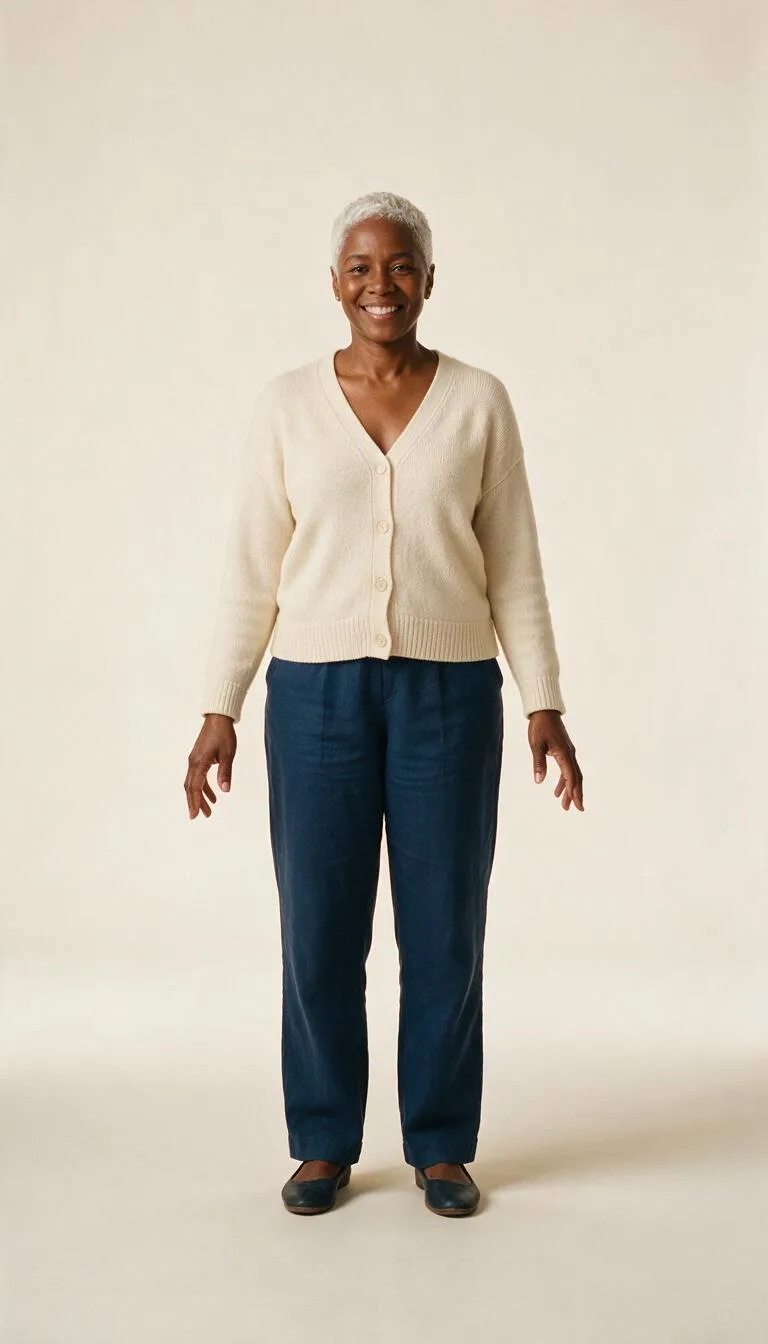 Original
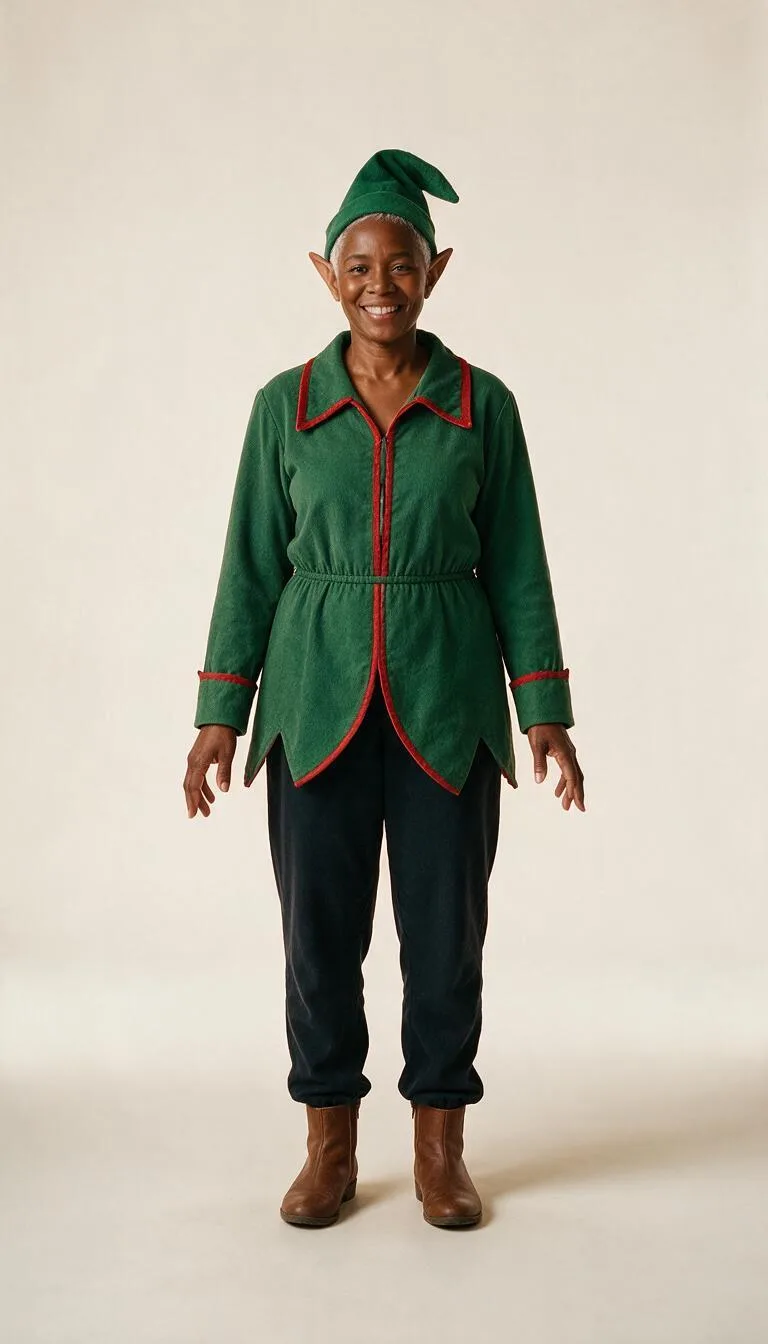 Costume edit
The following card holds the exact animation prompt and settings used for all three videos. To repeat it outside Dance, you also need the costume image and the Disco point reference clip; the words alone do not contain the choreography. On Dance, choosing that preset supplies the motion reference automatically. We disabled the reference audio for these silent examples.
Keep the person's face, outfit and the background exactly as in the image.
How much should you budget for an elf dance video?
One costume edit costs 36 credits, followed by 504 credits for a five-second Kling 3.0 dance at 720p. Three costume edits cost 108 credits and the three five-second animations total 1,512 credits, excluding the source portraits. The price depends on the selected model, resolution and reference duration, so read the button before starting.
For a same-prompt comparison, keep the costume picture and reference clip fixed and change only the model. The model comparison page helps you check which models support motion control or reference video. These examples test Kling 3.0 only; they do not establish a ranking against Seedance 2.0 Mini. A Quick try and a Full dance are separate generations, so the full result can differ from its preview.
FAQ
What is an elf dance video?
It is a short festive clip featuring a person or character in an elf-style outfit performing a dance. In this workflow, the image editor creates the costume and Dance animates that finished picture using a selected reference move.
Do I need a separate elf maker or elf creator?
You need a costume image before the dance stage, but there is no dedicated elf preset in Dance. An image editor and the costume prompt above provide that first step. Save the approved image and use it as the person reference.
Can I use a selfie for an elf dance?
A tight selfie leaves the model to invent most of the outfit, arms and legs. A full-length picture with both shoes visible is a better starting point. If you only have a face crop, first create and inspect a complete standing costume portrait before animating it.
Can I make several elves dance together?
These examples and the Kling 3.0 solo workflow use one adult per image. The page also offers Duets with supported models and a suitable two-person photo, but that is a different setup and was not tested here. Begin with a solo portrait if you want to follow these examples closely.
Can I choose my own dance and music?
Yes. Upload a move accepts an authorized clip from 3 to 30 seconds, subject to the selected model's limits. Use your own recording or material you have permission to use. Music is added separately after generation; choose a library track or audio you have rights to use, and keep the browser tab open while it mixes.