An image-edit prompt for Nano Banana 2.1: you upload a picture and this text says what to change.
Fill in the blanks
Change any box and the prompt below updates. Copy it, or make one with your version.
Prompt
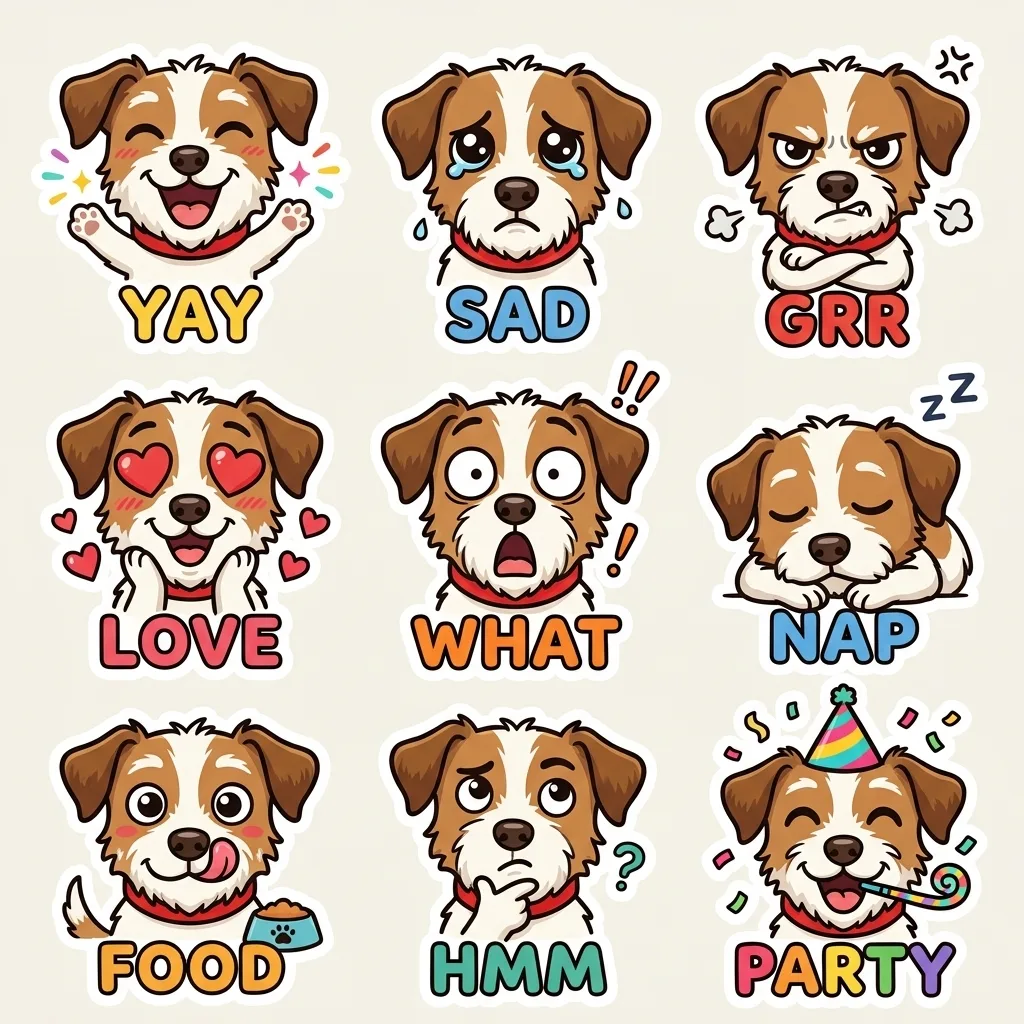
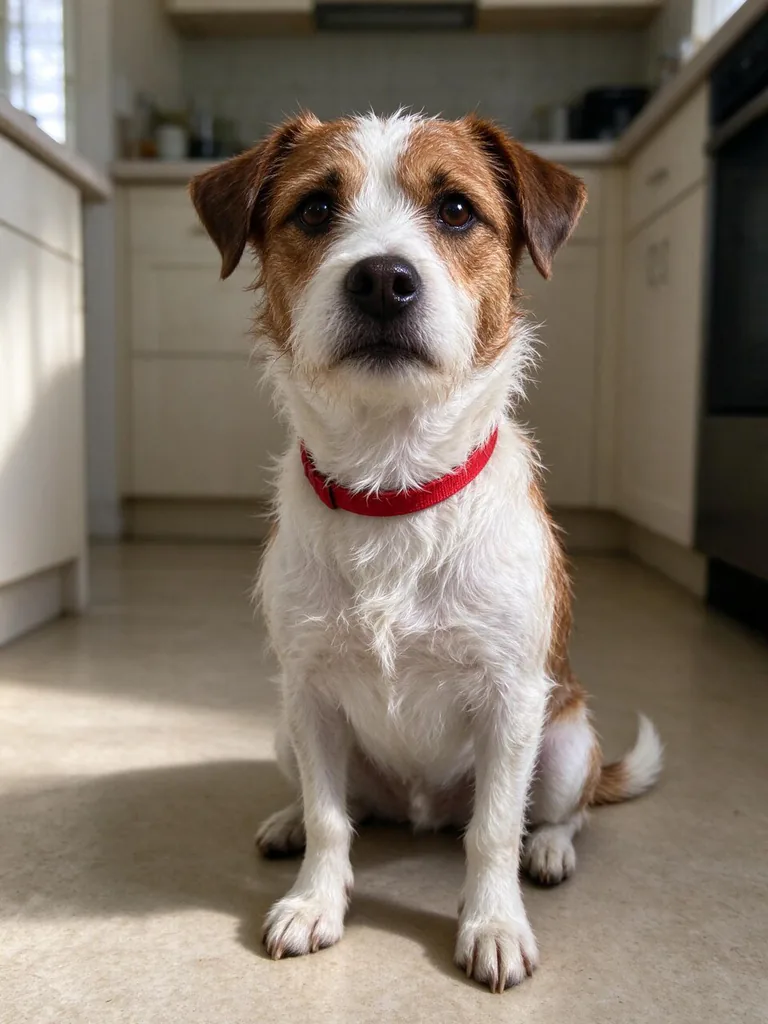
Turn the animal in image 1 into a cute cartoon character, keeping its coat colours, patches and red collar, and make a 3x3 emoji pack: happy, sad, grumpy, in love, shocked, sleepy, hungry, thinking and partying. Each emoji has a big readable expression, a thick white outline and a one-word caption: "YAY", "SAD", "GRR", "LOVE", "WHAT", "NAP", "FOOD", "HMM", "PARTY". The same design in every cell, light background, sticker-ready.
Prompts stay in English, the language these models follow best. Copy it as it is, or change a few words.
The animal in your photo becomes a 3x3 sticker sheet of nine cartoon emojis, each with a one-word caption, made with Nano Banana 2.1. The prompt works because it names the coat colours, red collar, nine emotions and captions in matching order, so the model edits one picture into a consistent set instead of inventing new animals.
This edit expects one clear photo of a single animal, with its coat, markings and collar visible. The prompt refers to image 1, so the animal should be the main subject.
Works: a close photo of one cat or dog
The model needs to see the eyes, ears and face to turn them into cartoon features while keeping the same animal.
Works: a bright photo with the red collar visible
The prompt asks to keep the red collar, so a clear view lets the model copy its colour and position in every cell.
Avoid: a group photo with several animals
The prompt says to turn the animal in image 1, so with several animals the model may mix up which one to draw.
Avoid: a dark or blurry photo
Dim or soft pictures hide the coat colours and patches, so the cartoon may come out with the wrong colours or markings.
What each instruction does
Transformation instructionTurn the animal in image 1 into a cute cartoon character
It tells the model to redraw the animal as a cartoon instead of editing the photo as a realistic picture. If you remove it, the result may stay a photo with a sticker effect added on top, and the pet may not read as a cartoon character.
Identity lockkeeping its coat colours, patches and red collar
This keeps the pet recognisable across all nine cells. Without it, the coat colours and red collar can drift to random colours, so the emojis stop looking like the same animal.
Emotion grid listmake a 3x3 emoji pack: happy, sad, grumpy, in love, shocked, sleepy, hungry, thinking and partying
It sets the 3x3 grid and gives the nine expressions in order, one per cell. Changing an emotion changes that cell's expression, and removing the grid instruction may give you loose images instead of one sheet.
Cell styling and captionsEach emoji has a big readable expression, a thick white outline and a one-word caption: "YAY", "SAD", "GRR", "LOVE", "WHAT", "NAP", "FOOD", "HMM", "PARTY"
It asks for large expressions, a thick white outline and one word per cell, which suits sticker use. Dropping the outline makes each cut-out harder to separate from its background, and changing a caption changes the word printed in that cell.
Consistency and backgroundThe same design in every cell, light background, sticker-ready.
It makes every cell share one design and a light background, so the sheet looks like one set. Removing it can give mixed styles across the grid or a dark background that is hard to use as stickers.
Other edits in the same pattern
Dog with a blue bandana
Swaps the animal, markings and accessory and changes the emotions to suit a dog's everyday moods.
Prompt
Turn the dog in image 1 into a cute cartoon character, keeping its coat colours, spots and blue bandana, and make a 3x3 emoji pack: tired, excited, confused, hungry, sleepy, proud, scared, bored and playful. Each emoji has a big readable expression, a thick white outline and a one-word caption: "UGH", "YES", "HUH", "FOOD", "ZZZ", "WOW", "OOPS", "MEH", "FUN". The same design in every cell, light background, sticker-ready.
Autumn cat pack
Changes the season and the accessory with a warm background, for autumn chat stickers or seasonal posts.
Prompt
Turn the cat in image 1 into a cute cartoon character, keeping its fur colours, markings and green scarf, and make a 3x3 autumn emoji pack: cozy, sleepy, chilly, hungry, reading, rainy, sneezing, waving and dancing. Each emoji has a big readable expression, a thick white outline and a one-word caption: "COZY", "NAP", "BRR", "FOOD", "READ", "RAIN", "ACHOO", "HI", "DANCE". The same design in every cell, warm cream background, sticker-ready.
Watercolour rabbit
Changes the art style to watercolour with a softer outline, for a gentler look on a plain white background.
Prompt
Turn the rabbit in image 1 into a soft watercolour cartoon character, keeping its ear shape, fur colours and tiny grey waistcoat, and make a 3x3 emoji pack: happy, shocked, bored, proud, sleepy, hungry, curious, sad and excited. Each emoji has a big readable expression, a soft outline in the same colour as its fur, and a one-word caption: "YAY", "WOW", "MEH", "PROUD", "NAP", "YUM", "HUH", "SAD", "YES". The same design in every cell, plain white background, sticker-ready.
Model and settings
Keep the 1:1 ratio, because a square grid splits into nine even cells for stickers. Keep the 1k resolution for quick previews, and choose a higher resolution option when you need sharper caption text for printing. Keep the mode on image-to-image with one input picture, and only change the ratio if you want a wider sheet with more space around each cell.
Nano Banana ProBetter when you want the nine cells planned first, for example if you add longer captions or extra text to each emoji. Its tagline says it plans the layout first, which suits a strict 3x3 grid.
GPT Image 2.5 SunburstBetter when every one-word caption must be spelled exactly and quality matters more than speed. Its tagline stresses clean text, which helps with words like HMM and GRR.
When the edit misses
The pet's face or markings change between cells, so it no longer looks like the same animal.
Add "keep the same face, eye colour and markings as the animal in image 1 in every cell" after the identity phrase.
The whole picture is repainted with a generic cartoon animal instead of the pet in image 1.
Add "Keep the animal in image 1 as the only subject and do not invent a new animal" before the grid instruction.
Captions are misspelled or appear under the wrong expression.
Pair each emotion with its caption, for example "happy: YAY, sad: SAD, grumpy: GRR", so the model matches them directly.
The sheet comes out as a wide landscape image, so the nine cells are uneven and cramped.
Keep the ratio at 1:1 and add "square 3x3 grid" to the prompt so the layout stays even.
Questions about this edit prompt
Can I use a photo of my own cat or dog for this prompt?
Yes, the prompt is written for one animal in image 1, so a clear photo of a single cat or dog works well. Nano Banana 2.1 needs to see the coat colours, patches and red collar that the prompt asks it to keep, so choose a photo where those markings are visible.
Why does the prompt list the emotions and captions in the same order?
The prompt lists the nine emotions and nine captions in matching order, so happy goes with YAY, shocked with WHAT and thinking with HMM. If you reorder one list, reorder the other too, or a caption may land on the wrong expression.
Can I change the captions to words in another language?
Yes, replace the words in the quotes with your own, keeping each one short so it fits under a large expression. Nano Banana 2.1 is known for sharp text, but a long phrase may still crowd the cell and make the sticker harder to read.
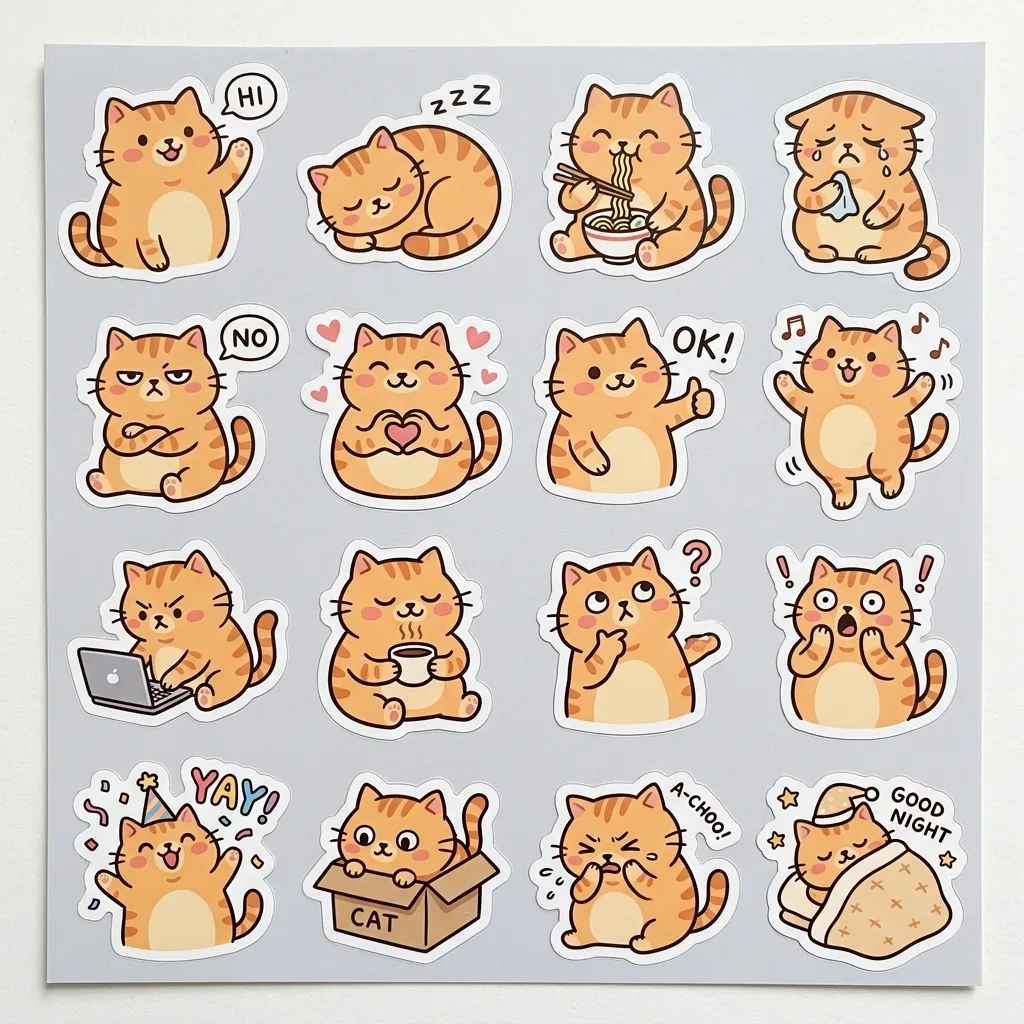
A sheet of 16 die-cut stickers of a chubby orange cat, each with a thick white border and a different pose and expression: waving, sleeping, slurping noodles, crying, grumpy, heart hands, thumbs up, dancing, typing, holding coffee, thinking, surprised, celebrating, hiding in a box, sneezing and saying goodnight. Quirky hand-drawn style with bold outlines and flat warm pastel colours, one consistent character design across every sticker, and short caption words on some: "HI", "OK!", "NO", "YAY", "ZZZ". Arranged in a neat grid on a light grey backing sheet.
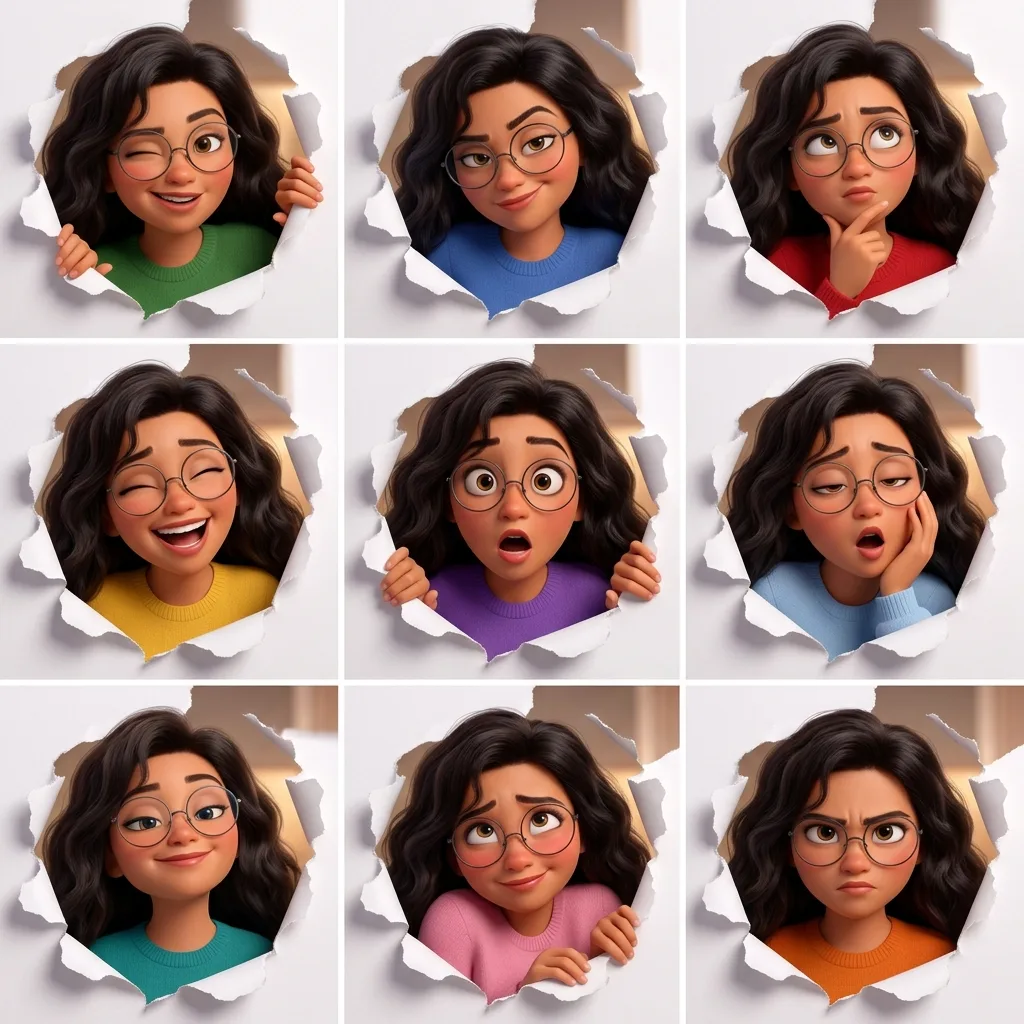
A 3x3 expression grid of the same original character, a young woman with voluminous dark wavy hair and round wire-rimmed glasses, in a polished 3D animated-film style. The same framing in every panel: peeking through a torn hole in white paper. Each panel has a different expression and action: winking, smirking, thinking, laughing, shocked, sleepy, proud, shy and determined. Identical face, hair and proportions in all nine panels; only the expression, action and outfit colour change. Thin white gutters, no text.
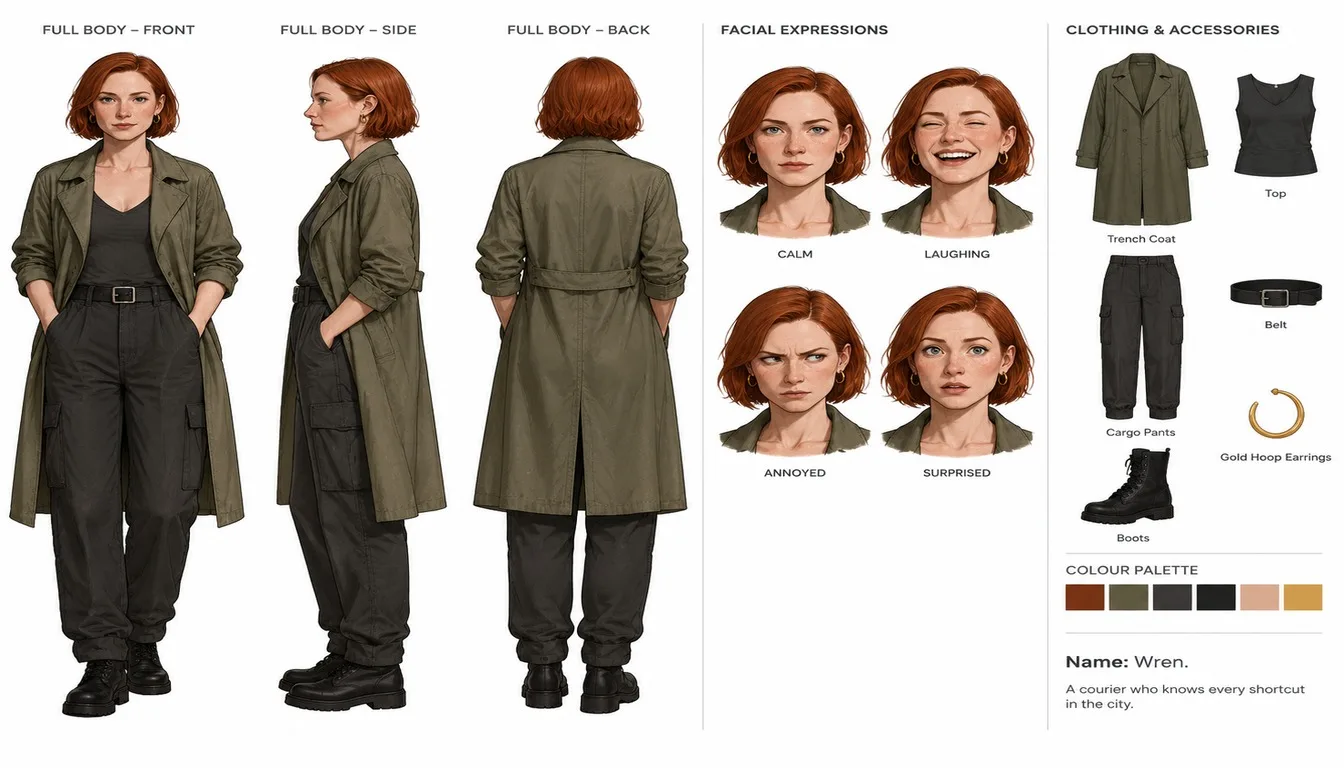
Using the person in image 1 as the base, create an official-style character reference sheet in a clean illustration style on a white background. Keep the hair colour, hairstyle and outfit colours from image 1. Include front, side and back full-body views; four facial expressions (calm, laughing, annoyed, surprised); a breakdown of the clothing and accessories with small labels; a colour palette strip; and a two-line character note: "Name: Wren. A courier who knows every shortcut in the city.". Organised layout, one consistent design across every view.
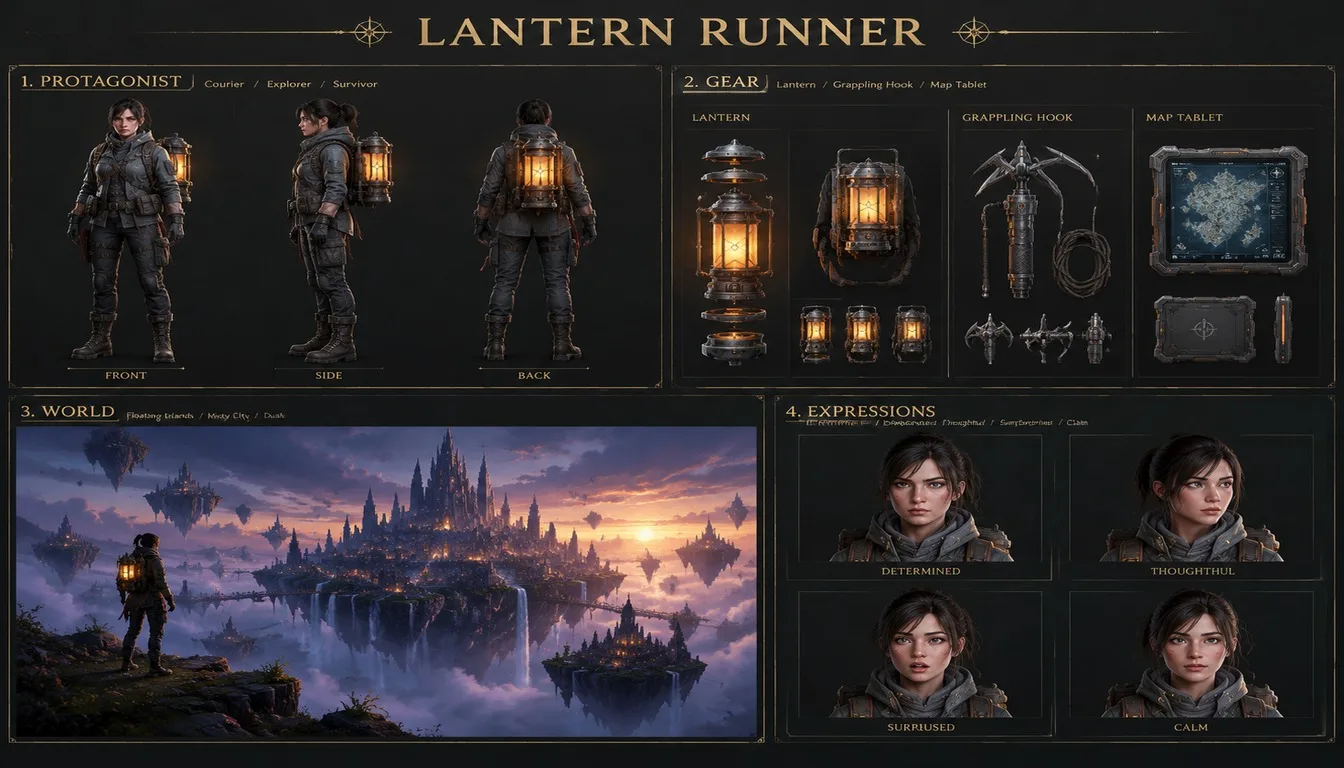
An official game concept art sheet titled "LANTERN RUNNER" on a dark charcoal background with gold label type, four labelled panels in a 2x2 grid. Panel 1, PROTAGONIST: a full-body turnaround (front, side, back) of an adult female courier in a weatherproof jacket with a glowing lantern backpack. Panel 2, GEAR: exploded views of the lantern, a grappling hook and a map tablet. Panel 3, WORLD: a key-art painting of a misty floating-island city at dusk. Panel 4, EXPRESSIONS: four head shots. Clean, professional documentation layout, crisp readable labels.
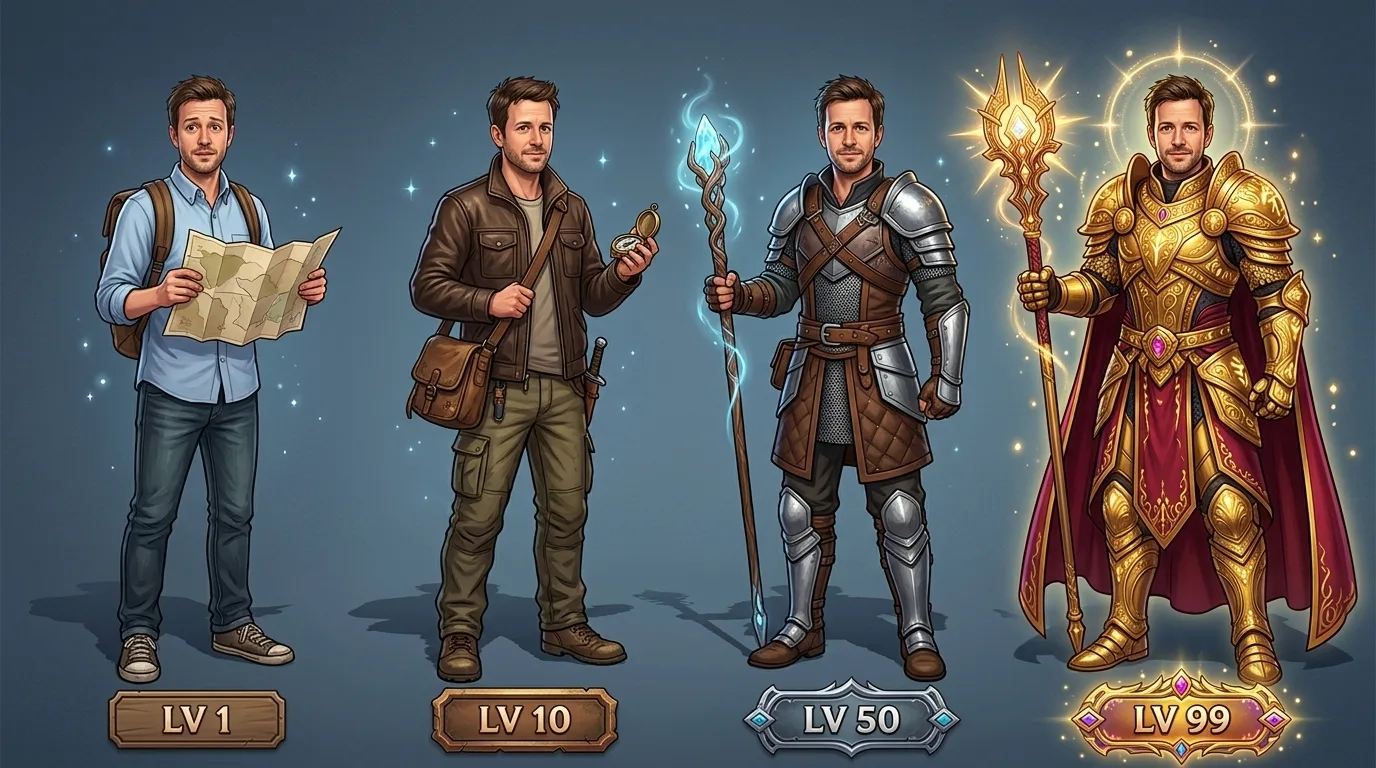
A game design illustration based on the person in image 1: four versions of the same character in a row, labelled "LV 1", "LV 10", "LV 50" and "LV 99". Keep the face, hair and skin tone identical in all four; only the gear, outfit and aura grow stronger from left to right: an office shirt and a paper map, then a leather jacket and a compass, then light armour and a glowing staff, then ornate gold armour, a cape and a halo of light. Full-body poses on a clean gradient background, each with a small level tag.
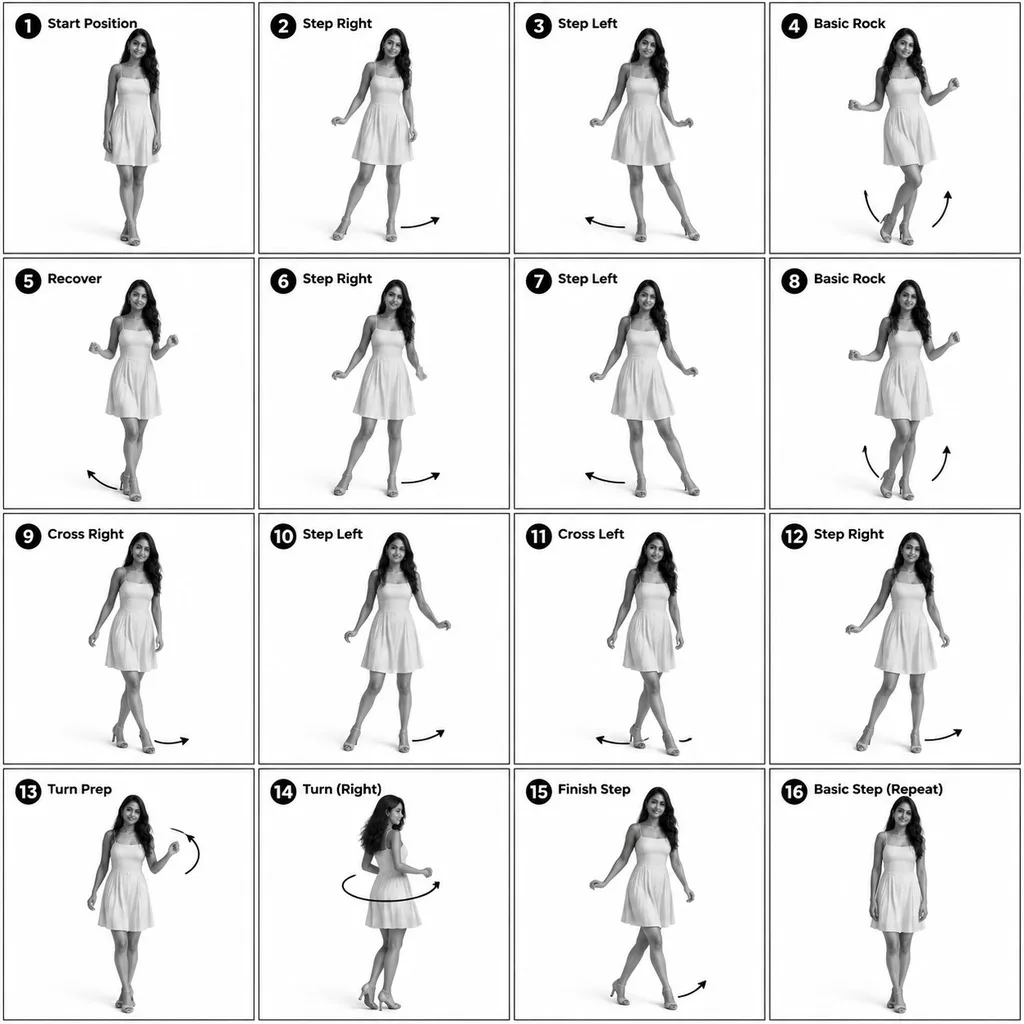
Turn the person in image 1 into a 3D-rendered character and make a 4x4 instructional reference sheet showing a beginner salsa basic step in 16 numbered steps. Monochrome greyscale on a white background, thin black panel borders, every panel the same size. Each panel: a bold number badge with a short step title at the top left, the full-body pose in the centre, and curved motion arrows showing direction. The same character in every panel: same face, hair and dress as image 1. Clean technical-diagram look, readable labels.
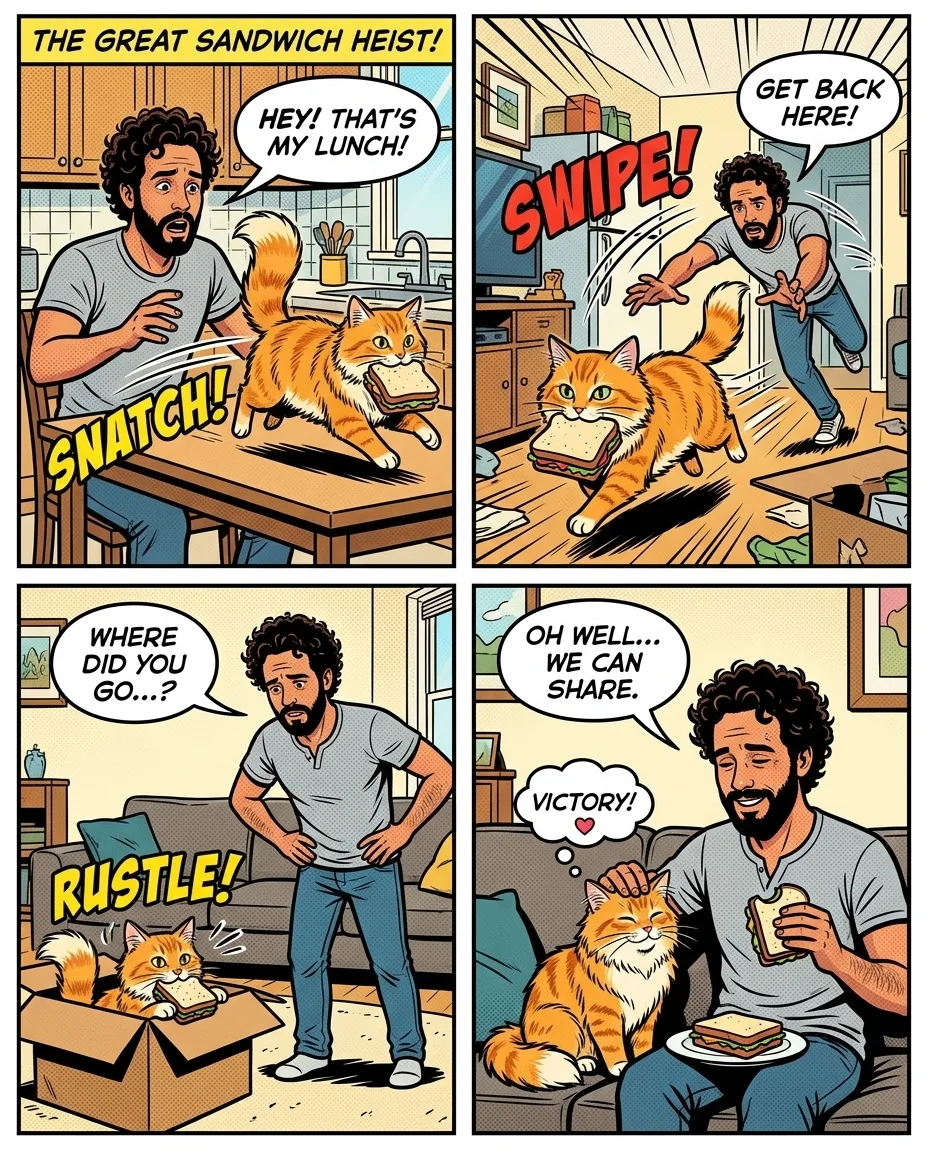
Based on image 1, make a four-panel comic strip in a bright superhero comic-book style starring the man and his cat. Keep their looks recognisable in every panel: his curly hair and beard, the cat's ginger fur. Story: the cat steals his sandwich, he chases it around the flat, it hides in a box, and they end up sharing the sandwich on the sofa. Speech bubbles with short readable lines, a title panel that reads "THE GREAT SANDWICH HEIST", bold outlines and flat colours.
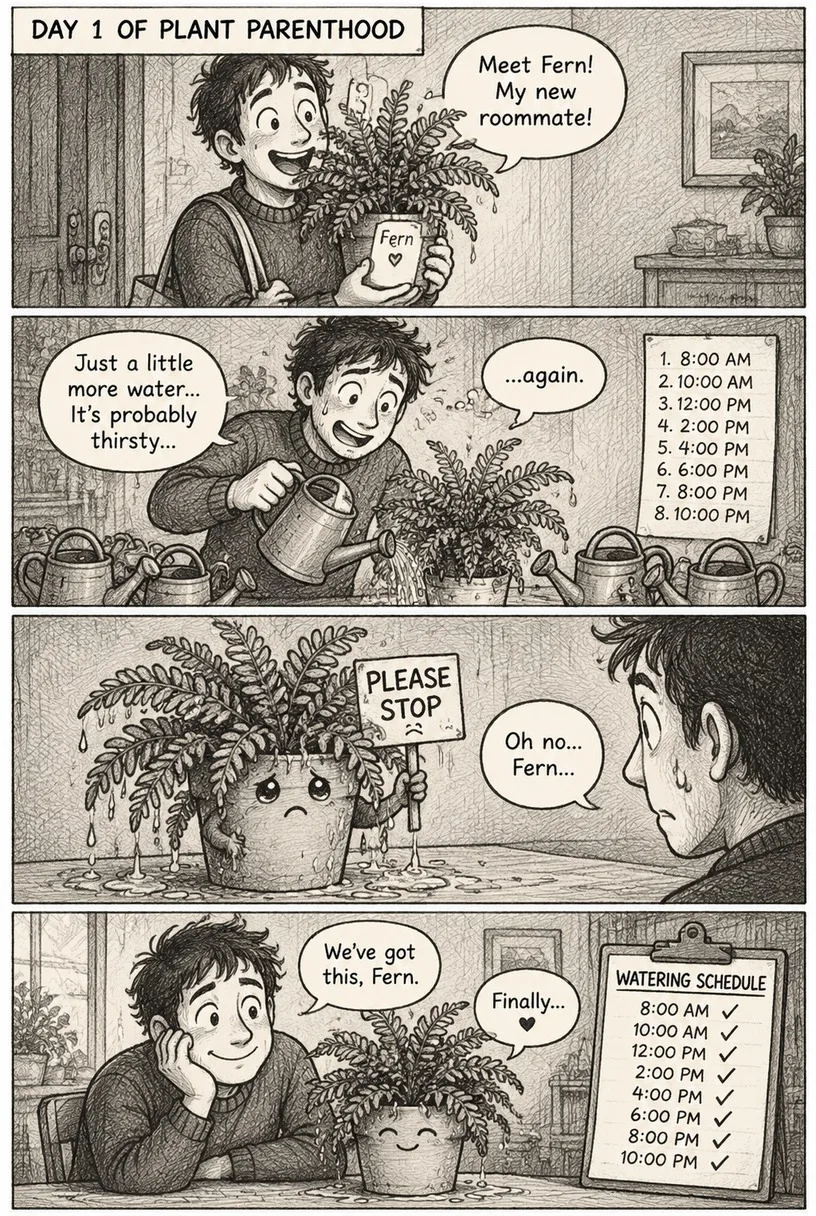
A 4-panel vertical comic strip in a black-and-white pencil sketch style with crosshatch shading. Characters: a houseplant named Fern and her nervous owner. Panel 1: the owner proudly brings home a new plant. Panel 2: he waters it eight times a day. Panel 3: the soaked plant holds up a tiny sign that says "PLEASE STOP". Panel 4: they sit side by side with a watering schedule, both relieved. Short speech bubbles in readable hand-lettering and a caption box at the top of the first panel: "DAY 1 OF PLANT PARENTHOOD". Consistent character design in all panels.



 Nano Banana 2.1Make one