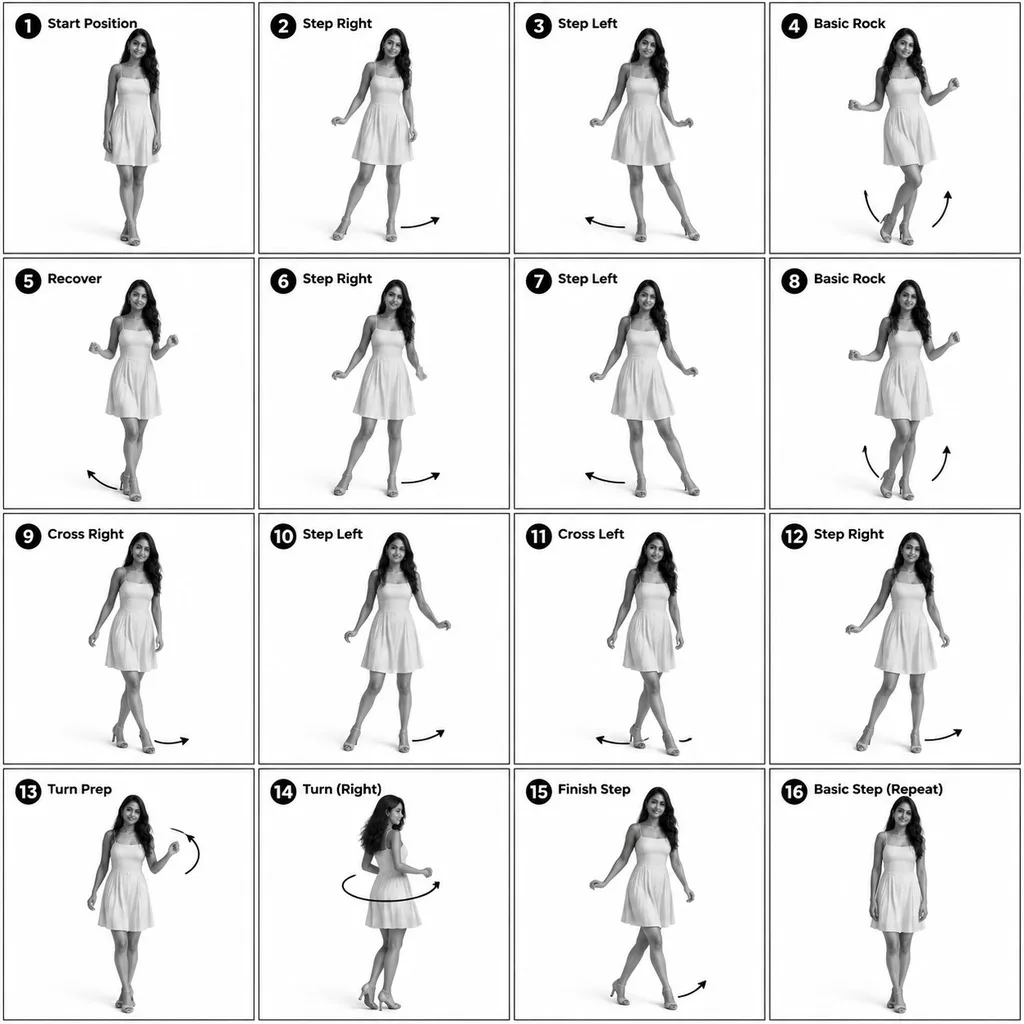
Motion Breakdown Sheet, made with GPT Image 2.5 Sunburst
Example made with GPT Image 2.5 Sunburst

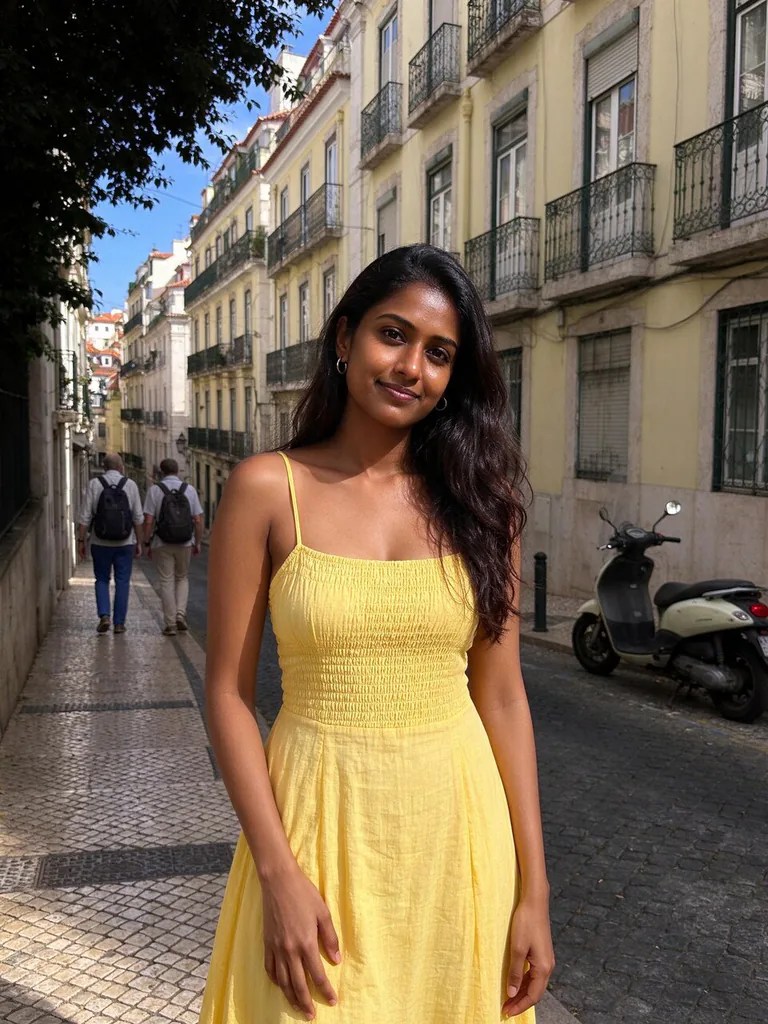
Example photo

Image editComics & stickersUses your photo

GPT Image 2.5 Sunburst grid image promptMotion Breakdown Sheet

An image-edit prompt for GPT Image 2.5 Sunburst: you upload a picture and this text says what to change.

Fill in the blanks

Change any box and the prompt below updates. Copy it, or make one with your version.

Prompt

Turn the person in image 1 into a 3D-rendered character and make a 4x4 instructional reference sheet showing a beginner salsa basic step in 16 numbered steps. Monochrome greyscale on a white background, thin black panel borders, every panel the same size. Each panel: a bold number badge with a short step title at the top left, the full-body pose in the centre, and curved motion arrows showing direction. The same character in every panel: same face, hair and dress as image 1. Clean technical-diagram look, readable labels.

Prompts stay in English, the language these models follow best. Copy it as it is, or change a few words.

Opens GPT Image 2.5 Sunburst with this prompt and the example photo. Swap in your own photo and you are ready.

67 tested GPT Image prompts →

Settings

Mode
Image edit
Aspect ratio
1:1
Resolution
1k
Quality
high
Input pictures
Your own pictures
Price
From 2 credits

The exact price shows before you generate.

Make your own version

  1. Asking for make a 4x4 instructional reference sheet gets several panels in one picture. Describe each panel in order.
  2. The layout is spelled out piece by piece: a bold number badge with a short step title at the top left, the full-body pose in the centre, and curved motion arrows showing direction. Keep that structure and change only the content, or the model loses track of the page.
  3. This is a fill-in template: swap the parts in braces, like {move}, in the boxes above and keep the rest word for word.

Where this template comes from

Adapted from a prompt by @oggii_0, collected in freestylefly/awesome-gpt-image-2 under MIT. PopNow rewrote it as a fill-in template and made the example above.

Photo edit prompt guide

Which photos work for this edit

A 16-panel instructional reference sheet breaks down beginner salsa footwork using a 3D-rendered version of the person in your uploaded picture. GPT Image 2.5 Sunburst excels here because it manages strict grid layouts, keeps character features consistent across multiple frames, and renders legible text badges and directional arrows.

This edit transforms a real person into a stylized instructional diagram, requiring a clear source portrait or full-body shot to extract key features.

Works: Clear full-body or half-body photos with simple backgrounds
Distinct hair, face, and clothing allow the model to build an accurate 3D character replica for all sixteen panels.
Works: High-contrast well-lit subject shots
Even lighting helps the model extract clean textures and clothing silhouettes without guessing hidden details.
Avoid: Heavily crowded group photos
Multiple people confuse the model regarding which subject should be transformed into the diagram character.
Avoid: Low-resolution or blurry portraits
Pixelated details cause inconsistent hair, clothing, and facial styling across the rendered steps.

What each instruction does

  1. core task and formatTurn the person in image 1 into a 3D-rendered character and make a 4x4 instructional reference sheet showing a beginner salsa basic step in 16 numbered steps.

    This establishes the subject transformation, the grid size, and the specific motion sequence. Changing 4x4 to another layout alters the total panel count and reading order.

  2. visual style and framingMonochrome greyscale on a white background, thin black panel borders, every panel the same size.

    This ensures high-contrast diagram clarity by stripping out distracting colors and enforcing uniform panel dimensions. Removing this phrase often leads to uneven panel sizing and full-color backgrounds.

  3. internal panel layoutEach panel: a bold number badge with a short step title at the top left, the full-body pose in the centre, and curved motion arrows showing direction.

    This defines the exact composition inside every single box so the character remains centered with clear instructional overlays. If skipped, the model might omit movement arrows or crop out the feet.

  4. character consistency instructionThe same character in every panel: same face, hair and dress as image 1.

    This locks the subject's visual identity across all sixteen frames based on image 1. Altering this phrase causes the character's clothing and facial features to mutate between steps.

  5. final aesthetic polishClean technical-diagram look, readable labels.

    This tells the model to prioritize crisp linework and sharp typographic badges over soft, painterly lighting.

Other edits in the same pattern

Karate Kata Breakdown

Swaps the dance movement for martial arts stances and updates the outfit to a uniform.

Prompt

Turn the person in image 1 into a 3D-rendered character and make a 4x4 instructional reference sheet showing a beginner karate kata in 16 numbered steps. Monochrome greyscale on a white background, thin black panel borders, every panel the same size. Each panel: a bold number badge with a short step title at the top left, the full-body pose in the centre, and curved motion arrows showing direction. The same character in every panel: same face and hair as image 1, wearing a white martial arts uniform. Clean technical-diagram look, readable labels.

Yoga Sun Salutation Sheet

Adapts the reference grid into a yoga pose routine using athletic clothing.

Prompt

Turn the person in image 1 into a 3D-rendered character and make a 4x4 instructional reference sheet showing a yoga sun salutation sequence in 16 numbered steps. Monochrome greyscale on a white background, thin black panel borders, every panel the same size. Each panel: a bold number badge with a short pose title at the top left, the full-body pose in the centre, and curved motion arrows showing direction. The same character in every panel: same face, hair and athletic wear as image 1. Clean technical-diagram look, readable labels.

Golf Swing Mechanics Grid

Modifies the prompt to teach athletic equipment handling and swing arcs.

Prompt

Turn the person in image 1 into a 3D-rendered character and make a 4x4 instructional reference sheet showing a full golf swing mechanic in 16 numbered steps. Monochrome greyscale on a white background, thin black panel borders, every panel the same size. Each panel: a bold number badge with a short phase title at the top left, the full-body pose holding a golf club in the centre, and curved motion arrows showing swing trajectory. The same character in every panel: same face, hair and polo outfit as image 1. Clean technical-diagram look, readable labels.

Model and settings

Keep the aspect ratio at 1:1 since a 4x4 grid of identical squares naturally fits a square canvas. Maintain quality at high so that all sixteen badges, titles, and motion arrows remain sharp and readable. Keep the input picture count at 1 with your chosen reference portrait. Use 1k resolution for drafting, but increase resolution if you need ultra-crisp diagram text.

  • Nano Banana ProPick Nano Banana Pro when you want advanced layout pre-planning for complex multi-panel diagrams, denser step labels, and high-precision technical text.

When the edit misses

The character face or clothing shifts drastically between panels
Emphasize identity preservation by changing the text to 'strictly identical face, hair, and outfit across all 16 panels, matching image 1'.
The grid merges panels into an irregular comic book layout
Reinforce panel symmetry by adding 'strict symmetrical 4x4 grid with straight, evenly spaced grid lines' to the prompt.
Motion arrows and number badges fail to generate
Ensure the layout instructions explicitly demand 'prominent bold numbered badges and high-contrast directional vector arrows in every frame'.

Questions about this edit prompt

Can I make this diagram in full color instead of greyscale?

Yes. Replace 'Monochrome greyscale on a white background' with 'Full color vibrant digital render on a light grey background' while keeping the rest of the prompt intact.

How do I change the number of breakdown steps?

Change '4x4 instructional reference sheet showing... in 16 numbered steps' to another configuration, such as '3x3 instructional reference sheet showing... in 9 numbered steps'.

Why are the motion arrows pointing in incorrect directions?

AI models interpret motion direction generally rather than with absolute athletic precision. To guide the arrows better, specify key directions in the prompt, such as 'directional arrows indicating forward and backward foot placement'.