Nano Banana 2.1 character sheet promptCharacter Level-Up
An image-edit prompt for Nano Banana 2.1: you upload a picture and this text says what to change.
Fill in the blanks
Change any box and the prompt below updates. Copy it, or make one with your version.
Prompt
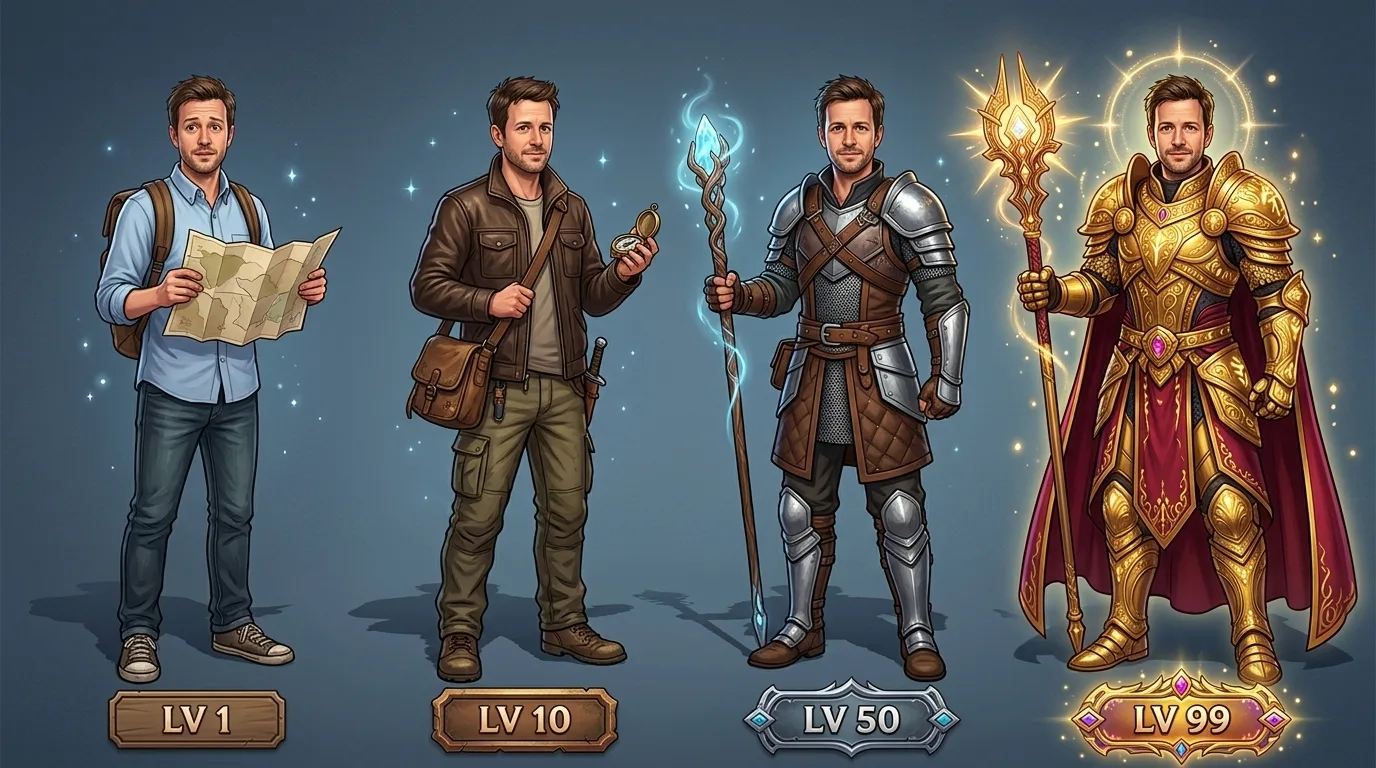
A game design illustration based on the person in image 1: four versions of the same character in a row, labelled "LV 1", "LV 10", "LV 50" and "LV 99". Keep the face, hair and skin tone identical in all four; only the gear, outfit and aura grow stronger from left to right: an office shirt and a paper map, then a leather jacket and a compass, then light armour and a glowing staff, then ornate gold armour, a cape and a halo of light. Full-body poses on a clean gradient background, each with a small level tag.
Prompts stay in English, the language these models follow best. Copy it as it is, or change a few words.
Keep the face, hair and skin tone identical in all four is the line that keeps your photo recognisable. Leave it in, whatever else you change.
This is a fill-in template: swap the parts in braces, like {progression}, in the boxes above and keep the rest word for word.
The layout is spelled out piece by piece: four versions of the same character in a row. Keep that structure and change only the content, or the model loses track of the page.
A multi-stage character progression line-up transforms one reference portrait into four sequential RPG tiers. Nano Banana 2.1 preserves facial features across multiple copies while rendering distinct level tags and increasingly intricate equipment from left to right.
This edit transforms a single reference subject into a four-stage progression sequence, requiring clean source portraits.
Works: Neutral front-facing portraits
Clear lighting and visible facial features make it straightforward for the model to clone the face across all four stages.
Works: Waist-up or full-body reference photos
Having clear proportions in the source photo helps the model replicate body build accurately across every gear tier.
Avoid: Heavily cropped or extreme angle photos
Extreme angles confuse facial reproduction and make it difficult to render standardized full-body poses.
Avoid: Busy multi-person reference photos
Multiple faces cause the model to blend traits from different people instead of replicating one consistent character.
What each instruction does
core layout setupA game design illustration based on the person in image 1: four versions of the same character in a row, labelled "LV 1", "LV 10", "LV 50" and "LV 99".
Establishes the horizontal progression structure, reference linkage, and explicit level tag text. Removing this causes the model to generate a single hero instead of an evolutionary sequence.
identity lockKeep the face, hair and skin tone identical in all four;
Prevents the model from generating four completely different individuals across the line-up. Without this clause, later tiers often warp into generic fantasy characters with altered facial structures.
progression ruleonly the gear, outfit and aura grow stronger from left to right:
Directs the AI to focus all visual changes purely on clothing, equipment, and magical effects while maintaining the baseline anatomy across the sequence.
tier itemisationan office shirt and a paper map, then a leather jacket and a compass, then light armour and a glowing staff, then ornate gold armour, a cape and a halo of light.
Defines the exact props and clothing for each of the four tiers, ensuring clear visual escalation from mundane beginner to radiant master.
composition and framingFull-body poses on a clean gradient background, each with a small level tag.
Ensures full-length visibility so boots, weapons, and armor sets remain visible, while preventing complex backgrounds from cluttering the character silhouettes.
Other edits in the same pattern
Sci-Fi Evolution
Replaces fantasy armor with futuristic cybernetic technology, ideal for modern or sci-fi character concepts.
Prompt
A game design illustration based on the person in image 1: four versions of the same character in a row, labelled "LV 1", "LV 10", "LV 50" and "LV 99". Keep the face, hair and skin tone identical in all four; only the gear, outfit and aura grow stronger from left to right: a plain technician jumpsuit and a small wrench, then reinforced armor with a datapad, then powered exosuit plating and a plasma rifle, then glowing cybernetic mech armor and energy wings. Full-body poses on a clean gradient background, each with a small level tag.
Stealth Rogue Path
Swaps the balanced warrior gear for a dark assassin theme that focuses on stealth and shadow magic.
Prompt
A game design illustration based on the person in image 1: four versions of the same character in a row, labelled "LV 1", "LV 10", "LV 50" and "LV 99". Keep the face, hair and skin tone identical in all four; only the gear, outfit and aura grow stronger from left to right: street rags and a dull dagger, then a dark hooded cloak and dual blades, then studded leather armor with throwing daggers, then shadowy phantom armor with glowing purple runes and smoke wisps. Full-body poses on a clean gradient background, each with a small level tag.
Nature Druid Path
Focuses the visual escalation on natural materials, botanical effects, and mystical druidic armor.
Prompt
A game design illustration based on the person in image 1: four versions of the same character in a row, labelled "LV 1", "LV 10", "LV 50" and "LV 99". Keep the face, hair and skin tone identical in all four; only the gear, outfit and aura grow stronger from left to right: simple linen clothes and a wooden twig, then woven leaf robes and an herbal pouch, then enchanted bark armor with a living vine staff, then ornate floral guardian plate with antler crown and spirit butterflies. Full-body poses on a clean gradient background, each with a small level tag.
Model and settings
Keep the aspect ratio set to 16:9 so that four full-body characters fit comfortably side by side without overlapping. The 1k resolution produces clean, balanced character renders quickly. If you plan to print the sheet or zoom into the armor details, select a higher resolution tier. For generating single character portraits instead of a full line-up, switch the aspect ratio to 3:4 or 1:1.
Nano Banana ProChoose Nano Banana Pro when you need strict layout planning for complex multi-character diagrams and pristine level-tag typography.
Seedream 5.0 ProChoose Seedream 5.0 Pro if you want to feed multiple reference angles of your subject to lock in exact facial features across complex edits.
When the edit misses
Characters overlap or crowd each other off-screen
Ensure the aspect ratio is set to 16:9 or add the phrase 'evenly spaced across the frame' to the prompt.
The face morphs into a different person in the higher-level tiers
Strengthen the identity instruction by adding 'strictly maintain facial features and bone structure from image 1 across all four tiers' before the armor descriptions.
Level tag text generates misspelled or missing numbers
Keep the level quotes clean and explicit, such as 'clearly labelled with text "LV 1", "LV 10", "LV 50", "LV 99" above each character'.
Questions about this edit prompt
Why does the image show fewer than four characters?
A narrow aspect ratio forces the generator to crop the line-up. Switch your setting to 16:9 and verify that your prompt lists exactly four distinct tier descriptions separated by commas.
Can I customize the level numbers and equipment in each stage?
Yes. You can edit the text inside the quotation marks, such as "Stage 1" or "Tier 4", and swap out the listed gear descriptions while keeping the progression syntax intact.
Why is the character's facial likeness lost in full armor?
Helmets and heavy hoods can cover the face completely. To preserve likeness, specify open helmets, crowns, or circlets so the facial features from image 1 remain fully exposed.
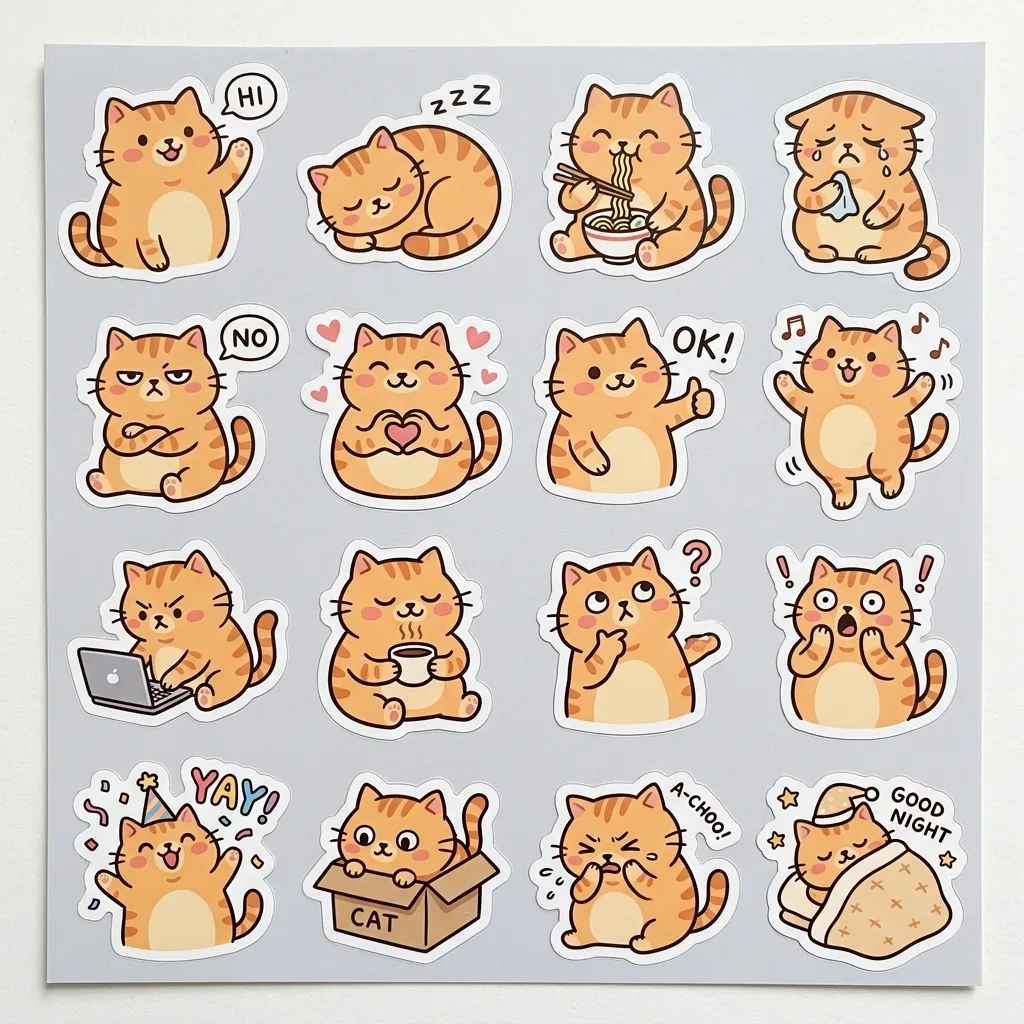
A sheet of 16 die-cut stickers of a chubby orange cat, each with a thick white border and a different pose and expression: waving, sleeping, slurping noodles, crying, grumpy, heart hands, thumbs up, dancing, typing, holding coffee, thinking, surprised, celebrating, hiding in a box, sneezing and saying goodnight. Quirky hand-drawn style with bold outlines and flat warm pastel colours, one consistent character design across every sticker, and short caption words on some: "HI", "OK!", "NO", "YAY", "ZZZ". Arranged in a neat grid on a light grey backing sheet.
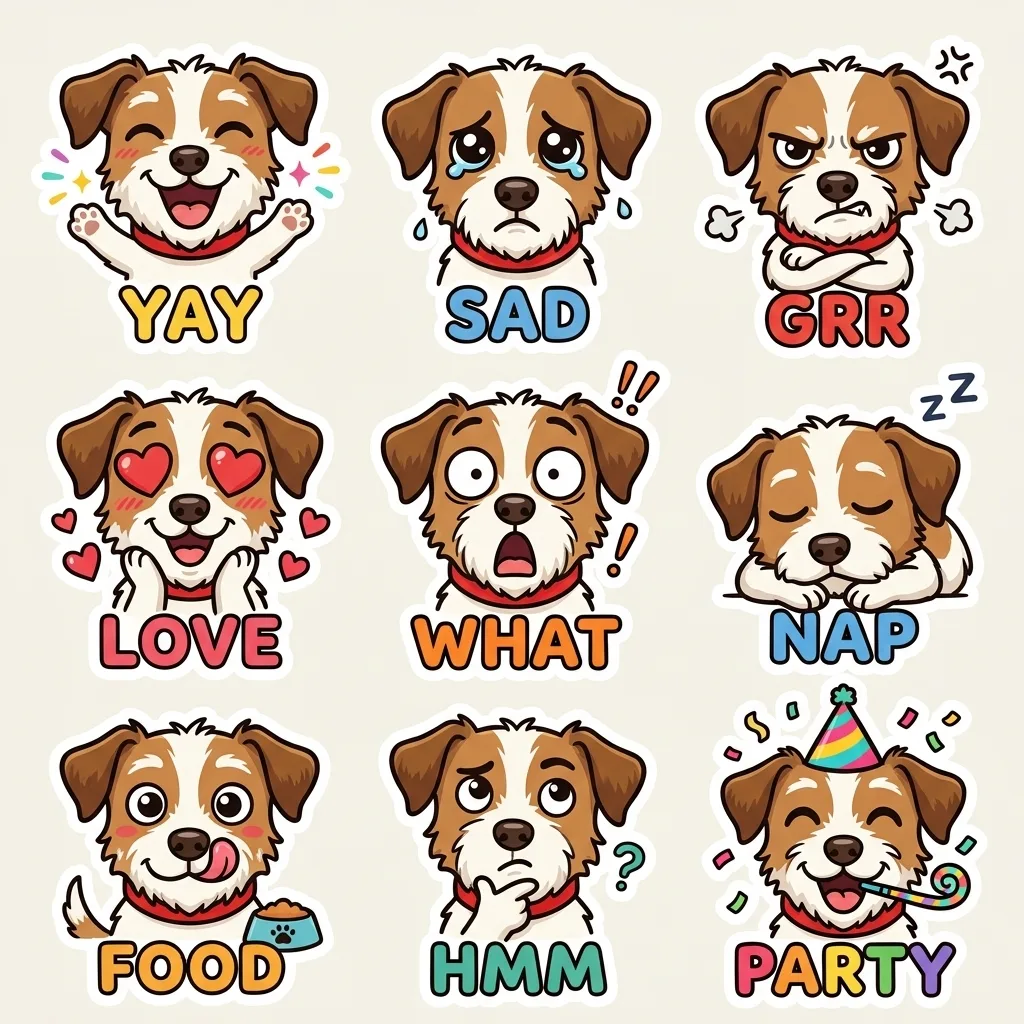
Turn the animal in image 1 into a cute cartoon character, keeping its coat colours, patches and red collar, and make a 3x3 emoji pack: happy, sad, grumpy, in love, shocked, sleepy, hungry, thinking and partying. Each emoji has a big readable expression, a thick white outline and a one-word caption: "YAY", "SAD", "GRR", "LOVE", "WHAT", "NAP", "FOOD", "HMM", "PARTY". The same design in every cell, light background, sticker-ready.
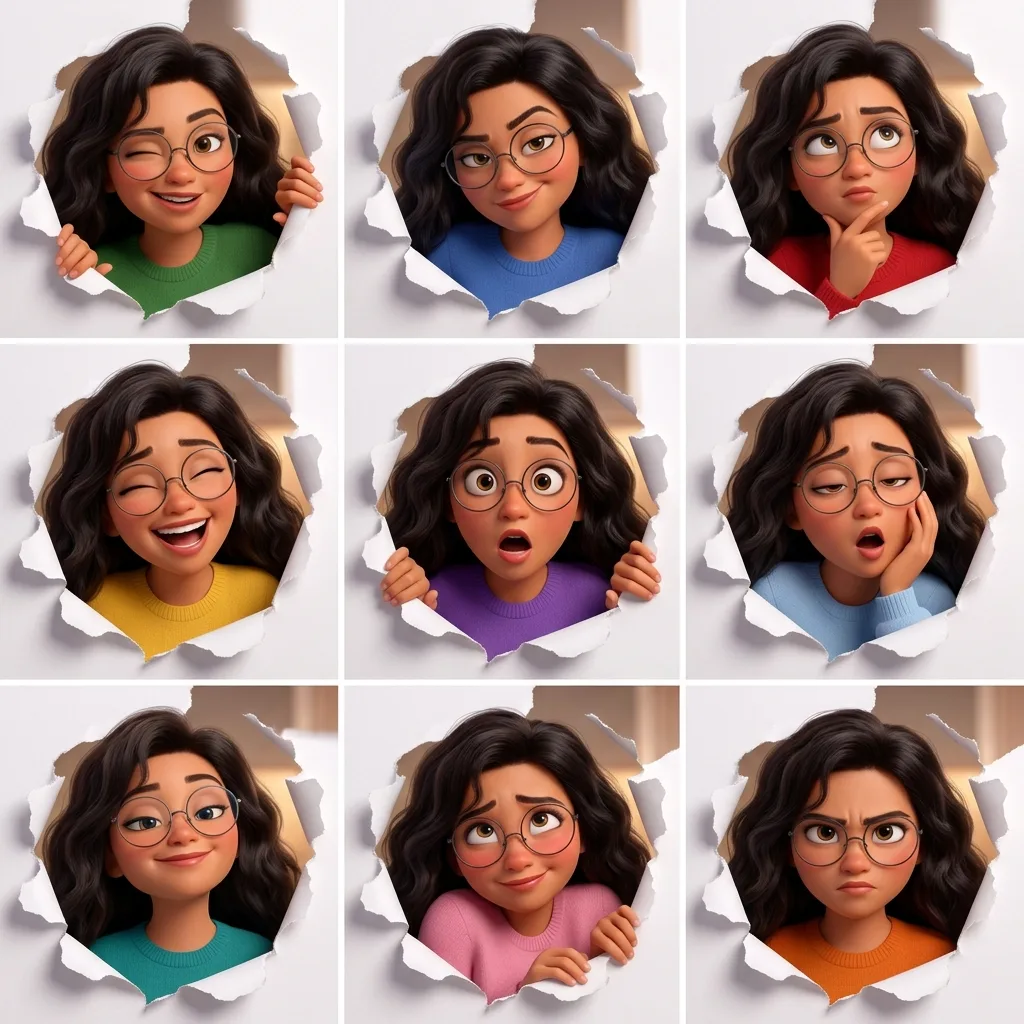
A 3x3 expression grid of the same original character, a young woman with voluminous dark wavy hair and round wire-rimmed glasses, in a polished 3D animated-film style. The same framing in every panel: peeking through a torn hole in white paper. Each panel has a different expression and action: winking, smirking, thinking, laughing, shocked, sleepy, proud, shy and determined. Identical face, hair and proportions in all nine panels; only the expression, action and outfit colour change. Thin white gutters, no text.
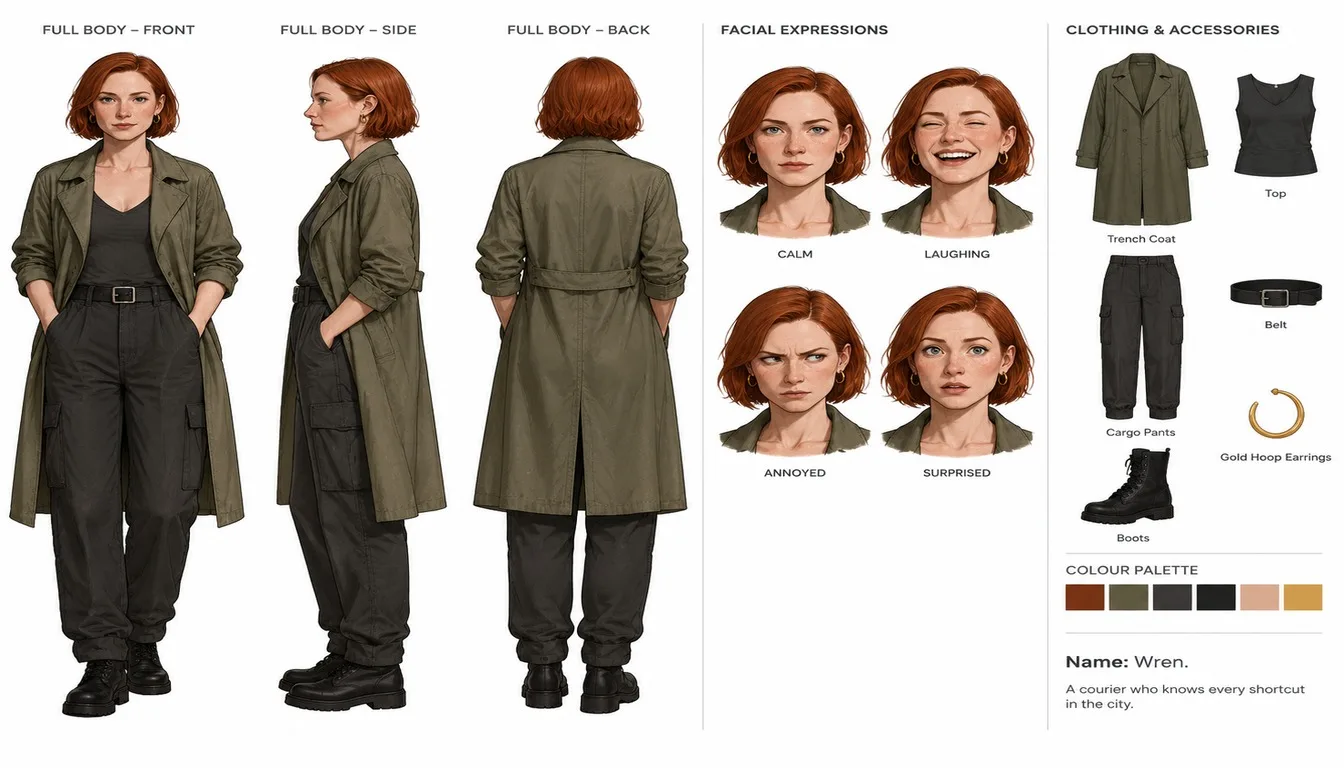
Using the person in image 1 as the base, create an official-style character reference sheet in a clean illustration style on a white background. Keep the hair colour, hairstyle and outfit colours from image 1. Include front, side and back full-body views; four facial expressions (calm, laughing, annoyed, surprised); a breakdown of the clothing and accessories with small labels; a colour palette strip; and a two-line character note: "Name: Wren. A courier who knows every shortcut in the city.". Organised layout, one consistent design across every view.
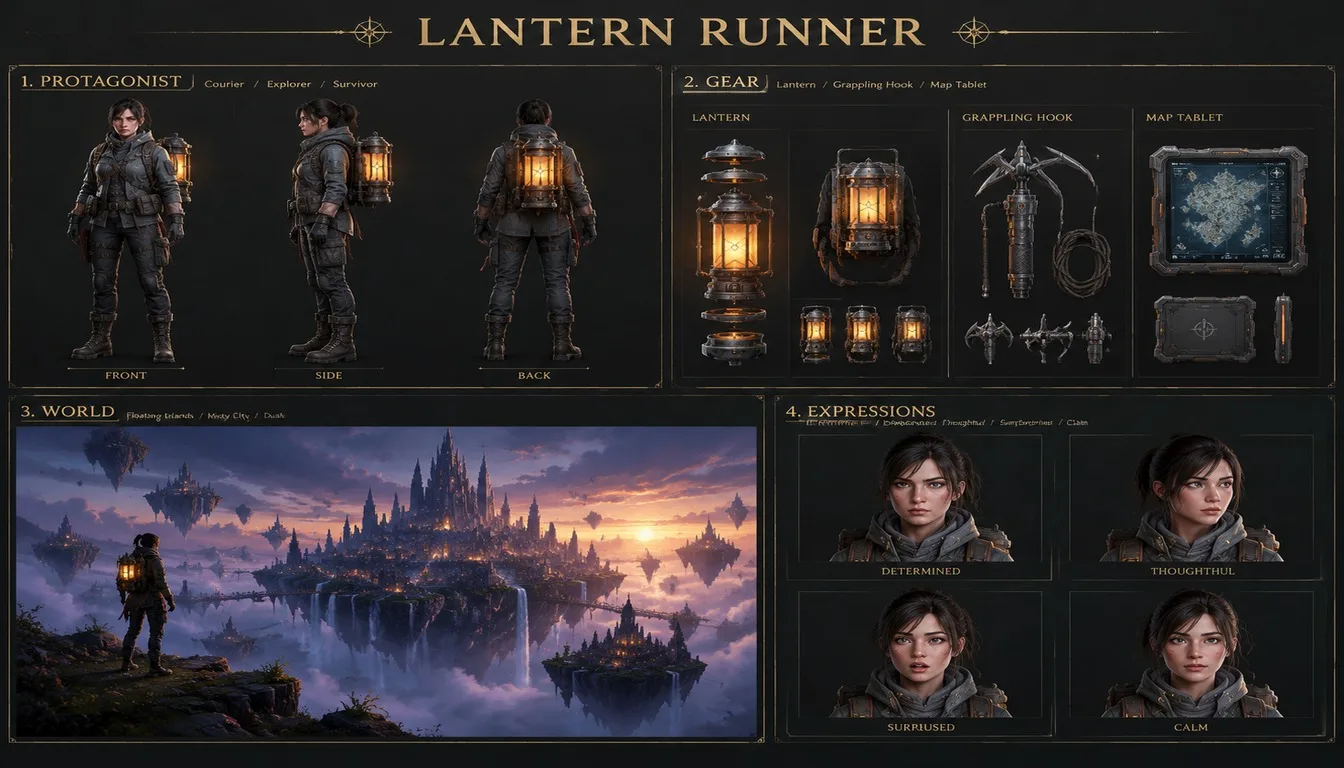
An official game concept art sheet titled "LANTERN RUNNER" on a dark charcoal background with gold label type, four labelled panels in a 2x2 grid. Panel 1, PROTAGONIST: a full-body turnaround (front, side, back) of an adult female courier in a weatherproof jacket with a glowing lantern backpack. Panel 2, GEAR: exploded views of the lantern, a grappling hook and a map tablet. Panel 3, WORLD: a key-art painting of a misty floating-island city at dusk. Panel 4, EXPRESSIONS: four head shots. Clean, professional documentation layout, crisp readable labels.
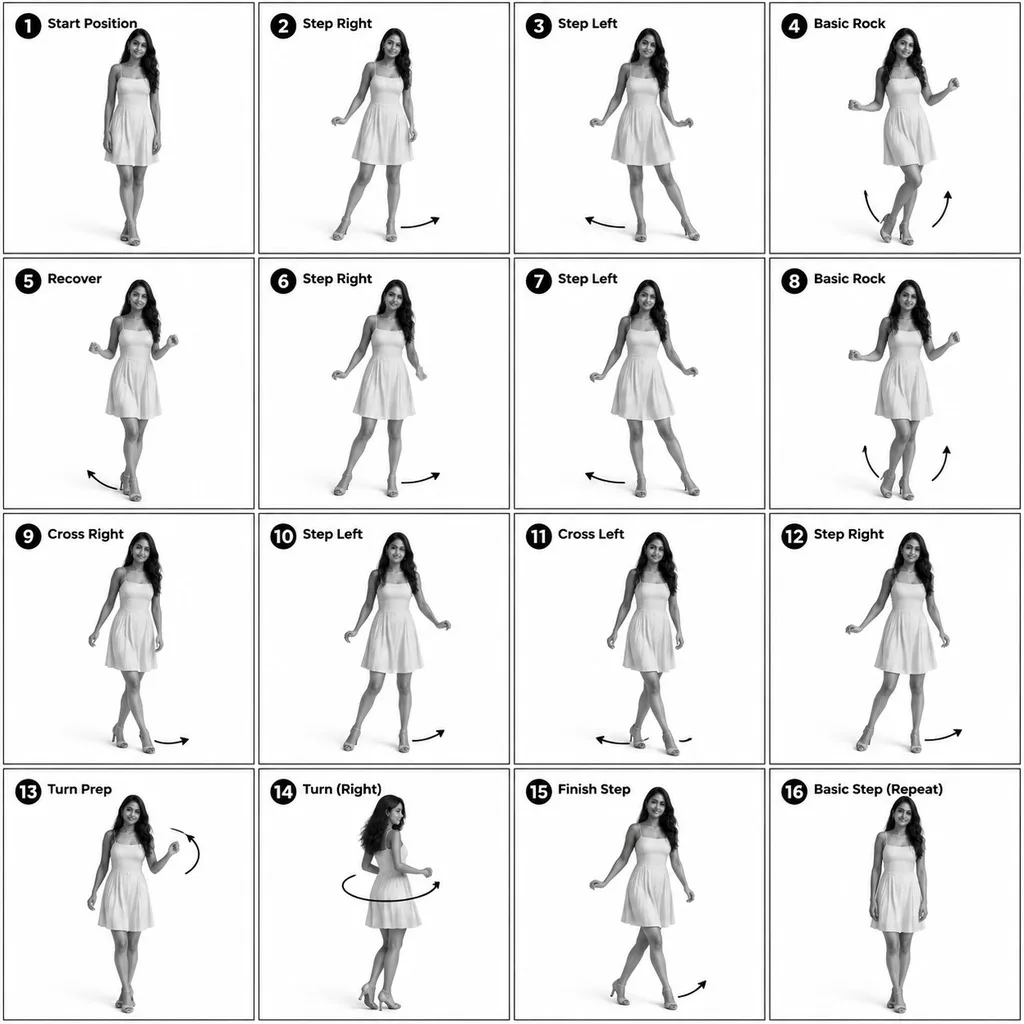
Turn the person in image 1 into a 3D-rendered character and make a 4x4 instructional reference sheet showing a beginner salsa basic step in 16 numbered steps. Monochrome greyscale on a white background, thin black panel borders, every panel the same size. Each panel: a bold number badge with a short step title at the top left, the full-body pose in the centre, and curved motion arrows showing direction. The same character in every panel: same face, hair and dress as image 1. Clean technical-diagram look, readable labels.
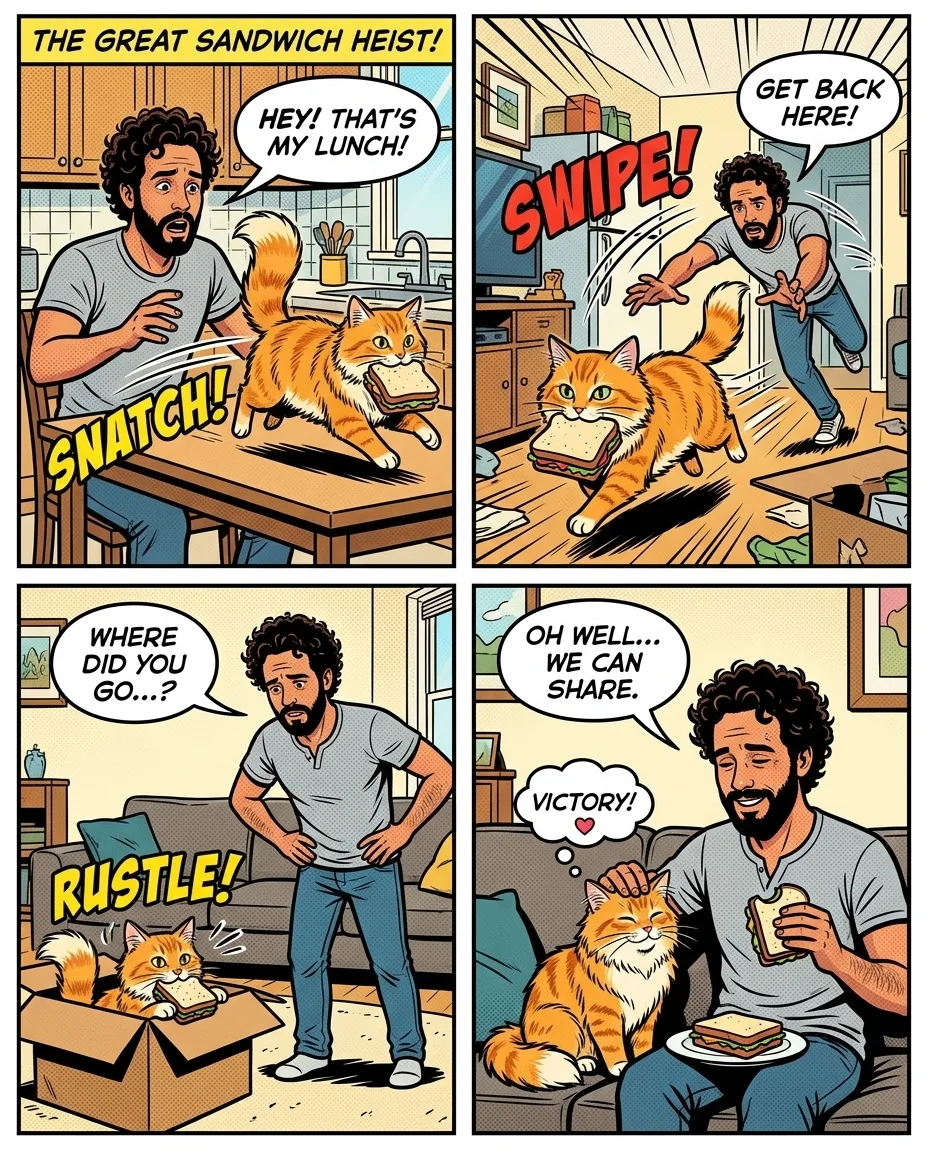
Based on image 1, make a four-panel comic strip in a bright superhero comic-book style starring the man and his cat. Keep their looks recognisable in every panel: his curly hair and beard, the cat's ginger fur. Story: the cat steals his sandwich, he chases it around the flat, it hides in a box, and they end up sharing the sandwich on the sofa. Speech bubbles with short readable lines, a title panel that reads "THE GREAT SANDWICH HEIST", bold outlines and flat colours.
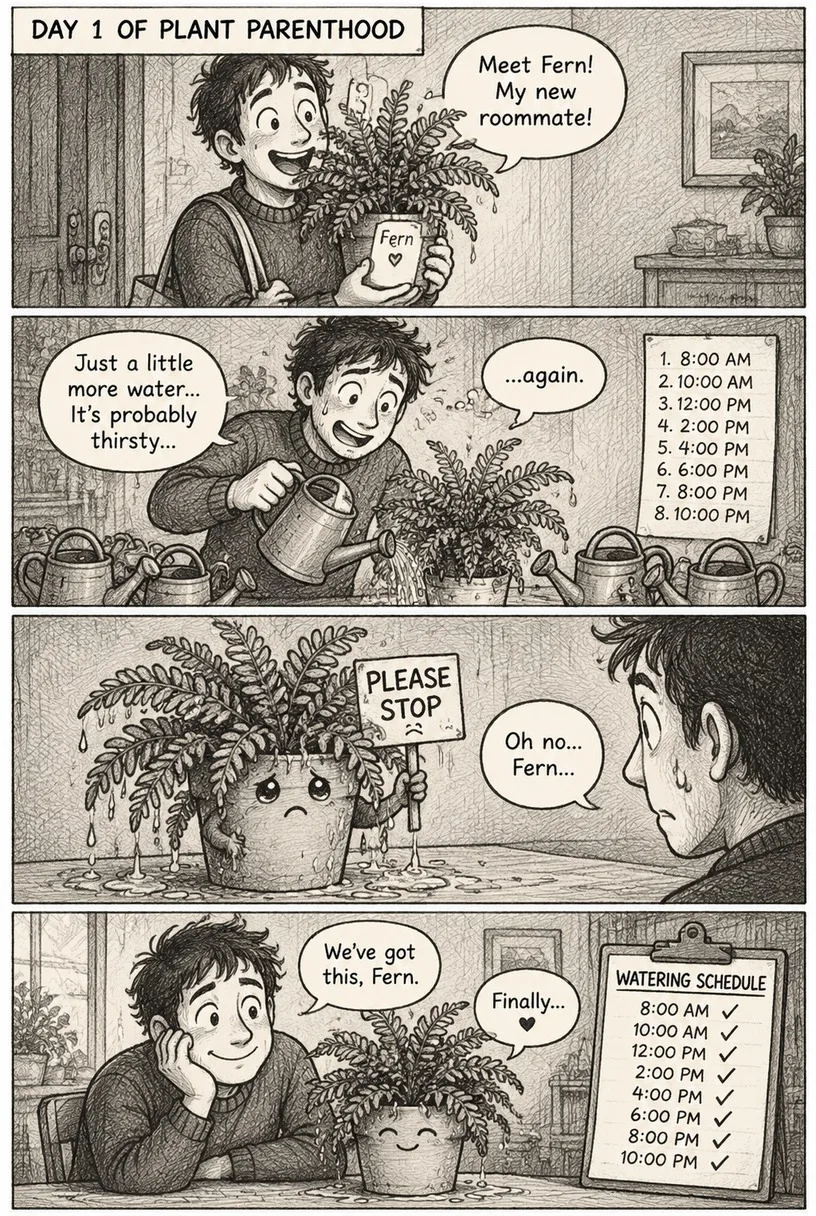
A 4-panel vertical comic strip in a black-and-white pencil sketch style with crosshatch shading. Characters: a houseplant named Fern and her nervous owner. Panel 1: the owner proudly brings home a new plant. Panel 2: he waters it eight times a day. Panel 3: the soaked plant holds up a tiny sign that says "PLEASE STOP". Panel 4: they sit side by side with a watering schedule, both relieved. Short speech bubbles in readable hand-lettering and a caption box at the top of the first panel: "DAY 1 OF PLANT PARENTHOOD". Consistent character design in all panels.





 Nano Banana 2.1Make one