PopNow can work inside the AI chat you already use. Connect it once with your PopNow account, then ask for a picture, a video, a song or a voiceover in plain words. Everything you make uses your PopNow credits and lands in your PopNow library.
Step 1: Connect in ChatGPT
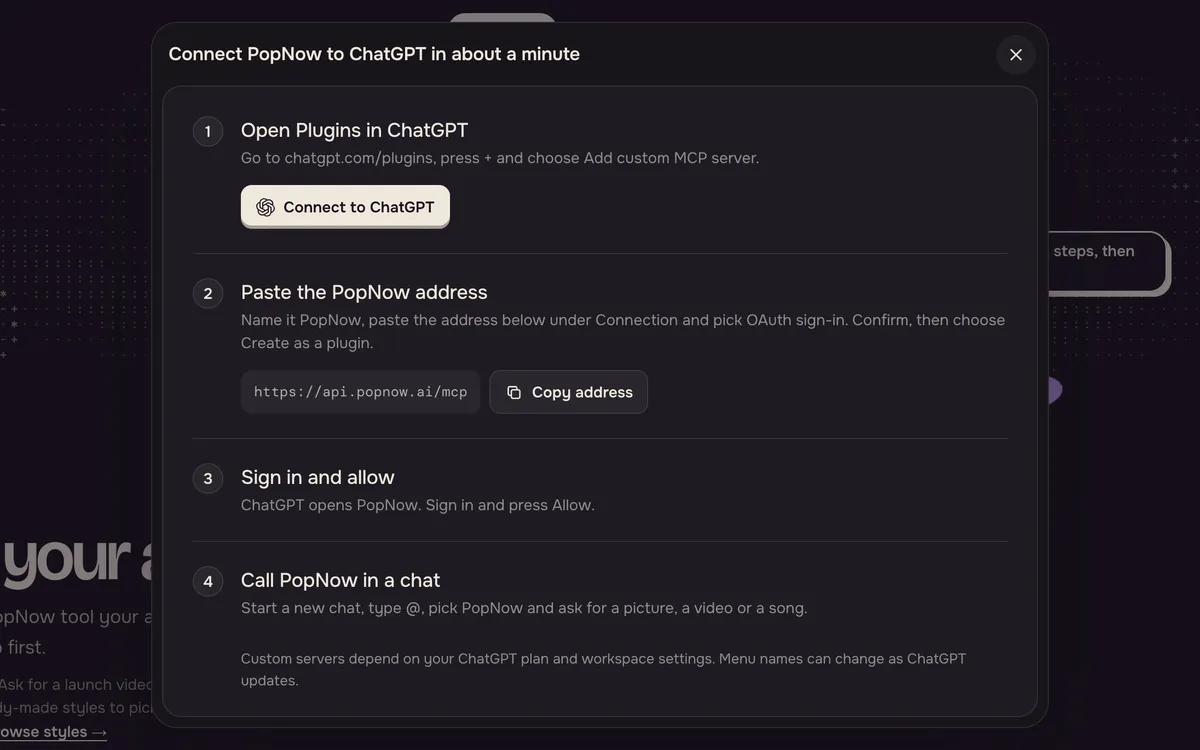
Open the PopNow for ChatGPT & Claude page and choose ChatGPT. Follow the steps in How to connect: open Plugins in ChatGPT, add a custom server, paste the PopNow address and sign in with your PopNow account.
Step 2: Or connect in Claude
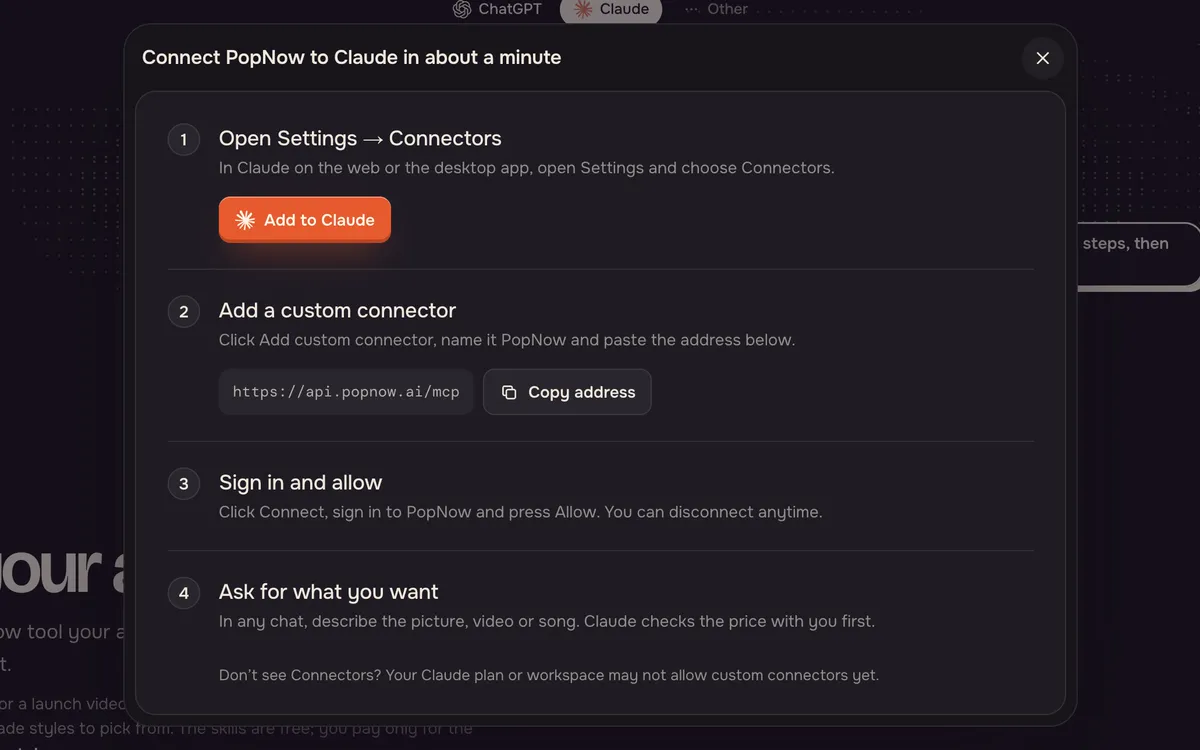
In Claude on the web or the desktop app, open Settings, choose Connectors and add a custom connector with the same PopNow address. Click Connect, sign in to PopNow and press Allow.
Step 3: Ask, then approve the price
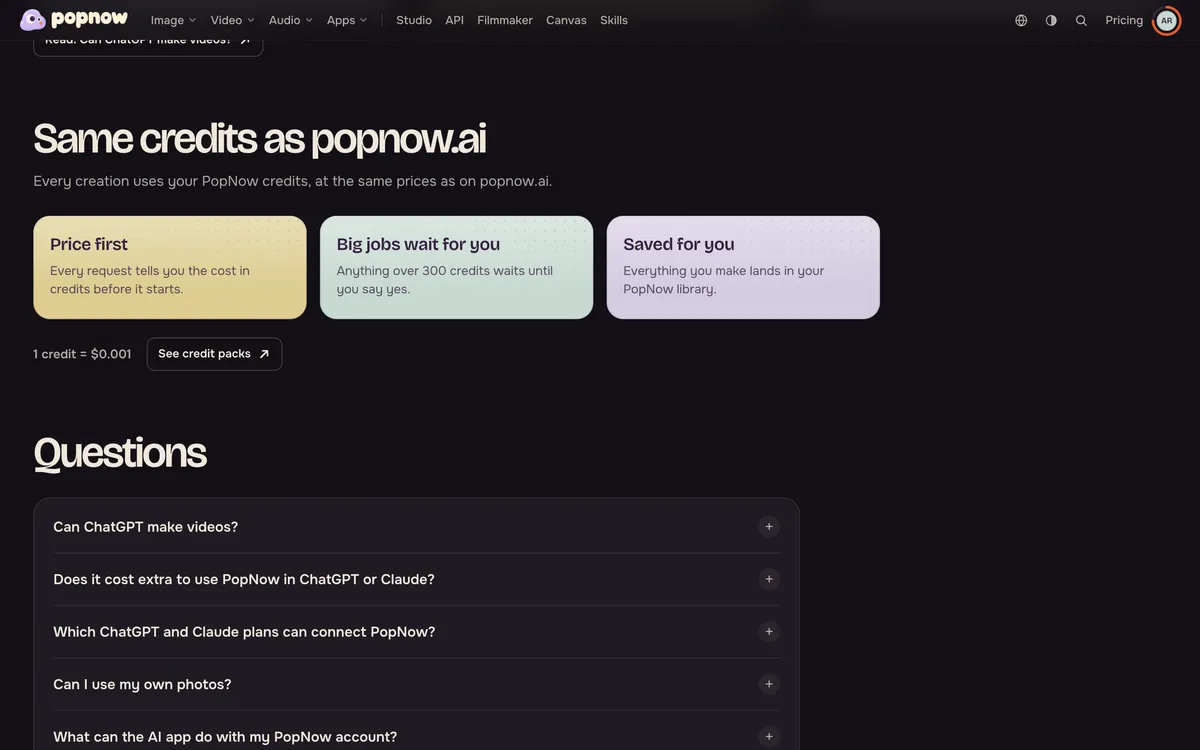
Start a new chat and describe what you want, for example a five-second video of a paper boat on a puddle. PopNow tells you the price in credits first; small jobs start right away and bigger ones wait for your yes.
FAQ
Does it cost extra to use PopNow in ChatGPT or Claude?
No. Connecting is free. Each creation uses your PopNow credits at the same price as on popnow.ai, and there is no subscription.
Which ChatGPT and Claude plans can connect PopNow?
You need a plan that allows custom connectors in Claude or custom servers in ChatGPT. If you don't see the option, your plan or your workspace admin may have it turned off.
How do I disconnect an AI app?
Open your account settings on popnow.ai and go to Devices. Under connected AI apps, choose the app and disconnect it. It loses access right away.