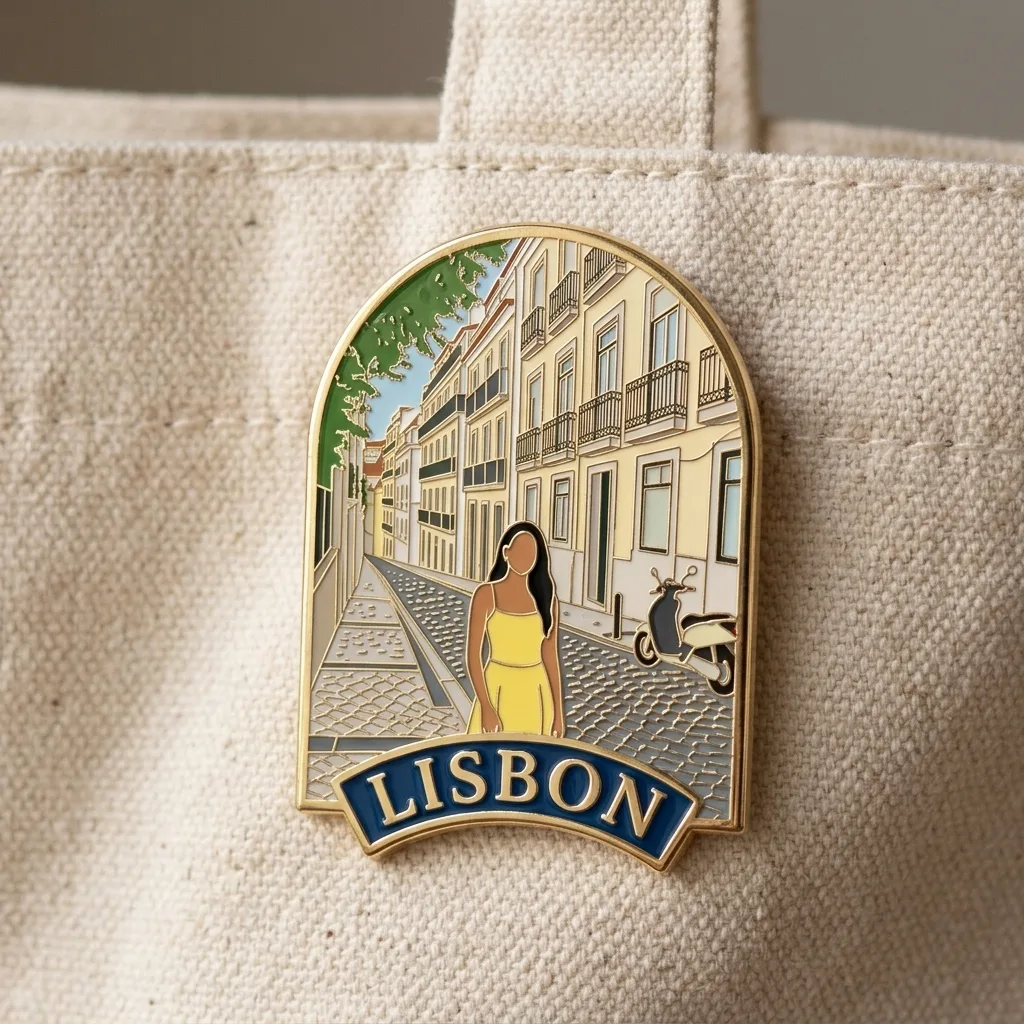
Travel Enamel Pin, made with Nano Banana 2.1
Example made with Nano Banana 2.1

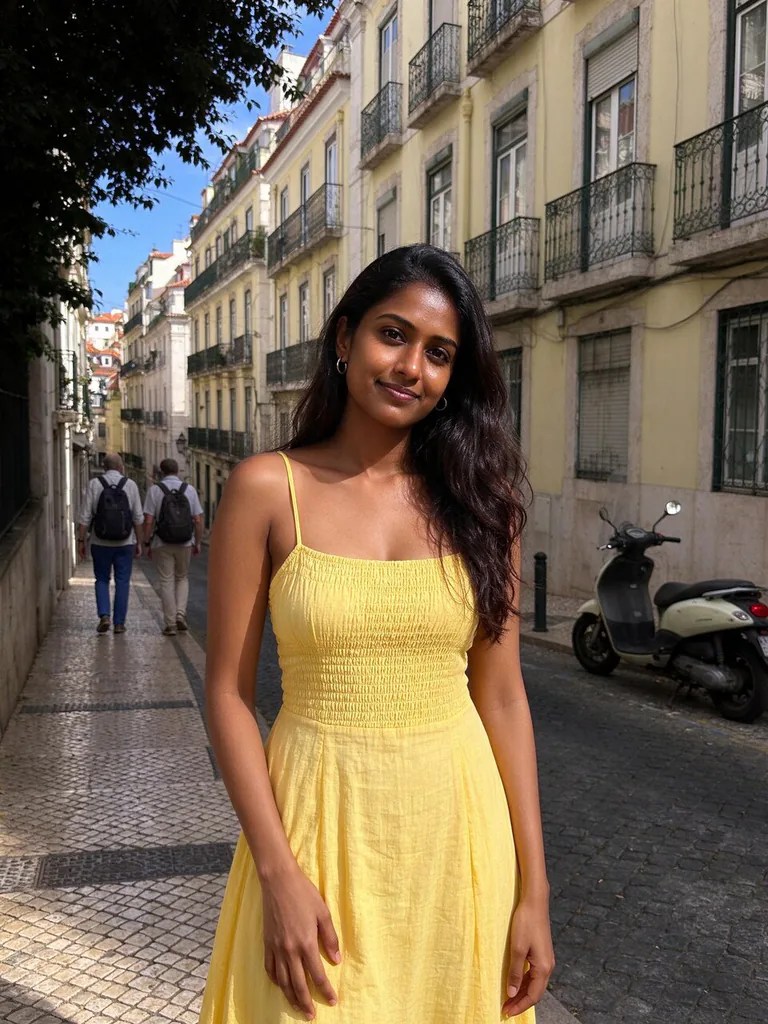
Example photo

Image editProducts & foodUses your photo

Nano Banana 2.1 image edit promptTravel Enamel Pin

An image-edit prompt for Nano Banana 2.1: you upload a picture and this text says what to change.

Fill in the blanks

Change any box and the prompt below updates. Copy it, or make one with your version.

Prompt

Turn the photo in image 1 into a travel souvenir enamel pin. Compose it as a scene: the street and its buildings form most of the badge, and the woman appears as a small simplified figure at true scale within it, in flat enamel colours that match her dress and hair, with a plain face and no drawn features. Gold metal outlines between colour areas, a curved banner at the bottom reading "LISBON", glossy hard enamel, an arch-shaped outline. Product photo of the pin on a canvas tote bag, soft light.

Prompts stay in English, the language these models follow best. Copy it as it is, or change a few words.

Opens Nano Banana 2.1 with this prompt and the example photo. Swap in your own photo and you are ready.

91 tested Nano Banana prompts →

Settings

Mode
Image edit
Aspect ratio
1:1
Resolution
1k
Input pictures
Your own pictures
Price
From 48 credits

The exact price shows before you generate.

Make your own version

  1. The layout is spelled out piece by piece: the street and its buildings form most of the badge, and the woman appears as a small simplified figure at true scale within it. Keep that structure and change only the content, or the model loses track of the page.
  2. The words in quotes, "LISBON", are printed in the picture. Keep them short and change them to your own.
  3. Change the material in Gold metal outlines between colour areas and the rest of the scene follows it.
  4. This is a fill-in template: swap the parts in braces, like {place}, in the boxes above and keep the rest word for word.

Where this template comes from

Adapted from a prompt by @Emmma__0, collected in freestylefly/awesome-gpt-image-2 under MIT. PopNow rewrote it as a fill-in template and made the example above.

Photo edit prompt guide

Which photos work for this edit

A flat, arch-shaped Lisbon street pin, built from your photo of a woman, with her shown as a small simplified figure inside the scene. Nano Banana 2.1 handles this well because the prompt sets the layout, the enamel colours and the curved LISBON banner in clear steps, and its sharp text suits that banner.

The edit expects one input picture with a single woman clearly visible, since the prompt copies her dress and hair into the enamel colours. A plain photo with a clear view of her outfit and hairstyle gives the model the most to work with.

Works: one woman with a clearly visible outfit and hairstyle
Her dress and hair need visible colour areas, since the prompt copies them into the enamel palette. A simple outfit with two or three colours gives a cleaner pin than a busy pattern.
Works: a photo with a street or buildings behind her
The model can reuse those buildings as the main scene of the badge, so the pin looks like it came from that place. A plain wall gives it little to build the scene from.
Avoid: a group photo with several people in frame
The prompt describes one woman as the figure at true scale, so extra people split the badge and can get shrunk or merged into the scene. Use a single-subject frame.
Avoid: a dark or heavily shadowed photo
The enamel colours are taken from the dress and hair, and shadows can make them read as near-black areas. Soft even light in the original gives clean, distinct colour blocks in the pin.

What each instruction does

  1. Source photo and taskTurn the photo in image 1 into a travel souvenir enamel pin. Compose it as a scene:

    Tells the model to treat the uploaded photo as the source and change its format into a pin. Without it, the model may invent a new scene instead of editing your photo.

  2. Scene as main contentthe street and its buildings form most of the badge, and the woman appears as a small simplified figure at true scale within it

    Sets the street and buildings as the main content, so the badge reads as a place rather than a portrait. Enlarging the woman or cutting the street would turn it into a standard close-up pin.

  3. Figure scale and stylein flat enamel colours that match her dress and hair, with a plain face and no drawn features

    Keeps the woman small and at true scale, with flat colours matched to her clothes and hair, which fits a souvenir look. Making her larger or adding detail to her face would pull attention away from the street and break the simplified style.

  4. Enamel pin finishGold metal outlines between colour areas, a curved banner at the bottom reading "LISBON", glossy hard enamel, an arch-shaped outline

    Gold outlines separate colour areas like real enamel, and the curved LISBON banner and arch shape give it the badge form. Remove the outlines or the arch and the piece looks like a flat poster instead of a hard enamel pin.

  5. Product mockup settingProduct photo of the pin on a canvas tote bag, soft light.

    Asks for a product photo of the pin on a canvas tote bag in soft light, so it reads as merchandise rather than a flat graphic. Removing it leaves a bare pin that is harder to picture on sale.

Other edits in the same pattern

Porto harbour

Swaps the Lisbon street for a Porto harbour and the dress for a coat and scarf, so the same pin structure works for another trip.

Prompt

Turn the photo in image 1 into a travel souvenir enamel pin. Compose it as a scene: the harbour and rooftops form most of the badge, and the woman appears as a small simplified figure at true scale within it, in flat enamel colours matching her coat and scarf, with a plain face and no drawn features. Gold metal outlines between colour areas, a curved banner reading "PORTO", glossy hard enamel, a round outline. Product photo of the pin on a canvas tote bag, soft light.

Tromso winter

Moves the scene to a snowy street with a winter coat and hat, for a seasonal souvenir that still keeps the arch badge shape.

Prompt

Turn the photo in image 1 into a travel souvenir enamel pin. Compose it as a scene: the snowy street and its buildings form most of the badge, and the woman appears as a small simplified figure at true scale within it, in flat enamel colours matching her winter coat and hat, with a plain face and no drawn features. Gold metal outlines between colour areas, a curved banner reading "TROMSO", glossy hard enamel, an arch-shaped outline. Product photo of the pin on a canvas tote bag, soft light.

Kyoto street

Changes the place to a Kyoto temple street and the outfit to a jacket and boots, keeping the same pin structure for a city souvenir.

Prompt

Turn the photo in image 1 into a travel souvenir enamel pin. Compose it as a scene: the temple gate and wooden houses form most of the badge, and the woman appears as a small simplified figure at true scale within it, in flat enamel colours matching her jacket and boots, with a plain face and no drawn features. Gold metal outlines between colour areas, a curved banner reading "KYOTO", glossy hard enamel, a round outline. Product photo of the pin on a canvas tote bag, soft light.

Model and settings

Keep the 1:1 ratio and 1K resolution from the example, since a square frame suits a pin shot for a product listing. Keep one input picture in place, because the prompt refers only to image 1. For a wider banner, change the ratio, and for sharper lettering on print, choose a higher resolution if one is available.

  • Nano Banana ProPick this when you want the scene layout planned before drawing, since this prompt builds a street-filled badge around a curved banner. Its layout-first approach suits a 4K final where the street detail matters more than speed.
  • GPT Image 2.5 SunburstChoose this if the LISBON banner lettering matters most, since its clean text and up to 4K output suit a pin mockup you plan to enlarge.

When the edit misses

The woman's hair or dress shape drifts away from image 1
Insert 'in the same hairstyle and outfit shape as image 1' right after 'match her dress and hair'.
The model ignores image 1 and draws a generic street scene
Keep the opening words 'Turn the photo in image 1' unchanged and add 'keep the same street layout as image 1' after 'Compose it as a scene:'.
The tote bag mockup has light or shadows that clash with the flat pin
Keep 'soft light' at the end and add 'soft shadow beneath the pin' after 'canvas tote bag,' so the pin sits in the same light.
The pin comes out in a wide frame, so the arch outline is cut off
Set the ratio back to 1:1, the value used in the example.

Questions about this edit prompt

Can Nano Banana 2.1 turn a regular photo into an enamel pin design?

Yes, with this prompt the model reads image 1 as the source and rebuilds it as a flat badge with gold outlines and a LISBON banner. Expect the woman to become a plain, simplified figure rather than a realistic portrait.

Why does the prompt say no drawn features for the face?

The phrase 'a plain face and no drawn features' keeps the figure simple and in line with a flat enamel pin. Remove it and the model may add eyes and a mouth, which breaks the souvenir look.

Can I use a different photo than the one in the example?

Yes, if the new photo is a clear shot of one adult with a street or buildings behind them. Upload it as the only input picture so the model does not mix in another reference.