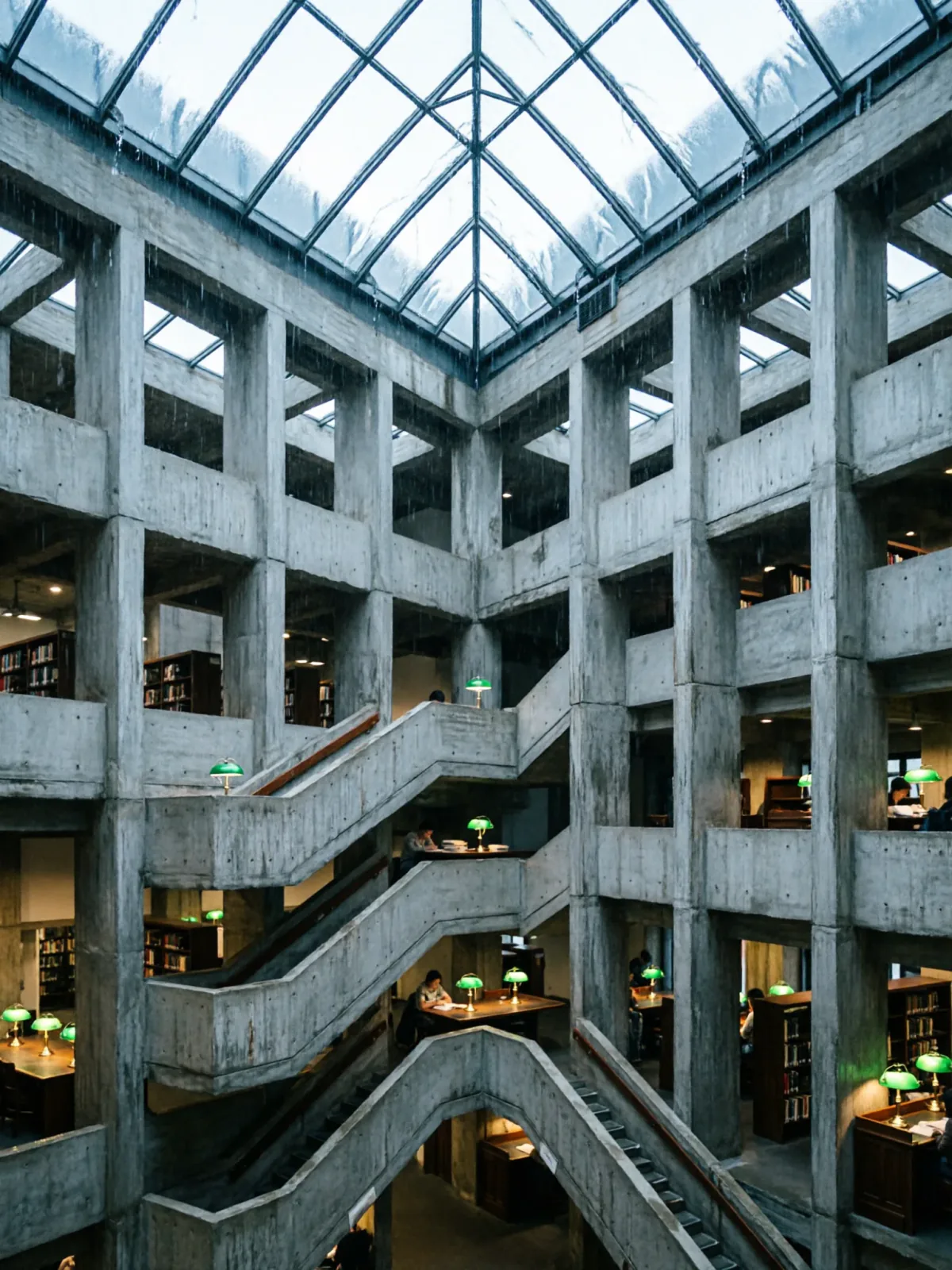
Brutalist library atrium under a rain-sheeted glass roof
Qwen Image 2Make one


 Example photo
Image editArchitecture & interiorsUses your photo
An image-edit prompt for Nano Banana 2.1: you upload a picture and this text says what to change.
Change any box and the prompt below updates. Copy it, or make one with your version.
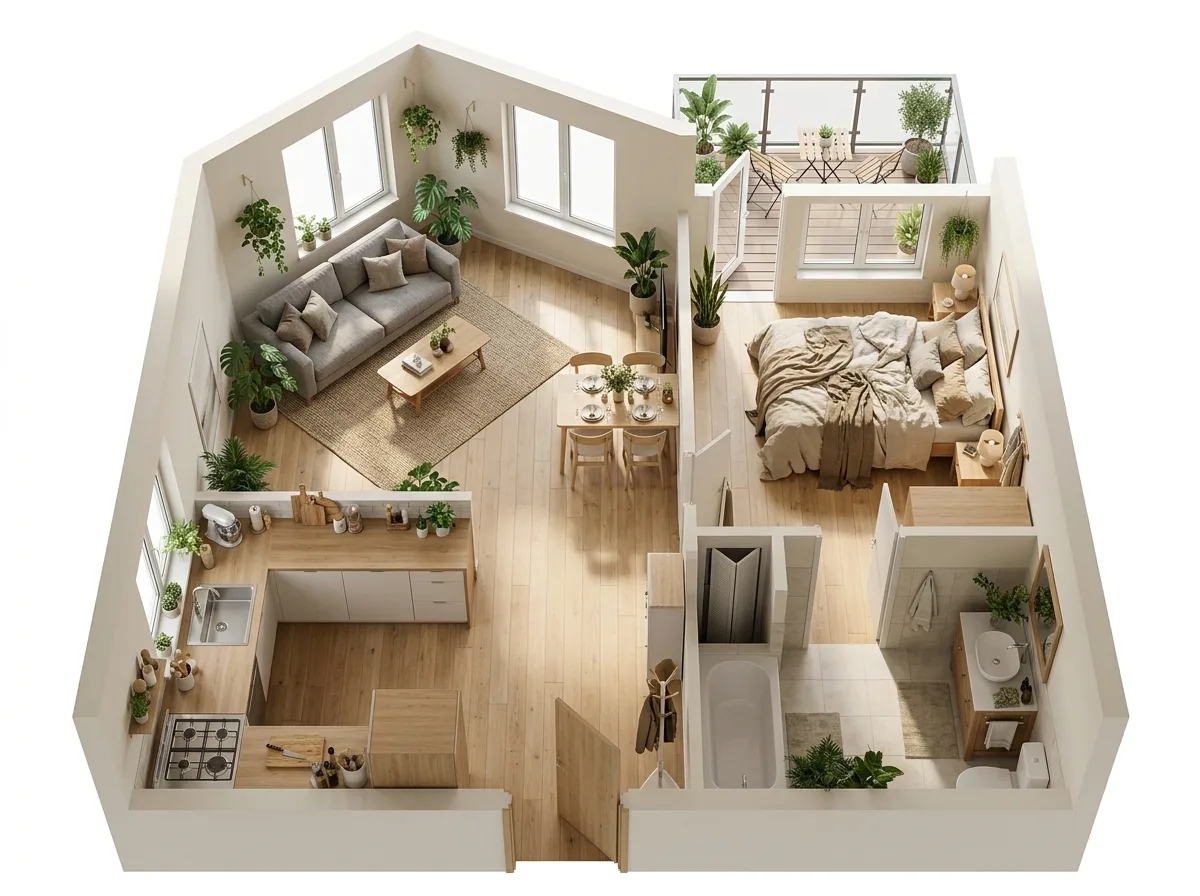
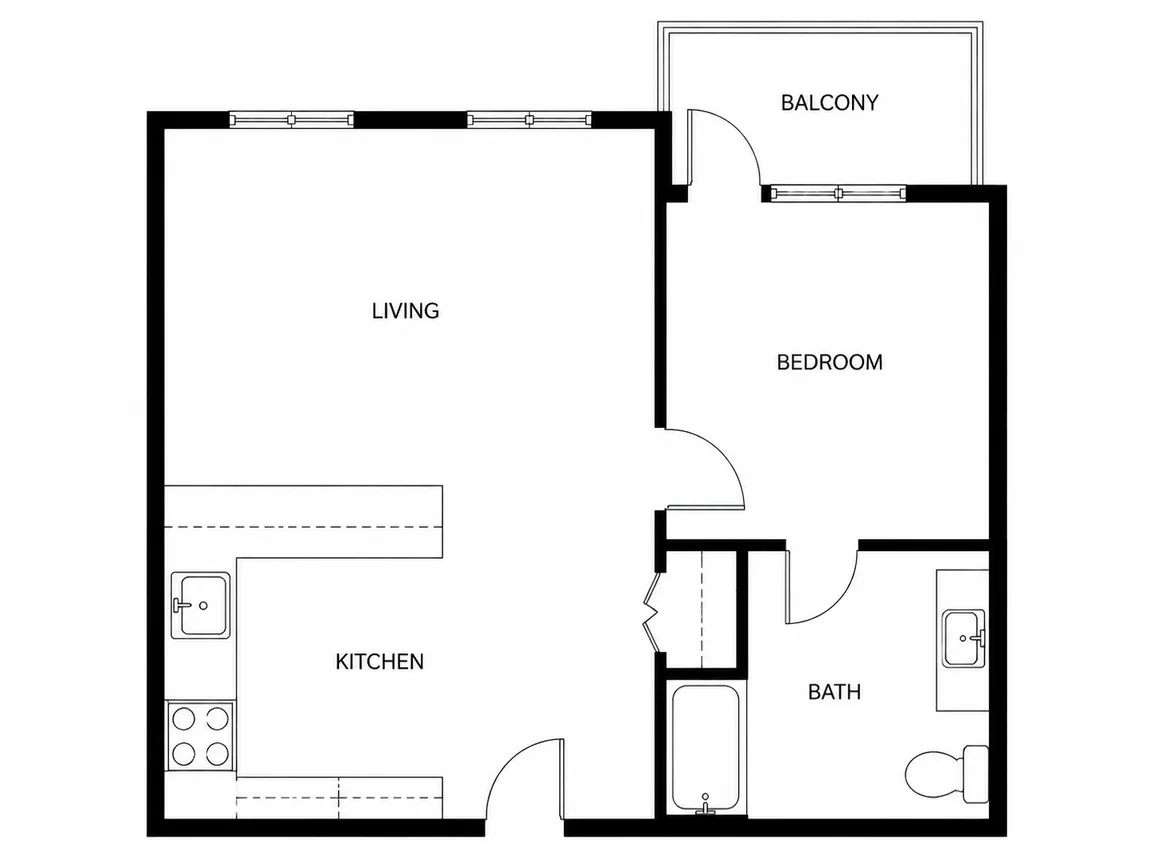
Convert the floor plan in image 1 into an isometric, photo-real 3D cut-away render of the home: walls raised to ceiling height and cut open from above, with the same room layout, windows and door positions as the plan. Furnish it in a warm Scandinavian style: light oak floors, a grey sofa, a dining table for four, a bed with linen bedding and plants in every room. Soft daylight, realistic materials, clean white background, no text labels.
Prompts stay in English, the language these models follow best. Copy it as it is, or change a few words.
Opens Nano Banana 2.1 with this prompt and the example photo. Swap in your own photo and you are ready.
91 tested Nano Banana prompts →
The exact price shows before you generate.
with the same room layout, windows and door positions as the plan is the line that keeps your photo recognisable. Leave it in, whatever else you change.{style}, in the boxes above and keep the rest word for word.no text labels. Leave that in, or the model may add random lettering.Adapted from a prompt by @op7418, collected in PicoTrex/Awesome-Nano-Banana-images under CC BY 4.0. PopNow rewrote it as a fill-in template and made the example above.
Photo edit prompt guide
A furnished, isometric 3D cut-away of a home, built from one floor plan, is what Nano Banana 2.1 produces from this prompt. The walls rise to ceiling height and are cut open from above, with the rooms, windows and doors kept in the same places as the drawing. It works because the plan locks the layout while the furniture list and soft daylight set the style, so the render stays faithful to the plan.
Use one clean floor plan as image 1. The model reads its walls, openings and room shapes, then builds the 3D render on top of them.
Convert the floor plan in image 1 into an isometric, photo-real 3D cut-away render of the homeThis sentence sets the job: turn the drawing into an isometric, photo-real 3D model of a home. Remove it and the model may return a flat plan or a single room instead of a full cut-away house.
walls raised to ceiling height and cut open from above, with the same room layout, windows and door positions as the planThis is where the cut-away and the layout come from: walls at full height, sliced from above, with openings in the same places. Without it the walls stay low and the windows and doors can drift to new spots.
Furnish it in a warm Scandinavian style: light oak floors, a grey sofa, a dining table for fourThe style words and the furniture list set the look of each room. Drop 'warm Scandinavian' and the look turns neutral; cut the list short and the rooms are left bare.
a bed with linen bedding and plants in every roomThe bed and plants add lived-in detail to the bedrooms and living areas. Removing them makes the render feel empty, while adding more props can crowd the small rooms in the plan.
Soft daylight, realistic materials, clean white background, no text labelsThis sets the render's lighting, surfaces and backdrop. Without 'Soft daylight' the shadows can turn harsh, and without 'clean white background' the model may add a room or street behind the house.
Swaps the house for a smaller studio and a calmer palette, for a plan with fewer rooms and tighter spaces.
Convert the studio floor plan in image 1 into an isometric, photo-real 3D cut-away render of the apartment: walls raised to ceiling height and cut open from above, with the same room layout, windows and door positions as the plan. Furnish it in a calm Japandi style: pale ash floors, a low linen sofa, a compact dining table for two, a futon bed with cotton bedding and plants by every window. Soft daylight, realistic materials, clean white background, no text labels.
Keeps the same edit and changes the materials, the table size and the light, for a larger family plan with a warmer look.
Convert the floor plan in image 1 into an isometric, photo-real 3D cut-away render of the home: walls raised to ceiling height and cut open from above, with the same room layout, windows and door positions as the plan. Furnish it in a warm Mediterranean style: terracotta tile floors, a cream sofa, a dining table for six, a bed with striped cotton bedding and olive plants in every room. Warm late-afternoon light, realistic materials, clean white background, no text labels.
Use it when you want the same plan shown as a moody night scene, with the lamps lit and darker materials.
Convert the floor plan in image 1 into an isometric, photo-real 3D cut-away render of the home: walls raised to ceiling height and cut open from above, with the same room layout, windows and door positions as the plan. Furnish it in a cozy winter style: dark walnut floors, a charcoal sofa, a dining table for four with wool throws, a bed with grey linen bedding and fir plants in every room. Warm lamp light at dusk, realistic materials, clean white background, no text labels.
Keep the 4:3 ratio and 1k resolution from the example, since the plan and the render both fit a landscape frame and the clean white background stays even at the edges. Use image-to-image mode with your floor plan as the one input picture, so the walls and openings are edited rather than redrawn from nothing. If you want a square post, change the ratio, and check that the walls still line up with the plan before you keep the result.
Yes, if the walls are dark, continuous and the window and door gaps are clear. Faint sketches can lose wall thickness, so the raised walls may not line up with the rooms in your original drawing.
Keep the layout sentence and the furniture sentence separate, and do not add items beyond the list. A long furniture list can push the model to shift walls so the objects fit.
The prompt ends with 'no text labels', which asks the model to drop room names and dimensions from the plan. If labels still appear, put that phrase earlier in the prompt and generate again.