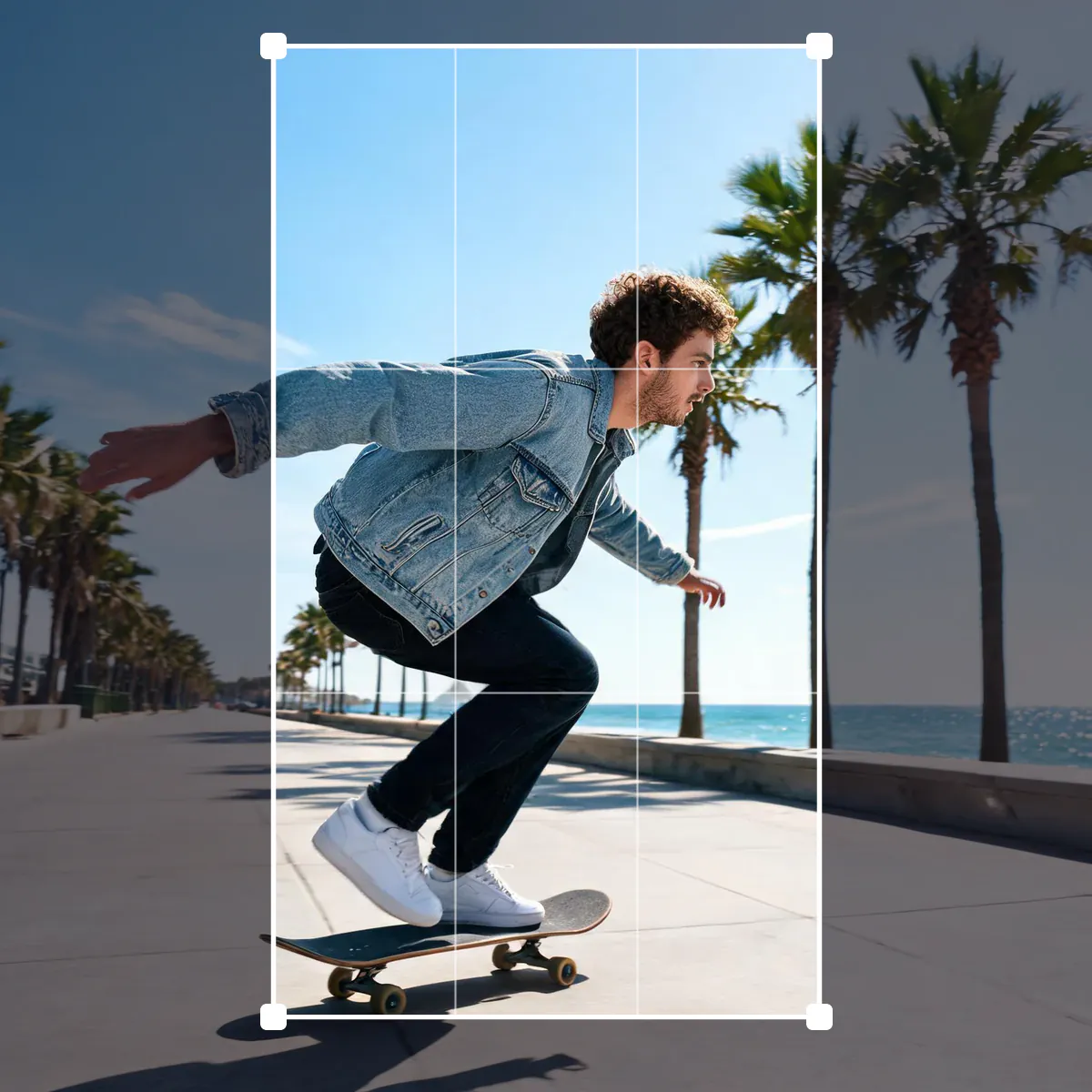
Crop photos to any size
Every platform wants a different shape: a square or 4:5 portrait for an Instagram post, a tall 9:16 frame for Stories, Reels and TikTok, a wide 16:9 thumbnail for YouTube, a long strip for an X or LinkedIn header. This cropping tool has those sizes built in. Pick one and the crop box takes the right shape; drag it over the part of the photo you want, pull the corners to zoom in, and download an image that is exactly the size the platform asks for, such as 1280 × 720 for a YouTube thumbnail. You can also crop freely, keep the original proportions, choose a classic ratio like 3:2 or 4:3, type exact pixel values, or cut a round profile picture with a transparent background. It all happens in your browser, and the full-resolution photo is used for the download.
Questions
How do I crop a photo for Instagram?
Upload the photo and pick Instagram post for a 1080 × 1080 square or Instagram portrait for 1080 × 1350. Drag the box to frame the shot and tap Download.
What size is a YouTube thumbnail?
YouTube recommends 1280 × 720 pixels, a 16:9 ratio. Pick YouTube thumbnail and the crop is saved at exactly that size.
Can I crop an image to exact pixel dimensions?
Yes. Choose Resize to under Output size and type the width and height you need, or type the crop position and size in pixels under Crop box.
How do I crop a picture into a circle?
Pick Profile picture or set Shape to Circle. The area outside the circle becomes transparent in the PNG you download.
Does cropping lower the quality of my photo?
No. The crop is taken from the full-resolution original. Quality only changes if you save as JPG at a lower setting or enlarge a small crop to a bigger size.
Is this cropping tool free?
Yes. It runs in your browser with no sign-up and no watermark, and your photo is never uploaded.
How do I crop a picture on my phone?
Open this page in your phone browser, tap Upload photo, then drag the box with your finger; the corner handles are large enough to grab. Tap Download to save the cropped picture.
What aspect ratio should I use for Instagram?
Use 4:5 portrait for feed posts because it takes up the most screen space, 1:1 for a classic square and 9:16 for Stories and Reels. The presets set the matching pixel sizes too.
How do I crop an image without losing quality?
Choose Crop size under Output size and Save as Same format or PNG. The pixels inside the box are saved exactly as they were, with no scaling and no extra compression.
Can I crop several photos to the same size?
Yes. Add several photos, pick a size once, and adjust each photo's box in the strip if needed. Download all saves every cropped photo in one ZIP.
Why does my cropped image look blurry?
The box covered fewer pixels than the target size, so the image was enlarged. Make the box bigger, use a larger original, or run AI upscale on the result.
Go deeper
Before and after: what changes
Cropping keeps the part of the photo you care about and removes the rest. Choosing a platform size also fixes the proportions and the exact pixel dimensions, so the post is not trimmed again by the app.
- What changes
- The frame. Everything outside the box is removed, and with a platform size the image is scaled to exactly that size, for example 1080 × 1920 for a Story or 1280 × 720 for a YouTube thumbnail. A circle crop makes the corners transparent.
- What stays the same
- Colors and detail inside the box. The download is cut from the full-resolution original, not from the preview, and Crop size keeps the pixels exactly as they are without any scaling.
- What to look at before you download
- Read the size under the photo. If it says enlarged, the box covers fewer pixels than the platform wants and the result may look soft. Check also that heads and hands are not cut at awkward places.
Photos that crop well, and ones that fight the frame
Works well
- Photos with some space around the subject, which leaves room to frame a square post, a tall Story and a wide banner from one picture.
- High-resolution phone and camera photos, which can be cropped tightly and still reach 1080 or 1280 pixels wide.
- Group photos where you want to cut out one person for a profile picture.
Avoid
- Small images from messaging apps or thumbnails: cropping them to a large platform size has to enlarge them.
- Wide landscape shots for a 9:16 Story, where much of the scene must go. AI expand can add space above and below instead.
- Pictures with text close to the edges, such as posters, where any ratio change cuts letters off.
Step by step
- Open a photoDrop it on the page, paste it with Ctrl or Cmd + V, press Upload photo or choose from your library. The skateboard sample shows the crop box right away.
- Pick a sizeTap Instagram post, Story, YouTube thumbnail, X header, LinkedIn banner, Facebook cover, Pinterest pin or Profile picture, or choose a plain ratio under Aspect ratio. The swap button turns landscape into portrait.
- Frame the shotDrag inside the box to move it and drag the corners or edges to resize it; the proportions stay locked. Arrow keys nudge it, and Crop box lets you type the position in pixels.
- Choose the output and downloadCrop size keeps the pixels as cut, Resize to saves an exact width and height. Pick Save as, then download, or download every photo in the strip as a ZIP.
The sizes built into the presets
- Instagram
- Posts are 1080 pixels wide: 1080 × 1080 for a square and 1080 × 1350 for a 4:5 portrait, the tallest shape the feed shows in full. Stories and Reels use 1080 × 1920.
- YouTube and TikTok
- A YouTube thumbnail is 1280 × 720, a 16:9 frame that should stay under 2 MB, which a JPG at quality 92 easily does. TikTok and Shorts covers use the same 9:16 frame as Stories.
- Headers and covers
- An X header is 1500 × 500, a LinkedIn profile banner 1584 × 396, a Facebook cover 851 × 315 and a Pinterest pin 1000 × 1500. Keep faces and text toward the middle; apps cover the edges with profile photos.
- Circle crops
- Profile picture saves an 800 × 800 PNG with transparent corners. Apps crop profile pictures to a circle anyway, so framing the face in a circle here shows exactly what people will see.
Where to go next