Glitch
What this tool does
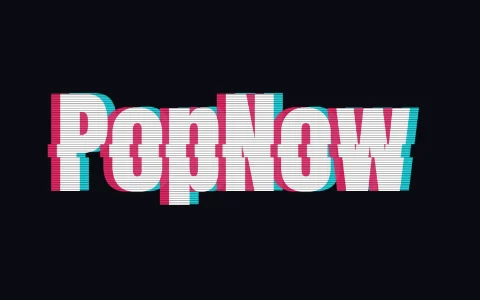
This glitch text generator splits your word into red and cyan copies that drift apart, cuts horizontal slices that jump sideways, and lays thin scanlines over the top, like a broken video signal. In the animation the text sits mostly still with a light jitter, then bursts six times per loop. Shuffle moves the bursts and the slice positions.
How to make it
- Type your word; bold, short words survive the distortion best.
- Set RGB split and Slices, and turn Scanlines on or off.
- Download a looping GIF, MP4 or WebM, or freeze one frame as a PNG.
Tips
- Turn Animate off to get the strongest burst as a still image.
- White text on the dark Effect background is the classic look; black text on cream feels like a printed zine.
- The Arcade font gives a pixel-glitch look for gaming content.
Good for: Cyberpunk and tech thumbnails, video transitions, error-screen jokes, music drops, stream starting soon screens.
Questions
Does the glitch text animation loop?+
Yes. The loop is three seconds long and the bursts happen on fixed beats, so the last frame leads straight into the first.
Can I make it less chaotic?+
Lower Slices to 0–2 and RGB split to 3–5 for a subtle shimmer, or turn Animate off.
Does it work with non-Latin text?+
Yes. The effect works on any letters your device can display, including Chinese, Japanese, Korean and Cyrillic.
Can I put glitch text on top of my own video?+
Download the WebM or MP4 on a solid color, or the GIF with a transparent background, then layer it in your editor. For a clean key, pick a background color that doesn’t appear in the text, such as pure green, and remove it with chroma key.