「人像延时」特效能做什么
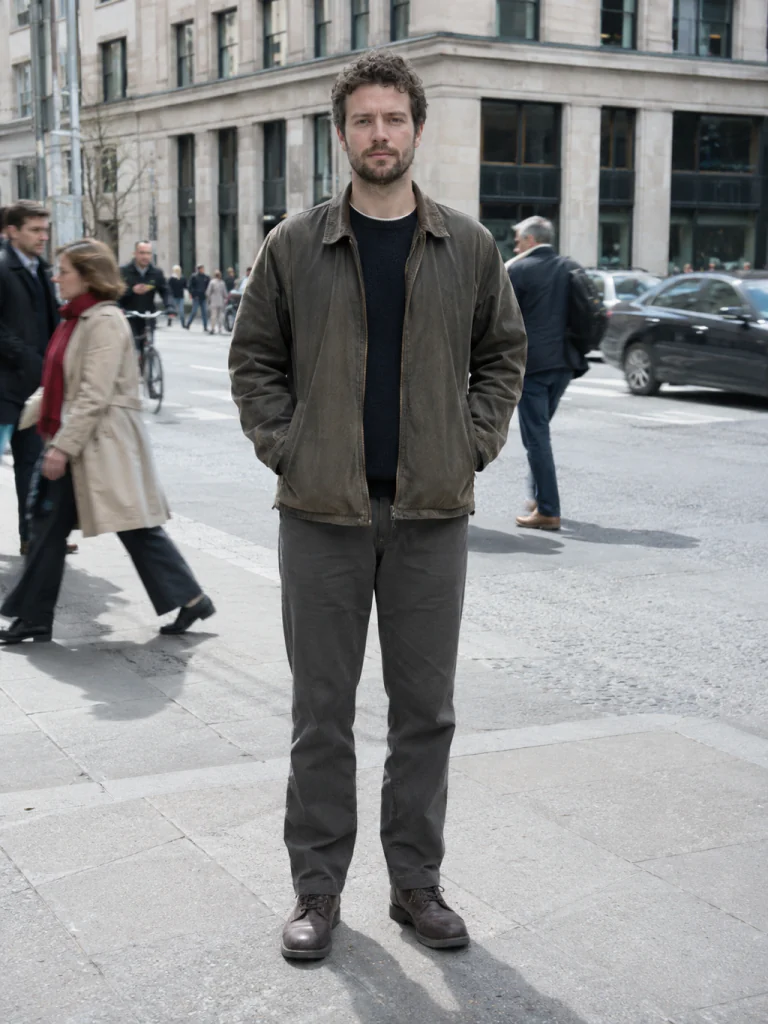
「人像延时」把一张静态照片变成一段 AI 短视频。你静止不动,周围城市却在快进。
如何使用「人像延时」
- 上传一张照片 上传人物、宠物或物品的清楚照片,作为「人像延时」视频的参考。
- 保留默认模型,或选择其他模型 当前已选择 MiniMax H3,列表中会显示其他模型的价格,确认后再开始生成。
- 点击「生成」 视频通常 约 60 秒完成,可以下载,也可以发送至其他工具继续创作。
什么样的照片适合「人像延时」
尽量避免
- 取景过近,头顶紧贴画面边缘的照片
- 模糊或光线过暗的照片
「人像延时」实测观察
「人像延时」在不同模型中的表现
- MiniMax H3 (210 积分 · 约 60 秒)US$0.21 对比 Runway US$0.50 · 768p · 5 秒−58% 对比 Runway
- Seedance 2.0 Mini · 480p (125 积分 · 约 3 分钟)US$0.13 对比 fal US$0.36 · 480p · 5 秒−65% 对比 fal
「人像延时」背后的提示词
Timelapse: the person stands perfectly still in the same spot while time speeds up around them, crowds and traffic zipping past in fast-forward blurs, shadows sweeping across the ground and the light shifting toward evening. The camera is locked off. The person stays exactly as they appear in the photo.
「人像延时」常见问题
「人像延时」要多少积分?
使用 MiniMax H3 制作「人像延时」需要 210 积分,最低可选 125 积分的方案。无需订阅,生成失败时积分会自动退回。
「人像延时」会改变照片里的什么?
The camera is locked off. The person stays exactly as they appear in the photo.

 你的照片

