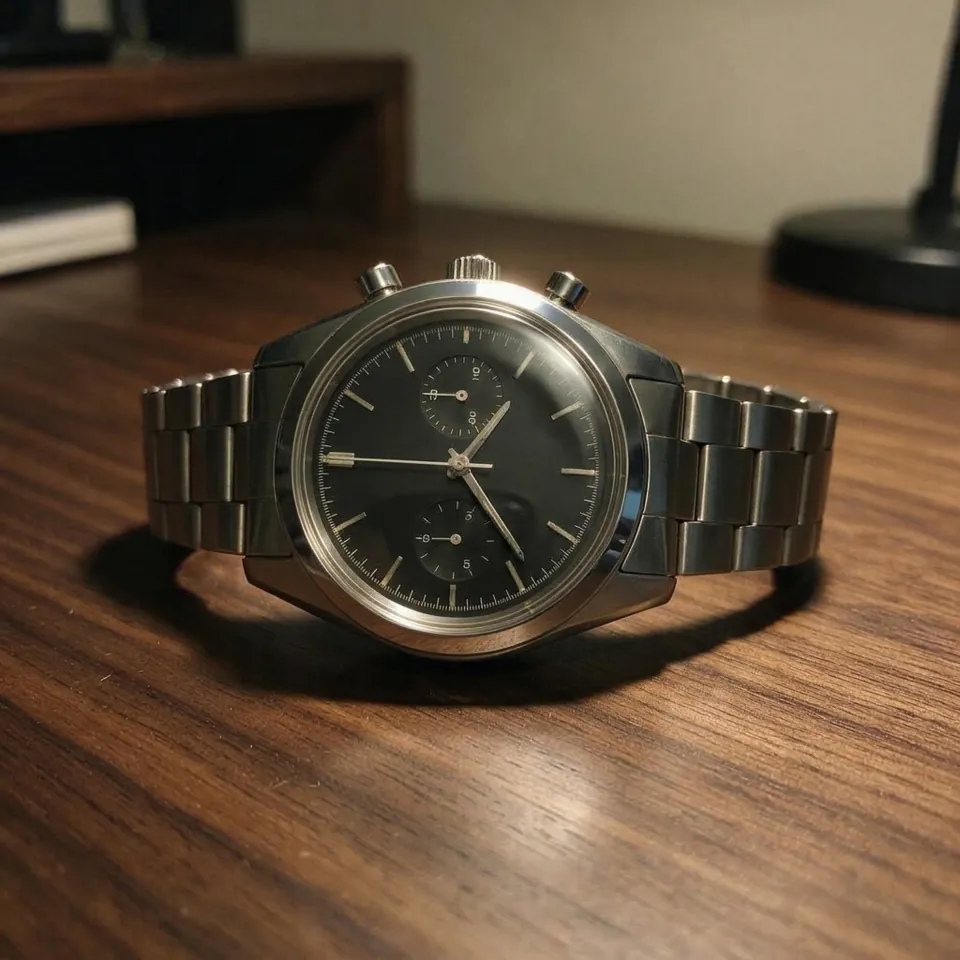
What Product Retouch does
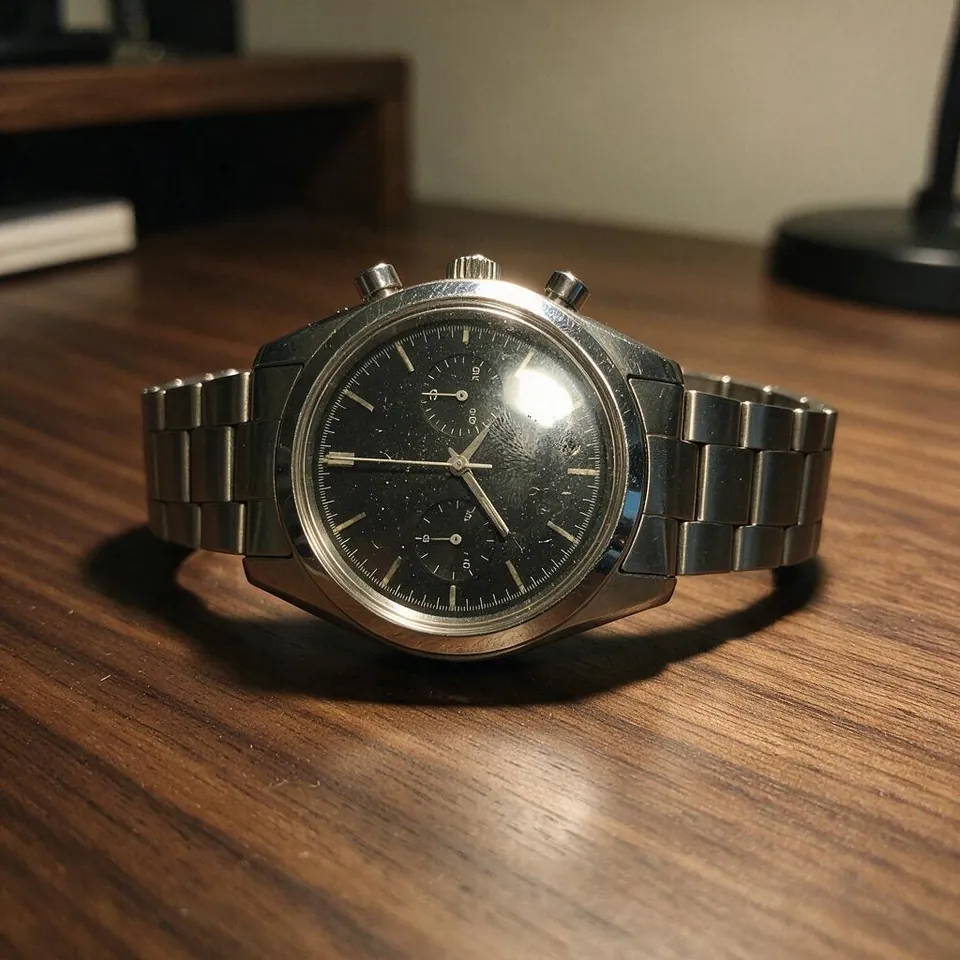
Product Retouch cleans up the photo you already have instead of making a new one. It removes dust, lint, fingerprints, water spots and fine scratches, tames blown-out glare on glass, metal and screens, brings back true colors and gives every material its finish: polished metal, sparkling stones, clear glass, crisp stitching. The shape, design, label and logo of your product stay exactly where they are, and you compare before and after with a slider, zoomed in.
Seven things it can fix
Tick as many as you like. They all go into one retouch, so the price stays the same.
- Dust & scratches
- Dust, lint, hairs, fingerprints, water spots and fine scratches.
- Glare
- Blown-out reflections on glass, metal and screens.
- Material shine
- Polished metal, sparkling stones, clear glass, crisp fabric.
- True color
- Neutral whites and true product colors.
- Even light
- Soft, even studio light instead of dull room light.
- Softer shadows
- Hard, dark shadows turned soft.
- Blend into scene
- Pasted onto a new background? Matches the light and adds a real shadow.
FAQ
How do I retouch a product photo with AI?+
Add the photo, choose what the product is, keep or change the ticked fixes and press Retouch photo. In about half a minute you get the cleaned-up photo next to your original with a slider, and you can zoom in to check details. A Standard retouch costs 48 credits.
Will it change my product or its logo?+
It is told to keep the product exactly as it is: the same shape, colors, parts, label and logo in the same place. It only removes flaws and improves light and finish. Always compare before and after before you publish, and run it again if a small detail moved.
Can it make a white background main image?+
Yes. Pick Pure white and you get the product centered on #FFFFFF plus a separate 2000 × 2000 image with an exact RGB 255 background and the product filling about 85% of the frame. Background removal for it costs 5 credits.
How do I remove dust, scratches and fingerprints from a product photo?+
Keep Dust & scratches ticked. It removes dust, lint, hairs, fingerprints, water spots and fine surface scratches from the product and the surface under it. Deep cracks and dents are real damage and may stay.
Can it remove glare from glass, metal and jewelry?+
Yes. Glare tames blown-out reflections so the real color and detail show again, while Material shine keeps clean, controlled highlights. For jewelry, choose Jewelry & watches so the metal looks polished and the stones sparkle without being changed.
What does Blend into scene do?+
If you cut a product out and pasted it onto a new background, it often looks stuck on. Blend into scene matches its light direction, color temperature, contrast and grain to the scene and adds a real contact shadow.
How much does it cost?+
A Standard retouch is 48 credits and Max detail is 43 credits. Extra light adds 30, Upscale to 4K adds 12, and the 2000 × 2000 white image adds 5. Retouch strength is free.
Standard or Max detail?+
Standard is fast, keeps your exact framing and is right for most listings. Max detail cleans surfaces more thoroughly and gives a crisper finish, which helps glass, chrome and close-ups, and takes about a minute.
Can I use the retouched photos commercially?+
Yes. Photos you make on PopNow are yours to use in listings, ads and on your store, as long as you have the right to use the original photo and product.



 Example