



AI 影片特效 · 金光消散
金光消散:一張照片生成 AI 影片
你化作無數發光的金色粒子,隨風飄散。
1加入照片
- 一個清楚的主體,拍攝腰部以上或全身,四周留些空間
- 畫面中留些空間:翅膀、火焰、傳送門和分身都需要空間出現
- 清晰、光線充足的照片能讓臉部和毛髮在特效中保持一致
更多選項MiniMax H3 Max
更多選項6 秒
約 1 分鐘
探索更多特效
所有特效



「金光消散」特效能做什麼
Golden Dissolve turns a portrait into a quiet departure. Gold light breaks away from the fingertips and shoulders, travels across the figure, and streams into the space beside them. The empty background becomes the final image, so choose a place you would still enjoy looking at after the person has gone.
Think of the movement as an ending for a travel diary, a fantasy farewell, or a transition into the next scene. The drifting particles carry the action; a busy camera move would compete with that small, gradual change. This is the cinematic edition of Turn to Dust, using a six-second H3 Max render with streaming gold light instead of a plain dust breakup.
如何使用「金光消散」
- Frame the departure Upload a portrait with an uncluttered area beside the person and enough background to remain interesting afterward.
- Choose the particle render Keep MiniMax H3 Max selected to match the flowing gold samples rather than assuming a budget option produces identical detail.
- Watch the last outline Review the fingertips, shoulders and final empty setting before choosing the cut point for your next scene.
什麼樣的照片適合「金光消散」
適合
- One person with a clear outline
- A park or promenade with empty space to one side
儘量避免
- People overlapping each other
- A face filling nearly the entire picture
「金光消散」範例

「金光消散」實測觀察
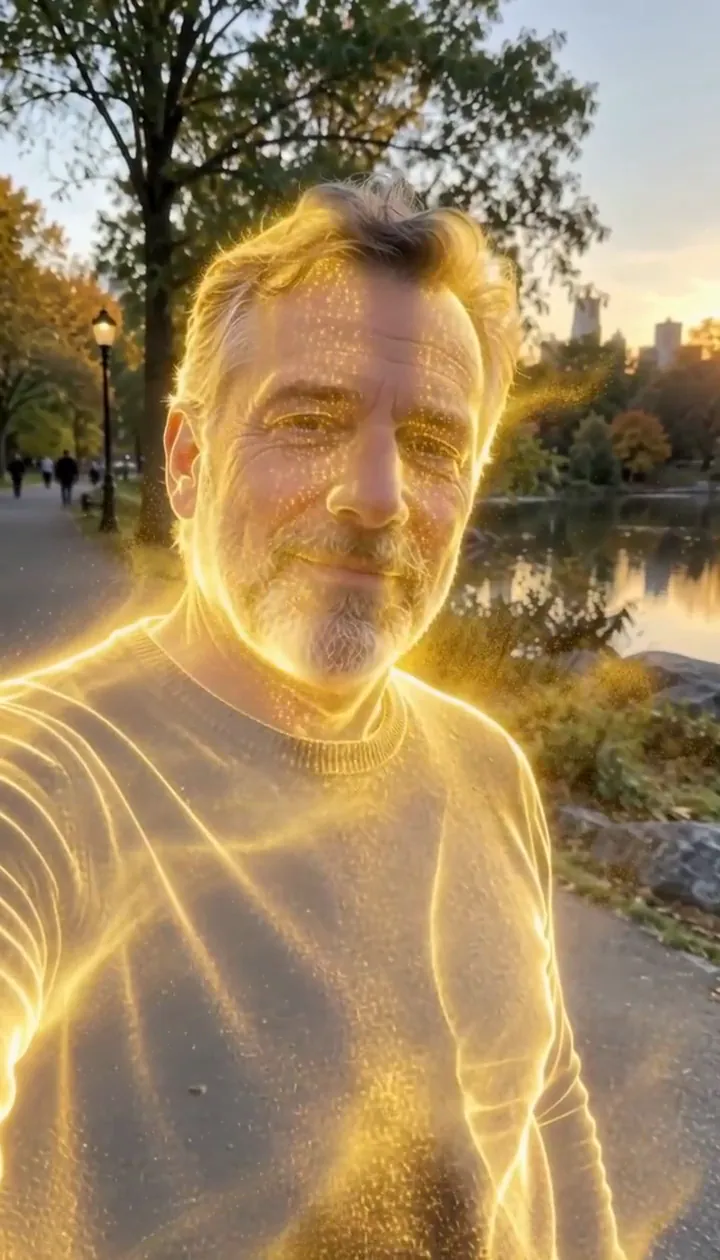
In our test runs, a man in his 50s with a trimmed grey beard and a navy sweater in a park in late-afternoon light. He dissolves into glowing gold particles until he is gone. Leave some open background on one side: the particles stream that way.
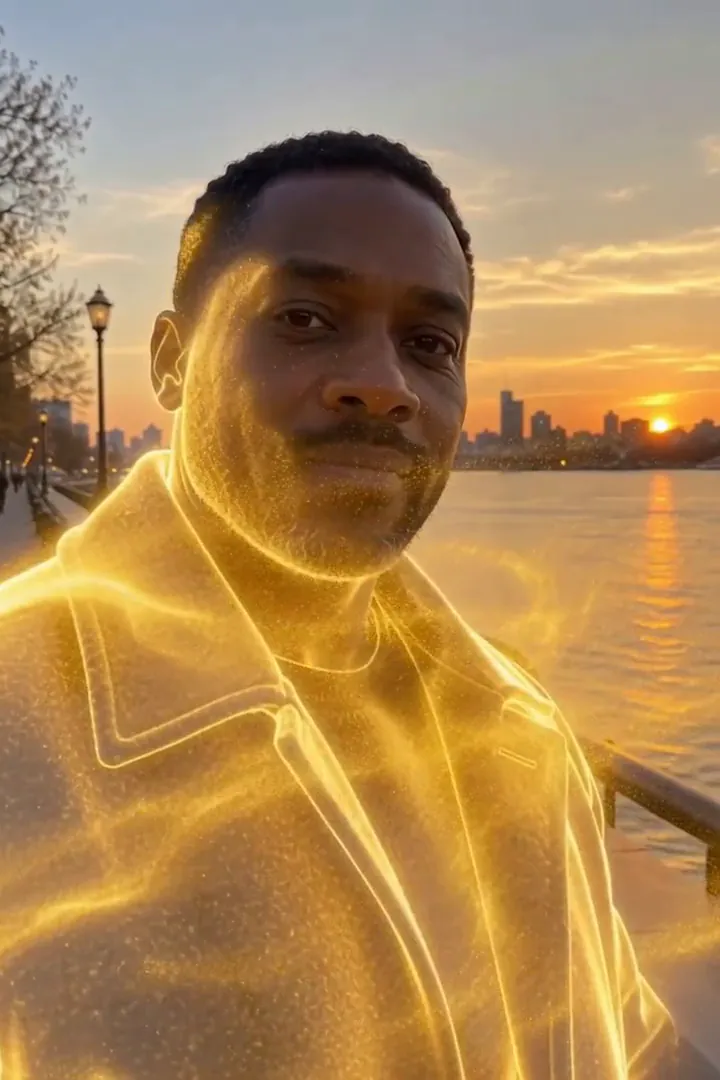
In the second run, a man in his 40s in a charcoal wool coat on a riverside promenade at golden hour. Gold sparks start at the shoulders, his whole figure turns to light, a golden outline lingers, then only the empty promenade is left. The person fully disappears by the end, so it works as an exit or a reveal shot.
「金光消散」在不同模型中的表現
- MiniMax H3 Max (480 點數 · 約 30 秒) Default; MiniMax H3 Max made the samples. 480 credits, with a typical render time of 31 seconds. The Golden Dissolve render includes generated sound; its page samples play muted.
- MiniMax H3 (185 點數 · 約 55 秒) MiniMax H3 costs 185 credits; cheaper and untested with this prompt, so the published effect is not a tested promise for this option.
- Seedance 2.0 Mini · 480p (124 點數 · 約 2 分鐘)
「金光消散」背後的提示詞
Starting at the person's fingertips and shoulders, their body slowly dissolves into millions of glowing golden particles that peel away and stream sideways on a gentle wind, swirling through the air and catching the light, until only a shimmering golden outline remains. The background stays still. Camera holds steady with a slow push-in. Ethereal, elegant, cinematic VFX.讓「金光消散」效果更好的技巧
- Keep the original location visible around the whole torso; the scenery gives the disappearing figure a stable reference.
- Avoid a crop that clips the shoulders, where the golden breakup begins.
「金光消散」常見問題
Does the gold leave a person standing at the finish?
In our test runs the figure disappeared completely, with a brief luminous outline before the background was empty.
Where should I leave room for the departing sparks?
Keep an open strip beside the shoulders and torso so the sideways stream can separate visibly from the body.
Would a crowded party picture suit this golden exit?
A solitary figure is the clearer starting point because neighboring bodies can interrupt the silhouette you want to dissolve.
Is this a solid gold statue transformation?
The intended finish is an absence made from drifting light; choose Molten Gold when you want a solid gilded figure instead.
How can I use the empty promenade ending?
Place your next shot after the last particles fade to make the disappearance serve as a gentle visual handoff.
相關特效和工具
- 化為塵埃 · 碎裂成發光的塵埃,隨風飄散。
- 花瓣消散 · 碎裂成一陣旋轉的玫瑰花瓣。
- 金粉 · 金色亮粉以慢動作灑落在你身上。
- Trim the Golden Dissolve sequence in the editor