想製作身後有煙火的新年祝福影片,只需把清晰的戶外照片新增到煙火,保留 MiniMax H3 的 5 秒檔並生成。特效自帶提示詞,讓煙火在人物上方綻放,彩色光線映到臉上。照片中人臉清晰、天空開闊,慶祝畫面才有發揮空間。
如何用一張照片製作新年影片?
- 選擇你有權使用的照片。人物面向鏡頭、處於下半畫面,上方留出天空;屋頂、陽臺或水邊都適合。
- 在新增照片裡上傳 JPG、PNG 或 WebP,最大 10 MB。原始照片就應採用成片需要的構圖。
- 如需核對選擇模型,開啟更多選項。MiniMax H3、768p、5 秒是預設特效方案,也是下面三段影片的設定。
- 看清價格後點選讓它動起來。下載前檢查臉、背景、手和最後一次綻放;保留原始照片用於對照。
預設影片花費 185 點數。頁面還提供 MiniMax H3 的 4 秒檔,以及 Seedance 2.0 Mini 的 480p、5 秒檔。改設定後就是另一種生成任務,開始前再次核對按鈕。特效頁無需自己寫提示詞。
煙火影片特效的真實樣片是什麼樣?
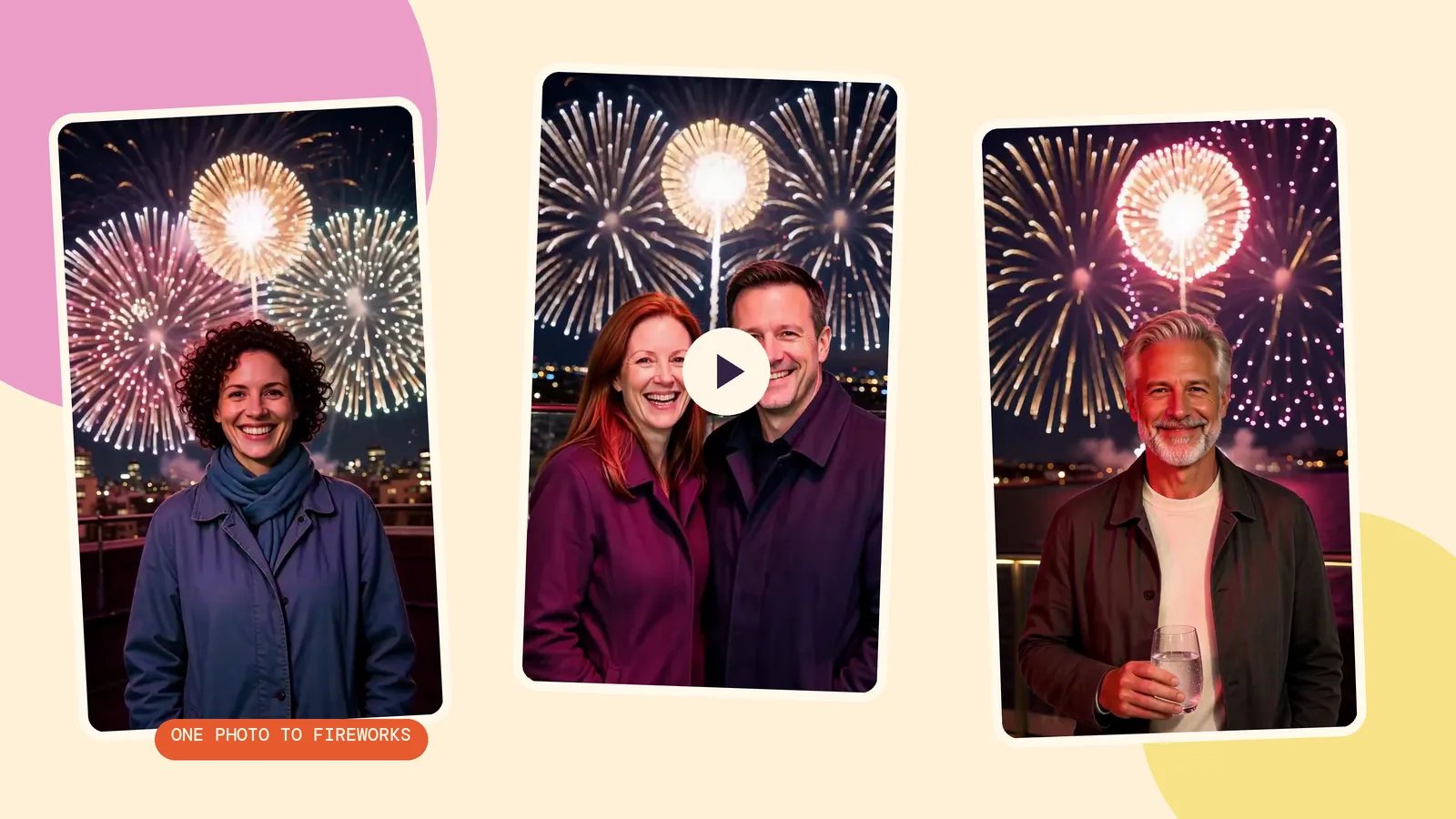
我們先用 Seedream 5.0 Flash、2K、9:16 生成三張原始照片,再把不變的煙火提示詞交給 MiniMax H3,以 768p 生成 5 秒影片。人物全部是為本指南生成的虛構成年人,所有呼叫均在 2026 年 10 月 29 日完成。每張原始照片花費 29 點數,每次動畫另行計費。
1. 城市屋頂上的單人照
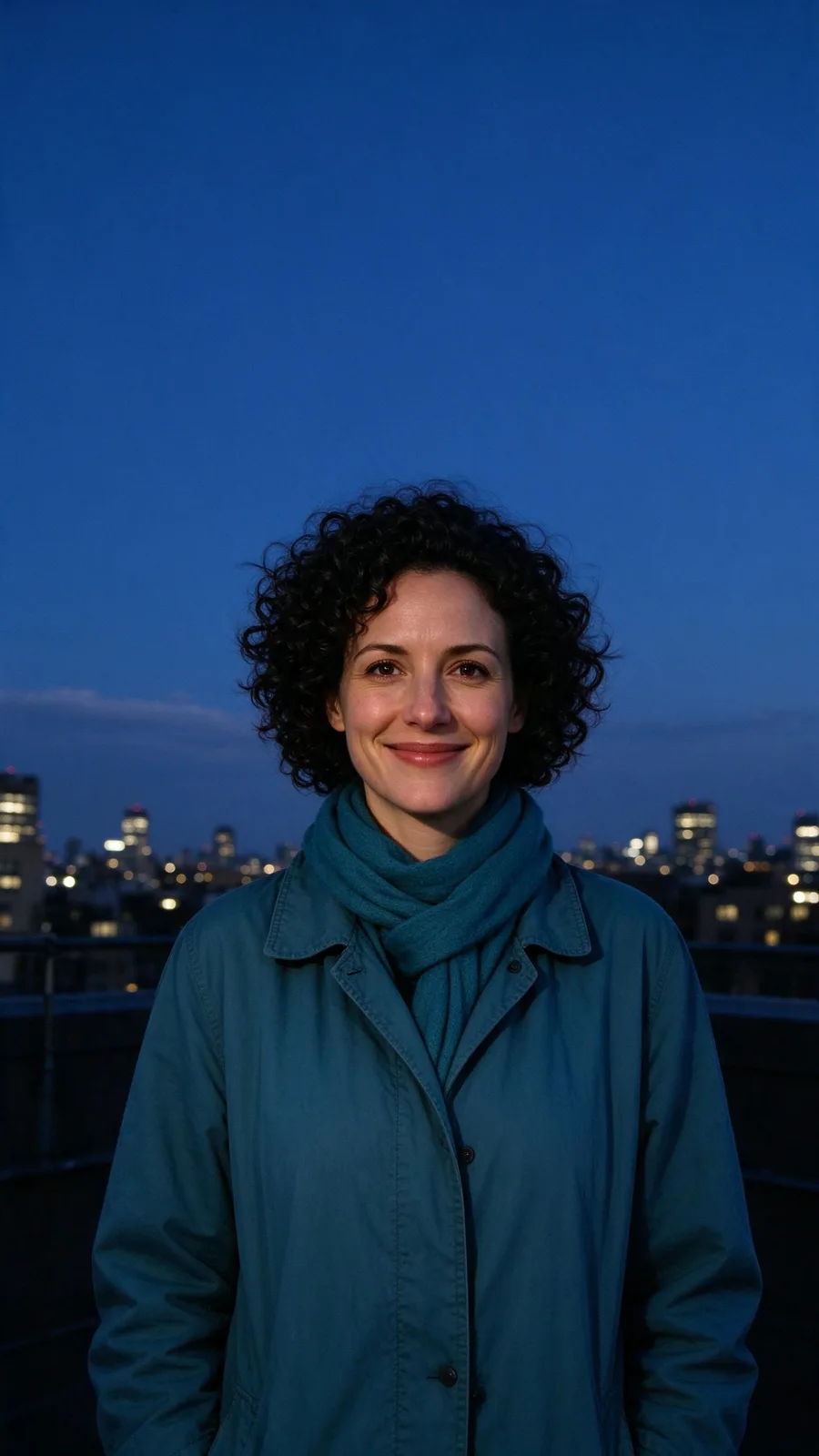
外套和清晰的城市輪廓是檢查結果時很方便的參照物。觀察臉上的光線變化,以及頭髮與煙火之間的距離。這是最容易上手的構圖:一個人、一條可見的天際線,加上足夠的天空。
Within the first second the sky behind the person turns to night and the first firework bursts high above them. By the second second the whole sky is erupting: huge gold, magenta and white blooms open one after another and rain down sparks, each burst washing flickering colored light across the person's face. They keep facing the camera, lit by the glow, and break into a wide smile at the lens as a giant golden burst fills the sky behind them in the final frames. The person stays exactly as they appear in the photo.
2. 陽臺上的兩位朋友
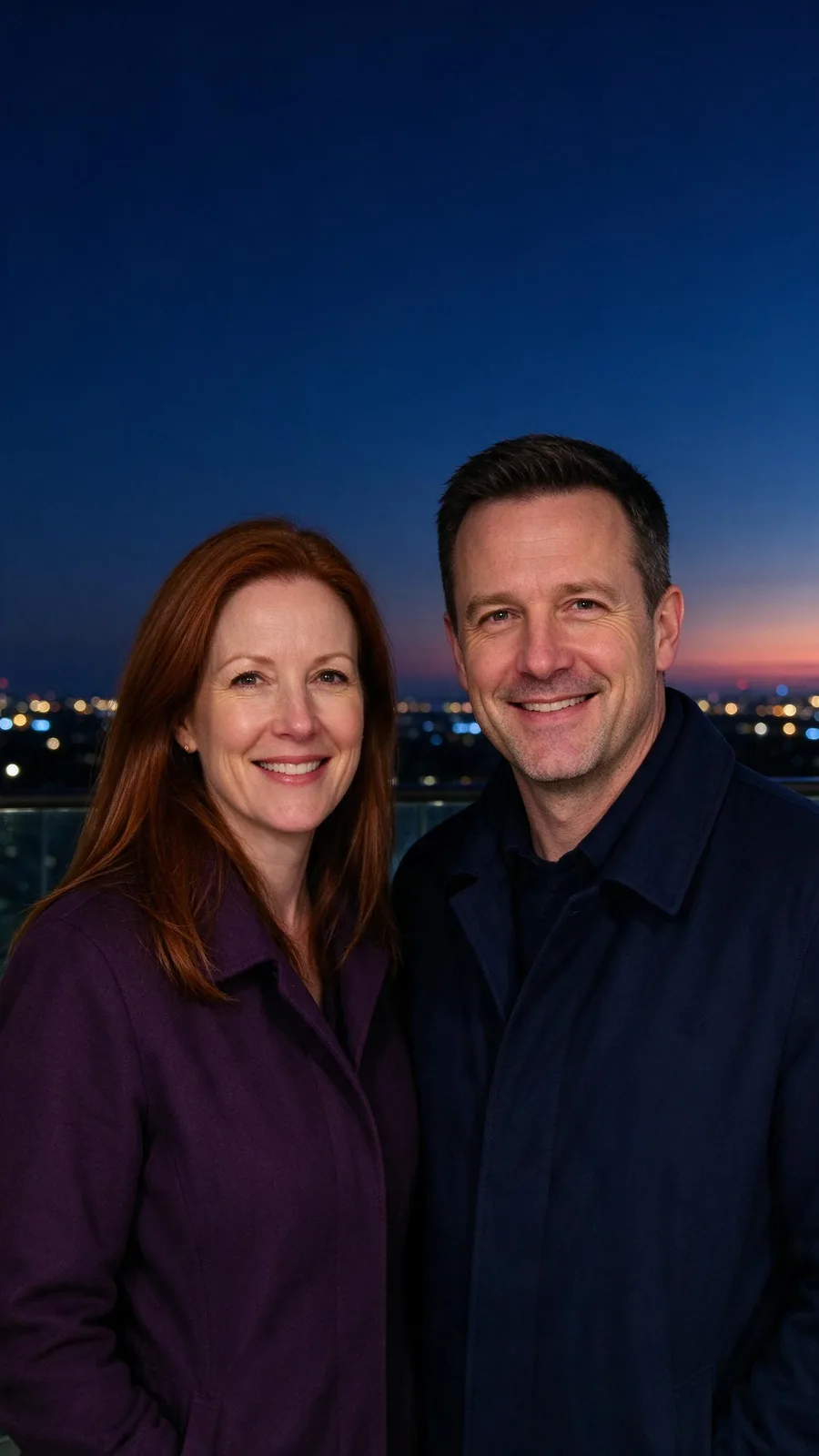
用現成合照,就不用讓模型猜測兩張單人照應如何組合。看完整段,檢查兩張臉,尤其是光線變亮時。預設以單個人物為描述物件,因此合照屬於一次測試,不代表每個人都一定得到相同表現。
Within the first second the sky behind the person turns to night and the first firework bursts high above them. By the second second the whole sky is erupting: huge gold, magenta and white blooms open one after another and rain down sparks, each burst washing flickering colored light across the person's face. They keep facing the camera, lit by the glow, and break into a wide smile at the lens as a giant golden burst fills the sky behind them in the final frames. The person stays exactly as they appear in the photo.
3. 水邊露臺上的安靜舉杯
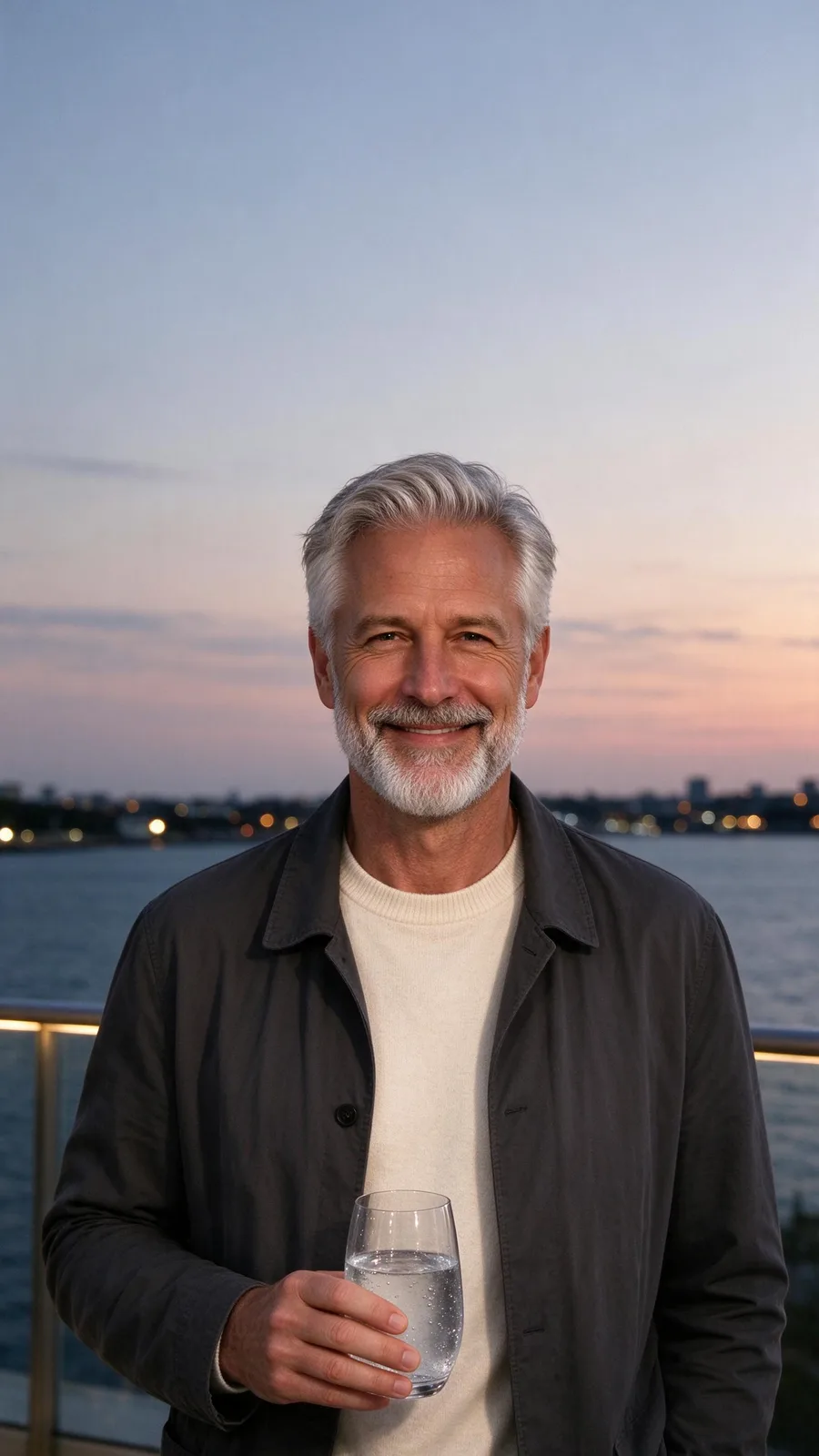
多了杯子,這組比空手人像更考驗模型。要看杯子的輪廓和握杯的手指,不能只看末幀漂亮:如果中途道具變形,結果仍不合適。道具搶走祝福語的注意力時,換張更簡單的原始照片。
Within the first second the sky behind the person turns to night and the first firework bursts high above them. By the second second the whole sky is erupting: huge gold, magenta and white blooms open one after another and rain down sparks, each burst washing flickering colored light across the person's face. They keep facing the camera, lit by the glow, and break into a wide smile at the lens as a giant golden burst fills the sky behind them in the final frames. The person stays exactly as they appear in the photo.
新年祝福應該怎樣構圖、何時釋出?
發布限時動態時,從直式 9:16 原始照片開始,讓人臉避開上方煙火綻放區域。四周留空間給釋出應用的控制元件和祝福文字。過緊的裁切無法提供真實天空,模型可能為了放煙火而重畫地點。
做倒計時內容,可提前生成,再在釋出或剪輯應用裡新增倒計時。準備午夜傳送,就提前儲存成片,到了時間再發。元旦當天用同一段影片配一句簡短祝福,無需倒計時。特效不會自動新增時鐘、年份或定時釋出設定。
想隨影片附一張靜態祝福,可使用新年賀卡製作器。新年照片賀卡指南介紹了照片變賀卡的流程。重要文字放在生成畫面之外,釋出前在編輯器裡逐字檢查。
如何不改變創意,只比較模型?
保留同一原始照片和預設提示詞,只改模型或檔位。本頁三段動畫全部使用 MiniMax H3;我們沒有為本文另做第二個模型的煙火測評。模型對比頁可以檢視選項;想改成另一種慶祝創意,則看特效庫。
常見問題
可以用合照嗎?
可以像我們的雙人示例一樣,從一張現成合照開始。每個人都面向鏡頭,人臉要大而清楚。小臉和雜亂背景更難保留,分享前檢查每個人。
影片有多長?
預設方案生成 5 秒,頁面也有 MiniMax H3 的 4 秒選項。本頁使用預設 5 秒,讓開場煙火和結尾都有預期的時間。
能新增音樂嗎?
可以。先下載影片,再用替影片加音樂生成配樂,對比兩個版本、調整原聲,下載混音後的影片。生成音樂是單獨收費的步驟,不包含在煙火特效中。
白天拍的照片也能用嗎?
預設要求第一秒內把天空轉為夜晚,因此白天照片符合這個變換思路。關鍵是身後有開闊天空。這三組示例從黃昏或夜間開始,不能據此斷言所有明亮日間照片都會有相同效果。
三段煙火影片要花多少?
三次預設動畫合計 555 點數。如果連三張原始照片也一起生成,另加 87 點數。使用自己已有的照片,就不用支付生成原始照片的費用。