
 Create Image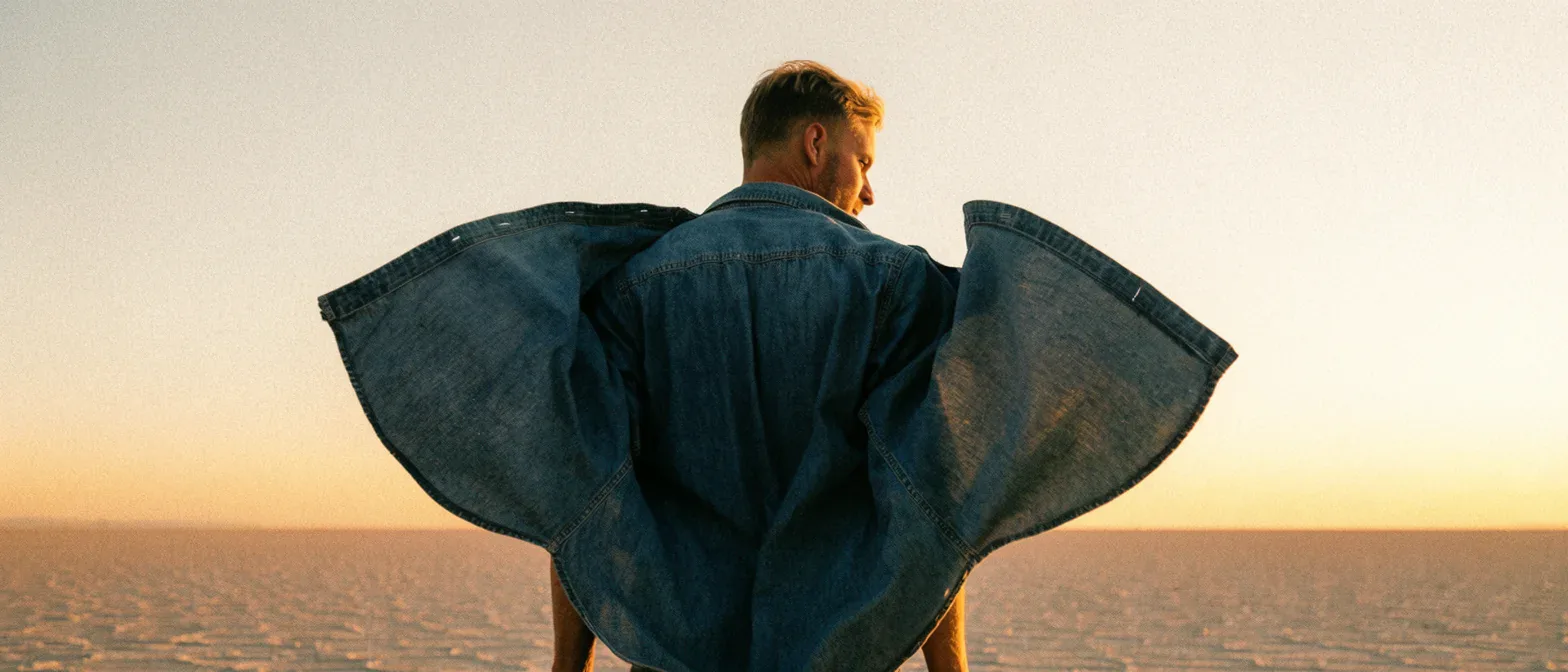
About Krea 2 Large
Krea 2 Large is the highest-detail tier of the Krea 2 line: a single text-to-image endpoint, 5,000-character prompts, and eight aspect ratios including 2.35:1 anamorphic. Built for the frame that ships.
Call it with the model name krea/2-large/text-to-image on POST /jobs/createTask, from 9 credits per image ($0.09). New accounts get 30 free credits to try it in the Playground first.
Introduction
Krea 2 Large targets the frame you actually deliver: a finished product still, the closing image of an editorial commission, a key frame that has to read as a photograph. It is the slowest tier in the Krea 2 line, and that time buys material and edge detail.
Key features
Photographs, not glossy renders
Krea's house look is photography: dust in a golden-hour shaft, Portra-like grain, skin that holds its texture instead of being smoothed into plastic. Large is the tier where that survives close inspection. Name the stock, the lens and the light quality and it will honour all three.
2.35:1 composed from the start, not trimmed down
Subjects sit where a cinematographer would put them and the negative space is deliberate. Krea 2 Medium Turbo shares it, so framing explored there carries over.
Request parameters
| Parameter | Required | Description |
|---|---|---|
aspect_ratio | No | The shape of the frame: wide, square or tall. 1:1 · 4:3 · 3:2 · 16:9 · 2.35:1 · 4:5 · 2:3 · 9:16 · Default: 1:1 |
prompt | Yes | Describe the image to generate: subject, composition, style, and lighting. |
reference_image_urls | No | Pictures of the people, outfits or places the result should keep. |
reference_strength | No | How strongly the reference images shape the result, from 0 to 1. At 1 the composition can carry over too; lower values mostly keep the palette and texture. ≥ 0 · ≤ 1 · Default: 1 |
Pricing
Prices are in credits, the same credits you use on the website (1 credit = $0.01). The hold is taken when the task is accepted and settled to the actual charge when it finishes; failed tasks are refunded.
| Option | Credits per image | ≈ USD |
|---|---|---|
| Standard | 9 | $0.09 |
For an exact number before you run, send the same body to POST /jobs/quote.
Use cases
Start from a written brief
Use this endpoint when there is no source image and the frame will be delivered as it comes back. Write subject, light, lens and film stock into the prompt; add reference images for palette, grain and material, and lower reference_strength from its default of 1 when they should not also hand over their composition.
Storyboard and key frames
Staging, negative space and lens language all come from the prompt, so a director can judge the composition rather than imagine it.
Campaign finals after a fast tier
Same prompt vocabulary, no restructuring between the two tiers.
Editorial portraiture at full size
Rehearsal-room light, velvet against a single spotlight, a face lit for real. This is where the house look pays off: at full size the skin keeps its pores and the fabric keeps its weave, and neither turns to plastic.
Prompt guide & pro tips
Rewrite rather than re-roll
With no seed there is nothing to pin, so treat a miss as a wording problem: change one clause — the light, the lens, the wardrobe — and run it again. Save every prompt that lands, because it is the only way back to that frame.
Choose the ratio before the words
The frame is composed for the ratio you ask for, so 2.35:1 is a different picture from a cropped 16:9 — not the same picture trimmed. Pick 4:5 or 9:16 for feed placements and 2.35:1 for anything cinematic.
Adapt the included example
Start with the published example using aspect_ratio: 16:9. Replace the subject and creative direction while keeping the input contract for this mode intact.
The frame this endpoint opens on. That is the failure mode this tier is bought to avoid. The image shown was produced on the Turbo tier of the same line as a style reference.
Check the result before iterating
This endpoint has four fields: prompt, aspect_ratio, up to ten reference images and reference_strength. There is no seed, so a frame you like cannot be redrawn — a run that misses is fixed by rewriting, not by re-steering, and any frame worth keeping should be stored with its prompt. At the default reference_strength of 1 the reference images carry their composition along with palette, grain, material and light, and all ten count equally; at 0.2 the layout mostly follows the prompt while the style still shows clearly. One image comes back per request, and Large is the slowest tier in the line — explore on Medium Turbo and finish here.
API quick start
Call the Krea 2 Large API in three steps
- Create an API key. Sign in to PopNow and create a key in the API console. Keys start with sk-popnow- and use the same credits as the website.
- Send the request. POST /jobs/createTask with model krea/2-large/text-to-image and an input object that follows the parameter table. The response returns a task ID straight away.
- Get the result. Poll GET /jobs/recordInfo with the task ID, or pass a callBackUrl and we post the result to it. Download the output links when the task succeeds.
# 1. Create the task. Keep the Idempotency-Key if you retry after a network error.
export IDEMPOTENCY_KEY="$(uuidgen)"
curl -X POST https://api.popnow.ai/api/v1/jobs/createTask \
  -H "Authorization: Bearer $POPNOW_API_KEY" \
  -H "Content-Type: application/json" \
  -H "Idempotency-Key: $IDEMPOTENCY_KEY" \
  -d '{
  "model": "krea/2-large/text-to-image",
  "input": {
    "prompt": "A ceramic teapot on a linen cloth, soft window light, muted palette",
    "aspect_ratio": "1:1"
  }
}'

# 2. Copy data.taskId from the response, then poll until state is succeeded, failed, canceled or expired.
TASK_ID="TASK_ID_FROM_RESPONSE"
curl "https://api.popnow.ai/api/v1/jobs/recordInfo?taskId=$TASK_ID" \
  -H "Authorization: Bearer $POPNOW_API_KEY"
Replace the prompt and any links with your own. The API tab has the response, polling and callback reference.
Krea 2 Large API questions
How much does the Krea 2 Large API cost?
Krea 2 Large costs 9 credits ($0.09) per image. Credits are the same as on the website (1 credit = $0.01), new accounts get 30 free credits, and failed tasks are refunded.
What is the model name for Krea 2 Large in the API?
Put krea/2-large/text-to-image for Create Image in the model field of POST /jobs/createTask.
How is Large different from Krea 2 Medium and Medium Turbo?
All three take a prompt and return one image. Large is the slowest and has the highest ceiling on detail and material. Medium Turbo is the quick tier and shares Large's eight ratios, 2.35:1 included, and its style references. Medium has five ratios and no reference input, but lets you choose png or jpeg.
Why is there no seed on this endpoint?
Krea's own API has one, but this endpoint does not expose it, so nothing here can be pinned. A frame you want to keep has to be kept — store the prompt with the asset, because rerunning will draw something new.
Can I pass a reference image?
Yes — up to ten, and the field is optional. At the default reference_strength of 1 they carry their composition as well as palette, grain, material and light; lower it to keep mainly the colour and texture — at 0.2 the layout mostly follows the prompt while the style still shows clearly. All ten count equally, so two or three angles of one look do more than a stack of near-identical frames.
Is there a creativity or guidance control?
No. Krea's creativity switch is a four-tier discrete category with no authoritative mapping to a familiar numeric scale, and a control pointing the wrong way is worse than none. The default tier is used.
How long is a prompt allowed to be?
Up to 5,000 characters. Spend it on stock, lens, light direction and material; padding with adjectives is where a description starts to fight itself on this tier.
What are the limits of the Krea 2 Large API?
Aspect ratios: 1:1 · 4:3 · 3:2 · 16:9 · 2.35:1 · 4:5 +2; Reference images: 10; Prompt length (characters): 5,000. Requests outside these limits are rejected before anything is charged.
Can I try Krea 2 Large without writing code?
Yes. The Playground runs Krea 2 Large on your PopNow credits, needs no API key, and shows the matching code for every run.
All Krea models
Krea 2 Medium Turbo takes the same prompts and references much faster and cheaper, which makes it the place to explore. Large is for the final frame.
- Krea 2 Turbo LoRA APIKrea 2 Turbo images and restyles with your own LoRAsFrom 4 credits per image
- Krea 2 Large APIKrea's most detailed tier for cinematic key framesFrom 9 credits per image
- Krea 2 Medium APIEveryday Krea images for steady volume workFrom 5 credits per image
- Krea 2 Medium Turbo APIQuick Krea frames guided by up to ten style referencesFrom 3 credits per image
Other image APIs
- Nano Banana 2.1 APIGoogle's newest Nano Banana, sharp text and 4K outputFrom 8 credits per image
- Nano Banana Pro APIPlans the layout first: dense text, diagrams and 4K editsFrom 17 credits per image
- GPT Image 2.5 Sunburst APIOpenAI's quality-first model, up to 4K with clean textFrom 1 credit per image
- Seedream 5.0 Pro APIHigh-detail images and edits from up to ten referencesFrom 6 credits per image
- FLUX.2 Max APITop-tier FLUX: photoreal light and exact brand colorsFrom 11 credits per image
- Qwen Image 2.1 Pro APIUp to six detailed 2K images from one promptFrom 6 credits per image


