想制作身后有烟花的新年祝福视频,只需把清晰的户外照片添加到烟花,保留 MiniMax H3 的 5 秒档并生成。特效自带提示词,让烟花在人物上方绽放,彩色光线映到脸上。照片中人脸清晰、天空开阔,庆祝画面才有发挥空间。
如何用一张照片制作新年视频?
- 选择你有权使用的照片。人物面向镜头、处于下半画面,上方留出天空;屋顶、阳台或水边都适合。
- 在添加照片里上传 JPG、PNG 或 WebP,最大 10 MB。原图就应采用成片需要的构图。
- 如需核对选择模型,打开更多选项。MiniMax H3、768p、5 秒是默认特效方案,也是下面三段视频的设置。
- 看清价格后点击让它动起来。下载前检查脸、背景、手和最后一次绽放;保留原图用于对照。
默认视频花费 185 积分。页面还提供 MiniMax H3 的 4 秒档,以及 Seedance 2.0 Mini 的 480p、5 秒档。改设置后就是另一种生成任务,开始前再次核对按钮。特效页无需自己写提示词。
烟花视频特效的真实样片是什么样?
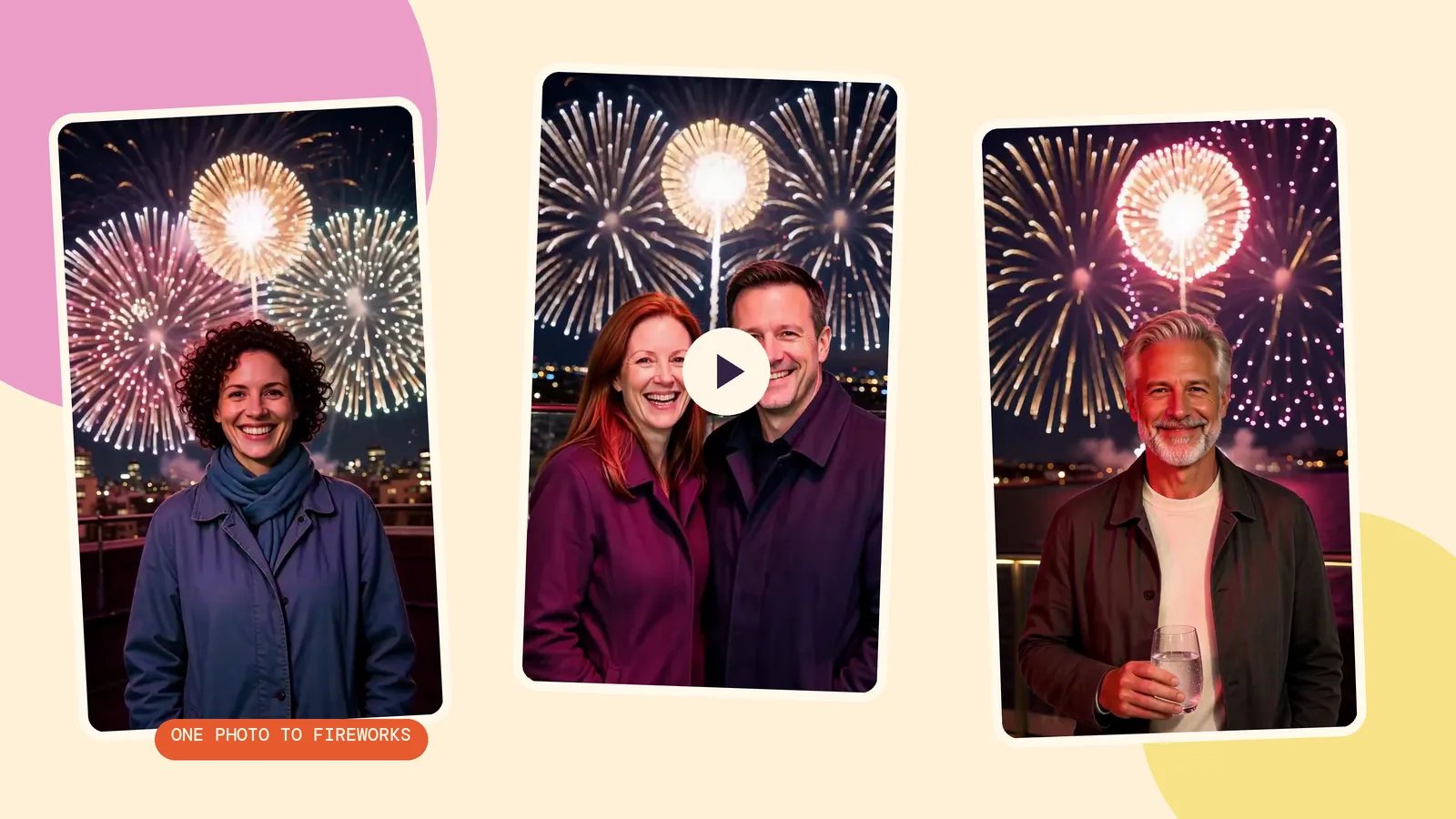
我们先用 Seedream 5.0 Flash、2K、9:16 生成三张原图,再把不变的烟花提示词交给 MiniMax H3,以 768p 生成 5 秒视频。人物全部是为本指南生成的虚构成年人,所有调用均在 2026 年 10 月 29 日完成。每张原图花费 29 积分,每次动画另行计费。
1. 城市屋顶上的单人照
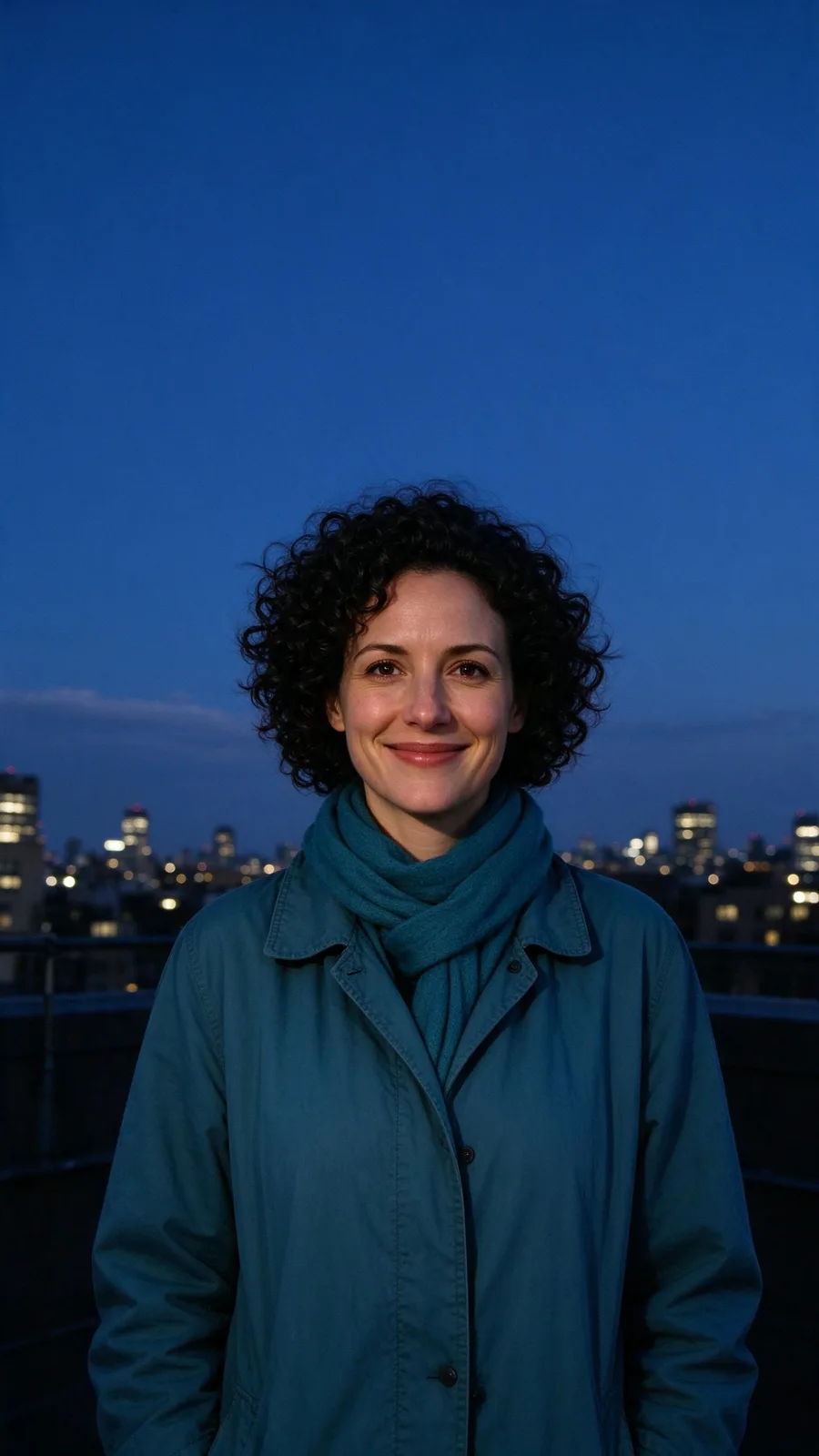
外套和清晰的城市轮廓是检查结果时很方便的参照物。观察脸上的光线变化,以及头发与烟花之间的距离。这是最容易上手的构图:一个人、一条可见的天际线,加上足够的天空。
Within the first second the sky behind the person turns to night and the first firework bursts high above them. By the second second the whole sky is erupting: huge gold, magenta and white blooms open one after another and rain down sparks, each burst washing flickering colored light across the person's face. They keep facing the camera, lit by the glow, and break into a wide smile at the lens as a giant golden burst fills the sky behind them in the final frames. The person stays exactly as they appear in the photo.
2. 阳台上的两位朋友
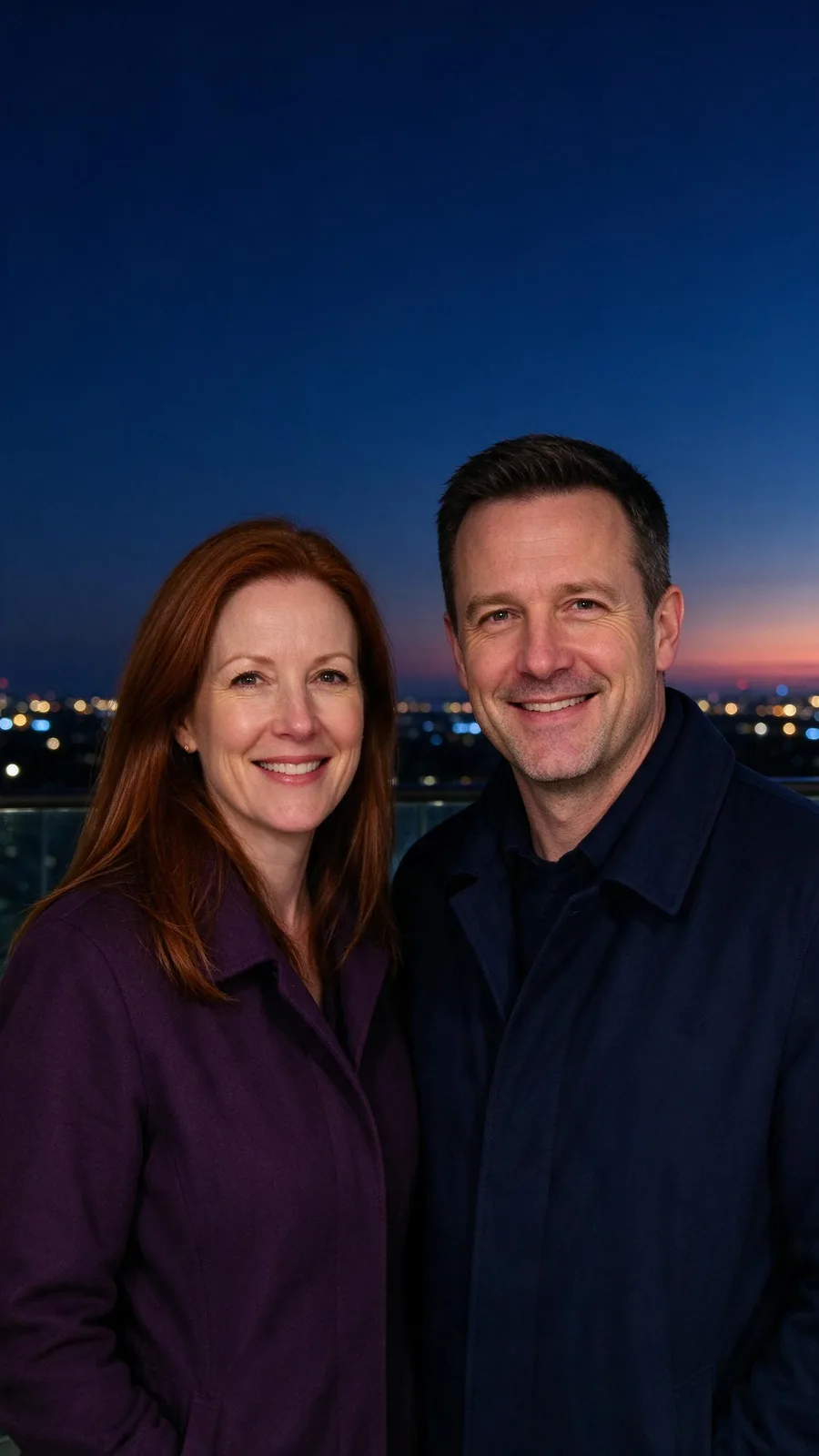
用现成合照,就不用让模型猜测两张单人照应如何组合。看完整段,检查两张脸,尤其是光线变亮时。预设以单个人物为描述对象,因此合照属于一次测试,不代表每个人都一定得到相同表现。
Within the first second the sky behind the person turns to night and the first firework bursts high above them. By the second second the whole sky is erupting: huge gold, magenta and white blooms open one after another and rain down sparks, each burst washing flickering colored light across the person's face. They keep facing the camera, lit by the glow, and break into a wide smile at the lens as a giant golden burst fills the sky behind them in the final frames. The person stays exactly as they appear in the photo.
3. 水边露台上的安静举杯
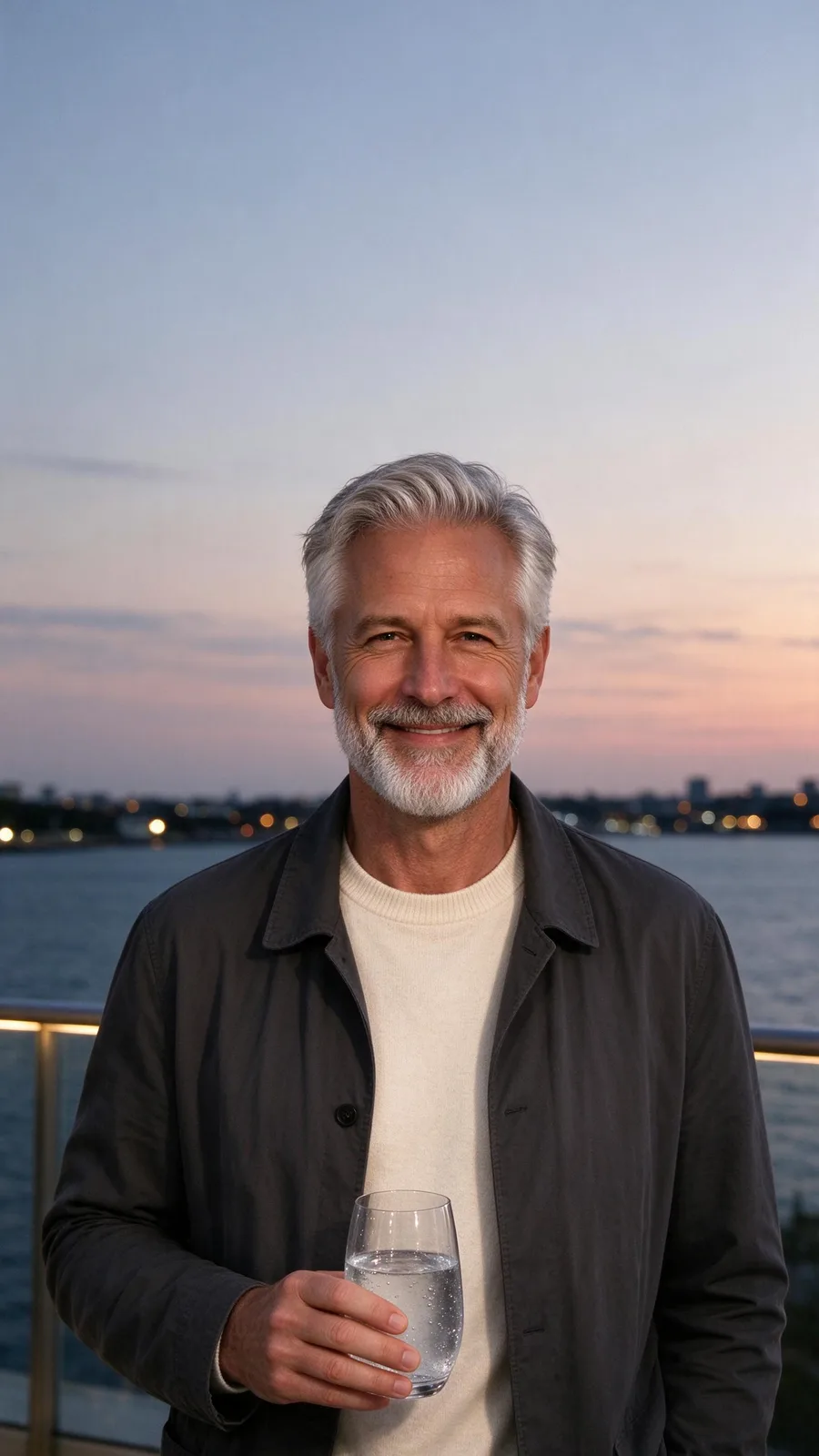
多了杯子,这组比空手人像更考验模型。要看杯子的轮廓和握杯的手指,不能只看末帧漂亮:如果中途道具变形,结果仍不合适。道具抢走祝福语的注意力时,换张更简单的原图。
Within the first second the sky behind the person turns to night and the first firework bursts high above them. By the second second the whole sky is erupting: huge gold, magenta and white blooms open one after another and rain down sparks, each burst washing flickering colored light across the person's face. They keep facing the camera, lit by the glow, and break into a wide smile at the lens as a giant golden burst fills the sky behind them in the final frames. The person stays exactly as they appear in the photo.
新年祝福应该怎样构图、何时发布?
发快拍时,从竖版 9:16 原图开始,让人脸避开上方烟花绽放区域。四周留空间给发布应用的控件和祝福文字。过紧的裁切无法提供真实天空,模型可能为了放烟花而重画地点。
做倒计时内容,可提前生成,再在发布或剪辑应用里添加倒计时。准备午夜发送,就提前保存成片,到了时间再发。元旦当天用同一段视频配一句简短祝福,无需倒计时。特效不会自动添加时钟、年份或定时发布设置。
想随视频附一张静态祝福,可使用新年贺卡制作器。新年照片贺卡指南介绍了照片变贺卡的流程。重要文字放在生成画面之外,发布前在编辑器里逐字检查。
如何不改变创意,只比较模型?
保留同一原图和预设提示词,只改模型或档位。本页三段动画全部使用 MiniMax H3;我们没有为本文另做第二个模型的烟花测评。模型对比页可以查看选项;想改成另一种庆祝创意,则看特效库。
常见问题
可以用合照吗?
可以像我们的双人示例一样,从一张现成合照开始。每个人都面向镜头,人脸要大而清楚。小脸和杂乱背景更难保留,分享前检查每个人。
视频有多长?
默认方案生成 5 秒,页面也有 MiniMax H3 的 4 秒选项。本页使用默认 5 秒,让开场烟花和结尾都有预期的时间。
能添加音乐吗?
可以。先下载视频,再用给视频加音乐生成配乐,对比两个版本、调整原声,下载混音后的视频。生成音乐是单独收费的步骤,不包含在烟花特效中。
白天拍的照片也能用吗?
预设要求第一秒内把天空转为夜晚,因此白天照片符合这个变换思路。关键是身后有开阔天空。这三组示例从黄昏或夜间开始,不能据此断言所有明亮日间照片都会有相同效果。
三段烟花视频要花多少?
三次默认动画合计 555 积分。如果连三张原图也一起生成,另加 87 积分。使用自己已有的照片,就不用支付生成原图的费用。